This site uses cookies to enhance your user experience. By clicking any link on this site you are giving your consent to our cookie policy. Read more
Reject
Accept All

Advertiser and Editorial Disclosures

Xfinity Stream

Xfinity Stream

verified

Comcast

2.9
Rating
10,000,000+ Downloads
8.15.1.3746 Version
  • category

    Category: Entertainment

  • price

    Price: free

  • age rating

    Age Rating: Teen

  • rating

    Rating: 2.9

  • available on

    Available on: /

  • updated on

    Updated on: Jun 24, 2026

Screenshot 1
Screenshot 2
Screenshot 3
Screenshot 4
Screenshot 5
Screenshot 6
Screenshot 7
Screenshot 8
Screenshot 9
Screenshot 10
Advertisement

Features & Highlights

Cloud DVR Functionality

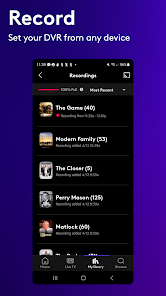
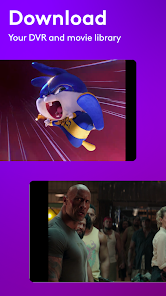
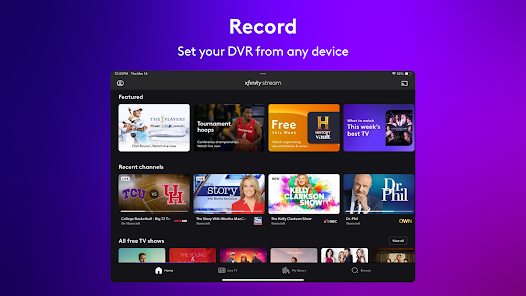
The cloud DVR feature allows you to record your favorite shows and movies, so you never have to worry about missing out. You can easily store and access your recordings from any device, giving you the flexibility to watch at your own pace.

Live TV Access

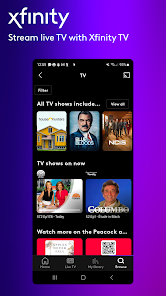
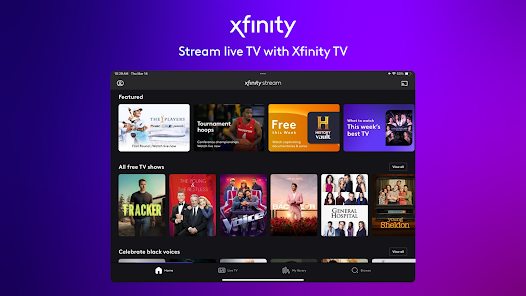
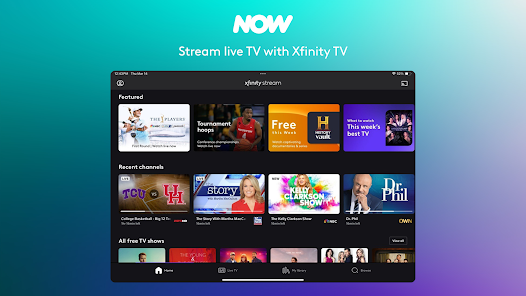
With Xfinity Stream, you can enjoy live television from anywhere, making it easy to catch your favorite shows and events in real time. Whether you're at home or on the go, this feature keeps you connected to your viewing experience without missing a beat.

Multiple Device Support

Xfinity Stream is designed to work seamlessly across multiple devices, including smartphones, tablets, and smart TVs. This versatility ensures that you can enjoy your entertainment on your terms, whether you're relaxing at home or traveling.

On-Demand Library

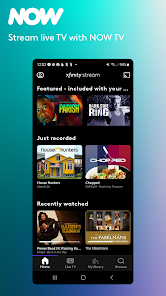
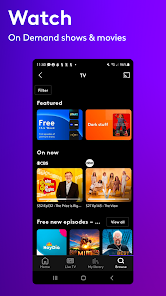
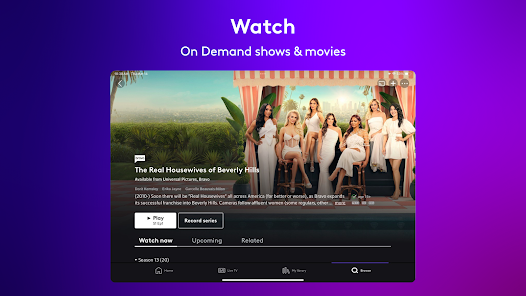
Xfinity Stream offers an extensive on-demand library filled with movies, TV shows, and exclusive content. This means you can binge-watch your favorite series or discover new films at your convenience, ensuring there's always something exciting to watch whenever you want.

Advertisement

Pros & Cons

Pros
  • Access thousands of on-demand titles anytime.
  • Stream live TV channels on-the-go.
  • Enjoy personalized recommendations for easy browsing.
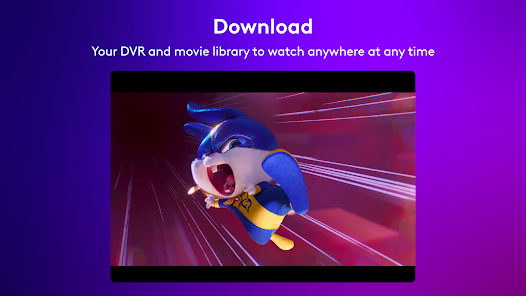
  • Download content for offline viewing convenience.
  • Compatible with various devices for flexibility.
Cons
  • Limited offline viewing options available
  • Streaming quality can fluctuate
  • Compatibility issues with some devices
  • Requires Xfinity subscription for full access

Real Experience Using Xfinity Stream

Application Scenarios

Xfinity Stream serves as a versatile streaming solution for Xfinity customers, ideal for various scenarios. Whether you’re at home lounging on the couch or on the go commuting to work, the app allows users to access a wide array of content including live TV, on-demand shows, and movies. Families can enjoy different shows simultaneously, making it a great option for households with diverse viewing preferences. For sports enthusiasts, the app provides real-time access to live games and highlights, creating a seamless experience for fans wanting to keep up with their favorite teams. Additionally, the offline download feature is a game changer for travelers, enabling users to download content ahead of time and watch it without an internet connection.

User Experience

The user experience of the Xfinity Stream app is generally smooth and intuitive. The layout is user-friendly, with a clean interface that allows for easy navigation through categories like “Watch Now,” “Saved,” and “On Demand.” Users appreciate the ability to create personalized watchlists, making it easier to track shows and movies they want to see. Streaming quality is typically high, with minimal buffering times, which is crucial for uninterrupted viewing. However, some users have expressed concerns about occasional glitches and login issues, particularly during peak usage times. The app supports multiple devices, including smartphones, tablets, and smart TVs, ensuring that users can enjoy their content on their preferred screens.

Pricing

The pricing for Xfinity Stream is tied to Xfinity’s internet and cable packages, which means it is not available as a standalone service. For existing customers, the app is included at no additional cost, making it a valuable perk. New users must subscribe to an Xfinity service plan, which can vary in price depending on the level of service chosen. While some may find the overall cost of Xfinity services higher than competitors, the comprehensive content available through the app can justify the expense for many users, especially those who prioritize live TV and a diverse on-demand library.

Updates & Support

Xfinity Stream receives regular updates that aim to enhance performance and introduce new features. The development team is responsive to user feedback, often addressing bugs and improving the overall experience with each update. Customer support is accessible through multiple channels, including live chat, phone support, and an extensive online help center. However, some users have reported varying experiences with response times and the effectiveness of the support provided. Overall, regular updates and a commitment to customer service help maintain user satisfaction, ensuring that the app remains competitive in the ever-evolving streaming landscape.

verified Security & Privacy Review

The Xfinity Stream app places a strong emphasis on user security and privacy, implementing various measures to safeguard personal information. The app requires users to log in with their Xfinity credentials, ensuring that access is restricted to authorized individuals. Data transmitted between the app and Xfinity servers is encrypted, providing an additional layer of protection against potential breaches. When it comes to permissions, Xfinity Stream requests access to essential features such as device storage and network connectivity. However, it is transparent about these requests, allowing users to make informed decisions regarding their privacy. The app does not collect unnecessary personal data, focusing instead on information vital for service functionality and user experience enhancement. Xfinity’s privacy policy outlines how user data is collected, used, and shared, emphasizing compliance with applicable laws and regulations. Users can manage their privacy settings within the app, granting them control over data sharing preferences. Overall, Xfinity Stream demonstrates a commitment to maintaining user privacy while delivering a secure streaming experience.
Advertisement

Compare APP

User Reviews

  • Felicia McKnight
    2026/06/08

    For the last few months the app hardly works. when I try to watch a show, from home, on Xfinity wifi sometimes it doesn't load. sometimes there are multiple glitches where the show pauses and has to load again. I recently traveled and could not watch anything on wifi. this had never happened. we pay TOO MUCH MONEY for cable to not be able to watch the shows remotely.

  • Kristin Demoro
    2026/06/26

    EDIT: 6.25.26: this app won't play at all. I've cleared cache, restarted, etc. it just won't work. I'm going to uninstall it, and stick to watching on my laptop. simply doesn't work. AT ALL. Original edited review: have to either try again at another time, or the next day. Occasionally acts better after I restart the phone, but that's a pain. It should just work. This is at home, connected to Comcast. I see reading other reviews here that this is a known issue. WHY DON'T YOU FIX IT THEN Y'ALL.

  • Mikaela Ernster
    2026/04/10

    Works about 30% of the time. Most of my issues consist of never being able to actually load the TV show when I hit play, and then the other half is Chromecast. Sometimes it can't find the device and other times it finds it and then connects, and when I hit play it wheel of deaths me and disconnects eventually. I literally get flash backs to dial up, but at least dial up eventually connected. This app has no such luck.

  • Mark Lloyd
    2026/03/08

    App works periodically. Works inconsistently with streaming devices like Chromecast where other apps (YouTube, Netflix) stream flawlessly from my Android device. Not great. Update with continued low rating - the app remains buggy and inconsistent. I attempted to stream a movie that included commercials... bad idea. The commercials were non-stop and repetitive, the movie restarted causing me to fast forward, triggering more commercials and then skipped ahead.

  • Steven Beadle
    2026/04/16

    dude ads, every time you close your phone ads, every time you fast forward or rewind you get a full set of ads before and after you do either and the server, every time you close a movie, rewound to before the nearest ad, to fastforward 2 sets of ads 1 before and 1 after. in 3 hours I was able to watch 30 mins of mortal Kombat because I had stuff to do so I paused the video, too bad, rewind ad... are you kidding me. no. absolutely not fix that. 0 stars if I could. 0 why do u think you have 2.9

Review Source: Google Play store public user reviews.

FAQ

1

Does Xfinity Stream collect my personal data?

Yes, Xfinity Stream may collect personal data such as viewing habits and account information to enhance user experience and provide targeted content.

2

Does Xfinity Stream offer a free trial or free version?

Xfinity Stream typically does not offer a free trial or free version; it is available exclusively to Xfinity cable subscribers as part of their subscription plan.

3

Does Xfinity Stream require an internet connection?

Yes, Xfinity Stream requires a stable internet connection to stream content, whether you're using Wi-Fi or mobile data.

4

How can I contact support or send feedback for Xfinity Stream?

You can contact Xfinity support through their website, via the Xfinity app, or by calling their customer service number. Feedback can also be submitted through the app or website.

5

How do I manage or cancel my Xfinity Stream subscription?

You can manage or cancel your Xfinity Stream subscription through your Xfinity account online or by contacting Xfinity customer support for assistance.

How to use Xfinity Stream

1

How do I activate the Xfinity Stream app on my device?

Download the app, open it, and log in with your Xfinity credentials. Follow any on-screen prompts to complete the activation.

2

How do I contact Xfinity Customer Service for help with the Stream app?

You can reach Xfinity Customer Service at 1-800-XFINITY (1-800-934-6489) or visit their support website.

3

How do I log in to the Xfinity Stream app?

Open the app, enter your Xfinity username and password, then tap "Sign In." Make sure you have an active subscription.

4

What is the customer number for my Xfinity account?

Your customer number is located on your billing statement or in your online account under account settings.

What's New

With this release, we fixed a few minor bugs.

Editor's Choice