This site uses cookies to enhance your user experience. By clicking any link on this site you are giving your consent to our cookie policy. Read more
Reject
Accept All

Advertiser and Editorial Disclosures

Kick: Live Streaming

Kick: Live Streaming

verified

KICK - Live Streaming

4.5
Rating
50,000,000+ Downloads
/ Version
  • category

    Category: Entertainment

  • price

    Price: free

  • age rating

    Age Rating: Teen

  • rating

    Rating: 4.5

  • available on

    Available on: /

  • updated on

    Updated on: Jun 30, 2026

Screenshot 1
Screenshot 2
Screenshot 3
Screenshot 4
Screenshot 5
Screenshot 6
Screenshot 7
Screenshot 8
Screenshot 9
Screenshot 10
Screenshot 11
Screenshot 12
Screenshot 13
Screenshot 14
Screenshot 15
Advertisement

Features & Highlights

High-Quality Streaming

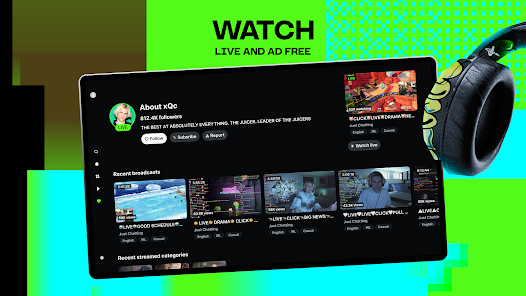
With KICK: Live Streaming, users can enjoy high-quality video and audio streaming that enhances the viewing experience. The platform supports various resolutions, ensuring that your broadcasts look sharp and professional. This feature is perfect for gamers, artists, and anyone looking to showcase their talents in the best possible light.

Monetization Options

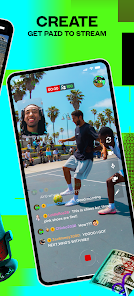
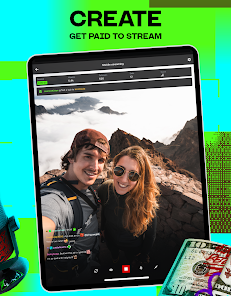
KICK provides diverse monetization options for creators, allowing them to earn while they entertain. From subscriptions to virtual gifts, streamers can choose the best method that suits their style and audience. This feature empowers creators to turn their passion into a viable income stream, fostering a thriving ecosystem.

Real-Time Interaction

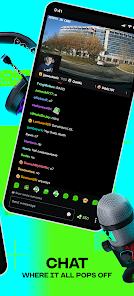
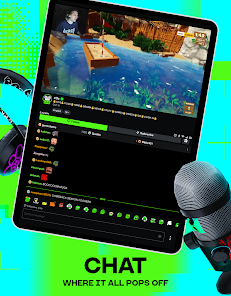
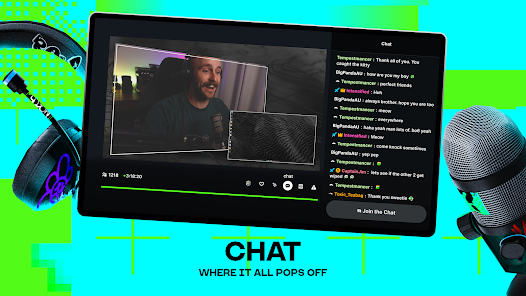
KICK: Live Streaming offers seamless real-time interaction, allowing streamers and viewers to engage through live chat and reactions. This feature fosters a sense of community, making every broadcast feel more personal and connected. Whether you're cheering on your favorite streamer or participating in discussions, the experience is vibrant and lively.

User-Friendly Interface

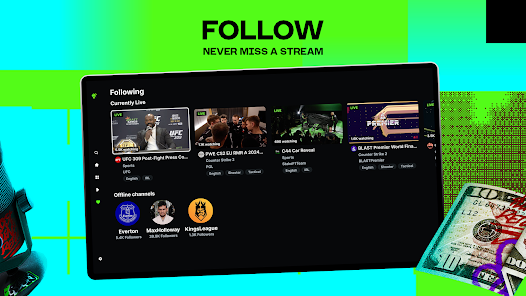
KICK: Live Streaming boasts a user-friendly interface that makes it easy for both streamers and viewers to navigate the platform. With intuitive controls and straightforward features, anyone can start streaming or watching in no time. This accessibility encourages more people to join the fun and share their unique content.

Advertisement

Pros & Cons

Pros
  • High-quality video streaming for engaging content.
  • User-friendly interface for easy navigation and access.
  • Robust community tools to foster interaction and connection.
  • Monetization options to support creators financially.
  • Flexible streaming options for diverse content creators.
Cons
  • Limited user base affects audience engagement
  • Stream quality can vary greatly
  • Monetization options are less developed
  • User interface may be confusing for newcomers

Real Experience Using Kick: Live Streaming

Application Scenarios

KICK: Live Streaming is designed to cater to a multitude of scenarios that include gaming, music performances, events, and interactive Q&A sessions. Gamers can broadcast their gameplay to a global audience, showcasing their skills while engaging with viewers in real-time. Musicians and artists can use the app to host live concerts, giving fans an intimate experience that transcends geographical boundaries. Additionally, KICK supports educational and professional uses, allowing teachers and trainers to reach their audience effectively. The versatility of the app makes it suitable for both casual users and professional streamers, enhancing its appeal across various demographics.

User Experience

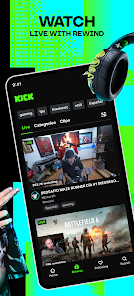
The user experience on KICK is intuitive and engaging. Upon launching the app, users are greeted with a clean and easy-to-navigate interface that allows for quick access to live streams, trending content, and personalized recommendations. The streaming quality is commendable, with minimal lag reported during live broadcasts. Interactivity is a strong point, as viewers can comment and react in real-time, making each stream feel more like a community event rather than a one-way broadcast. Moreover, KICK offers customization options for streamers, allowing them to personalize their channels with overlays, alerts, and backgrounds. This focus on user engagement ensures that both streamers and viewers feel connected, fostering a lively atmosphere.

Pricing

KICK: Live Streaming operates on a freemium model, providing users with the option to access basic features at no cost while offering premium subscriptions for enhanced functionalities. The free version allows users to stream and watch content without any financial commitment, making it accessible for everyone. The premium subscription includes features such as ad-free streaming, advanced analytics for streamers, and enhanced customization options. Pricing is competitive compared to similar platforms, making it a viable option for those looking to monetize their content or enhance their streaming experience without breaking the bank.

Updates & Support

The development team behind KICK is committed to continual improvement, regularly rolling out updates that focus on user feedback and technological advancements. New features, bug fixes, and performance enhancements are frequently addressed, ensuring a reliable streaming experience. Customer support is readily available through multiple channels, including in-app messaging and social media, providing users with prompt assistance when needed. The active community surrounding KICK also contributes to a wealth of resources, including tutorials and tips shared by experienced users, making it easier for newcomers to navigate the platform effectively.

verified Security & Privacy Review

KICK: Live Streaming prioritizes user security and privacy, implementing robust measures to protect personal information. The app utilizes end-to-end encryption for live streams, ensuring that user content remains secure from unauthorized access. Additionally, user data is anonymized where possible, reducing the risk of exposure. When it comes to permissions, KICK requires access to the camera and microphone for streaming purposes. Users are informed of these permissions during the onboarding process, ensuring transparency. The app also allows users to customize their privacy settings, including options to limit who can view their streams and interact with them. KICK adheres to strict data handling practices, collecting only essential information for account creation and operation. The app's privacy policy clearly outlines how user data is collected, stored, and used, with a commitment to not sell personal information to third parties. Regular updates and security patches further enhance the app's security framework, making KICK a reliable choice for live streaming enthusiasts concerned about privacy.
Advertisement

Compare APP

User Reviews

  • Tucker Strobel
    2026/06/25

    no crashes on tablet, rare crashes on Android TV, which is good. however, on Android phone it crashes all the time. last week I could watch or listen with the screen off for about an hour before it crashes. now, I get about 15 minutes with the screen on, or 5 mins when switching to another app. would be 1 star but this is the only app I have that isn't trying to force ads down my throat

  • Andrew Hunt
    2026/06/03

    Worst app on my phone, (ironically) other than Twitch. I don't know what it is about game streaming apps being awful, but at least it's consistent. The app doesn't remember my progress in vods. Idk how this is so hard to implement. It doesn't remember the settings you select in the video player, even if you just closed out and come back to the same video 10 seconds later. Catching the end of a stream gets you stuck with not being able to watch a vod. I could go on, but the review is limited.

  • Jay
    2026/06/26

    Desktop version routinely locks me out of chat and/or shows me a grossly distorted version of the site. Tried 3 different browsers all with the same problem. Currently displays an "Unknown error. Try again." message when trying to log in, so I guess I'm not watching anything today. Mobile app constantly crashes and consumes so much power that I can physically watch my battery life drain. Everything is up to date. Tried clearing cookies and cache. Nothing works.

  • Ryan L
    2026/05/13

    Routinely crashes after an hour of use, doesn't remember simple preferences like video resolution, the tracking for drops is wildly inaccurate, they don't use viewer lists so if you want to lurk and also enjoy seeing an accurate watchtime metric you MUST comment at least every 30 minutes, etc. They were pretty quick to put an app out and slow as all get out to make any meaningful changes.

  • Lil Miss Rambler
    2026/03/25

    On iPhone, it was good, not great. It would frequently lose my spot on a video and start over, but I could at least listen to it in the background. On Android, it will not play in the background. I have to be actively in the app or the video will stop playing and I have to "go back" to the channel's main page then get the video playing again. Annoying as all get out.

Review Source: Google Play store public user reviews.

FAQ

1

Does KICK: Live Streaming collect my personal data?

KICK: Live Streaming may collect personal data as part of its user registration and interaction process, but it typically outlines its data collection practices in its privacy policy.

2

Does KICK: Live Streaming offer a free trial or free version?

Yes, KICK: Live Streaming offers a free version that allows users to access basic features, and sometimes provides trial periods for premium features or subscriptions.

3

Does KICK: Live Streaming require an internet connection?

Yes, KICK: Live Streaming requires a stable internet connection to stream content and interact with viewers effectively.

4

How can I contact support or send feedback for KICK: Live Streaming?

You can contact support or send feedback for KICK: Live Streaming through the in-app support feature, official website contact form, or designated email address provided in the app.

5

How do I manage or cancel my KICK: Live Streaming subscription?

You can manage or cancel your KICK: Live Streaming subscription through the app settings or your account management page, where you can find options for subscription adjustments.

How to use Kick: Live Streaming

1

How can I contact customer service for the Kick: Live Streaming app?

You can reach customer service through the app's settings or visit the official website for support options.

2

How do I activate my account on Kick?

After downloading, follow the on-screen instructions to register and verify your email to activate your account.

3

How do I log in to my Kick account?

Open the app, click on the login button, and enter your registered email and password.

4

What is the customer number for Kick: Live Streaming?

The customer number is typically found in the app under the support section or on the official website.

What's New

Bug fixes and improvements

Editor's Choice