This site uses cookies to enhance your user experience. By clicking any link on this site you are giving your consent to our cookie policy. Read more
Reject
Accept All
ZEDGE™ Wallpapers & Ringtones

ZEDGE™ Wallpapers & Ringtones

4.7
Advertisement

Information

  • Category: Entertainment
  • Price: free
  • Age Rating: 14+
  • Rating:
    4.7
  • Developer: Zedge
  • Version: 8.80.2
Advertisement
Screenshot 1
Screenshot 2
Screenshot 3
Screenshot 4
Screenshot 5
Screenshot 6
Screenshot 7
Screenshot 8
Screenshot 9
Screenshot 10
Screenshot 11
Screenshot 12
Screenshot 13
Screenshot 14
Screenshot 15
Screenshot 16
Screenshot 17
Screenshot 18
Screenshot 19
Screenshot 20
Screenshot 21
Screenshot 22
Screenshot 23
Screenshot 24
Screenshot 25
Screenshot 26
Screenshot 27
Screenshot 28
Screenshot 29
Screenshot 30
Screenshot 31
Screenshot 32
Screenshot 33

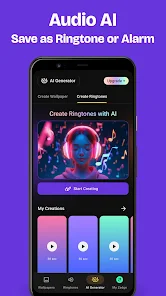
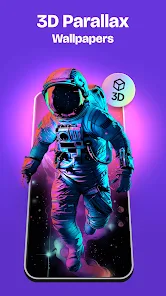
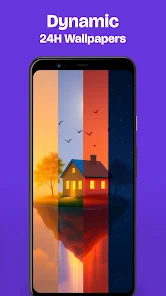
Zedge wallpapers are digital images that can be used as the background or wallpaper on a computer or mobile device. Zedge is a popular platform that offers a wide range of wallpapers, including abstract, nature, animal, and art wallpapers, among others. Users can browse and download these wallpapers for free using the Zedge app, which is available on the App Store and Google Play Store. Once a wallpaper is downloaded, it can be set as the background or wallpaper on the user's device, using the device's built-in settings or customization options. Zedge also offers other types of content, such as ringtones, app icons, and live wallpapers, which can be downloaded and used in the same way.

Features

ZEDGE Wallpaper is a mobile app that allows users to download and use a wide range of wallpapers on their smartphones or tablets. The app offers a number of features that can enhance the user's experience, including:


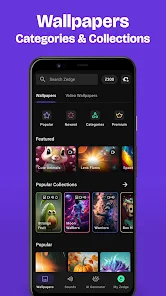
Access to a large library of wallpapers: ZEDGE Wallpaper offers access to a large library of wallpapers, including abstract, nature, animal, and art wallpapers, among others. This allows users to find a wallpaper that matches their personal style and interests.


Support for multiple categories and resolutions: ZEDGE Wallpaper allows users to browse and search for wallpapers by category, such as abstract or nature, and by resolution, such as HD or 4K. This makes it easy for users to find the perfect wallpaper for their device.


Personalized recommendations: ZEDGE Wallpaper uses machine learning algorithms to provide personalized recommendations based on the user's browsing and download history. This can help users discover new wallpapers that they might like.


Support for multiple languages: ZEDGE Wallpaper allows users to choose the language of the app and its content, which makes it more accessible and user-friendly for users who speak different languages.


Integrated favorites and download history: ZEDGE Wallpaper offers an integrated favorites and download history feature that allows users to save their favorite wallpapers and view their download history. This makes it easy for users to access their favorite wallpapers and download them again in the future.


Regular updates and new content: ZEDGE Wallpaper receives regular updates that add new wallpapers and other content to the app, which keeps the app fresh and interesting for users.


How to use ZEDGE Wallpaper Mobile App?

ZEDGE Wallpaper is a mobile app that allows users to download and use wallpapers on their Android or iOS devices. The app is available for free on the App Store and Google Play Store. To use the app, you will need to download it and then create a ZEDGE account. Once you are signed in, you can browse the app's collection of wallpapers and choose the ones you like. You can search for wallpapers by category, color, or keyword, or you can use the app's curated collections to find popular or recommended wallpapers. When you find a wallpaper you like, you can download it to your device and set it as your home screen or lock screen. I recommend checking the ZEDGE website and the app's user guide for more detailed instructions on how to use the app.

Pros & Cons

Pros:

  • The app has a large collection of wallpapers, with new images added regularly.

  • Users can search for wallpapers by category, color, or keyword, making it easy to find the right image for their device.

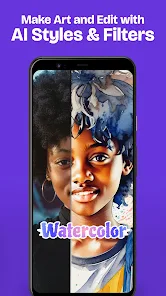
  • The app allows users to customize their wallpapers with text, stickers, and other overlays.

  • The app has a user-friendly interface that makes it easy to use.

Cons:

  • Some users may not like the advertisements that are displayed in the app.

  • The app may not have the exact image or color that a user is looking for.

  • Some users may prefer to use other wallpaper apps that offer different features or a larger selection of images.


Advertisement

FAQ

Browse categories for wallpapers, ringtones, and notification sounds.

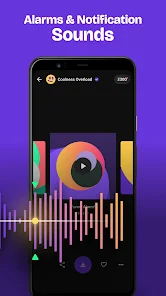
The app categorizes its content, making it easy to find wallpapers, ringtones, and notification sounds based on your preferences and themes.

Download and install the ZEDGE™ app from your store.

To get started, visit your device's app store, search for "ZEDGE™," and download the app. Installation is quick and straightforward, allowing you to access its features immediately.

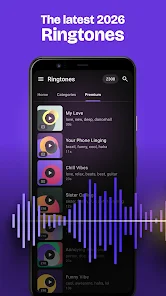
Download ringtones to personalize your phone's notifications.

You can download ringtones directly to your device, allowing you to customize notifications and calls with unique sounds that suit your taste.

Enjoy customizing your device with unique styles and sounds.

With ZEDGE™, you can express your personality through unique wallpapers and ringtones, enhancing your device's aesthetic and auditory experience.

Open the app to explore a vast collection.

Once installed, launch the app to discover an extensive library of wallpapers and ringtones, organized for easy browsing. The interface is designed for seamless exploration.

Advertisement