Home
Home  Apps
Apps  Games
Games  Topics
  About Us
  Cookies & Privacy Policy
  Terms of Service
 Curated Recommendations
Discover new favorites with Wehear's curated recommendations based on your listening habits. The app learns your tastes over time, ensuring you always have access to fresh and engaging content that resonates with you.


STAR READING LIMITED
 4.6
4.6 
Category: Books

Price: free

Age Rating: Teen

Rating: 4.6

Available on: /

Updated on: Jun 26, 2026







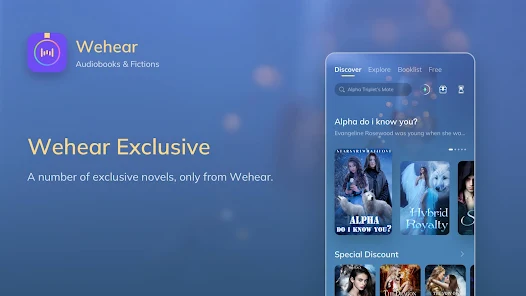
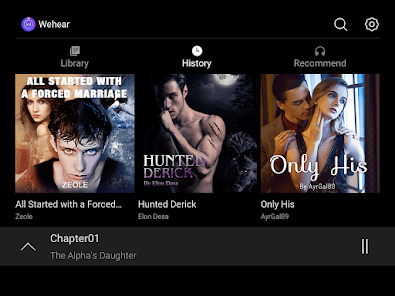
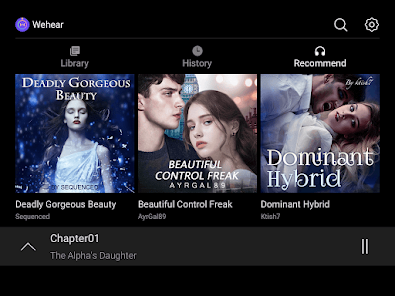
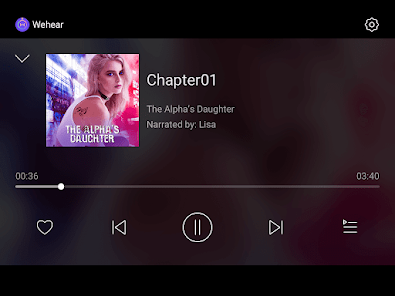
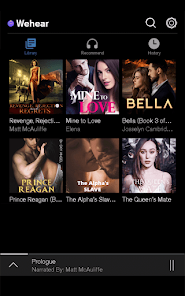
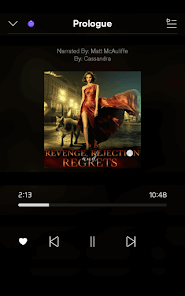
Discover new favorites with Wehear's curated recommendations based on your listening habits. The app learns your tastes over time, ensuring you always have access to fresh and engaging content that resonates with you.
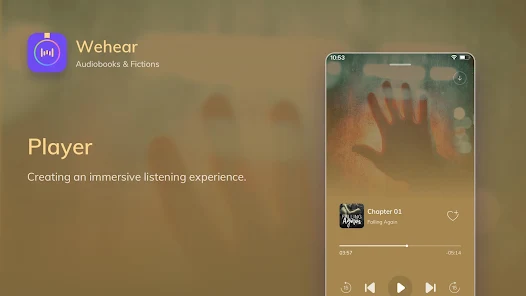
Wehear allows you to personalize your listening experience with adjustable playback speeds and sleep timers. Whether you prefer a quick pace or a leisurely listen, you can easily set the tone that suits your mood and schedule.
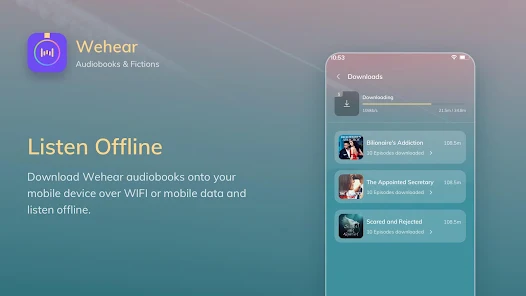
Enjoy your audiobooks anywhere, anytime with Wehear's offline listening feature. Download your favorite titles and dive into captivating stories without the need for an internet connection, making it perfect for commutes or travel.
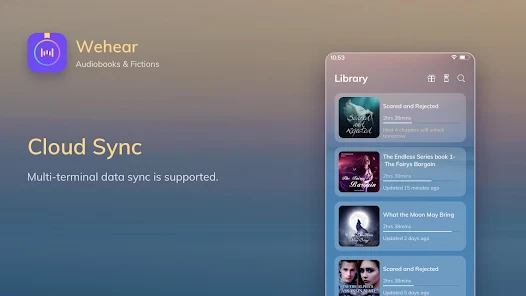
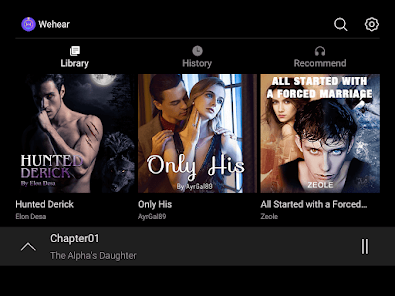
Wehear offers a smart library that organizes your audiobooks and stories for easy access. With intuitive categorization, you'll find your favorite genres and titles at your fingertips, allowing for a seamless listening experience tailored to your preferences.

 Enjoy a vast library of audiobooks and stories for endless entertainment. Experience high-quality narrations that bring stories to life. Convenient listening options for multitasking or relaxing moments. Discover curated collections tailored to your interests and preferences. Access exclusive content and new releases for a fresh experience.
 Limited selection of titles compared to larger platforms User interface can be confusing for newcomers Subscription costs may add up over time
 Wehear - Audiobooks & Stories is designed to cater to a diverse range of users, making it versatile for various application scenarios. Whether you are commuting to work, exercising at the gym, or simply relaxing at home, Wehear enhances these experiences by providing a rich library of audiobooks and engaging stories. For avid readers who may not have the time to sit down with a physical book, the app offers an alternative that fits seamlessly into a busy lifestyle. Additionally, it is perfect for parents looking to entertain their children with captivating tales during road trips or bedtime. The app's ability to allow users to listen to books hands-free makes it a great companion for multitaskers, ensuring that the joy of storytelling is never out of reach.
The user experience of Wehear is intuitive and user-friendly, making it easy for both new and seasoned audiobook listeners to navigate. Upon opening the app, users are greeted with a clean interface that organizes content by genre, popularity, and recommendations based on listening history. The search function is efficient, allowing users to find specific titles or authors quickly. The playback features, including adjustable speed and sleep timers, enhance the listening experience, catering to individual preferences. Furthermore, Wehear encourages engagement through user reviews and ratings, fostering a community of audiobook lovers. The option to create personalized playlists adds a layer of customization, ensuring that users can curate their listening journey according to their mood and interests.
Wehear offers a flexible pricing model designed to accommodate various budgets. Users can access a free trial period, allowing them to explore the app's features without commitment. After the trial, subscription plans are available, providing options for monthly or annual payments. This structure gives users the freedom to choose a plan that fits their listening habits and financial constraints. Additionally, Wehear occasionally offers promotional discounts, making it even more accessible for those who want to dive into the world of audiobooks without breaking the bank. Overall, the pricing reflects the value of the extensive library and user-centric features that the app provides.
Wehear is committed to continuous improvement, regularly releasing updates that enhance functionality and user experience. These updates often include new features, bug fixes, and an expanded library of audiobooks and stories. The app also prioritizes user feedback, making it a responsive platform that evolves with its audience. For support, Wehear provides an easily accessible help section within the app, with FAQs and troubleshooting tips. Users can also reach out to customer service through email or social media channels, ensuring that assistance is readily available. This dedication to updates and support fosters a reliable and satisfying user experience.
Security & Privacy Review


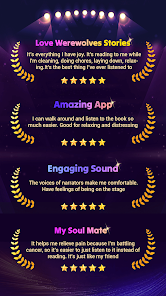
So I have had some time with the app now and can say that it's a good audiobook app. I have had no real problems with it. It is easy to check in, get extra coins by doing the daily tasks, and the free chapter everyday. The only problem that I have experienced is when I click to get the treasure chest or the bonus with each task or check in, it tells me that the ad is not available.
updated review: Some of the stories and narration are quite good. Sadly I spent more time watching adds than listening to the story, and half the bonuses from the ads were never applied as coins. it makes no sense to do this when I can download an audio book from the public library for free with fewer clicks than this app requires to access a story. I will be deleting the app as soon as I finish the story I'm listening too.
I really love the second chance luna. I was really disappointed that at chapter 30 it turned into a regular audio book. I wanted to watch it not listen to it. I've been jumping through hoops by reading articles and watching ads to collect coins for free and when u need 70 plus coins to listen to a story instead of watching it becomes frustrating.
Ok I'm bumping it down because I've been listening for a few years now but the most frustrating thing is I listen and listen to get my points to get past more chapters and they automatically get expired before I can use them so I am really starting to feel I'm wasting my time listening to same books when I can't afford to buy coins. I had well over 300points and now I'm magical down to 111 AND NO I HAVE NOT OPENED NEW CHAPTERS.
love this app! my only frustration is when the bonus expire, though I get why they do that. I rarely have opportunity to binge story chapters anyway, so it works out. I find everything else on this app to be fair and reasonable; coins, bonus, pricing, even the ads for free bonus and don't mind paying on coin packages on the rare occasion when I am able to binge chapters. love that I am able to do the audio option as well! this has become my "go to" book app, thanks wehear❣️
Review Source: Google Play store public user reviews.
Yes, Wehear encourages users to submit suggestions or feedback through the app or their official website to help improve the service.
Wehear - Audiobooks & Stories may collect personal data as outlined in their privacy policy, but they emphasize user privacy and data protection.
Yes, Wehear - Audiobooks & Stories allows users to download audiobooks for offline listening, making it convenient for users who want to listen without an internet connection.
Users can cancel their subscription through the app settings or their respective app store account settings, following the provided instructions for cancellation.
Subscription costs for Wehear - Audiobooks & Stories may vary, so it’s best to check the app or their website for the most current pricing and any available plans.
Customer numbers are unique and cannot be changed. If you have concerns, please contact customer service for more information.
Click the "Forgot Password?" link on the login page to reset your password via email. Follow the instructions provided.
To activate your account, click the link in the activation email we sent you after registration. Follow the prompts to complete the process.
You can reach our customer service by emailing support
Once logged in, go to your account settings and edit your information as needed. Save the changes to update your account.
We've added more fantastic audiobooks and enhanced the listening experience in our latest app update. Upgrade Wehear now! Enjoy an amazing world full of Werewolves, Alphas, Billionaire, Romance, Fantasy...
 Google Play
  App Store