

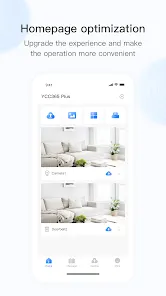
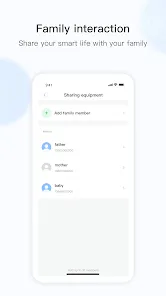
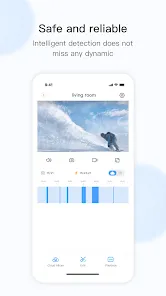
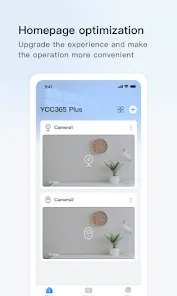
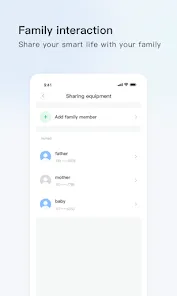
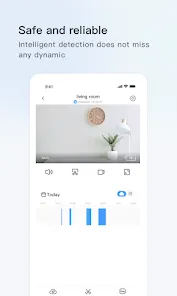
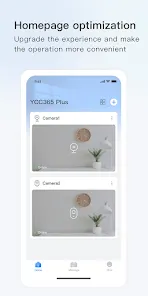
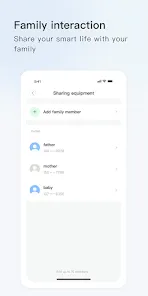
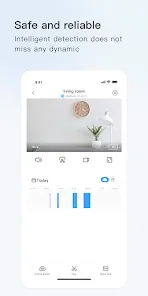
YCC365 Plus is a mobile app that allows users to remotely monitor and control their home security cameras. The app allows users to view live video feeds from their cameras, receive motion alerts, and control their cameras from anywhere. The app also includes features such as two-way audio, night vision, and cloud storage.
1. 1080P HD Video: YCC365 Plus provides clear and crisp 1080P HD video with a wide-angle lens, allowing you to monitor your home or business in real-time. 2. Two-Way Audio: YCC365 Plus features a built-in microphone and speaker, allowing you to communicate with anyone in the vicinity of the camera. 3. Motion Detection: YCC365 Plus can detect motion and send you an alert when it detects movement. 4. Night Vision: YCC365 Plus has infrared night vision, allowing you to monitor your home or business even in the dark. 5. Cloud Storage: YCC365 Plus offers cloud storage, allowing you to store your recordings securely in the cloud. 6. Remote Access: YCC365 Plus allows you to access your camera remotely from anywhere in the world. 7. Smart Home Integration: YCC365 Plus is compatible with Amazon Alexa and Google Assistant, allowing you to control your camera with voice commands. 1. Download the YCC365 Plus mobile app from the App Store or Google Play. 2. Open the app and create an account. 3. Add your camera to the app by scanning the QR code on the camera or manually entering the serial number. 4. Once the camera is added, you can view the live feed, take snapshots, record videos, and adjust the camera settings. 5. You can also use the app to view recorded videos and snapshots, as well as to set up motion detection and other alerts. Pros: 1. Easy to use: The YCC365 Plus mobile app is designed to be user-friendly and intuitive, making it easy to navigate and use. 2. Security: The app provides a secure connection to your home security system, allowing you to monitor and control your home from anywhere. 3. Automation: The app allows you to automate your home security system, allowing you to set up schedules and rules for when your system is armed or disarmed. 4. Remote Access: The app allows you to access your home security system remotely, allowing you to monitor and control your home from anywhere. Cons: 1. Limited Compatibility: The YCC365 Plus mobile app is only compatible with certain YCC365 Plus security systems, so it may not be compatible with your existing system. 2. Limited Features: The app does not offer as many features as some other home security apps, such as the ability to view live video feeds or control other smart home devices. 3. Cost: The YCC365 Plus mobile app is a paid app, so you will need to purchase it in order to use it.Features
How to use YCC365 Plus Mobile App?
Pros & Cons
 Google Play
  App Store
 Use the playback feature in the app to review recorded footage, allowing you to search by date and time to find specific events or incidents.
To add a new device, tap the "+" icon on the app's main interface, choose the device type, and follow the prompts to connect it to your account.
Access the camera settings within the app to modify parameters such as resolution, motion detection sensitivity, and recording schedules for improved performance.
If you encounter technical issues or have questions, use the app's support feature to access help resources or contact customer support for assistance.
To create an account, open the app and select the registration option. Enter your email address or phone number, set a password, and follow the prompts to complete the account setup.