Citrix Workspace

Citrix Workspace

4.1
Advertisement

Information

  • Category: Tools
  • Price: free
  • Age Rating: 14+
  • Rating:
    4.1
  • Developer: Citrix Systems, Inc
  • Version: 22.7.5
Advertisement
Screenshot 1
Screenshot 2
Screenshot 3
Screenshot 4
Screenshot 5
Screenshot 6
Screenshot 7
Screenshot 8
Screenshot 9
Screenshot 10
Screenshot 11
Screenshot 12
Screenshot 13
Screenshot 14
Screenshot 15

Citrix Workspace App is a Citrix product that provides users with secure access to their desktop and applications. It is designed for use in an office environment, giving users the ability to share files, collaborate on projects and access applications from anywhere. For businesses, Citrix Workspace App can provide a number of benefits, including increased efficiency and productivity. In this blog post, we will discuss some of these benefits and how you can take advantage of them in your business.

Features

Citrix Workspace App is a mobile app that provides remote access to users' applications and desktops from any device. The Citrix Workspace App can be used to work on applications or documents from anywhere in the world, and it is also an excellent way to collaborate with others. However, the Citrix Workspace App has some limitations that may not be ideal for all users.


How to use Citrix Workspace Mobile App?

To use the Citrix Workspace mobile app, follow these steps:


  • Download the Citrix Workspace app from the App Store or Google Play, depending on your device.

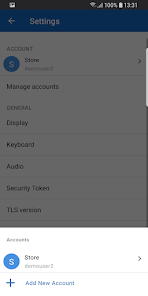
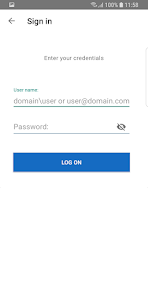
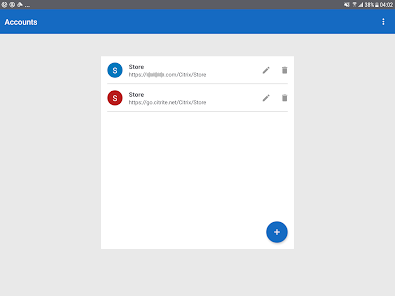
  • Open the app and sign in with your Citrix account. If you don't have a Citrix account, you can create one for free.

  • Once you're signed in, you'll be taken to the Citrix Workspace dashboard, which is the main hub for managing your work and accessing your apps and files.

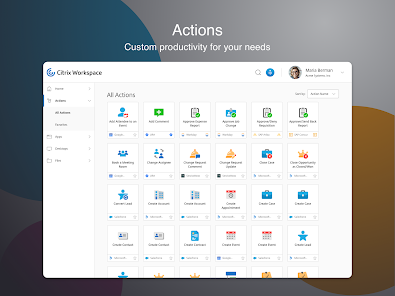
  • From the dashboard, you can access a range of features and tools to manage and use your apps and files. Some of the key features and tools available in Citrix Workspace include:

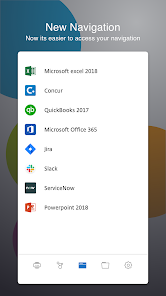
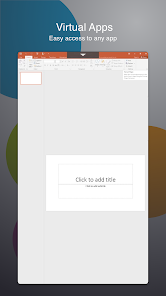
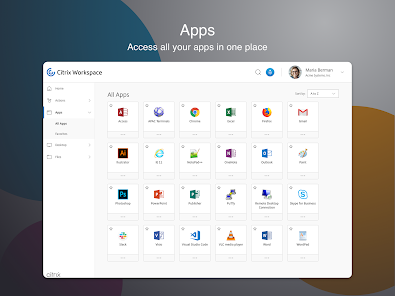
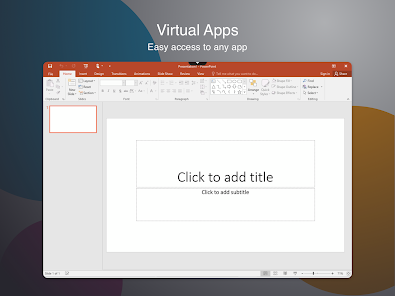
  • App launcher: Use the app launcher to access and launch the apps that you need for work, such as email, office productivity, and collaboration tools.

  • File storage and sharing: Use the file storage and sharing tools to access and manage your files, and to share them with your colleagues.

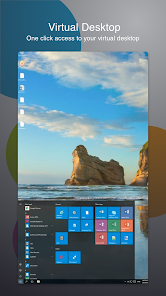
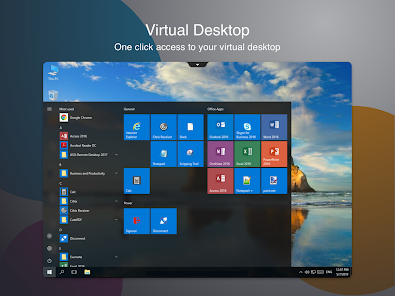
  • Virtual desktops: Use the virtual desktops to access your work desktop from your mobile device, and to run your desktop apps on the go.

  • Security and compliance: Use the security and compliance tools to keep your work apps and files safe and secure, and to ensure that you comply with your organization's security policies.

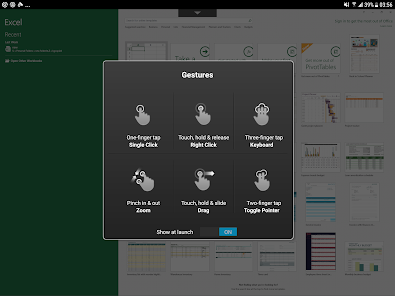
  • To access a specific feature or tool, simply tap on the relevant tab in the menu at the bottom of the screen. From there, you can use the various tools and features to manage and use your apps and files.


Overall, Citrix Workspace is a powerful and comprehensive tool for managing and accessing your work apps and files. By following the steps outlined above, you can use Citrix Workspace to access your work apps and files on the go, and to collaborate with your colleagues from anywhere.


Which Devices suppert Citrix Workspace

Citrix Workspace is a virtualization and cloud computing platform that can be accessed on a variety of devices, including computers, smartphones, and tablets. Some examples of devices that support Citrix Workspace include:

  • Windows and Mac computers

  • iOS and Android smartphones and tablets

  • Chromebooks

  • Thin clients


In order to use Citrix Workspace, your device will need to meet the following minimum requirements:

For computers:

  • Windows 7 or later, MacOS 10.10 or later

  • Internet Explorer 11 or later, Google Chrome, or Mozilla Firefox

  • An internet connection with a minimum speed of 1.5 Mbps

For smartphones and tablets:

  • iOS 11 or later, Android 6.0 or later


The Citrix Workspace app, available for download from the App Store or Google Play

An internet connection with a minimum speed of 1.5 Mbps

It's always a good idea to check with your IT department or system administrator to make sure that your device meets the necessary requirements for using Citrix Workspace.


Pros & Cons

Pros:

  • The Citrix Workspace App is a convenient way to work on applications or documents from anywhere in the world.

  • The Citrix Workspace App can be used to collaborate with others.

  • The Citrix Workspace App has many features that make it an excellent choice for remote access and collaboration.

Cons:

  • The Citrix Workspace App has some limitations that may not be ideal for all users. For example, it does not support Windows 10 or MacOS Mojave.


Advertisement