This site uses cookies to enhance your user experience. By clicking any link on this site you are giving your consent to our cookie policy. Read more
Reject
Accept All

Advertiser and Editorial Disclosures

Poster Maker & flyer maker app

Poster Maker & flyer maker app

verified

Splendid App Maker

4.8
Rating
10,000,000+ Downloads
13.4 Version
  • category

    Category: Graphics & Design

  • price

    Price: free

  • age rating

    Age Rating: Everyone

  • rating

    Rating: 4.8

  • available on

    Available on: /

  • updated on

    Updated on: Nov 18, 2025

Screenshot 1
Screenshot 2
Screenshot 3
Screenshot 4
Screenshot 5
Screenshot 6
Screenshot 7
Screenshot 8
Screenshot 9
Screenshot 10
Screenshot 11
Screenshot 12
Screenshot 13
Screenshot 14
Screenshot 15
Screenshot 16
Screenshot 17
Screenshot 18
Screenshot 19
Screenshot 20
Screenshot 21
Screenshot 22
Advertisement

Features & Highlights

Customizable Templates

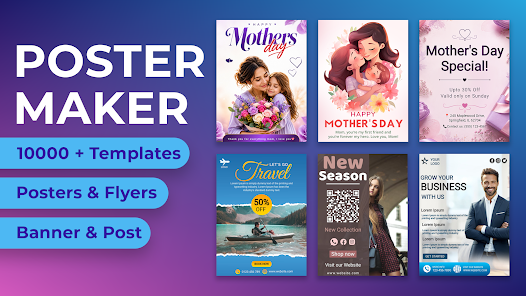
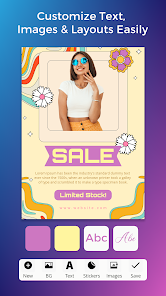
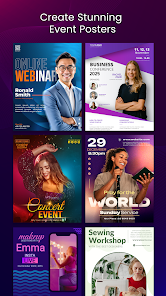
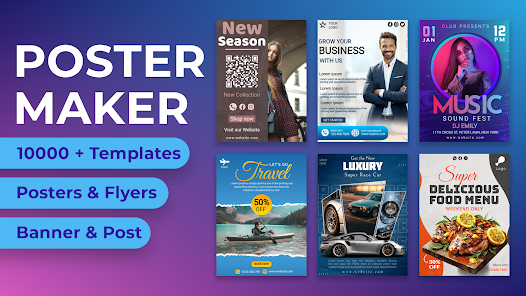
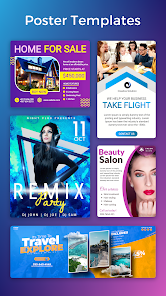
With a vast library of professionally designed templates, Poster Maker - Flyer maker allows you to easily customize your flyers, posters, and social media graphics. Choose from various styles and themes to find the perfect fit for your event or promotion, ensuring your design stands out effortlessly.

High-Quality Export Options

Once your masterpiece is complete, you can export your designs in high resolution for printing or sharing online. This feature ensures that your flyers and posters maintain their quality, whether displayed digitally or in print, making them perfect for any occasion.

Intuitive Design Tools

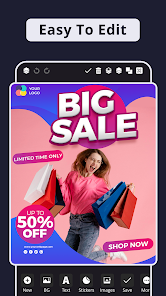
The app offers an array of user-friendly design tools that make creating stunning visuals a breeze. From drag-and-drop functionality to adjustable text and image options, even beginners can craft eye-catching designs without the need for extensive graphic design experience.

Social Media Integration

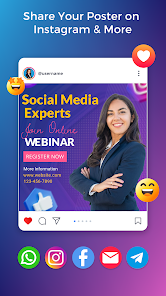
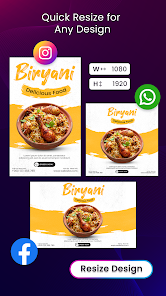
Easily share your creations on various social media platforms directly from the app. This integration not only saves time but also enhances your marketing efforts by allowing you to reach a wider audience with just a few taps, promoting your events or products seamlessly.

Advertisement

Pros & Cons

Pros
  • Create stunning visuals effortlessly with user-friendly design tools
  • Access a vast library of templates for any occasion
  • Easily customize colors, fonts, and images to match your brand
  • Share your designs instantly on social media or print them
  • Save time with quick export options for any project
Cons
  • Limited design flexibility may restrict creative expression.
  • Templates may become repetitive and uninspiring over time.
  • Export options might not support high-resolution formats for professional printing.

Real Experience Using Poster Maker & flyer maker app

Real Experience Application Scenarios

Poster Maker - Flyer Maker is a versatile design tool that caters to a variety of needs, making it ideal for both personal and professional use. Users can create stunning posters for events such as birthday parties, weddings, and community gatherings, ensuring that their invitations stand out. For businesses, the app is perfect for crafting promotional flyers, social media graphics, and advertisement posters that can capture customer attention. Moreover, educators can utilize the app to design informative posters for classroom projects or school events. With a plethora of templates available, users can easily customize their designs to fit specific themes or branding requirements, making it an invaluable tool in various application scenarios.

User Experience

The user experience of Poster Maker - Flyer Maker is notably user-friendly, featuring an intuitive interface that caters to both novice and experienced designers. The drag-and-drop functionality simplifies the design process, allowing users to easily add text, images, and shapes without any steep learning curve. The app offers a rich library of templates, fonts, and clipart, which encourages creativity and experimentation. Users have reported a satisfying experience when using the app, as it provides a seamless flow from conception to completion of their designs. The ability to save projects and share them directly to social media platforms adds to the convenience, making it easy to showcase creations with friends or clients. Overall, the app delivers a positive experience, striking a good balance between functionality and ease of use.

Pricing

Poster Maker - Flyer Maker adopts a freemium pricing model, which allows users to access a range of basic features for free. This is particularly advantageous for casual users who may only need to create occasional designs. However, for those seeking advanced features, such as premium templates, exclusive graphics, and enhanced editing tools, a subscription option is available. The pricing is competitive within the market, making it accessible for small businesses and individuals alike. Users have expressed that the value provided by the premium features justifies the cost, especially for those who frequently engage in design work.

Updates & Support

The development team behind Poster Maker - Flyer Maker is committed to regular updates, ensuring that the app remains relevant and equipped with the latest design trends and tools. Users can expect frequent enhancements that improve functionality and introduce new features, keeping the app fresh and exciting. Additionally, customer support is readily available through various channels, including in-app assistance and email support. Users have reported prompt responses to their queries, which adds to the overall satisfaction with the app. Regular updates and reliable support reflect the developers' dedication to creating a valuable tool that meets user needs effectively.

verified Security & Privacy Review

Security & Privacy Review The "Poster Maker - Flyer Maker" app prioritizes user security and privacy through a range of practices designed to protect sensitive information. The app employs industry-standard encryption protocols to safeguard user data during transmission, ensuring that personal information remains confidential. In terms of permissions, the app requests access to essential features such as storage for saving and sharing designs. However, it avoids unnecessary permissions, minimizing the risk of data exposure. Users are informed about the permissions needed and can make informed choices about their data sharing. The app's privacy policy outlines how user data is collected, used, and stored. It explicitly states that personal information will not be sold to third parties, reinforcing its commitment to maintaining user trust. Additionally, the app offers options for users to manage their data preferences, including features to delete account information if desired. Overall, "Poster Maker - Flyer Maker" demonstrates a solid approach to security and privacy, making it a trustworthy choice for users looking to create promotional materials while keeping their data secure.
Advertisement

User Reviews

  • Hyperion
    2023/02/20

    I enjoy the app but there are a few limitations that need to be updated. 1. is the fonts, there should be the ability to use soft edge on the fonts, also when you edit the effect on a font it looses all of the original effect color. Also, it would be great if there were Border la like in a PowerPoint presentation (maybe there are but I haven't seen them)

  • M Precise
    2021/04/01

    Update 4/1/21 Initially i gave 5 stars, rescinded that today. The feature for curved text was there on day 1 & I used it👉🏽 (FREE), today it's a "paid" feature.😳 Also, when creating a poster, & you're multitasking, when you come back in 30 minutes or more, it does not save a "draft", you've just lost your work. There are other "FREE" apps that will save your work as a draft. Don't pay any subscription to these apps. If offered a one time payment, I'd gladly buy it. An "ok" App!!

  • RevT
    2025/05/30

    Sirs, I really love this app and would download it again if one problem is fixed: it's the text box. Unless our phone font is a certain size, then we can't see what is being typed in the text box. The position of the box is where we can't see what is being typed. I'm at least making reference to the android phone. I don't know about the apple phone. If you can fix it, though, THAT WOULD BE GREAT!

  • Simone-Yvette SLADE
    2022/03/22

    I really love this app. Contrary to other poster making apps, this one has an animating function, whereby you can upload or choose accompanying music to your online poster. You can queue pictures or text to come from any direction and then have an animated poster. Simple as it sounds, the controls are brilliant: you can queue everything to the half second and decide how long the poster will play for. It took me a few tries but after I learnt the controls, it's been excellent!!! Nkosi 🙏

  • Dayo Daniel
    2022/01/31

    I'm thinking of purchasing this app because of the features, most importantly: one-time payment, but there's a serious down side! It has no backup. Once uninstalled, all the posters gone. Posters are always reusable through editing. My favorite app has no one-time payment but the posters are stored inside a folder in the phone memory (not inside the app) all the time after reinstallation, posters are still intact for use. One can also download from the server if has uploaded to server as a pro u

Review Source: Google Play store public user reviews.

FAQ

1

Can I submit suggestions or feedback to Poster Maker & flyer maker app?

Yes, users can typically submit suggestions or feedback through the app's support or contact section, allowing developers to consider user input for future updates.

2

Does Poster Maker & flyer maker app collect my personal data?

The app has a privacy policy in place that outlines the types of data collected and how it is used; generally, it aims to protect user privacy and data security.

3

Does Poster Maker & flyer maker app support offline use?

Yes, Poster Maker & flyer maker app allows users to create and edit designs offline, although some features may require an internet connection for full functionality.

4

How do I cancel my Poster Maker & flyer maker app subscription?

Users can cancel their subscription through their app store account settings, where they can manage subscriptions and billing preferences.

5

How much does a subscription to Poster Maker & flyer maker app cost?

The cost of a subscription varies depending on the plan chosen, with options for monthly or yearly payments available to users seeking premium features.

How to use Poster Maker & flyer maker app

1

Can I log in from multiple devices?

Yes, you can log in from multiple devices using the same credentials. Just ensure you are logged out on other devices if you experience any issues.

2

How can I reach customer service for account issues?

You can reach our customer service team via the support email or chat feature within the app. We're here to help!

3

How do I activate my account after signing up?

Check your email for the activation link we sent you. Click the link to activate your account and start using Poster Maker.

4

How do I log in to my Poster Maker account?

You can log in by entering your email and password on the login page. If you forget your password, use the "Forgot Password" link.

5

How do I update my login information?

To update your login information, go to your account settings and select "Change Password" or "Update Email." Follow the prompts to save your changes.

What's New

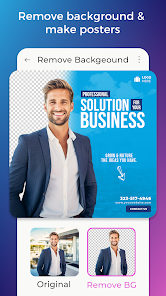
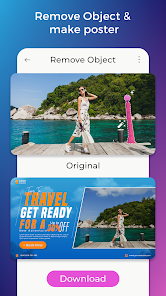
Lots of new features addedCreate videoErase image & Auto background removal toolPerformance improvementPhoto Filters and text effects addedNow very easy to use.New Event posters and flyers added.New shapes are added.Write text on photo with text effects.Share on Instagram, Whatsapp and other social media posts are enabled

Editor's Choice