This site uses cookies to enhance your user experience. By clicking any link on this site you are giving your consent to our cookie policy. Read more
Reject
Accept All

Advertiser and Editorial Disclosures

Behance - Creative Portfolios

Behance - Creative Portfolios

verified

Adobe Inc

4.5
Rating
10,000,000+ Downloads
26.618.1035 Version
  • category

    Category: Graphics & Design

  • price

    Price: free

  • age rating

    Age Rating: 17+

  • rating

    Rating: 4.5

  • available on

    Available on: /

  • updated on

    Updated on: Jun 18, 2026

Screenshot 1
Screenshot 2
Screenshot 3
Screenshot 4
Screenshot 5
Screenshot 6
Screenshot 7
Advertisement

Features & Highlights

Connect with Creatives

The platform fosters a vibrant community of artists, designers, and photographers, allowing you to connect with like-minded individuals. You can follow other creatives, comment on their work, and even collaborate, creating a supportive network that inspires and motivates you to grow.

Discover Opportunities

Behance is not just about showcasing your work; it's also a place to discover job opportunities tailored for creative professionals. With a dedicated job board, you can find freelance gigs or full-time positions that align with your skills and interests, helping you take your career to the next level.

Mobile Access

With the Behance mobile app, you can manage your portfolio on the go. Whether you want to upload new projects, interact with your followers, or browse through the latest creative work, the app ensures that you're always connected to the creative world, even when you're away from your desk.

Showcase Your Work

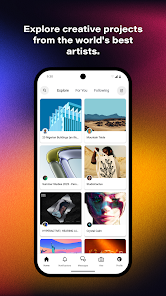
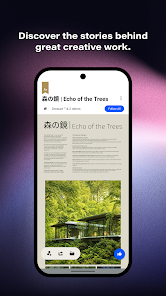
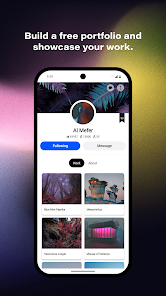
Behance provides a stunning platform for creatives to showcase their portfolios in a visually appealing way. With customizable layouts and high-resolution images, you can present your projects in the best light, making it easy for potential clients and collaborators to appreciate your talent and creativity.

Advertisement

Pros & Cons

Pros
  • Showcase your creative work to a global audience easily.
  • Connect with like-minded professionals and potential collaborators.
  • Receive constructive feedback to improve your projects and skills.
  • Gain visibility from industry leaders and potential employers.
  • Discover inspiration and trends through diverse creative portfolios.
Cons
  • Limited visibility can hinder exposure for emerging creatives.
  • Lack of customization options restricts personal branding.
  • High competition may overshadow individual portfolios and talents.

Real Experience Using Behance - Creative Portfolios

Real Experience Application Scenarios

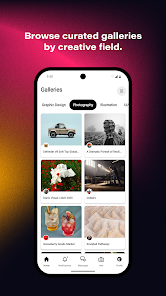
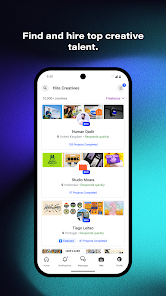
Behance serves as an essential platform for creative professionals across various fields, including graphic design, photography, illustration, and more. Users can showcase their work through visually appealing portfolios, making it an excellent tool for artists looking to attract potential clients or employers. Students and recent graduates frequently utilize Behance to present their projects and gain visibility in the competitive job market. Additionally, businesses seeking creative talent can browse portfolios to find suitable candidates for freelance or full-time positions. The app is also useful for networking, allowing users to connect with other creatives, share ideas, and collaborate on projects. Whether you are an established professional or just starting, Behance provides a vibrant community where creativity flourishes.

User Experience

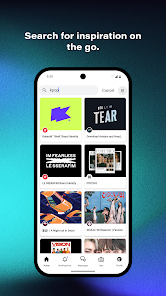
The user experience on Behance is designed with both creativity and simplicity in mind. The app features a clean and intuitive interface that allows users to easily navigate through portfolios, follow other creatives, and engage with content through comments and appreciations. Uploading work is straightforward, with options to add various media formats, descriptions, and tags to enhance discoverability. Users can also curate their portfolios by organizing projects into collections, making it easy for visitors to explore their work. Notifications keep users updated on interactions, while the search functionality allows them to find inspiration from a diverse range of styles and disciplines. Overall, the experience is immersive and encourages users to both showcase their own talent and discover the best of what the creative community has to offer.

Pricing

Behance is free to use, allowing users to create and maintain portfolios without any upfront costs. This makes it accessible for newcomers and seasoned professionals alike. While the core features are available for free, there are premium options available through Adobe Creative Cloud subscriptions that offer additional benefits, such as enhanced storage and integration with other Adobe applications. For those who want to take their portfolios to the next level, these subscriptions provide added value, streamlining workflow and enabling seamless project management.

Updates & Support

Behance is regularly updated to enhance user experience and introduce new features. The development team actively listens to user feedback, ensuring the platform evolves to meet the needs of its community. Users can access support through an extensive help center, which includes FAQs, guides, and tutorials addressing common issues and inquiries. For more personalized assistance, users can reach out to the customer support team via email. The combination of regular updates and robust support ensures that users have a smooth experience, allowing them to focus on what they do best—creating.

verified Security & Privacy Review

Security & Privacy Review The Behance app prioritizes user security and privacy, implementing various measures to protect personal information. All data transmitted via the app is encrypted using industry-standard protocols, ensuring that your creative portfolios and personal details remain secure from unauthorized access. Behance's privacy policy is transparent, detailing how user data is collected, used, and shared. The app primarily collects information to enhance user experience and deliver personalized content. Users have control over their privacy settings, allowing them to manage visibility of their portfolios and personal information. In terms of permissions, the app requires access to certain device features, such as storage for saving projects and camera functionality for uploading images. Users are informed about these permissions during the installation process, ensuring they can make informed choices. Overall, Behance demonstrates a commitment to safeguarding user data while providing a platform for creative expression. Regular updates to the app also indicate a proactive approach to addressing potential security vulnerabilities.
Advertisement

User Reviews

  • Dunkel Esclave
    2026/05/29

    NO CUSTOMER SUPPORT or it takes literally months for them to reply! I totally forgot I even had the app by the time they got back to me. For desktop only apparently. Its impossible to edit info on the app on my Android. Some things don't click when I try to edit my profile. Adding pics to my project is impossible because I can't crop and have to start over if the main pic doesn't fit. Its also hard to access my photo libraries and not get stuck on recording. Project disappeared upon completing!

  • Frank Moore
    2020/08/22

    So far so good,,..but if "Behance" can actually get your art published in some way,shape or form,without having to waste time trying to navigate or jump thru all of the hoops one needs to in order to gain some type of fan base,success or even some new friends who just so happen to see the world from the same artistic views or perspective as yourself,then I'd feel comfortable enough to say that this app is friggin awesome! But I will have to get back to you when I have more time with it

  • John Vigil
    2023/05/19

    Amazing platform. I wish they would add a feature that would allow you to optimize for desktop and mobile into 1. I like to create my own case study in illustrator using 1 infinite art board. It looks great on web but the text is so tiny when viewing on mobile. If I make it any bigger, the text is huge on desktop. Adding the ability to pinch and zoom in a project would also be nice.

  • AJFettt
    2025/09/08

    The app was working great until about 1 day in. Now it's as if I have no internet connection and cannot load any posts or content whatsoever. My wifi connection is stable and all my other online apps work just fine. The time I did spend on here was wonderful and the app has a lot of potential but if it doesn't work then that's the end of the story.

  • Lauren Myers
    2020/11/18

    Awful search function, I can easily find people/projects by name on desktop but searching on mobile is impossible. Also don't like that you can't do a broad search of both people and projects at once. I like the layout and I'm really hoping this can become an instagram replacement for my artwork, but the search function will be a really crucial part of that

Review Source: Google Play store public user reviews.

FAQ

1

Can I submit suggestions or feedback to Behance - Creative Portfolios?

Yes, users can submit suggestions or feedback through the app or website, usually via a dedicated support or feedback section.

2

Does Behance - Creative Portfolios collect my personal data?

Yes, Behance - Creative Portfolios collects personal data in accordance with its privacy policy, which may include information such as your name, email address, and usage data.

3

Does Behance - Creative Portfolios support offline use?

Behance - Creative Portfolios primarily requires an internet connection to access and showcase portfolios, but some features may be available offline, such as viewing previously loaded content.

4

How do I cancel my Behance - Creative Portfolios subscription?

You can cancel your subscription through your app store settings or by visiting your account settings on the Behance website, depending on how you subscribed.

5

How much does a subscription to Behance - Creative Portfolios cost?

The subscription cost for Behance - Creative Portfolios may vary based on the selected plan, but it typically offers monthly and annual payment options.

How to use Behance - Creative Portfolios

1

Can I recover my Behance account if I can't log in?

Yes, use the password reset option on the login page to recover your account. If further help is needed, reach out to customer service.

2

How can I activate my Behance account after signing up?

After signing up, check your email for an activation link. Click the link to activate your account and log in.

3

How can I update my customer number with Behance?

Behance does not issue customer numbers, but you can update your profile and account details within your account settings.

4

How do I contact customer service for my Behance account?

You can reach customer service through the Help Center on the Behance website or by using the contact form available in your account settings.

5

How do I reach customer service if my account activation link isn't working?

If your activation link isn't working, contact customer service through the Help Center for further assistance with your account.

What's New

SEARCH AND DISCOVERWe've simplified search and added better ways to explore featured workNOTIFICATIONS DASHBOARDA new home to track activity and feedback that's important to youAdobe Terms of Use: https://www.adobe.com/legal/terms-linkfree.htmlAdobe Privacy Policy: https://www.adobe.com/privacy/policy-linkfree.html

Editor's Choice