This site uses cookies to enhance your user experience. By clicking any link on this site you are giving your consent to our cookie policy. Read more
Reject
Accept All

Advertiser and Editorial Disclosures

Design Space: DIY with Cricut

Design Space: DIY with Cricut

verified

Cricut

3.9
Rating
5,000,000+ Downloads
6.66.0 Version
  • category

    Category: Graphics & Design

  • price

    Price: free

  • age rating

    Age Rating: Everyone

  • rating

    Rating: 3.9

  • available on

    Available on: /

  • updated on

    Updated on: Jul 6, 2026

Screenshot 1
Screenshot 2
Screenshot 3
Screenshot 4
Screenshot 5
Screenshot 6
Screenshot 7
Screenshot 8
Screenshot 9
Screenshot 10
Screenshot 11
Screenshot 12
Screenshot 13
Screenshot 14
Screenshot 15
Screenshot 16
Advertisement

Features & Highlights

Customizable Designs

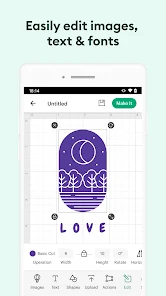
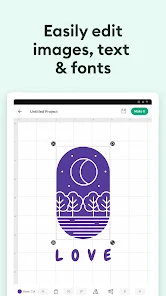
With Design Space, you have the freedom to customize any design to suit your personal style. Adjust colors, sizes, and layers to create something truly one-of-a-kind. This flexibility empowers you to express your individuality in every project you tackle.

Seamless Material Compatibility

Design Space is compatible with a wide range of materials, including paper, vinyl, and fabric. This versatility allows you to explore various crafting techniques and expand your creative repertoire. Whether you're making home decor or personalized apparel, you can achieve stunning results with ease.

Smart Project Planning

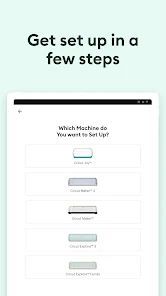
Design Space offers an intuitive interface that allows users to effortlessly plan their DIY projects. You can easily visualize your ideas and arrange elements on the canvas, ensuring everything fits together perfectly before you start cutting. This feature streamlines your creative process and saves you time.

Vast Image Library

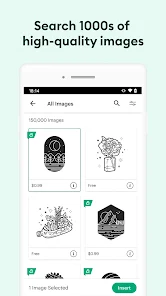
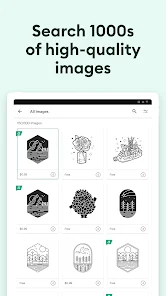
Access a vast library of images, fonts, and pre-made designs to inspire your creativity. Whether you're looking for seasonal decorations or personalized gifts, you'll find a plethora of options to choose from. This extensive collection makes it easy to enhance your projects with unique touches.

Advertisement

Pros & Cons

Pros
  • Unlock your creativity with endless design possibilities at your fingertips.
  • Effortlessly customize projects for any occasion or recipient.
  • Save time with ready-to-use templates and designs.
  • Enjoy a user-friendly interface designed for all skill levels.
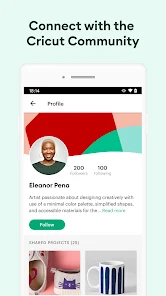
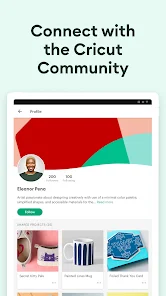
  • Connect with a vibrant community for inspiration and support.
Cons
  • Limited design options can stifle creativity and personalization.
  • Steeper learning curve may frustrate beginners and delay projects.
  • Costs for materials and tools can quickly add up, impacting budget.

Real Experience Using Design Space: DIY with Cricut

Application Scenarios

The Design Space app for Cricut is a versatile platform that caters to a multitude of creative projects. Whether you are a crafting novice or an experienced DIY enthusiast, the app offers endless possibilities. Users can create custom designs for various materials including paper, vinyl, and fabric, enabling them to make personalized gifts, home decor items, and even custom apparel. The app is particularly beneficial for events such as birthdays, weddings, and holidays, allowing users to design unique decorations, invitations, and party favors. Additionally, educators and small business owners can leverage the app for creating educational materials or promotional items, making it a useful tool for multiple user demographics.

User Experience

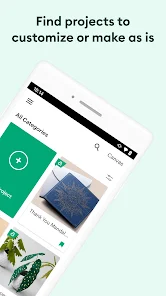
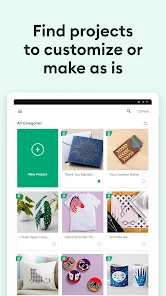
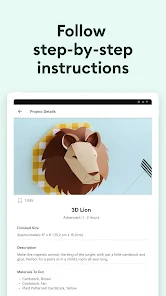
The user experience of Design Space is largely intuitive, with a clean interface that is easy to navigate. Upon launching the app, users are greeted with a library of pre-designed projects, making it simple to get started. The design tools are user-friendly, allowing for easy customization and manipulation of graphics. Users can upload their own images, and the software provides helpful features such as image tracing and editing. Furthermore, the app supports a community aspect, where users can share their designs and inspiration, fostering a collaborative atmosphere. While the app is generally smooth, some users have reported occasional lagging issues during complex projects. Overall, the app provides a satisfying experience for most, especially when it comes to the joy of seeing a design come to life.

Pricing

The Design Space app is available for free download, but it operates on a freemium model. Users can access basic features without any cost, but premium features require a subscription. The monthly subscription provides access to an extensive library of images, fonts, and ready-to-make projects, which can significantly enhance the crafting experience. For avid crafters, the subscription is often considered a worthwhile investment, as it opens up a vast array of creative options. Additionally, there are occasional promotions and discounts that make the subscription more accessible, allowing users to explore the full capabilities of the app without breaking the bank.

Updates & Support

The Design Space app is regularly updated to enhance functionality and improve user experience. Updates often include new features, bug fixes, and expanded libraries of images and fonts. Users can expect a responsive support system, with a help center offering FAQs, tutorials, and troubleshooting tips. For more personalized assistance, users can reach out via email or through social media channels. The community forums are also a great resource, where users can seek advice, share tips, and connect with fellow Cricut enthusiasts. Overall, the commitment to regular updates and robust support reflects the developers' dedication to providing a high-quality crafting experience.

verified Security & Privacy Review

Design Space: DIY with Cricut prioritizes user security and privacy by implementing robust data protection measures. The app collects minimal personal information, ensuring that user data is handled with care. Users are required to create an account, which includes providing an email address and other basic information. However, Cricut emphasizes that this data is used primarily for account management and enhancing user experience. The app employs encryption protocols to safeguard sensitive information during transmission, reducing the risk of unauthorized access. Users can manage their privacy settings within the app, allowing them to control the visibility of their projects and shared content. Design Space requests permissions that are necessary for its functionality, such as access to device storage for saving designs and images. Users are informed about these permissions upfront, promoting transparency. Overall, Cricut's commitment to user privacy is evident through their clear policies and security practices, making Design Space a trustworthy choice for DIY enthusiasts.
Advertisement

User Reviews

  • Carla Crewe
    2025/07/20

    The app always crashes the cutting machine most the time just rips my paper up so I think I spent more time and money and got nothing out of it. the machines are really expensive! And all I see on here is oh we're sorry about your experience blah blah blah then why don't you fix it. cuz I'm pretty mad that this was supposed to be a fun thing to do and turned into an expensive aggravating experience.

  • Sierra Walker
    2025/09/26

    I used to prefer the mobile app to the desktop version, but not anymore. The UI is the opposite of inuitive, and the menus coming down from the top literally make it impossible to move text around once it's there because the menu blocks the text entirely. Everything feels cluttered and difficult to work with, and the constant push to join the subscription is super annoying. Why do I need to say no each time I use the app and sometimes just when going to a new page in it?

  • Vanessa Crowe
    2025/01/25

    Honestly, I sometimes wish I had gotten the silhouette cutting machine instead. Cricut doesn't really improve much. Their app is not user-friendly. No customization of the tools in the app. They make it where you can't save what you made to use outside the app. Then will be like "well it's not like you'll use any other company". They also seem to purposely make their Matt's very sticky so that customers will give up and buy new ones. (But the off brand mats, they are much better)

  • linda foster
    2026/06/20

    I used to use the android app because it was easier and more convenient. Now I can't use it at all. Two updates ago, something kept me from being able to move things without clicking a bunch of times. I was super excited to see the newest update cause surely they fixed that! No 👎 Its worse now. It crashes all the time, that is if it opens at all. I've done all thr possible troubleshooting and its just trash.

  • Kevin Yopp
    2026/06/10

    App wont load at all. Cleared cache and even uninstalled and reinstalled app. Still nothing. Just a scam to get you to sign up for a subscription and monthly fees. I paid for a machine and cannot use it because I don't want to pay a subscription. Cricut is like the government making you pay personal property taxes on a vehicle you've already paid for. Total ripoffs!

Review Source: Google Play store public user reviews.

FAQ

1

Can I submit suggestions or feedback to Design Space: DIY with Cricut?

Yes, users can submit feedback and suggestions through the app's help or support section, allowing the team to consider user input for future updates.

2

Does Design Space: DIY with Cricut collect my personal data?

Yes, Design Space: DIY with Cricut collects certain personal data to improve user experience and provide personalized content, as outlined in their privacy policy.

3

Does Design Space: DIY with Cricut support offline use?

Design Space: DIY with Cricut requires an internet connection for most features; however, users can access previously downloaded projects offline.

4

How do I cancel my Design Space: DIY with Cricut subscription?

Users can cancel their subscription through their account settings in the app or via the app store where the subscription was purchased.

5

How much does a subscription to Design Space: DIY with Cricut cost?

Subscription costs can vary; users can choose a monthly or yearly plan for access to premium images, fonts, and features, typically starting around $9.99 per month.

How to use Design Space: DIY with Cricut

1

Can I change my email linked to my Cricut account after activation?

Yes, you can change your email in the account settings once you log in to your Cricut account.

2

Can I update my Customer Number if it’s incorrect?

Customer Numbers are typically fixed; however, you can contact Customer Service for assistance with any discrepancies.

3

How can I check the status of my account activation?

You can check your account status by attempting to log in; if you can access your account, it is activated.

4

How can I contact Customer Service for help with my Cricut account?

You can reach Customer Service through the Cricut website's support section or by calling the provided helpline number.

5

How do I activate my Cricut account after signing up?

To activate your account, check your email for a confirmation link from Cricut and follow the instructions provided.

Editor's Choice