Features of Kroger App
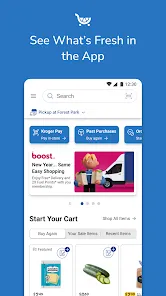
The Kroger App offers a variety of features to enhance the shopping experience for customers:
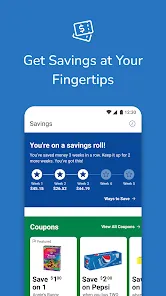
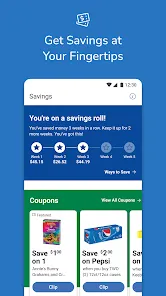
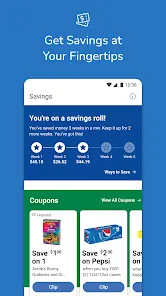
Digital Coupons: Users can browse and clip digital coupons directly in the app for discounts on various products.
Shopping Lists: The app allows users to create and manage shopping lists, making it easy to plan and organize their shopping trips.
Weekly Ads: Users can view the weekly ads and browse the latest deals and promotions offered at Kroger stores.
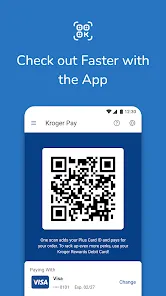
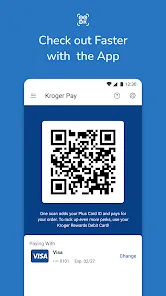
Scan and Go: With the app's Scan and Go feature, users can scan items as they shop and pay through the app for a convenient and seamless checkout experience.
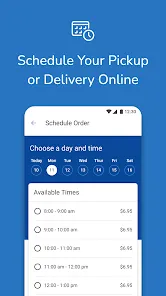
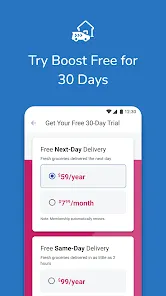
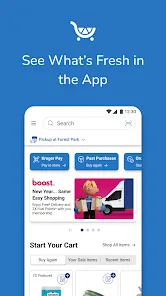
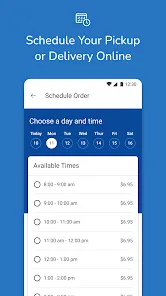
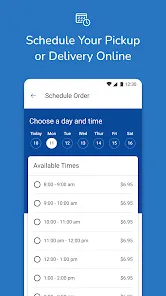
Order Online: Users can place online orders for groceries, household essentials, and other products for pickup or delivery.
Prescription Refills: The app provides a convenient way to refill prescriptions and manage pharmacy services at Kroger.
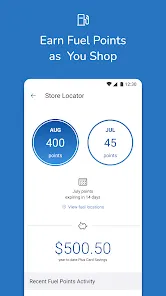
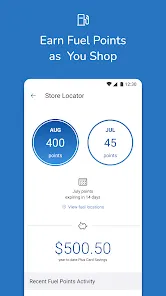
Reward Points: Customers can earn and track reward points through the app, redeemable for discounts and special offers.
Recipe Inspiration: The app offers recipe ideas and meal planning tools, including personalized recommendations based on user preferences.
How to Use Kroger App
Using the Kroger App is simple and user-friendly:
Download and Install: Find the app in your device's app store and install it on your smartphone or tablet.
Create an Account: Sign up for a Kroger account or log in using your existing account credentials.
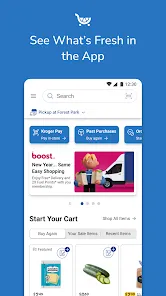
Browse Products: Explore the app's categories and search for products you want to add to your shopping list or purchase online.
Clip Coupons: Browse available digital coupons and clip the ones you want to use by tapping on them.
Create Shopping Lists: Use the app's list feature to create and manage shopping lists for different needs or occasions.
Scan and Go: When shopping in-store, use the Scan and Go feature to scan items and add them to your digital cart. Pay through the app when you're ready to check out.
Order Online: If you prefer to shop online, select the items you need, choose pickup or delivery options, and proceed to checkout.
Manage Pharmacy Services: Access the pharmacy section of the app to refill prescriptions and manage your pharmacy-related needs.
Track Rewards: Keep track of your reward points and redeem them for discounts and special offers.
Pros & Cons of Kroger App
Pros:
Convenience: The app offers features like digital coupons, shopping lists, and online ordering for a convenient shopping experience.
Personalization: Users can receive personalized recommendations, offers, and discounts based on their shopping habits and preferences.
Time-saving: Features like Scan and Go and online ordering help save time during in-store shopping or pickup/delivery.
Reward Program: The app's reward points system allows users to earn discounts and special offers on their purchases.
Cons:
Technical Issues: Some users may experience technical glitches or issues with the app's functionality.
Availability: The app's features, such as online ordering and pickup/delivery, may vary by location, limiting accessibility for some users.
Learning Curve: Users may need some time to familiarize themselves with the app's features and navigation.





 Google Play
  App Store