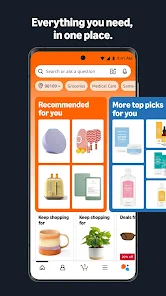
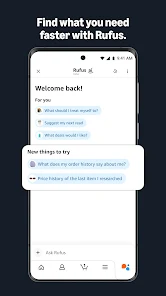
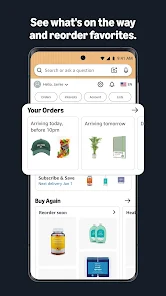
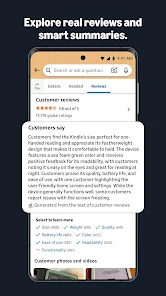
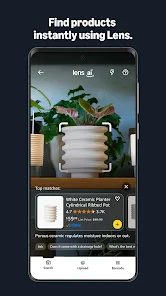
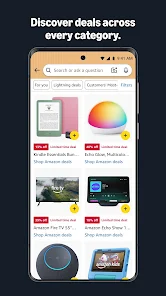
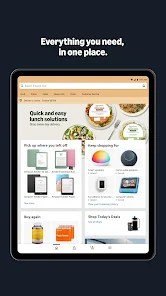
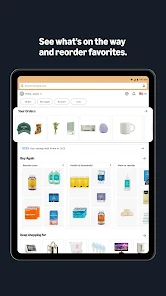
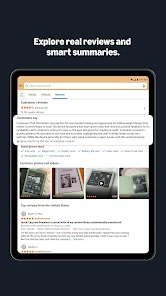
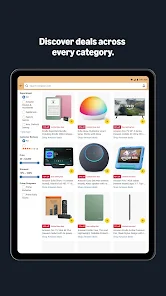
The Amazon Shopping app is a mobile app developed by Amazon that allows users to shop for products on the Amazon website using their mobile devices. The app offers a wide range of features for customers, including the ability to search for and browse products, read customer reviews, and track packages. It also allows users to access their Amazon account and order history, as well as access Prime benefits such as free two-day shipping and access to Prime Video. The Amazon Shopping app is available for download on the App Store and Google Play, and is compatible with a variety of mobile devices. Some additional features of the app include the ability to scan barcodes and QR codes to find products, the ability to save items for later, and the ability to save payment and shipping information for faster checkout.
Features and Functions The Amazon Shopping Mobile App is a convenience and productivity tool that allows you to shop for groceries, household items, and more on the go. You can use the app to order items from your favorite retailers, save favorites for later, and receive push notifications when your items are ready to pick up from the store. The app also has convenient features such as barcode scanning and voice-activated navigation. How to Use Amazon Shopping Mobile App If you’re anything like us, you love your mobile devices. And if you love your mobile devices, you’re probably also a fan of Amazon. So why not combine the two and use the Amazon Shopping Mobile App to make your shopping even easier? Here are five ways to get started: Pros & Cons Pros: How to Protect My Personal Information When Using Amazon Shopping Here are some tips for protecting your personal information when shopping on Amazon: Use a unique and strong password for your Amazon account. Avoid using the same password for multiple accounts and make sure to use a mix of letters, numbers, and special characters. Enable two-factor authentication on your Amazon account. This adds an extra layer of security by requiring you to enter a code sent to your phone or email in addition to your password when logging in. Be cautious when using public Wi-Fi networks to access your Amazon account. Public networks are not secure and can easily be accessed by hackers. If you need to use public Wi-Fi, make sure to use a virtual private network (VPN) to encrypt your connection. Use a credit card instead of a debit card for your purchases. Credit cards offer better protection against unauthorized charges, and many also offer fraud protection services. Be wary of phishing scams. Amazon will never ask you for your password or other sensitive information in an email. If you receive an email that appears to be from Amazon asking for this information, do not respond and report it to Amazon. Keep your computer and mobile devices up to date with the latest security software. This will help protect against viruses, malware, and other online threats. Regularly review your account activity and order history to make sure there are no unauthorized charges or purchases. If you see something suspicious, contact Amazon immediately.
1. Scan barcodes: One of the great things about the Amazon Shopping Mobile App is that it supports barcode scanning. This means that you can quickly and easily browse through items by scanning their barcodes. Just hold your phone up to the item and hit the scan button.
2. Use voice search: If you have an iPhone or iPad, you can use voice search to find specific items on Amazon. Just start speaking into your phone and the app will give you a list of results that match what you said. This is really helpful when you don’t remember the name of an item or if you just want to find out more information about it before buying it.
3. Browse by category: If there’s something that you need but don’t know where to start, try browsing by category in the Amazon Shopping Mobile App. This way, all of the different products that fall under that category will be presented to you as options.
4. Save items for later: If an item interests you but doesn’t necessarily fit into one of your current shopping goals, save it for later so that you can come
-The Amazon Shopping mobile app is easy to use and navigate.
-It has a variety of features available, including the ability to purchase items from Amazon directly from the app.
-The app can be used on both Android and iOS devices.
Cons:
-Some users have reported problems with the Amazon Shopping mobile app, including delayed or failed purchases.
-The app may not be compatible with all devices, so users may need to check before purchasing.