


Google Home is a voice-controlled assistant developed by Google. It was first announced at the I/O conference in May of 2016 and launched in October of that year. Home can be used to control various aspects of the user's digital life, including music playback, setting alarms and timers, controlling smart home devices, and more.
Features Google Home is a voice-controlled assistant that can control many aspects of our lives. One of the ways it helps us is by providing information and suggestions based on what we ask it. For example, if you ask Google Home to play music from your favorite artist, it will start playing music from that artist's discography. How to use Google Home Mobile App To use Google Home, you will need to have a Google Home device and the Google Home app installed on your mobile device. Once you have these, you can follow these steps to set up and use Google Home: Open the Google Home app on your mobile device and tap on the "Add" button in the app's main menu. Follow the on-screen instructions to connect your Google Home device to your home Wi-Fi network. Once your Google Home is connected to Wi-Fi, the app will guide you through the process of setting up the device. This may include things like setting up voice recognition, linking your Google account, and choosing your preferred music and video streaming services. Once your Google Home is set up, you can use the app to control and manage the device. This includes things like adjusting the device's settings, adding new features and services, and linking other smart home devices to Google Home. To use Google Home, simply say "Hey Google" followed by a command or question. For example, you can say "Hey Google, play some music" to play music on the device, or "Hey Google, what's the weather today?" to get a weather update. Overall, using Google Home is simple and intuitive. The Google Home app makes it easy to set up and manage the device, and the voice recognition technology allows you to control the device with natural, spoken commands. Pros & Cons of Google Home Pros: Voice control - You can use your voice to control things like alarms, music playback, and more. Reliable -Google says that the Home will work even if there's no signal or when the network is down. Short learning curve -Although it takes some time to get used to using Google Home, once you do, you'll be able to manage your day-to-day tasks with ease. Customizable -You can choose which apps and features are automatically accessible through Google Home by adjusting its settings. Expandable -Google plans on continuing to improve and update Google Home so that it can better compete with other devices on the market such as Amazon's Echo and Apple's Siri Speakers. Cons: Limited functionality - While Google has promised to add more functionality over time, at present there are only a few straightforward tasks that it can handle (such as setting alarms). Expensive compared to other voice assistants - Although it may be less expensive than many other options available on the market, the price tag for Google Home could put it out of reach for some
Google Home also understands basic English commands like "What is the temperature outside?" and "Set an alarm for 7am." You can also create custom voice commands that let you do specific things, like turning on your lights or adjusting the thermostat.
 Google Play
  App Store
 The app's settings menu offers access to help and support resources, including troubleshooting guides and customer service options, ensuring users can resolve issues efficiently.
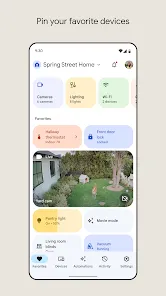
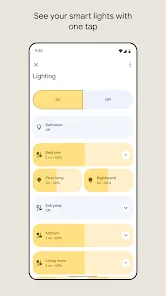
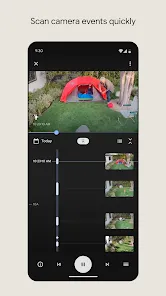
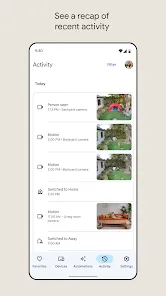
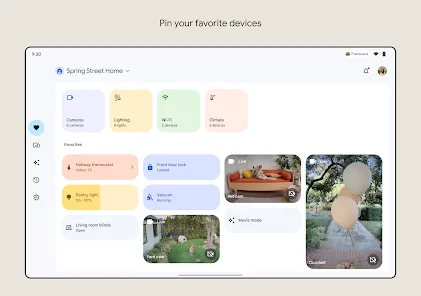
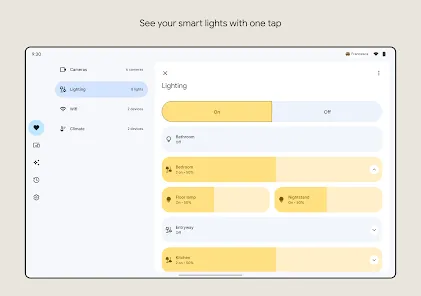
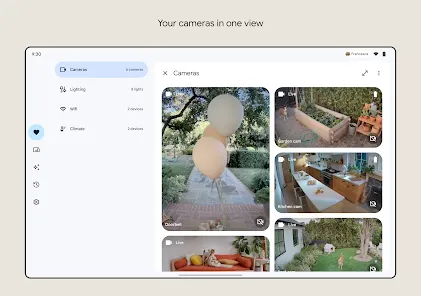
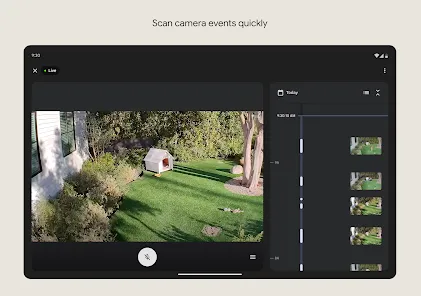
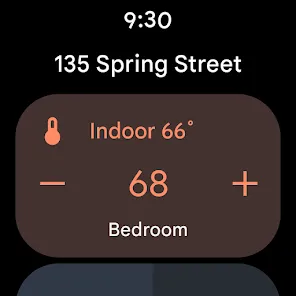
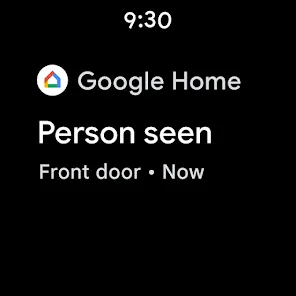
The app allows users to connect various smart devices, such as lights, thermostats, and cameras, enabling centralized control and management from one interface.
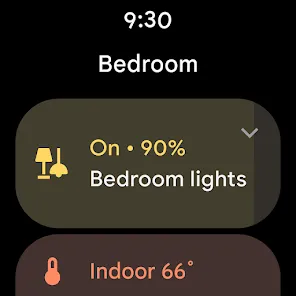
Users can tailor device settings to their preferences, adjusting features like brightness, volume, and notifications, ensuring a personalized and comfortable smart home experience.
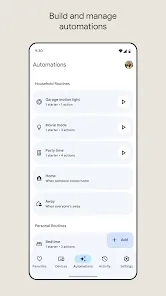
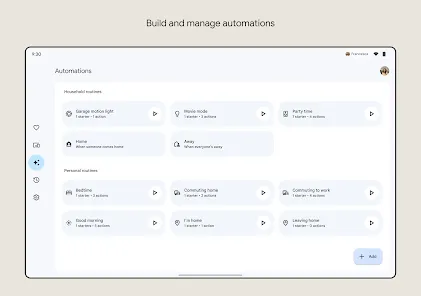
The Google Home app is available on both iOS and Android platforms, allowing users to manage their smart devices, set up routines, and customize settings from their smartphones.
The Discover tab provides users with insights into new features, tips, and suggestions for optimizing their smart home setup, enhancing overall functionality and user experience.