

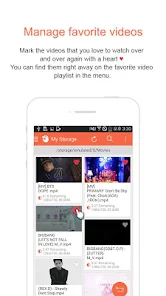
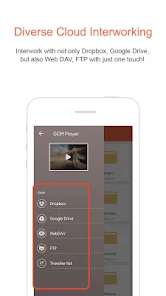
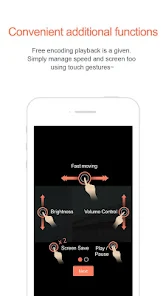
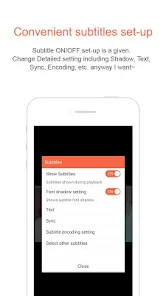
GOM Player Mobile App is a free media player app for Android and iOS devices. It allows users to play audio and video files, as well as stream content from various sources. The app also features a variety of customization options, including the ability to adjust playback speed, add subtitles, and more.
1. Supports a wide range of video and audio formats, including AVI, MP4, MKV, FLV, WMV, MOV, and more. 2. Includes advanced features such as subtitle support, video equalizer, playback speed control, and more. 3. Offers a variety of skins and color schemes to customize the look and feel of the player. 4. Includes a built-in screen capture tool for taking screenshots of videos. 5. Includes a media library for organizing and managing your media files. 6. Includes a built-in codec finder to help you find the right codec for your video files. 7. Includes a variety of advanced features such as video effects, video rotation, and more. 8. Includes a variety of advanced audio features such as audio equalizer, audio effects, and more. 9. Includes a variety of advanced video features such as video deinterlacing, video cropping, and more. 10. Includes a variety of advanced subtitle features such as subtitle synchronization, subtitle search, and more. 1. Download the GOM Player Mobile App from the App Store or Google Play Store. 2. Open the app and select the video you want to watch. 3. You can adjust the video settings such as brightness, contrast, and volume. 4. You can also add subtitles to the video if needed. 5. Once you’re done, press the play button to start watching the video. 6. You can also use the app to stream videos from online sources. 7. To do this, select the “Stream” option from the main menu. 8. Enter the URL of the video you want to watch and press the play button. 9. You can also use the app to download videos for offline viewing. 10. To do this, select the “Download” option from the main menu. 11. Enter the URL of the video you want to download and press the download button. 12. Once the download is complete, you can watch the video anytime without an internet connection.Features
How to use GOM Player Mobile App?

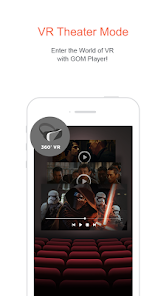
 Convenient mobile device controls with screenshots Compatibility with cloud storage platforms Works with most video codecs VR support and custom skins
 Some video codecs are paid and restricted for watching More high-resolution support and features available upon purchasing GOM Player Plus Unintuitive folder interface Less features compared to its desktop version
  Google Play
  App Store
 If you encounter issues, access the help and support section for troubleshooting tips and guidance to resolve problems effectively.
Control the audio level by moving the volume slider on the interface, ensuring optimal sound for your media.
Access the settings menu to adjust video quality options, enhancing playback based on your preferences or device capabilities.
Use the "Open File" button to browse and select your desired video or audio file for playback.
Tailor video and audio settings to your liking, adjusting aspects like brightness, contrast, and audio output for a personalized experience.