This site uses cookies to enhance your user experience. By clicking any link on this site you are giving your consent to our cookie policy. Read more
Reject
Accept All

Advertiser and Editorial Disclosures

Video Editor

Video Editor

verified

WeVideo Inc.

3.5
Rating
10,000,000+ Downloads
8.43.0 Version
Screenshot 1
Screenshot 2
Screenshot 3
Screenshot 4
Screenshot 5
Screenshot 6
Screenshot 7
Screenshot 8
Screenshot 9
Screenshot 10
Screenshot 11
Screenshot 12
Screenshot 13
Screenshot 14
Screenshot 15
Screenshot 16
Advertisement

Features & Highlights

Advanced Editing Tools

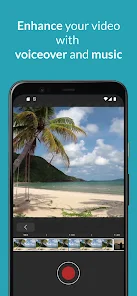
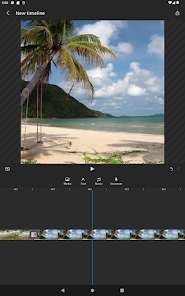
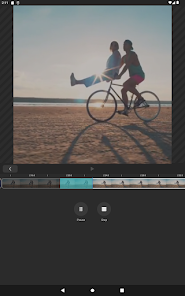
With its suite of advanced editing tools, Video Editor empowers users to fine-tune their projects to perfection. Features like multi-track editing, color correction, and audio mixing provide the flexibility needed to achieve professional-quality results, making it suitable for everything from quick edits to elaborate productions.

Easy Drag-and-Drop Interface

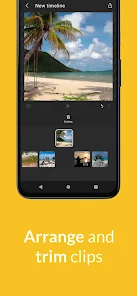
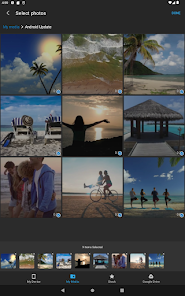
Video Editor offers a user-friendly drag-and-drop interface that makes editing a breeze. You can effortlessly arrange clips, images, and audio files on the timeline, allowing both beginners and pros to create stunning videos without any hassle. This intuitive design enhances your workflow and boosts creativity.

High-Quality Export Options

Video Editor ensures that your final product looks its best with high-quality export options. You can choose from various resolutions and formats, including HD and 4K, giving you the versatility to share your creations across different platforms without sacrificing quality. This feature is perfect for content creators looking to impress their audience.

Rich Library of Effects

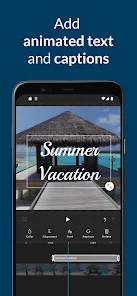
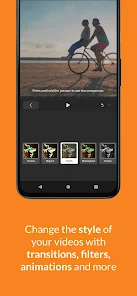
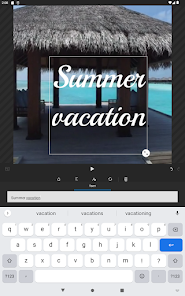
Unleash your creativity with a rich library of effects and transitions available in Video Editor. From stylish filters to seamless transitions, you can easily elevate your videos and add a unique flair that captures the viewer's attention. This extensive collection allows for endless customization options to suit any project.

Advertisement

Pros & Cons

Pros
  • Enhances creativity with a wide range of editing tools and effects.
  • Streamlines workflows, saving time on video projects and revisions.
  • Supports multiple formats, ensuring compatibility across various platforms.
  • Improves video quality with advanced color correction and audio editing features.
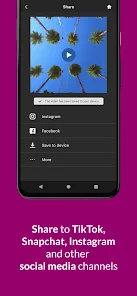
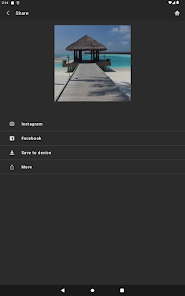
  • Facilitates easy sharing and collaboration with integrated social media options.
Cons
  • High system requirements can limit accessibility for some users.
  • Learning curve may hinder quick project completion for beginners.
  • Limited features may restrict advanced editing capabilities for professionals.
  • Export times can be lengthy, delaying project delivery to clients.

Real Experience Using Video Editor

Real Experience Application Scenarios

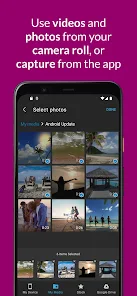
The Video Editor app is designed to cater to a wide array of video editing needs, making it a versatile tool for both amateur creators and seasoned professionals. Whether you are creating a short video for social media, compiling family memories into a montage, or producing content for a YouTube channel, this app provides the essential features required for seamless editing. Its user-friendly interface allows users to easily trim clips, add music, incorporate transitions, and apply filters, making it suitable for quick edits as well as more complex projects. The app also supports various video formats, which adds to its flexibility. Users can also benefit from its capabilities to export videos in different resolutions, making it ideal for any platform, be it Instagram, TikTok, or a personal blog.

User Experience

The user experience of the Video Editor app is one of its standout features. Upon launching the app, users are greeted with an intuitive interface that simplifies navigation. The layout is well-organized, allowing users to access tools and features without confusion. The editing process is smooth, with drag-and-drop functionality that makes it easy to rearrange clips. The app also offers a variety of templates and presets, which can significantly reduce editing time for those who may not have a clear vision for their projects. Additionally, the app provides helpful tutorials and tips for new users, ensuring a learning curve that is manageable. Users have reported a satisfying experience with the app’s performance, noting quick rendering times and minimal crashes, which is crucial for maintaining workflow.

Pricing

The Video Editor app offers a competitive pricing model that caters to a range of budgets. Users can download the app for free, which grants access to basic features. For those looking to unlock advanced functionalities, a subscription model is available, allowing users to choose between monthly and yearly plans. The premium version offers additional features such as advanced editing tools, more music options, and the ability to export in higher quality. Many users find the pricing to be reasonable for the value provided, especially considering the comprehensive features included in the premium version. There is also a free trial period, which allows potential users to test out the premium features before committing financially.

Updates & Support

The developers of the Video Editor app are committed to providing ongoing updates to enhance user experience and functionality. Regular updates often introduce new features, fix bugs, and improve performance, ensuring that the app remains relevant in a fast-evolving digital landscape. Users have noted that the support team is responsive and helpful, providing assistance through various channels such as email and in-app support. This level of customer service contributes to user satisfaction, as it helps resolve issues promptly and effectively. Furthermore, the active community forums allow users to share tips and tricks, fostering a sense of collaboration among creators. Overall, the combination of regular updates and reliable support makes the Video Editor app a trustworthy choice for video editing needs.

verified Security & Privacy Review

Security & Privacy Review The Video Editor app prioritizes user security and privacy, implementing robust measures to protect personal data. It employs end-to-end encryption for any files processed within the app, ensuring that user content remains confidential and inaccessible to unauthorized parties. The app requests permissions that are essential for its functionality, such as access to the device's camera and storage. Users are informed about the data collected, which primarily includes video files and editing preferences. Importantly, the app does not collect sensitive personal information like location or contact details. Users have control over their data, with options to delete their content from the app's servers after editing is complete. The privacy policy is transparent, detailing how data is utilized and safeguarded. Regular updates are provided to address security vulnerabilities and maintain user trust, making Video Editor a reliable choice for users concerned about their privacy while editing videos.
Advertisement

User Reviews

  • Ad Razz
    2026/04/01

    The website of this app is good but the app seems completely useless on phone. I was trying to do a project last minute on my phone so I downloaded the app and when I logged into my already created account and tried to click on the video I created to edit it, it wouldnt even let me access it?? I was only able to add extra videos, which I guess could be useful if you were trying to add a clip from your phone and planned to edit on another device,but otherwise it's pointless. It's also very laggy.

  • Sue K (PlanetZhooZhoo)
    2023/02/02

    This app is now really poor, which is disappointing, as it used to have so much more functionality and integrate so much better with the web version. It adds in transitions and effects automatically that I don't want and now it's useless as a video editor. I can't start the outline of a video on my phone and transfer to the web version to finish off. It even keeps crashing when I try to upload videos I've made. Please go back to the old version that actually worked.

  • Khaled Abu Mazen
    2023/11/14

    The mobile version is garbage, only tried using the free version for about 10 minutes and couldn't accomplish anything. You can't edit and the latency and frame rate between your trimming and the video screen is horrid. Overall just a bad experience. The whole point of a video editor is to be able to trim and split videos which this can't do to anywhere near a useful degree. Desktop version is quite good though.

  • A Google user
    2019/04/05

    I have been using it for more than a year, every day. needs (TIME LINE) marker in clipfor editing. Honestly looking for new app that will give us time line with simple editing. Need more features for editing portion, like Bold font, slow motion features, etc. furthermore; I lost my subscription with 60 days left. left feedback, with no response. so we are shopping again. Sorry, but that's the truth.

  • A Google user
    2020/04/19

    I prefer the desktop version. I love this video editing software, but there are some features that could be put on the computer version like captions and overlapping photos on to videos. I also feel like $60 a year is about ten or fifteen dollars extra that what would make sense in my head. I like this app, but use your computer for more advanced features.

Review Source: Google Play store public user reviews.

FAQ

1

Does Video Editor collect my personal data?

Video Editor may collect personal data as outlined in its privacy policy, typically for account management, user support, and improving the app's functionality.

2

Does Video Editor offer a free trial or free version?

Yes, Video Editor offers a free version with limited features, as well as a free trial period for users to explore premium features before committing to a subscription.


3

Does Video Editor require an internet connection?

Video Editor can be used offline for most editing features, although an internet connection may be required for downloading additional content or accessing cloud services.

4

How can I contact support or send feedback for Video Editor?

You can contact support or send feedback for Video Editor through the app's help section, the official website, or by reaching out to customer support via email or social media channels.

5

How do I manage or cancel my Video Editor subscription?

You can manage or cancel your Video Editor subscription through your account settings in the app or on the website, where you will find options for subscription management.

How to use Video Editor

1

Can I reset my password if I can't log in?

Yes, on the login screen, click on "Forgot Password." Follow the instructions sent to your registered email to reset your password.

2

How can I contact customer service for the Video Editor app?

You can reach our customer service by emailing support

3

How do I activate the premium features of the Video Editor app?

To activate premium features, go to the app settings, select "Upgrade," and follow the prompts to enter your payment information. Your subscription will begin immediately upon confirmation.

4

How do I log in to my account in the Video Editor app?

To log in, open the app and enter your registered email and password in the login screen. If you forgot your password, use the "Forgot Password" link.

5

How do I upgrade my account to access more features?

To upgrade, navigate to the app's settings, choose "Subscription," and select your preferred plan. Follow the prompts to complete the upgrade.

What's New

We've added the ability to list, rename, and delete web projects from your mobile device. Plus, you can now upload media directly to them!

Editor's Choice