This site uses cookies to enhance your user experience. By clicking any link on this site you are giving your consent to our cookie policy. Read more
Reject
Accept All

Advertiser and Editorial Disclosures

TiviMate IPTV Player

TiviMate IPTV Player

verified

Armobsoft FZE

4.1
Rating
1,000,000+ Downloads
5.2.0 Version
Screenshot 1
Screenshot 2
Screenshot 3
Screenshot 4
Screenshot 5
Screenshot 6
Screenshot 7
Screenshot 8
Screenshot 9
Screenshot 10
Advertisement

Features & Highlights

Advanced EPG Options

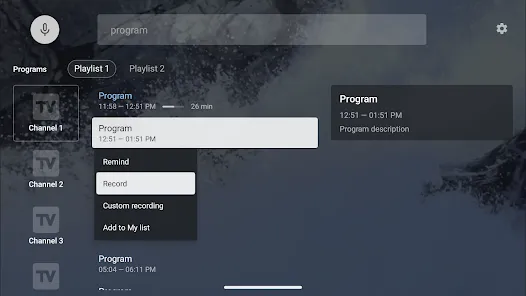
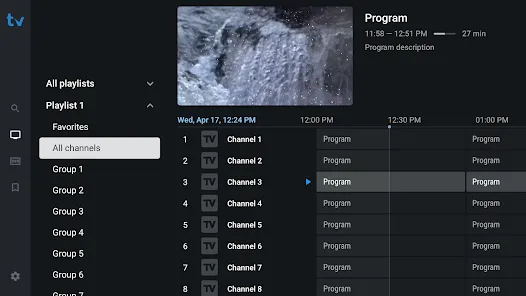
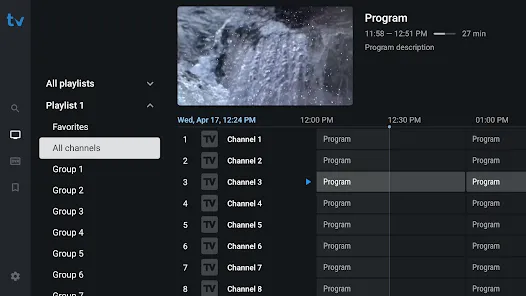
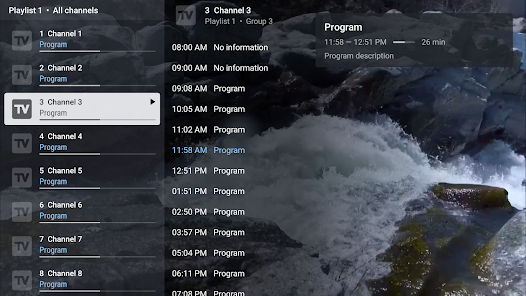
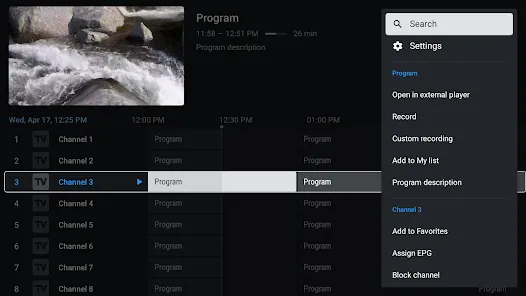
TiviMate provides advanced Electronic Program Guide (EPG) options, allowing you to see what's on now and what's coming up next. This feature enhances your viewing experience by helping you plan your watching schedule and discover new shows without missing a beat.

Catch-Up TV Feature

Never miss your favorite shows with TiviMate's Catch-Up TV feature, which lets you access past broadcasts on supported channels. This functionality ensures that you can enjoy the content you love at your convenience, making it easier to keep up with your favorite programs.

Multi-Playlist Support

TiviMate IPTV Player allows users to easily manage multiple playlists, giving you the flexibility to switch between different content sources without hassle. This feature is perfect for those who subscribe to various IPTV services, enabling seamless navigation and a personalized viewing experience.

User-Friendly Interface

The app boasts a sleek and intuitive user interface designed for effortless navigation. With organized categories and quick access to your favorite channels, you can enjoy a smooth viewing experience that makes finding and watching content a breeze.

Advertisement

Pros & Cons

Pros
  • User-friendly interface for easy navigation and access to content
  • Supports multiple playlists for diverse viewing options and customization
  • Offers advanced features like EPG support for better program tracking
  • Compatible with various devices, enhancing accessibility across platforms
  • Regular updates ensure improved performance and new features over time
Cons
  • Limited support for certain IPTV services may hinder user experience
  • No built-in content source, requiring separate subscriptions
  • Occasional performance issues on older devices can disrupt streaming quality

Real Experience Using TiviMate IPTV Player

Real Experience Application Scenarios

TiviMate IPTV Player is designed for users who seek a seamless and efficient way to watch live television through internet protocol television (IPTV) services. It is ideal for cord-cutters who want to replace traditional cable with a customizable streaming solution. Users can easily manage and access multiple IPTV playlists, making it perfect for households with varied viewing preferences. Whether you want to catch up on your favorite sports, binge-watch a TV series, or enjoy international channels, TiviMate offers a comprehensive platform to cater to these needs. Additionally, the app is compatible with Android devices, including smartphones, tablets, and set-top boxes, making it versatile for different viewing setups.

User Experience

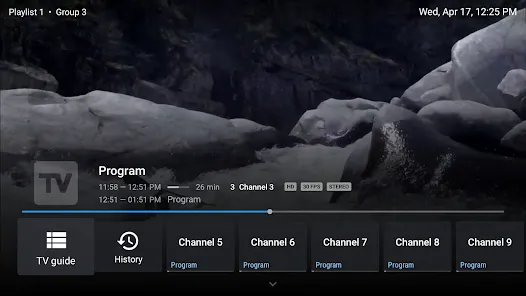
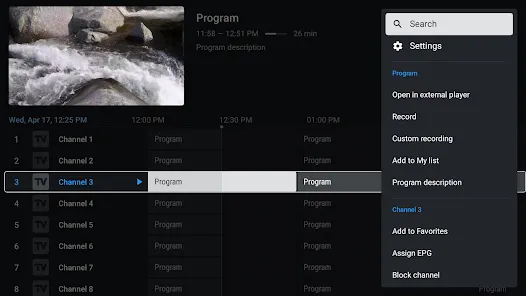
The user experience on TiviMate is notably intuitive, with a clean interface that simplifies navigation. The app allows users to create customizable channel lists, making it easy to access preferred content quickly. The EPG (Electronic Program Guide) feature enhances the viewing experience by providing detailed program information, allowing users to plan their viewing schedules efficiently. Users have reported a smooth streaming experience with minimal buffering, thanks to the app's optimized playback capabilities. The ability to add multiple playlists means that users can easily curate their favorite channels and genres, making TiviMate a flexible solution for diverse viewing habits. Moreover, the support for catch-up TV and recording functionality further enriches the user experience, ensuring that no content is missed.

Pricing

TiviMate IPTV Player is available for free with limited features, which is a great way for new users to explore the app. However, to unlock its full potential, a premium subscription is required. The premium version is reasonably priced, considering the array of features it provides, including multiple playlist support, the ability to record live TV, and enhanced customization options. This pricing model allows users to decide if they want to invest in the full experience after trying out the basic functionalities, thus offering flexibility for various budgets.

Updates & Support

The developers of TiviMate actively maintain and update the app, ensuring that users benefit from the latest features and improvements. Regular updates not only enhance performance but also introduce new functionalities based on user feedback. Additionally, the app provides a comprehensive help section and support resources, making it easier for users to troubleshoot any issues they may encounter. The community forums and social media platforms further provide avenues for users to seek assistance and share their experiences. Overall, TiviMate demonstrates a commitment to continuous improvement and user satisfaction, making it a reliable choice for IPTV enthusiasts.

verified Security & Privacy Review

Security & Privacy Review TiviMate IPTV Player prioritizes user security and privacy through various measures, although it is essential for users to remain vigilant. The app does not collect personal information unless explicitly provided by the user, such as when entering login credentials for IPTV services. Users should be aware that any data shared with third-party IPTV providers is subject to those providers' privacy policies. The app requires minimal permissions, primarily for accessing media files, network connections, and storage. This limited scope helps reduce potential vulnerabilities. However, users are encouraged to review permissions regularly and only grant those necessary for optimal functionality. Additionally, TiviMate does not utilize any tracking or analytics tools, ensuring that user activity remains private. The absence of ads further minimizes the risk of data being collected by advertisers. To enhance security, users can opt for a VPN when streaming, adding an extra layer of protection against potential data breaches and unauthorized access.
Advertisement
Get Installation Details
google play Google Play app store App Store

FAQ

1

Can I submit suggestions or feedback to TiviMate IPTV Player?

Yes, you can submit suggestions or feedback to TiviMate IPTV Player through their official support channels or forums, where they often welcome user input to improve the application.

2

Does TiviMate IPTV Player collect my personal data?

TiviMate IPTV Player does not collect personal data unless explicitly provided by the user for account creation or subscription purposes. Always refer to their privacy policy for detailed information.

3

Does TiviMate IPTV Player support offline use?

TiviMate IPTV Player does not support offline use as it requires an internet connection to stream live content and access the IPTV services.

4

How do I cancel my TiviMate IPTV Player subscription?

To cancel your TiviMate IPTV Player subscription, you can do so through the app settings or the platform where you purchased the subscription, such as Google Play Store or Amazon Appstore.

5

How much does a subscription to TiviMate IPTV Player cost?

The subscription to TiviMate IPTV Player typically costs a nominal fee, with options for monthly or yearly subscriptions, but prices may vary based on promotions or updates.

How to use TiviMate IPTV Player

1

Can I activate my account without a customer number?

No, you need your customer number to activate your TiviMate account. Contact customer service if you need help retrieving it.

2

How can I contact customer service for TiviMate?

You can reach customer service through the app's help section or visit our official website for support options.

3

How can I update my customer number?

To update your customer number, please contact customer service as they can assist you with the necessary changes.

4

How do I activate my TiviMate account?

To activate your account, enter your customer number and follow the prompts in the app. If you face any issues, reach out to customer service.

5

How do I log in to my TiviMate account?

To log in, open the app and enter your registered email and password in the login screen.

Editor's Choice