




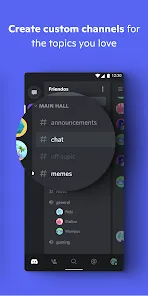

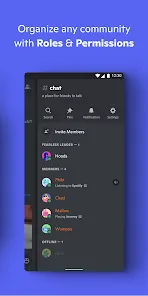

Discord is a platform, which is specially desgined for gamers, to share your idea and make friends. It's free, secure, and works on both your desktop and phone. You can talk, text, video call, and more with your friends. Discord also has a built-in server browser that lets you find and join servers that are relevant to you.
Features of Discord: Talk, Chat & Hang Out App
The Discord: Talk, Chat & Hang Out App offers a range of features to facilitate communication and community building:
How to Use Discord: Talk, Chat & Hang Out App
Using the Discord: Talk, Chat & Hang Out App is straightforward:

 Offers chat voice and video chat functions Includes secure two-factor authentication Create subgroups for a broader range of topics
 Best suited for large groups Better suited for experienced chat app users
 Users can customize notification settings to control alerts for messages and activities, ensuring they stay informed without being overwhelmed.
Users can sign up for Discord by providing either an email address or phone number, ensuring a straightforward registration process to start connecting with others.
Users can personalize their profiles by choosing a unique username and uploading an avatar, helping them express their identity within the Discord community.
Discord is a communication platform designed for creating communities, allowing users to chat via text, voice, and video. It’s popular among gamers and various interest groups for its versatility and user-friendly interface.
The Discord app can be downloaded from major app stores like Google Play and Apple App Store, making it accessible on smartphones, tablets, and computers for easy communication.













 Google Play
  App Store