Yahoo Mail – Organized Email

Yahoo Mail – Organized Email

4.5
Advertisement

Information

  • Category: Communication
  • Price: Free
  • Age Rating: 14+
  • Rating:
    4.5
  • Developer: Yahoo
  • Version: 45609
Advertisement
Screenshot 1
Screenshot 2
Screenshot 3
Screenshot 4
Screenshot 5
Screenshot 6
Screenshot 7
Screenshot 8

Yahoo Mail is one of the most popular email applications on the market. It's been around for years and has always been a reliable tool for staying in touch with friends and family. But what if you want to use Yahoo Mail on your mobile device? That's where the Yahoo Mail Mobile App comes in. The app is specifically designed for smartphones and tablets, making it easy to access your mail while on the go. Plus, it integrates with a range of other apps, so you can easily stay organized across multiple platforms. If you're looking for an email application that's both user-friendly and versatile, look no further than the Yahoo Mail Mobile App.

Features of Yahoo Mail – Organized Email App

Yahoo Mail is designed to enhance the email experience with a variety of user-friendly features. One of the key features is its powerful search functionality, which allows users to easily find emails, attachments, and files using keywords or filters. Additionally, the app provides customizable folders and tabs, helping users to organize their emails effectively and manage their inboxes with ease.

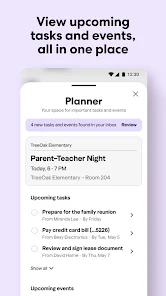
Another notable feature is the integrated calendar, which allows users to schedule events and set reminders directly within the app. Yahoo Mail also offers a large storage capacity, providing users with ample space to store their emails and attachments without concern for running out of space. Furthermore, the app includes robust security measures, such as two-step verification and spam filtering, to protect users from unwanted intrusions and potential threats.

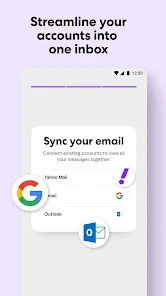
The app also supports multiple email accounts, enabling users to manage their various email addresses from one central location. Additionally, Yahoo Mail offers a sleek and modern interface, making it easy to navigate and use. With these features, Yahoo Mail stands out as a versatile and organized email application suitable for both personal and professional communication.

How to Use Yahoo Mail – Organized Email App

Using Yahoo Mail is straightforward and user-friendly, making it accessible for everyone. To get started, download the Yahoo Mail app from your device’s app store. Once installed, open the app and sign in with your Yahoo account credentials. If you don’t have an account, you can easily create one directly within the app.

After logging in, you'll be greeted by your inbox, where you can view incoming emails. To compose a new email, click on the compose button, enter the recipient's email address, type your message, and hit send. You can attach files or images by clicking the attachment icon before sending your email. To organize your emails, use folders and labels to categorize messages based on your preferences.

Utilize the search bar to quickly locate specific emails or attachments. Moreover, take advantage of the integrated calendar feature to manage your schedule efficiently. Regularly check your spam folder to ensure important emails are not missed. By following these steps, you'll be able to efficiently manage your communications through Yahoo Mail, making it an invaluable tool for both personal and professional use.

Pros & Cons of Yahoo Mail App

Yahoo Mail offers numerous advantages, making it a popular choice among email users. One of the primary pros is its generous storage capacity, allowing users to store thousands of emails without worrying about running out of space. The app's powerful search functionality is another highlight, enabling users to find specific emails quickly and efficiently. Additionally, the customizable interface allows for personalization, making it user-friendly and visually appealing.

However, there are some drawbacks to consider. One notable con is the presence of advertisements within the free version of the app, which can be distracting for users. Furthermore, while Yahoo Mail provides good security features, it has faced significant data breaches in the past, raising concerns about privacy. Lastly, some users may find the integration of various services, like calendar and news, a bit overwhelming if they prefer a straightforward email experience.

In summary, Yahoo Mail offers a comprehensive email solution with many benefits, but potential users should weigh the pros and cons based on their individual needs and preferences.

Advertisement