This site uses cookies to enhance your user experience. By clicking any link on this site you are giving your consent to our cookie policy. Read more
Reject
Accept All

Advertiser and Editorial Disclosures

Albert

Albert

verified

Albert - Budgeting & Banking

4.5
Rating
5,000,000+ Downloads
10.0.58 Version
  • category

    Category: Finance

  • price

    Price: free

  • age rating

    Age Rating: Everyone

  • rating

    Rating: 4.5

  • available on

    Available on: /

  • updated on

    Updated on: Jun 23, 2026

Screenshot 1
Screenshot 2
Screenshot 3
Screenshot 4
Screenshot 5
Screenshot 6
Screenshot 7
Screenshot 8
Advertisement

Features & Highlights

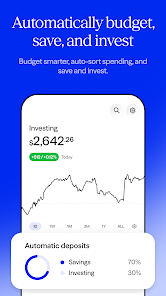
Automated Savings

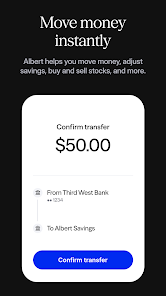
With Albert's automated savings feature, you can effortlessly set aside money for your goals without even thinking about it. The app analyzes your income and expenses to determine how much you can save, transferring small amounts to your savings account, which helps build your financial cushion over time.

Cash Advances

Need cash in a pinch? Albert offers cash advances that allow you to access funds before your paycheck arrives. This feature provides a safety net during unexpected financial situations, ensuring you can cover essential expenses without incurring high-interest fees from traditional loans.

Investing Made Easy

Albert simplifies the investing process by offering tailored investment options based on your financial goals and risk tolerance. Whether you're a seasoned investor or a complete novice, the app provides guidance and easy access to create a diversified portfolio that works for you.

Smart Budgeting

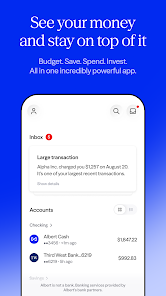
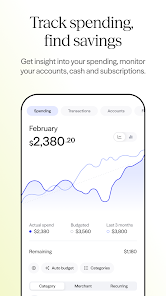
Albert helps you take control of your finances with its intuitive budgeting tools. By analyzing your spending habits, it provides personalized insights that help you set realistic goals and stay on track with your budget, making financial management feel less overwhelming and more achievable.

Advertisement

Pros & Cons

Pros
  • Easy-to-use interface simplifies financial management.
  • Automated budgeting helps track your spending effortlessly.
  • Real-time insights enhance informed financial decisions.
  • Goal setting features motivate savings and financial growth.
  • Secure banking ensures peace of mind for users.
Cons
  • Limited customer support options available for users
  • Mobile app can be slow or unresponsive at times
  • Lacks advanced investment features for experienced users
  • Basic budgeting tools may not meet complex needs

Real Experience Using Albert

Application Scenarios

Albert: Budgeting and Banking is designed for individuals looking to take control of their finances in a seamless and user-friendly manner. Whether you are a college student managing limited resources, a young professional aiming to save for a big purchase, or a family trying to balance expenses, Albert provides tailored solutions for a variety of financial situations. Users can set budgets, track spending, and receive personalized financial advice based on their unique spending habits. Additionally, Albert's ability to manage multiple financial accounts in one place makes it ideal for those who juggle different bank accounts, credit cards, and savings plans. With features like automated savings and investment options, users can effortlessly build a financial cushion or invest for the future.

User Experience

The user experience offered by Albert is intuitive and engaging, appealing to both tech-savvy individuals and those new to budgeting apps. The interface is clean and visually appealing, allowing users to navigate easily through various features. Upon signing up, users are greeted with a simple onboarding process that guides them through setting up their accounts and understanding the app's functionalities. The personalized insights provided by Albert, such as spending alerts and budgeting recommendations, are tailored to fit individual needs, which enhances user satisfaction. Moreover, the app incorporates gamification elements, encouraging users to reach their savings goals through fun challenges. Overall, the user experience is designed to keep users motivated and informed about their financial health.

Pricing

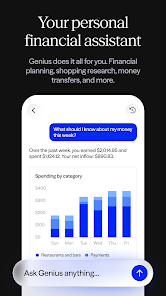
Albert operates on a freemium model, allowing users to access basic budgeting features without any initial cost. However, to unlock premium features such as advanced investment tools and personalized financial advice from experts, users can opt for the Albert Genius subscription, which is priced at a reasonable monthly fee. This tier provides extensive support and resources, making it a worthwhile investment for those serious about managing their finances effectively. The pricing structure is transparent, with no hidden fees, ensuring users understand what they are paying for and can gauge the value they receive in return.

Updates & Support

Albert is committed to providing a continually evolving app experience through regular updates and enhancements. The development team actively addresses user feedback, implementing features that cater to the needs of their community. Updates often include bug fixes, performance improvements, and new functionalities that enhance the overall experience. In terms of support, Albert offers a comprehensive help center filled with articles and FAQs, as well as customer service options for personalized assistance. Users can reach out through email or in-app messaging, ensuring their queries are addressed promptly. This level of support fosters a sense of trust and reliability, making users feel valued and heard.

verified Security & Privacy Review

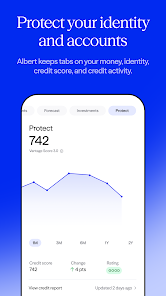
Albert: Budgeting and Banking takes user security and privacy seriously, implementing robust measures to protect sensitive information. The app uses bank-level encryption to safeguard user data during transmission and storage, ensuring that personal and financial information remains confidential. Additionally, Albert employs multi-factor authentication, adding an extra layer of security for user accounts. In terms of privacy practices, Albert clearly outlines its data handling policies in its privacy policy, informing users about the types of data collected and how it is used. The app requires permissions primarily related to financial data access, which is essential for providing personalized budgeting and banking services. Users have control over what information they share, and Albert does not sell personal data to third parties. Regular security audits and compliance with industry standards further bolster user trust. Overall, Albert prioritizes user privacy and security, making it a reliable choice for individuals seeking to manage their finances securely.
Advertisement

Compare APP

User Reviews

  • None None
    2026/02/21

    I always save my reviews for the last day. I have been using Albert for years and while you may find the advance to be helpful at first, getting out of the app is nearly impossible. The app tells you to clean out all of your accounts before you can close them. They take up to 6 days to do so. Then, in the meantime, they keep taking more money to those old accounts despite saying no. I'm on my 3rd week of trying to cancel my acct. At this point I have no more patience. Better Business Bureau

  • Brandy Stewart
    2024/10/10

    Very shady app! They make it near impossible to cancel your membership, so you keep getting charged. I tried several times to cancel and got charged a monthly fee while waiting. They are taking advantage of people who are already struggling financially. Stay away from this app. Edit: Regarding the developer's response, I've already closed my account, but not before I was charged once more.

  • B
    2024/12/29

    This was incredibly hard to cancel! I don't recommend. So I didn't need the service much and it was so hard to cancel. The cancel button isn't easy to find. It's in the help center under deactivate and cancel. But if you search that in the search bard, it will just tellnyou how to find it. It wont give you the option. Then you need to enter your ssn, next, enter the last 4 of your albert card which was hard to find. Then your balance must be at zero which took days ti transfer things over.

  • Kat Kathryn
    2025/10/07

    WARNING!!! Horrible! they trap you, take different amounts of money from your account each month or multiple times a month and make it impossible for you to cancel your account! DOWNRIGHT SHAMEFUL! i thought I was good to go when they no longer had connection with my bank account.Unfortunately, that's not the case.They are still taking different amounts of money multiple times a month from me.

  • Brian Hobson
    2024/10/25

    I would not recommend using this service at all. Customer support is truly a nightmare. It's over text messaging which would be ok if the customer service department cared about customers in the slightest. They don't. I'm just a regular guy and had charges for an app I didn't use or recognize so I requested a dispute. Once my charge was refunded, they immediately suspended my account stating there was suspicious activity on it, and I have done absolutely nothing to warrant that whatsoever.

Review Source: Google Play store public user reviews.

FAQ

1

Does Albert: Budgeting and Banking collect my personal data?

Yes, Albert: Budgeting and Banking collects personal data to provide its services, but it adheres to strict privacy policies to protect your information and ensure it is used responsibly.

2

Does Albert: Budgeting and Banking offer a free trial or free version?

Albert: Budgeting and Banking offers a free version with basic budgeting features, while more advanced functionalities are available through paid subscription plans.


3

Does Albert: Budgeting and Banking require an internet connection?

Yes, Albert: Budgeting and Banking requires an internet connection to sync your financial data, access features, and receive updates in real-time.

4

How can I contact support or send feedback for Albert: Budgeting and Banking?

You can contact support or send feedback for Albert: Budgeting and Banking through the app's help section, where you can find options for live chat, email support, or frequently asked questions.

5

How do I manage or cancel my Albert: Budgeting and Banking subscription?

You can manage or cancel your Albert: Budgeting and Banking subscription directly within the app by navigating to your account settings and following the prompts for subscription management.

How to use Albert

1

Can I update my customer information in the Albert app?

Yes, you can update your information in the account settings section of the app.

2

How can I contact customer service for the Albert app?

You can contact Albert's customer service through the app's help section or by emailing support

3

How do I activate my Albert account?

After signing up, follow the verification link sent to your email to activate your account.

4

How do I close my Albert account if needed?

To close your account, contact customer support through the app and request account closure.

5

How do I find my customer number for Albert?

Your customer number can be found in the app under your account settings or by contacting support.

What's New

Bug fixes and performance improvements.

Editor's Choice