This site uses cookies to enhance your user experience. By clicking any link on this site you are giving your consent to our cookie policy. Read more
Reject
Accept All

Advertiser and Editorial Disclosures

AI Cleaner - Phone Cleaner

AI Cleaner - Phone Cleaner

verified

GRIMLAX TRADE, S.L.

4.3
Rating
5,000,000+ Downloads
1.10 Version
  • category

    Category: Tools

  • price

    Price: free

  • age rating

    Age Rating: Everyone

  • rating

    Rating: 4.3

  • available on

    Available on: /

  • updated on

    Updated on: Jul 2, 2026

Screenshot 1
Screenshot 2
Screenshot 3
Screenshot 4
Screenshot 5
Screenshot 6
Screenshot 7
Screenshot 8
Screenshot 9
Screenshot 10
Screenshot 11
Screenshot 12
Screenshot 13
Screenshot 14
Screenshot 15
Screenshot 16
Screenshot 17
Screenshot 18
Screenshot 19
Screenshot 20
Screenshot 21
Screenshot 22
Screenshot 23
Advertisement

Features & Highlights

App Management

The app offers a streamlined way to manage your installed applications, allowing you to uninstall those you no longer use easily. With AI Cleaner, you can also see which apps are taking up the most space, making it easier to keep your device running efficiently.

Battery Optimization

With AI Cleaner, you can extend your phone's battery life by managing power-hungry applications and settings. The app analyzes your usage patterns and suggests optimizations to minimize energy consumption, allowing you to stay connected longer without frequent recharges.

Privacy Protection

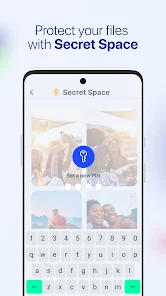
AI Cleaner prioritizes your privacy by scanning for and eliminating unwanted files that may contain sensitive information. It helps you maintain a clean and secure device, giving you peace of mind as you go about your daily activities without worrying about data leaks.

Smart Junk Removal

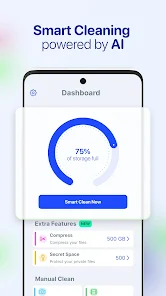
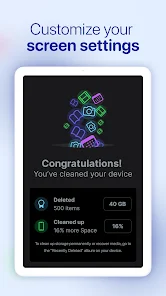
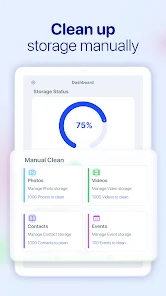
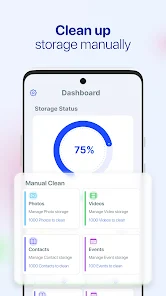
AI Cleaner intelligently identifies and removes unnecessary files and clutter from your device, helping to free up valuable storage space. With its advanced algorithms, it ensures that only the least important files are targeted, leaving your essential data intact for a smoother performance.

Advertisement

Pros & Cons

Pros
  • Effortlessly removes junk files for better performance
  • Boosts battery life by optimizing resource usage
  • Enhances storage capacity by clearing unnecessary data
  • Improves device speed with quick cleaning solutions
  • User-friendly interface for easy navigation and use
Cons
  • Limited features compared to other cleaners
  • May consume significant battery life
  • Potential privacy concerns with data access
  • Inconsistent performance on various devices

Real Experience Using AI Cleaner - Phone Cleaner

Application Scenarios

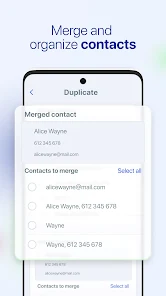
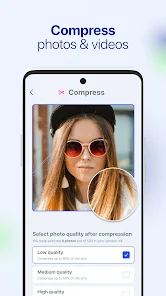
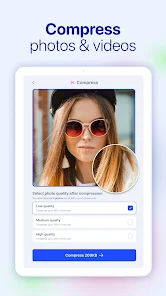
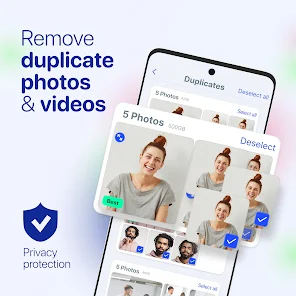
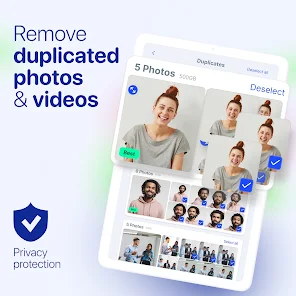
AI Cleaner - Phone Cleaner is designed to tackle the everyday challenges faced by smartphone users. Whether you're a student, a professional, or a casual user, this app fits seamlessly into various scenarios. For students, it helps free up storage space by removing unnecessary files, allowing for more room for study materials and apps. Professionals can benefit from its ability to streamline their devices, ensuring that essential applications run smoothly without lag. Additionally, casual users who enjoy taking photos or downloading media will find the app invaluable for managing their growing media library. With its intelligent cleaning features, AI Cleaner can identify duplicate files, large media, and unused apps, making it a versatile tool for anyone looking to optimize their phone's performance.

User Experience

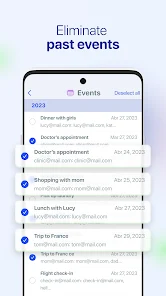
The user experience of AI Cleaner is intuitive and straightforward, making it accessible for users of all ages. Upon launching the app, users are greeted with a clean interface that guides them through the various features available. The cleaning process is fast, with the app providing clear prompts and options for users to select what they wish to remove. Users have reported significant improvements in device speed and performance after utilizing the app's cleaning features. The AI-driven recommendations help users make informed decisions about which files to keep and which to delete. Additionally, the app includes a real-time monitoring feature that alerts users when storage is running low, ensuring that they can take action proactively.

Pricing

AI Cleaner offers a free version that provides basic cleaning functionalities, making it accessible to all users. However, for those seeking a more comprehensive experience, the premium version is available via a subscription model. The premium subscription unlocks advanced features such as deeper system scans, ad-free usage, and priority customer support. Users have noted that the pricing is competitive compared to similar applications, and many feel that the benefits of the premium version justify the cost, especially for heavy users who rely on their devices for work or entertainment.

Updates & Support

The developers of AI Cleaner are committed to providing regular updates to enhance the app's performance and user experience. Users can expect new features, bug fixes, and improvements to the cleaning algorithms, ensuring that the app remains effective in a rapidly evolving digital landscape. Customer support is another strong point for AI Cleaner; users can easily access help through in-app support options or through the official website. The response time is generally quick, and the support team is knowledgeable and helpful. This dedication to continuous improvement and user satisfaction makes AI Cleaner a reliable choice for anyone looking to maintain their smartphone’s performance.

verified Security & Privacy Review

The AI Cleaner - Phone Cleaner app places a strong emphasis on security and privacy, ensuring that user data is handled with care. The app requires minimal permissions, primarily accessing storage to effectively clean unwanted files and optimize device performance. This limited access helps to mitigate potential privacy risks associated with excessive permissions. AI Cleaner employs encryption protocols to safeguard user data during processing and storage. The app does not collect personally identifiable information (PII) unless explicitly provided by the user for specific features. Furthermore, data collected for optimization purposes is anonymized, ensuring that individual users cannot be traced. Users are encouraged to review privacy settings within the app to customize their experience and understand data usage. The developers maintain a transparent privacy policy, clearly outlining data collection, usage, and retention practices. Regular updates are provided to enhance security features and address potential vulnerabilities, demonstrating a commitment to maintaining user trust and data integrity.
Advertisement

User Reviews

  • Hany Yosef
    2026/07/03

    good

  • Sushmita May Soledad
    2026/07/03

    ok

  • James E Prophit
    2026/07/03

    Just great 👍 👌.

  • Inathi Sesman
    2026/07/03

    I like it because this app helped me 🥹

  • James Galang
    2026/07/03

    good

Review Source: Google Play store public user reviews.

FAQ

1

Can I create playlists on Spotify?

Yes, users can create, share, and collaborate on playlists with friends.

2

Can I download music on Spotify?

Yes, premium users can download songs and playlists for offline listening.

3

Can I listen to Spotify offline?

Yes, premium users can listen to downloaded music offline without an internet connection.

4

Can I use Spotify on multiple devices?

Yes, you can use Spotify on multiple devices, but only one device can stream at a time.

5

Does Spotify have podcasts?

Yes, Spotify hosts a wide range of podcasts across various genres.

What's New

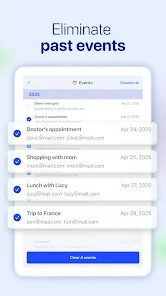
Thank you for using AI Cleaner! In this version:- New Email Cleaner feature to help you clean your inbox and unsubscribe from unwanted email listsYour feedback helps us make the app even better. Please let us know what improvements or new features you’d like to see. Keep your phone clean and organized with just a tap!

Editor's Choice