This site uses cookies to enhance your user experience. By clicking any link on this site you are giving your consent to our cookie policy. Read more
Reject
Accept All

Advertiser and Editorial Disclosures

3D Modeling App: Sculpt & Draw

3D Modeling App: Sculpt & Draw

verified

3D Modeling Apps

4.4
Rating
10,000,000+ Downloads
1.20.8 Version
  • category

    Category: Art & Design

  • price

    Price: free

  • age rating

    Age Rating: Everyone

  • rating

    Rating: 4.4

  • available on

    Available on: /

  • updated on

    Updated on: Jun 8, 2026

Screenshot 1
Screenshot 2
Screenshot 3
Screenshot 4
Screenshot 5
Screenshot 6
Screenshot 7
Screenshot 8
Screenshot 9
Screenshot 10
Screenshot 11
Screenshot 12
Screenshot 13
Screenshot 14
Screenshot 15
Screenshot 16
Screenshot 17
Screenshot 18
Screenshot 19
Screenshot 20
Screenshot 21
Screenshot 22
Advertisement

Features & Highlights

Dynamic Drawing Features

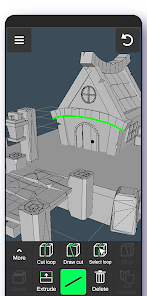
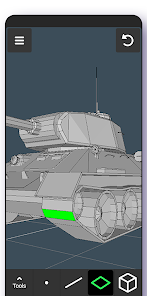
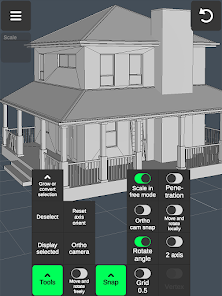
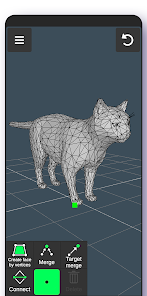
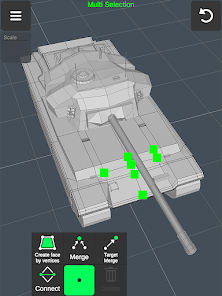
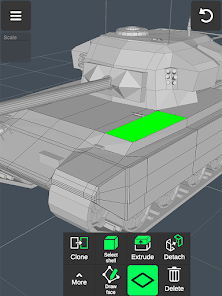
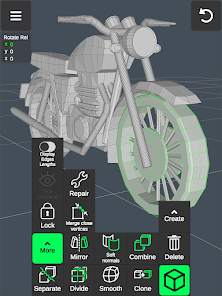
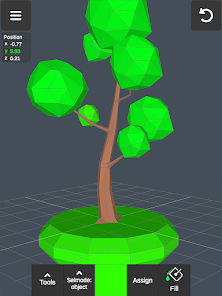
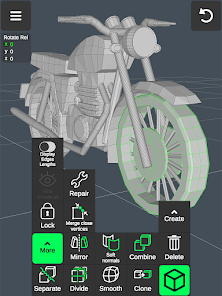
With its dynamic drawing features, Sculpt & Draw allows users to sketch and paint directly onto 3D models. This innovative approach enhances creativity, enabling artists to visualize their designs in real-time, making adjustments as they go for a truly immersive experience.

Intuitive Sculpting Tools

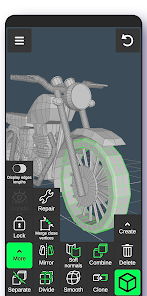
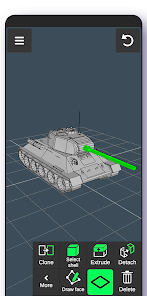
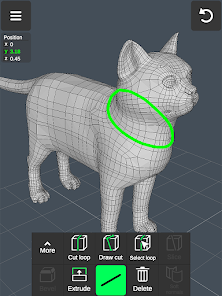
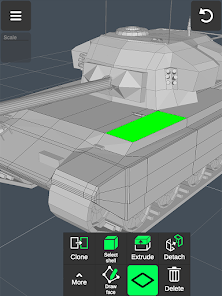
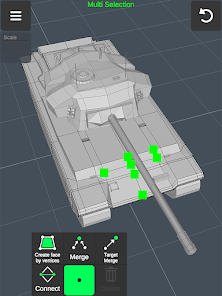
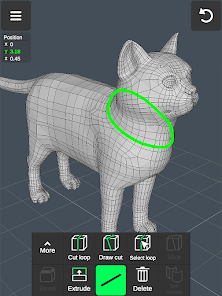
Sculpt & Draw offers a user-friendly interface equipped with a variety of intuitive sculpting tools that cater to both beginners and experienced artists. Whether you're adding intricate details or shaping large volumes, the app provides precision and flexibility to bring your creative vision to life.

Realistic Texturing Options

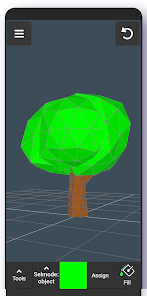
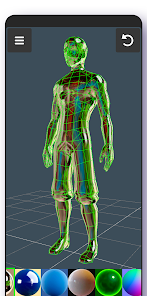
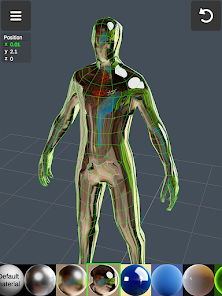
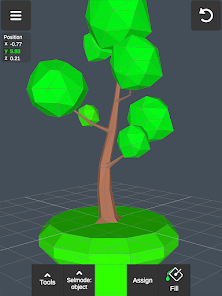
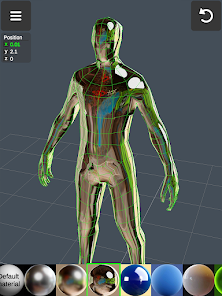
The app includes a comprehensive library of realistic textures and materials that can be easily applied to your models. This feature not only enhances the visual appeal of your creations but also allows for experimentation with different styles, ensuring that each piece is unique and captivating.

Seamless Exporting Capabilities

Sculpt & Draw makes it easy to export your projects in various formats, compatible with popular 3D printing and modeling software. This seamless exporting capability ensures that your artistic creations can be shared, collaborated on, or even brought to life, making it ideal for artists and designers alike.

Advertisement

Pros & Cons

Pros
  • Create stunning 3D art with intuitive tools
  • Easily sculpt and draw with precision and control
  • Access a vast library of textures and materials
  • Seamlessly share your creations across platforms
  • Enjoy a user-friendly interface for all skill levels
Cons
  • Limited tool variety for advanced users
  • Steeper learning curve for beginners
  • Performance issues on lower-end devices
  • Inadequate export options for professional use

Real Experience Using 3D Modeling App: Sculpt & Draw

Application Scenarios

The 3D Modeling App: Sculpt & Draw is designed for a diverse range of users, including artists, designers, educators, and hobbyists. Whether you are creating intricate sculptures for a gallery exhibition or designing characters for a video game, this app provides the tools needed to bring your visions to life. The versatility of the application allows users to engage in various scenarios, from professional 3D modeling tasks to casual drawing and sculpting for personal enjoyment. Educators can utilize the app to teach students about 3D design principles, while hobbyists can explore their creativity without the need for advanced technical skills. Additionally, the app is suitable for virtual reality projects, making it an excellent choice for those interested in immersive environments.

User Experience

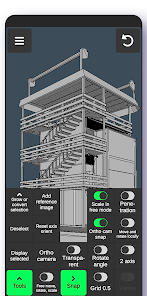
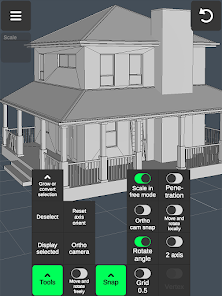
User experience is at the forefront of the 3D Modeling App: Sculpt & Draw. The interface is user-friendly, with intuitive controls that facilitate both beginners and advanced users in navigating the features seamlessly. The app boasts a responsive touch interface that allows for smooth sculpting and drawing actions, enabling users to focus on their creativity without being hindered by complicated commands. Tutorials and guides are readily available, making it easy for newcomers to learn the ropes quickly. The app also supports stylus input, enhancing precision for detailed work. Importing and exporting files is straightforward, allowing users to share their creations effortlessly across various platforms. Overall, the user experience is enhanced by the app's performance, with minimal lag even during complex modeling tasks.

Pricing

The pricing structure for the 3D Modeling App: Sculpt & Draw is competitive, catering to a wide audience. Users can opt for a one-time purchase, which grants lifetime access to the core features, or choose a subscription model that provides ongoing updates and premium tools. The subscription option is particularly appealing to professionals who require the latest features and enhancements regularly. There are also periodic discounts and promotional offers, making it accessible for those on a budget. Overall, the pricing reflects the value offered by the app, considering its robust functionality and creative potential.

Updates & Support

The development team behind the 3D Modeling App: Sculpt & Draw is committed to providing regular updates that enhance user experience and introduce new features. Users can expect consistent improvements based on feedback and technological advancements in 3D modeling. The support system is responsive, with a dedicated help center that includes FAQs, troubleshooting guides, and user forums. For more personalized assistance, users can reach out to customer service via email or chat, ensuring that help is readily available. This ongoing support and commitment to updates make the app a reliable choice for anyone serious about 3D modeling.

verified Security & Privacy Review

The 3D Modeling App: Sculpt & Draw prioritizes user security and privacy by implementing robust data protection protocols. The app employs end-to-end encryption for all user-generated content, ensuring that your designs remain confidential and secure from unauthorized access. Regarding permissions, the app requests access to the device's storage for saving models and media. Users are informed transparently about these permissions, with options to manage them within the app settings. Importantly, the app does not require unnecessary permissions, minimizing potential privacy risks. User data handling practices are designed to comply with relevant data protection regulations. The app does not collect personal information without user consent and allows users to delete their accounts and data easily. Regular updates to the app include security patches that address potential vulnerabilities, demonstrating a commitment to maintaining a safe environment for users. Overall, 3D Modeling App: Sculpt & Draw takes significant measures to safeguard user data while fostering a transparent relationship concerning privacy practices.
Advertisement

Compare APP

User Reviews

  • J. M.
    2025/10/28

    For a free CAD phone app, this is amazing. There's definitely a learning curve, but I'm getting familiar with it very quickly. One thing I can't figure out is how to set angles. I want to make an isoceles trapezoid with two 67.2 degree angles so I can model a segmented octagon. I might just have to use the lengths I calculated instead. Still good though! EDIT: I used the segmented shape they provided and set to 8 sides.

  • Jae KS
    2025/05/04

    Very decent modeling software, I know you need money, but I can't even do anything with .3ma files, at least have some limited downloads and at least be able to download files, how about users be able to register a account and allow them to download a limited amount of .obj files, like 5 or at least 1. Not be completely money hungry and be able to have to pay just to use the files somewhere else.

  • Christian Ramales
    2026/06/28

    This app is pretty good, and it helped me make really complex models, but when I reach a certain poly count, it crashes it, and any app that's playing before corrupting the file of said model. Other than that, it's very easy to use and great for beginners, I wish this app had reflections and or transparency for objects you want it to be transparent or reflective, it would also be cool if you can change the color of it too.

  • 2tar٭Rat
    2026/05/23

    there were a lot of bugs, when I save a model with texture paint on, when I come back and reload it the texturs will be messed up, and colors will be either erased or switched. if you accidently zoom into a different part of the 3d model, it will refocus onto that and make it extremely difficult to zoom back out. lastly the texture paint will often copy onto other parts of the model when painting, causing it to paint where is isn't wanted. the app itself is alright for beginners.

  • Joshua Scanlin
    2025/03/19

    Suggestions: Light should reflect off all materials, not just the default one. Soft normals should render on more triangles, even if it causes lag (with an additional warning if needed). A redo button. A wider variety of texture brushes that create bumps and ridges on models, especially with extra triangles. Just like in pre-made models, when you COMBINE more than one object, allow them to share the same or DIFFERENT materials/texture paints instead of limiting them to one type.

Review Source: Google Play store public user reviews.

FAQ

1

Does 3D Modeling App: Sculpt & Draw collect my personal data?

The app prioritizes user privacy and does not collect personal data unless explicitly provided by the user for features like account creation or support.

2

Does 3D Modeling App: Sculpt & Draw offer a free trial or free version?

Yes, 3D Modeling App: Sculpt & Draw offers a free trial version that allows users to explore its features before committing to a subscription.

3

Does 3D Modeling App: Sculpt & Draw require an internet connection?

No, 3D Modeling App: Sculpt & Draw can be used offline, allowing you to work on your projects without the need for an active internet connection.

4

How can I contact support or send feedback for 3D Modeling App: Sculpt & Draw?

Users can contact support or send feedback via the in-app support feature or by visiting the official website, where additional contact options are available.

5

How do I manage or cancel my 3D Modeling App: Sculpt & Draw subscription?

You can manage or cancel your subscription through your account settings within the app or by visiting the app store where you purchased the subscription.

How to use 3D Modeling App: Sculpt & Draw

1

How can I contact customer service for the Sculpt & Draw app?

You can reach customer service through the app's Help section or visit our website for support options.

2

How do I activate the Sculpt & Draw app after purchase?

After downloading, simply log in with your account to activate your purchase automatically.

3

How do I find the customer support phone number?

The customer support number is listed in the app under Settings > About > Support.

4

How do I log in to my Sculpt & Draw account?

Open the app, tap 'Login', and enter your registered email and password.

5

Is there a way to activate additional features in the app?

Yes, additional features can be activated through in-app purchases found in the Store section.

What's New

- Search feature in the file browser- Minor bug fixes

Editor's Choice