This site uses cookies to enhance your user experience. By clicking any link on this site you are giving your consent to our cookie policy. Read more
Reject
Accept All

Advertiser and Editorial Disclosures

Learn how to draw - ArtWorkout

Learn how to draw - ArtWorkout

verified

ArtWorkout

4.4
Rating
10,000,000+ Downloads
0.1.75 Version
  • category

    Category: Art & Design

  • price

    Price: free

  • age rating

    Age Rating: 10+

  • rating

    Rating: 4.4

  • available on

    Available on: /

  • updated on

    Updated on: Jun 23, 2026

Screenshot 1
Screenshot 2
Screenshot 3
Screenshot 4
Screenshot 5
Screenshot 6
Screenshot 7
Screenshot 8
Screenshot 9
Screenshot 10
Screenshot 11
Screenshot 12
Screenshot 13
Screenshot 14
Screenshot 15
Screenshot 16
Screenshot 17
Screenshot 18
Screenshot 19
Screenshot 20
Screenshot 21
Screenshot 22
Advertisement

Features & Highlights

Community Feedback

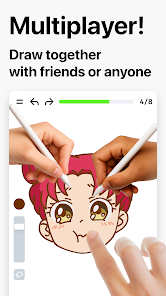
Join a supportive community of fellow artists where you can share your work and receive constructive feedback. This collaborative environment fosters growth and inspiration, allowing you to learn from others while also offering your insights. Connecting with like-minded individuals enhances your overall drawing experience.

Interactive Lessons

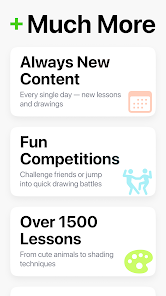
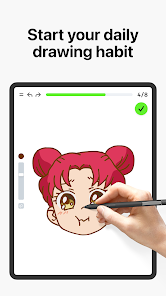
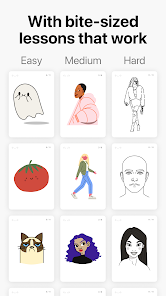
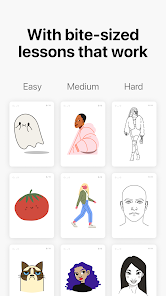
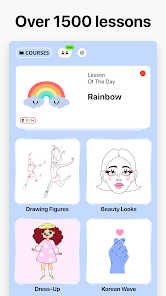
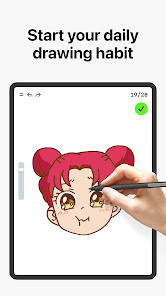
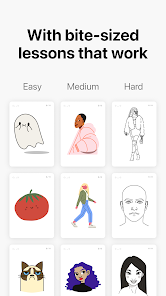
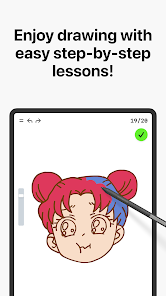
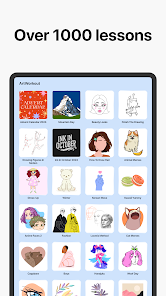
Dive into engaging step-by-step tutorials that make learning to draw fun and approachable. Each lesson is designed to build your skills progressively, ensuring you feel encouraged and accomplished as you create your artwork. Whether you're a beginner or looking to refine your technique, there's something for everyone.

Progress Tracking

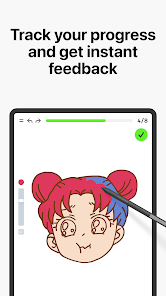
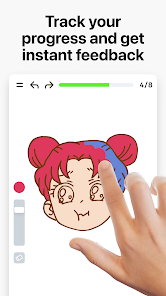
Stay motivated with an intuitive progress tracking feature that helps you visualize your improvement over time. By keeping tabs on your completed lessons and milestones, you can celebrate your achievements and set new goals, making your artistic journey even more rewarding.

Variety of Styles

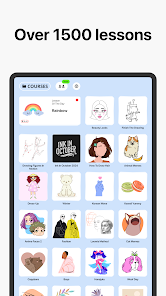
Explore a diverse range of drawing styles, from realism to cartooning, tailored to suit your personal interests. This variety not only keeps your practice fresh but also allows you to discover what resonates with your artistic voice. Unleash your creativity with different techniques and mediums.

Advertisement

Pros & Cons

Pros
  • Unlock your inner artist easily!
  • Step-by-step tutorials await you!
  • Practice anytime, anywhere you wish!
  • Join a community of creative minds!
  • Track your progress and improve fast!
Cons
  • Limited drawing styles offered
  • Requires a stable internet connection
  • Some features need in-app purchases
  • May not suit all skill levels

Real Experience Using Learn how to draw - ArtWorkout

Real Experience Application Scenarios

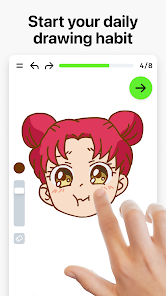
ArtWorkout is designed for anyone interested in enhancing their drawing skills, from complete beginners to more seasoned artists looking to refine their techniques. Whether you are a student seeking to improve your art class assignments or an adult exploring a new hobby, this app provides a multitude of scenarios to engage users. It’s perfect for on-the-go learning; you can practice during your daily commute, on lunch breaks, or even while relaxing at home. The app offers various drawing challenges and exercises that can fit into any busy schedule, making it an ideal companion for creative minds. Additionally, ArtWorkout is useful for art educators who want to incorporate technology into their teaching methods, providing students with interactive lessons that can supplement traditional instruction.

User Experience

The user experience on ArtWorkout is intuitive and engaging. Upon opening the app, users are greeted with a clean and visually appealing interface that makes navigation easy. The app features personalized drawing exercises that adapt to individual skill levels, ensuring that users feel challenged yet not overwhelmed. Each lesson is structured to provide step-by-step guidance, which is particularly beneficial for beginners. The app also allows users to track their progress over time, fostering a sense of achievement as they complete various exercises. The community aspect of ArtWorkout is another highlight, as users can share their artwork, receive feedback, and participate in challenges, enhancing motivation and creating a supportive environment for learning. Overall, the seamless blend of educational content and community interaction contributes to a highly satisfying user experience.

Pricing

ArtWorkout operates on a freemium model, which allows users to access a selection of basic features at no cost. However, to unlock the full potential of the app, including advanced courses and premium content, users can opt for a subscription plan. The pricing is competitive compared to other drawing apps, and it often includes a trial period, allowing users to gauge the app’s value before committing financially. This approach makes it accessible for users of all backgrounds, ensuring that anyone can explore their artistic abilities without the burden of high upfront costs.

Updates & Support

ArtWorkout is regularly updated with new features, exercises, and content to keep the learning experience fresh and engaging. The developers actively listen to user feedback, implementing many suggestions to improve the app based on community input. Support is readily available through various channels, including in-app help sections, FAQs, and responsive customer service. Users can easily report issues or seek assistance, ensuring a smooth experience. The commitment to regular updates and user support indicates that the developers are dedicated to maintaining a high-quality app that meets the evolving needs of its users.

verified Security & Privacy Review

Security & Privacy Review The app "Learn how to draw - ArtWorkout" adopts a proactive approach towards user security and privacy. It implements industry-standard encryption methods to protect user data during transmission and storage, ensuring that sensitive information remains confidential. Regarding permissions, the app requests only essential access to the device's storage for saving user-generated content and artwork. This minimal approach reduces potential vulnerabilities associated with excessive permissions. The app does not require access to unnecessary features such as contacts or location, which enhances user privacy. ArtWorkout is transparent about its data handling practices, providing users with a clear privacy policy that outlines what information is collected and how it is used. The app does not share personal data with third parties without user consent, reinforcing its commitment to user privacy. Overall, "Learn how to draw - ArtWorkout" prioritizes security and privacy, making it a trustworthy choice for users looking to enhance their artistic skills without compromising their personal information.
Advertisement

User Reviews

  • Hadlee
    2026/05/30

    I was really looking forward to this app however when I opened it I was heavily disappointed. 1: When you first get in it offers a paid version which is fine but if you accidentally click on it you're unavailable to click off. 2. almost everything is paid I was unable to find artworks that are free to do. 3. I would have been willing to watch an ad for paid artworks because I understand an app can't be 100% free however they offer no ads for paid art ads are fine if I choose to watch them.

  • Sami James
    2026/04/19

    great game, great concept, well implemented. would be a five star game if ANYTHING was free. one drawing a day plus the one duo drawing you get despite all the advertising being about the duo stuff. Now, new update and you dont even get a free drawing a day, you get one credit and can spend it on one drawing so I got excited like "oh we get one per day I can draw what I want now" but nope only ONE. So now you cant even use the app at all unless you pay, not even one drawing a day. Waiste of time

  • Jonael Francisco
    2026/04/20

    I logged in to get away from the distractions of the world, but instead got bombarded with ads and premium drawings. There are almost no free multiplayer drawings to do but just a shrimp and even the tutorials on how to draw stuff like Greek mythology cost money. This app is just a cash grab overall and their developer team doesn't even do anything about it. Every time there's a review about their money hungry app they say "We will make sure your experience is better" and they don't do anything.

  • Melody
    2026/02/04

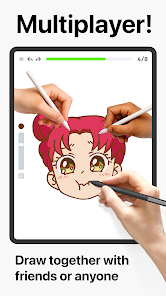
    there was literally a singular illustration open. If you want to learn how to draw, this isn't it. there are no breakdowns of basic shapes, no explanations as to why something works, just "trace an oval". you have no room to do anything outside the lines. and multi-player? no one's ever online. Also, again with the extremely limited illustrations. this is a pay to play game.

  • Lilly Delong
    2026/03/18

    The game would be fun, but every coloring page cost the premium member ship which cost monthly payments. My review would've been higher if I would be able to do more coloring pages for free instead of one coloring page of a shrimp. Even the one person coloring pages only have membership owners. I hope in the future they could make the game more accessible for people who just want to color and not pay money.

Review Source: Google Play store public user reviews.

FAQ

1

Are there any subscription fees for using the ArtWorkout app?

The ArtWorkout app offers a freemium model, where basic features are available for free, and additional premium features or content may require a subscription. Check the app for specific pricing information.

2

Are there any tutorials available in the ArtWorkout app?

Yes, the app includes a range of tutorials that cover various drawing techniques, styles, and subjects. These tutorials help users understand fundamental concepts and improve their skills step by step.

3

Can I customize my learning experience in the ArtWorkout app?

Yes, the ArtWorkout app allows users to customize their learning experience by choosing specific exercises, setting personal goals, and tracking their progress according to their individual preferences.

4

Can I share my artwork created using the ArtWorkout app?

Yes, the app allows users to share their artwork within the community or on social media platforms. This feature encourages collaboration and feedback from other artists, fostering a sense of community.

5

Can I track my progress in the ArtWorkout app?

Yes, the ArtWorkout app includes a progress tracking feature that allows you to monitor your improvement over time. You can see how your skills have developed and set personal goals to keep you motivated.

How to use Learn how to draw - ArtWorkout

1

How can I contact customer service for the ArtWorkout app?

You can reach our customer service via the app's support section or email us at support
2

How do I activate my ArtWorkout subscription?

You can activate your subscription by purchasing through the app or website. Follow the prompts for payment and confirm your subscription in the account settings.

3

How do I log in to the ArtWorkout app?

To log in, open the app, enter your registered email and password, then tap 'Log In.' If you forgot your password, use the 'Forgot Password?' link.

4

What is the customer number for ArtWorkout support?

The customer number for ArtWorkout support is available in the app's settings under 'Help' or you can find it on our official website.

What's New

• Improved app stability and performanceHappy drawing!

Editor's Choice