This site uses cookies to enhance your user experience. By clicking any link on this site you are giving your consent to our cookie policy. Read more
Reject
Accept All

Advertiser and Editorial Disclosures

Adobe Express: AI Photo, Video

Adobe Express: AI Photo, Video

verified

Adobe

4.6
Rating
100,000,000+ Downloads
30.4.0 Version
  • category

    Category: Art & Design

  • price

    Price: free

  • age rating

    Age Rating: Everyone

  • rating

    Rating: 4.6

  • available on

    Available on: /

  • updated on

    Updated on: Jun 16, 2026

Screenshot 1
Screenshot 2
Screenshot 3
Screenshot 4
Screenshot 5
Screenshot 6
Screenshot 7
Screenshot 8
Screenshot 9
Screenshot 10
Screenshot 11
Screenshot 12
Screenshot 13
Screenshot 14
Screenshot 15
Screenshot 16
Screenshot 17
Screenshot 18
Screenshot 19
Screenshot 20
Screenshot 21
Screenshot 22
Screenshot 23
Screenshot 24
Advertisement

Features & Highlights

AI-Powered Editing

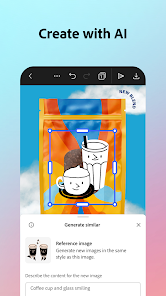
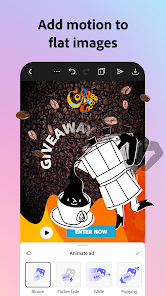
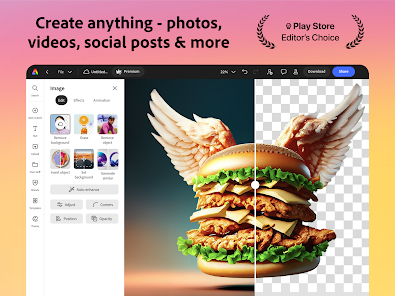
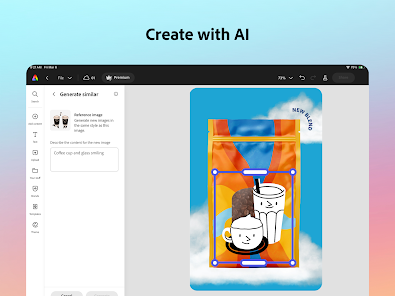
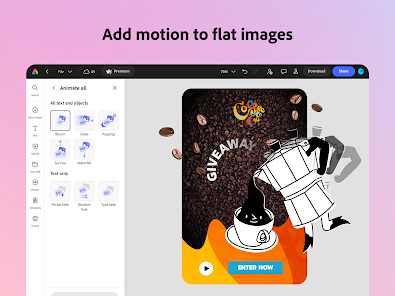
Adobe Express leverages advanced AI technology to enhance your photos and videos effortlessly. With just a few clicks, you can apply professional-grade filters, adjust colors, and improve image quality, making your content stand out without needing extensive editing skills.

Customizable Templates

Choose from a vast library of customizable templates designed for various social media platforms and projects. Whether you're creating a flyer, a video story, or a social post, these templates offer a head start, allowing you to express your creativity while saving time.

One-Click Resizing

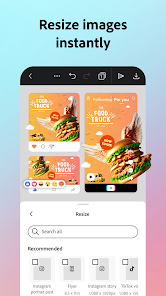
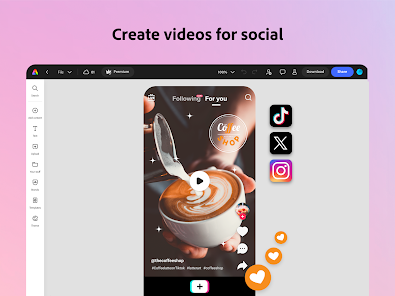
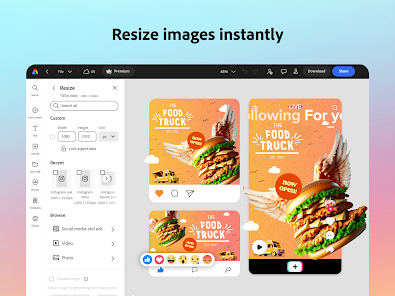
With Adobe Express, resizing your images and videos for different platforms is a breeze. The one-click resizing feature automatically adjusts your content to fit the specific dimensions required for various social media sites, helping you maintain a consistent and professional appearance across all channels.

Seamless Collaboration Tools

Easily collaborate with friends or team members on your projects through Adobe Express. Share your work in real-time, invite others to edit, and provide feedback directly within the app, ensuring a smooth and efficient workflow that keeps everyone on the same page.

Advertisement

Pros & Cons

Pros
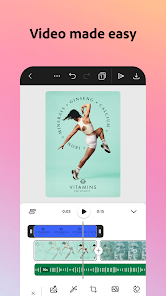
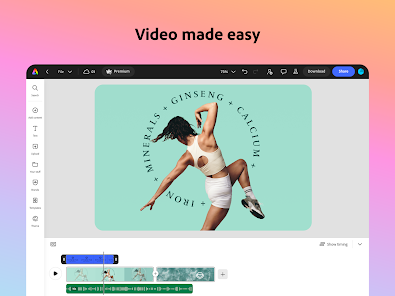
  • Create stunning videos effortlessly with intuitive drag-and-drop tools.
  • Access a vast library of templates for quick designs.
  • Customize your videos with AI-powered editing features for professional results.
  • Share your creations directly on social media platforms with ease.
  • Collaborate seamlessly with teams for efficient project management.
Cons
  • Limited customization options can hinder unique video creations.
  • Performance issues may arise with larger projects.
  • Subscription costs may not justify the features for casual users.

Real Experience Using Adobe Express: AI Photo, Video

Application Scenarios

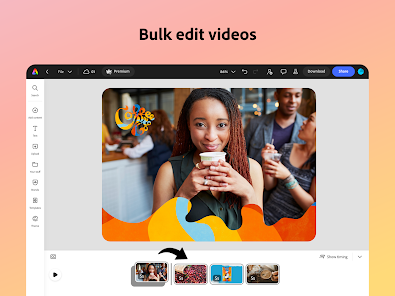
Adobe Express: AI Photo, Video is a versatile tool designed for a variety of creative scenarios. Whether you're a social media enthusiast looking to enhance your posts, a small business owner aiming to create eye-catching marketing materials, or a student needing to produce engaging presentations, this app caters to all. Users can easily edit photos and videos, apply filters, add text, and create stunning graphics. The ability to create short promotional videos or collages makes it an excellent choice for anyone wanting to express their creativity without the need for extensive design skills. Additionally, the app is well-suited for collaboration, enabling teams to work together on projects and share their creative outputs seamlessly.

User Experience

The user experience of Adobe Express is intuitive and user-friendly. The layout is clean and organized, allowing users to navigate through various features with ease. The drag-and-drop functionality makes it simple to upload images and videos, while the vast library of templates provides a solid foundation for users to build upon. The AI-powered tools assist in enhancing images and videos, making adjustments quick and effortless. This feature, along with the ability to easily resize content for different platforms, enhances usability significantly. Most users report a smooth experience, with minimal lag or crashes, making the creative process enjoyable. The tutorials and help sections are informative, aiding users in maximizing the app's potential.

Pricing

Adobe Express operates on a freemium model, offering a robust free version that includes essential features, perfect for casual users. However, for those seeking advanced functionalities, such as premium templates, additional storage, and exclusive design elements, a subscription plan is available. The pricing is competitive compared to other design apps, making it an attractive choice for both individuals and businesses. The subscription provides access to a wider array of tools and resources, making it a worthwhile investment for those who frequently engage in content creation.

Updates & Support

Adobe is known for its commitment to continuous improvement, and Adobe Express is no exception. Regular updates introduce new features and enhancements, ensuring users have access to the latest design trends and tools. The support system is robust, with a dedicated help center, community forums, and customer service options available for users who encounter issues or have questions. Adobe also actively seeks user feedback, which informs future updates and improvements, allowing the app to evolve according to user needs and preferences. Overall, the combination of timely updates and solid support contributes to a satisfying user experience.

verified Security & Privacy Review

Adobe Express: AI Photo, Video prioritizes user security and privacy through a robust set of practices. The app employs industry-standard encryption protocols to protect user data both in transit and at rest, ensuring that sensitive information remains secure. Adobe's privacy policy outlines the types of data collected, including photos, videos, and usage analytics, while emphasizing user control over personal information. Users are required to grant specific permissions for the app to access their media library and camera, which is essential for its functionality. However, Adobe allows users to manage these permissions, providing flexibility in what data is shared. The app does not sell user data to third parties, reinforcing its commitment to privacy. Additionally, Adobe offers transparency regarding data usage, empowering users to understand how their data enhances the app's features, such as AI-driven enhancements. Overall, Adobe Express demonstrates a strong commitment to user security and privacy, making it a trustworthy option for photo and video editing.
Advertisement

Compare APP

User Reviews

  • Isaiah Antunes
    2026/05/09

    It's supposed to be video made easy, but I can't even play my video back while I'm editing them. Each time I attempt to try and review my progress the app stays in a loading phase for upwards of 30 minutes. It its my wifi, and it isn't my phone that's the problem. I make content for YouTube but I haven't been able to upload in months because I'm unable to quality check my work. Everything just loads, and loads, and loads. But it still gets two stars since this is the 1st time this has happened.

  • Jordan Kramarczyk
    2026/06/25

    Used the app everyday for 2 years. I create 1-2 videos per day. It won't take my videos anymore even though nothing has changed. No support or answers insight. I would stay & rate higher but customer support is non existent. I'd love to give a higher rating. Everything works great unless you are running into issues.

  • {eä:x:0101}
    2026/05/13

    Frustrating to use! There isn't a day that goes by that this app doesn't crash then to find the recent work you've been working on didn't save and your time wasted! Despite countless times closing the app, checking for any updates and clearing the cache - all to no avail! SUCKS!!! I cannot endorse this app and have since cancelled my subscription. Why pay for something that isn't working within reason? If anyone knows of a great alternative, please let me know! 👍

  • Emely Rodríguez
    2026/04/15

    it has potential but it froze so many times and lost my first video after it was near done edit to add, I was not signed in, couldn't locate the first edit after it froze. I sign in and edited the video again. It does took a long time to transcode, but managed to get it done. While sign in the file did save in the cloud and didn't loose anything when it froze. I did like being able to edit all the video from my phone.

  • LaTanya Thornton
    2026/05/05

    I've been using the app for about 4 years and it had been a great experience. For the last few months there have been several issues from freezing, long uploads for small files (pics/vids), crashes and disappearing edits. Restarting the app hasn't yielded any improvement to performance. I am also prompted to "update" the app each time I launch it and there aren't any obvious changes. I use the app daily.

Review Source: Google Play store public user reviews.

FAQ

1

Can I submit suggestions or feedback to Adobe Express: AI Video Design?

Yes, users can submit suggestions or feedback through the app's support channels or community forums, allowing the team to consider user input for future updates.

2

Does Adobe Express: AI Video Design collect my personal data?

Yes, Adobe Express: AI Video Design may collect personal data as outlined in its privacy policy, which typically includes information necessary for account creation and usage analytics.

3

Does Adobe Express: AI Video Design support offline use?

Adobe Express: AI Video Design primarily requires an internet connection for full functionality, but certain features may be available for offline use depending on the device and platform.

4

How do I cancel my Adobe Express: AI Video Design subscription?

To cancel your Adobe Express: AI Video Design subscription, you can do so through your Adobe account settings or by contacting Adobe customer support for assistance.

5

How much does a subscription to Adobe Express: AI Video Design cost?

The subscription cost for Adobe Express: AI Video Design varies based on the plan selected, with options for monthly or annual billing. Specific pricing details can be found on the official Adobe website.

How to use Adobe Express: AI Photo, Video

1

Can I change my login information for Adobe Express?

Yes, you can change your login information by going to your account settings. Look for the option to update your email or password.

2

Can I log in to Adobe Express from multiple devices?

Yes, you can log in to your Adobe Express account from any device as long as you enter the correct login credentials.

3

How can I activate my Adobe Express account?

To activate your account, click the link in your registration email. Follow the instructions to complete the activation process.

4

How do I activate my subscription for Adobe Express?

After purchasing your subscription, check your email for an activation link or instructions. Follow those to activate your account.

5

How do I contact customer service for Adobe Express?

You can reach customer service through the help section on the Adobe Express website or by calling the support number listed there.

What's New

We update our app regularly to add features and to make it faster and more reliable for you.Love the app? Rate us! Your feedback helps us to improve our app.

Editor's Choice