This site uses cookies to enhance your user experience. By clicking any link on this site you are giving your consent to our cookie policy. Read more
Reject
Accept All

Advertiser and Editorial Disclosures

Videoder - Video Downloader

Videoder - Video Downloader

verified

HB_Techno_Apps

3.1
Rating
5,000,000+ Downloads
2.2.7 Version
  • category

    Category: Music & Audio

  • price

    Price: free

  • age rating

    Age Rating: Everyone

  • rating

    Rating: 3.1

  • available on

    Available on: /

  • updated on

    Updated on: Feb 18, 2026

Screenshot 1
Screenshot 2
Screenshot 3
Screenshot 4
Screenshot 5
Screenshot 6
Advertisement

Features & Highlights

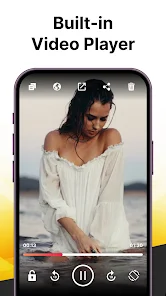
Built-In Video Player

Enjoy your downloaded content instantly with the integrated video player that supports multiple codecs and resolutions. With this feature, you can watch your videos directly within the app without needing additional software, making it a convenient all-in-one solution.

Fast Download Speeds

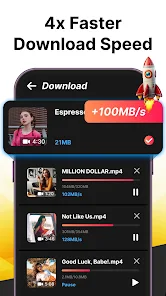
Experience lightning-fast download speeds with Video Downloader, ensuring you can save your favorite videos in no time. The app optimizes bandwidth usage, making it easy to download even large files quickly and efficiently without compromising quality or performance.

Multiple Format Support

Video Downloader offers extensive support for various video formats including MP4, AVI, and MKV, catering to all your preferences. This versatility allows you to choose the best format for your device, ensuring compatibility and ease of playback wherever you are.

User-Friendly Interface

Navigating through Video Downloader is a breeze thanks to its intuitive and user-friendly interface. Whether you’re a tech novice or a seasoned pro, you'll find it easy to locate your favorite videos and manage your downloads seamlessly.

Advertisement

Pros & Cons

Pros
  • Videoder supports multiple platforms for downloading videos easily.
  • It offers a user-friendly interface for seamless navigation.
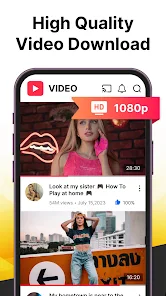
  • High-quality downloads ensure you enjoy videos in the best resolution.
  • Batch downloading saves time by processing multiple videos at once.
  • You can convert videos to various formats for versatile playback options.
Cons
  • Limited compatibility with certain video formats and platforms
  • Frequent updates may disrupt user experience
  • Potential privacy concerns with data handling practices

Real Experience Using Videoder - Video Downloader

Real Experience Application Scenarios

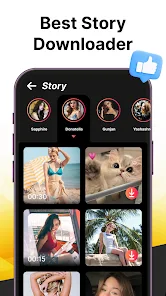
The Video Downloader app is designed to cater to a variety of scenarios, making it an essential tool for anyone who frequently consumes online video content. For instance, users can easily download videos from popular social media platforms, allowing them to watch their favorite clips offline during commutes or in areas with limited internet connectivity. This feature is particularly useful for students who want to save educational videos for later viewing or for professionals who need to access training materials without relying on an internet connection. Additionally, the app supports a range of video formats, ensuring that users can download content in the quality and format that best suits their device. Whether it's for entertainment, education, or professional development, the Video Downloader app provides a seamless solution for video accessibility.

User Experience

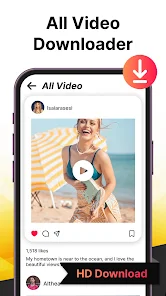
User experience with the Video Downloader app is generally positive, as the interface is intuitive and easy to navigate. Upon opening the app, users are greeted with a clean layout that allows for straightforward access to key features. The download process is streamlined; users can simply copy a video link and paste it into the app to initiate the download. This simplicity is enhanced by the app's fast processing speed, which means users can quickly save videos without long waiting times. Moreover, the app includes a built-in media player that allows users to view downloaded videos directly within the app, adding to the convenience. However, some users have reported occasional bugs, particularly with downloads from certain platforms, which can be frustrating. Overall, the app is well-received for its efficiency and user-friendly design.

Pricing

The Video Downloader app offers a freemium model, allowing users to access basic features at no cost. This includes downloading a limited number of videos and basic format options. For users who require more advanced functionalities, such as unlimited downloads, high-definition video options, and an ad-free experience, a premium subscription is available. The subscription pricing is competitive compared to similar apps on the market, making it an attractive option for those who regularly download videos. Additionally, the app occasionally offers promotional discounts, making it even more accessible for users on a budget.

Updates & Support

Regular updates are a hallmark of the Video Downloader app, with the developers frequently releasing new versions to improve functionality and fix bugs. These updates often include enhancements based on user feedback, demonstrating a commitment to user satisfaction. Support is readily available through the app's help center, where users can find FAQs, troubleshooting tips, and contact information for further assistance. The response time from the support team has been reported to be prompt, which is reassuring for users who may encounter issues. Overall, the combination of regular updates and responsive support contributes to a positive user experience, reinforcing the app's reliability and effectiveness.

verified Security & Privacy Review

Security & Privacy Review The Video Downloader app prioritizes user security and privacy, implementing various measures to safeguard personal information. The app adheres to industry-standard encryption protocols, ensuring that any data transmitted during downloads remains secure and protected from unauthorized access. In terms of permissions, the app requires access to storage for saving downloaded videos, which is a common practice among similar applications. However, users should be cautious and review the permissions requested during installation to ensure they align with their privacy preferences. Video Downloader commits to transparent data handling practices, clearly stating in its privacy policy that it does not collect or share personal user data with third parties. Users can expect that their download history and preferences are stored locally on their devices, minimizing the risk of data breaches associated with cloud storage. Overall, while the Video Downloader app demonstrates a strong commitment to security and privacy, users are encouraged to remain vigilant about their app permissions and to stay informed about the latest updates regarding privacy practices.
Advertisement

Compare APP

User Reviews

  • Dèvèn
    2023/03/26

    Ads gone overboard. As soon as you open the add, eBay helps Sam save on a brand new exhaust. Open the app settings, add. Share a link to the app to download...add. Look in downloads to see the progress, add. You will spend more time watching adds than using the app and that's tragic because this app used to be good, when the ads were in the bottom of the screen and not unskippable

  • Nathan Beniah
    2022/12/22

    I've used the app for well over 5 years and can't complain at all. It's been super. But up until recently, the darn thing won't stop buffering "generating download links!!!" Something went south somewhere coz it won't even play videos let alone download. The frustrations!!!! Time to look elsewhere now.

  • Nadiyyah Nasreen
    2024/04/02

    Videoder - Video Downloader is highly praised for its user-friendly interface, wide compatibility with various video platforms, and efficient downloading capabilities.Ads gone overboard. As soon as you open the add, eBay helps Sam save on a brand new exhaust. Open the app settings, add. Share a link to the app to download...add.

  • Sachin S
    2024/04/14

    Videoder is an amazing video downloader app! I've been using it for a while now, and I'm impressed with its simplicity and efficiency. It's incredibly easy to use, and it supports downloading videos from various platforms. Plus, the download speed is super fast, which is a big plus. Highly recommend it to anyone looking for a reliable video downloader

  • Keegan Inambao
    2021/05/05

    It's an amazing app I highly recommend it. This app runs on any mobile device, battery friendly and easy to use. It allows you to download wide range of videos juts at a click of a button. Very efficient and super fast in downloading. If you ever struggle in downloading what'sApp status videos, facebook, insta, twitter or any other social media videos this is a perfect app for you, try it and you'll never regret. The developer did a very good homework

Review Source: Google Play store public user reviews.

FAQ

1

Can I submit suggestions or feedback to Videoder - Video Downloader?

Yes, users can submit suggestions or feedback through the app's support section or via their official website.

2

Does Videoder - Video Downloader collect my personal data?

Videoder - Video Downloader does not collect personal data from users; it focuses on providing a secure and anonymous downloading experience.

3

Does Videoder - Video Downloader support offline use?

Yes, Videoder - Video Downloader allows users to download content for offline viewing, enabling access to videos without an internet connection.

4

How do I cancel my Videoder - Video Downloader subscription?

Users can cancel their subscription by going to the app settings or the subscription management section of their device, following the prompts to unsubscribe.

5

How much does a subscription to Videoder - Video Downloader cost?

Subscription costs may vary depending on the features offered, but typically, users can expect a reasonable monthly or yearly fee for premium services.

How to use Videoder - Video Downloader

1

How can I find the customer number for the Video Downloader app?

The customer number is available in the app settings under 'Account Info.'

2

How do I activate the Video Downloader app?

After downloading, open the app and follow the on-screen instructions to activate your account with the provided key.

3

How do I contact customer service for the Video Downloader app?

You can reach customer service through the app's help section or email support

4

How do I log in to the Video Downloader app?

Open the app, tap 'Log In,' and enter your registered email and password.

What's New

🔥 Major Update!We’ve rebuilt the app from the ground up with a stunning new design, faster performance, and high-quality video downloading like never before.Enjoy a smoother, smarter, and more powerful video downloading experience!

Editor's Choice