This site uses cookies to enhance your user experience. By clicking any link on this site you are giving your consent to our cookie policy. Read more
Reject
Accept All

Advertiser and Editorial Disclosures

Beat Maker Pro - DJ Drum Pad

Beat Maker Pro - DJ Drum Pad

verified

MWM - AI Music and Creative Apps

4.6
Rating
50,000,000+ Downloads
4.14.01 Version
  • category

    Category: Music & Audio

  • price

    Price: free

  • age rating

    Age Rating: Everyone

  • rating

    Rating: 4.6

  • available on

    Available on: /

  • updated on

    Updated on: May 19, 2026

Screenshot 1
Screenshot 2
Screenshot 3
Screenshot 4
Screenshot 5
Screenshot 6
Screenshot 7
Screenshot 8
Screenshot 9
Screenshot 10
Screenshot 11
Screenshot 12
Advertisement

Features & Highlights

Diverse Sound Library

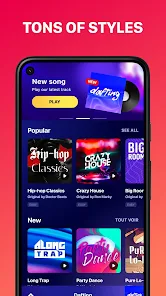
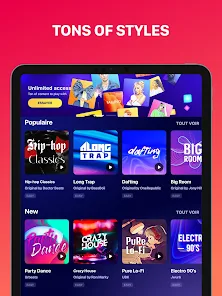
The app boasts a diverse sound library filled with high-quality samples across various genres. From hip-hop to electronic, you'll find everything you need to craft unique beats that suit your style. The extensive library ensures that you'll never run out of inspiration while producing your next hit track.

Multi-Layered Pads

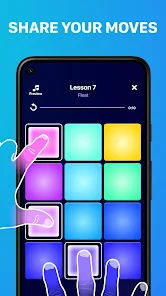
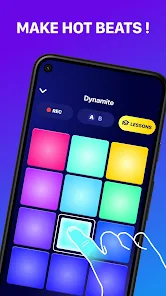
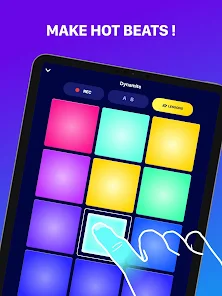
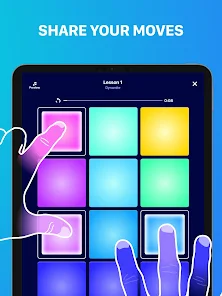
Drum Pad Pro features an array of multi-layered pads that allow you to create complex beats effortlessly. Each pad can be customized with different sounds, giving you the flexibility to experiment and innovate your music production without any limits. This makes it perfect for both beginners and seasoned DJs alike.

Real-Time Looping

With the real-time looping feature, you can easily layer sounds and create dynamic rhythms on the fly. This intuitive functionality enables you to build your tracks in real-time, making creativity seamless and spontaneous. It's a fantastic way to enhance your live performances and songwriting sessions.

User-Friendly Interface

Drum Pad Pro is designed with a user-friendly interface that makes navigation a breeze. Even if you're new to music production, you can quickly get the hang of it and start making beats in no time. The simple layout allows you to focus on creativity rather than getting lost in complicated menus.

Advertisement

Pros & Cons

Pros
  • Create professional-quality beats easily with intuitive touch controls.
  • Access a vast library of samples and loops for endless creativity.
  • Enjoy seamless integration with other music apps for enhanced workflow.
  • Customize your sound with powerful effects and editing tools.
  • Share your creations instantly with friends or social media platforms.
Cons
  • Limited sound library may restrict creative possibilities for users.
  • User interface can be confusing for beginners, hindering quick learning.
  • Lack of advanced features may disappoint professional DJs seeking depth.
  • Performance stability issues can disrupt live sessions and frustrate users.

Real Experience Using Beat Maker Pro - DJ Drum Pad

Application Scenarios

Drum Pad Pro - DJ Beat Maker is an exceptional tool for music enthusiasts, offering a versatile platform for creating beats and rhythms. Whether you are a professional DJ, an aspiring music producer, or simply someone who enjoys making music for personal enjoyment, this app caters to a wide range of needs. It is perfect for live performances, allowing users to showcase their creativity in real-time. Home producers can use the app to sketch out ideas or finalize tracks, while casual users can enjoy creating music for fun. The app is also well-suited for educational purposes, making it a great resource for music teachers and students to learn about rhythm and beat-making.

User Experience

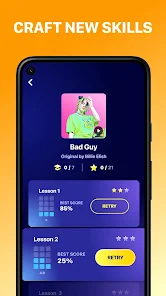
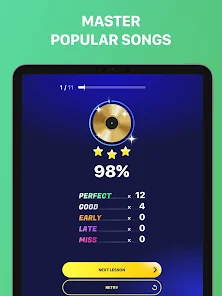
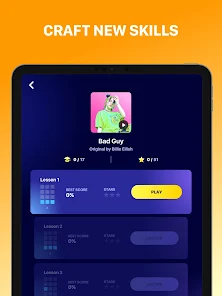
The user experience in Drum Pad Pro is intuitive and engaging. The interface is clean and user-friendly, allowing users to navigate effortlessly through its features. The app boasts a variety of sound packs that cover different genres, from hip-hop to EDM, ensuring that users can find the perfect sounds for their projects. The responsive pads are easy to play, making it simple for users to tap out rhythms or layer sounds. Additionally, the app includes a built-in metronome and tempo control, which enhances the music-making process. Advanced features such as multi-track recording and the ability to save projects further enrich the user experience, allowing for greater creativity and versatility.

Pricing

Drum Pad Pro - DJ Beat Maker offers a competitive pricing model that appeals to a wide audience. The app is free to download, providing users with access to basic features and sound packs. For those looking for an enhanced experience, premium features are available through in-app purchases. Users can opt for a monthly or yearly subscription that unlocks exclusive sound packs, advanced editing tools, and additional functionalities. This tiered pricing structure allows users to choose the option that best fits their budget and music production needs, making it accessible for both casual users and serious musicians.

Updates & Support

The developers of Drum Pad Pro are committed to providing regular updates and excellent customer support. Users can expect frequent improvements and new features that enhance the app's functionality. The support team is responsive and helpful, addressing user inquiries and technical issues promptly. Additionally, the app's online community is vibrant, with users sharing tips, tutorials, and music creations. This collaborative environment fosters creativity and helps users maximize their experience with the app. Overall, the combination of consistent updates and robust support ensures that users have a reliable and enjoyable music-making tool at their fingertips.

verified Security & Privacy Review

Security & Privacy Review Drum Pad Pro - DJ Beat Maker prioritizes user security and privacy, adopting practices that align with industry standards. The app requires minimal permissions, primarily accessing storage to save user-created beats and sounds. This limited access helps to mitigate potential security risks associated with excessive permissions. The app does not collect sensitive personal information, ensuring that users' identities remain protected. Data shared within the app is encrypted, further enhancing user security. Regular updates are provided to address any vulnerabilities and improve overall security measures. Users are encouraged to review the app's privacy policy, which outlines data handling practices transparently. The developers emphasize that user-generated content remains private and is not shared with third parties without consent. Overall, Drum Pad Pro demonstrates a commitment to maintaining user privacy and safeguarding data, making it a reliable choice for aspiring DJs and music enthusiasts.
Advertisement

User Reviews

  • JayFloPro
    2026/06/19

    cost to high, barely got through first lesson and sat through 3 adds. I'm a little upset I signed up. I'm still in trial mode, so I can cancel and uninstall, but I may give it another chance. I can't stand when you pay for something (or not), and it gives you an ad, cool got it, but hell not 3 adds immediately before you barely do anything, and all of them are back to back to back. I mean, at this point, are we downloading stuff to legit play games or watch ads... Maybe that's the game now....

  • Ava Alderson
    2026/06/18

    SO MANY ADS. Every time you want to learn a song, after every single lesson when you press next, there is an ad. It is so irritating because it takes 30 minutes just to finish the lessons because there is an add between each step. Even if you want to retry the step, there's an add. it also doesn't have a search button so you can't search to find songs you know.

  • PaulAlbert
    2026/05/31

    I think they may have very good loops and samples. They sound very clear. I would imagine they're really good. However I'm not going to watch a thirty second add every 2 minutes to find out. I understand making money but I think along the way you forgot that you're making an app for us to enjoy. Do you think you'd use my app if I bombarded you with adds?I highly doubt it. Just like I won't. Ten 30 second adds and then ask for a rating? You can do way better.

  • Roman Fox
    2026/05/20

    First thing to greet you when you open the app is a subscription that costs $40 a year/ $8 a week. If you want any enjoyment from this app you're gonna need it too because even in the tutorial lesson, you get an ad after every 2-6 beat long lesson. Only play if you are looking for a waste of money or have unbelievable patience.

  • Smoki nash
    2026/06/13

    Well I can't say I had any problems with ads but that's because I don't play much due to the fact you need internet connection to play but when I did play the game kept crashing,especially when I went to any tab other than "Game" and even on the game tab it still crashed after a while. So there's not much to say,can't play when the game crashes within 10 minutes of opening it.

Review Source: Google Play store public user reviews.

FAQ

1

Are there any tutorials available for using the app?

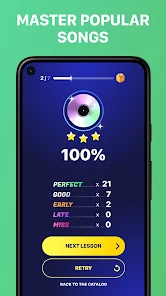
Yes, the app includes tutorials that guide users through its features and functionalities. These tutorials are designed to help users understand how to make the most of the app, whether they are beginners or more experienced users.

2

Can I share my creations with others?

Yes, users can easily share their creations directly from the app. Beat Maker Pro provides sharing options that allow you to export your music to social media platforms, music sharing sites, or directly to friends through various file formats.
3

Can I use Beat Maker Pro offline?

Yes, Beat Maker Pro can be used offline once it is downloaded and installed. However, some features such as downloading new samples or sharing creations may require an internet connection.

4

Can I use my own samples in the app?

Yes, Beat Maker Pro allows users to import their own samples and sounds. This feature enables users to personalize their music production experience by using unique sounds that they love or have created themselves.

5

Does the app have a community or support system?

Yes, Beat Maker Pro has a community where users can share their creations, seek advice, and connect with other music enthusiasts. Additionally, the app offers customer support to help users with any technical issues or inquiries they may have.

How to use Beat Maker Pro - DJ Drum Pad

1

How can I contact customer service for Beat Maker Pro?

You can reach customer service through the app's support section or by visiting the official website for contact details.

2

How do I activate Beat Maker Pro after purchase?

After purchase, open the app and follow the activation instructions provided via email or on-screen prompts to unlock all features.

3

How do I log in to my Beat Maker Pro account?

To log in, open the app, select the login option, and enter your credentials. If you don’t have an account, you can create one from the same screen.

4

What is the customer number for Beat Maker Pro?

The customer number can typically be found in the app's settings or on the official website under support.

What's New

Bug fixes and improvements.

Editor's Choice