This site uses cookies to enhance your user experience. By clicking any link on this site you are giving your consent to our cookie policy. Read more
Reject
Accept All

Advertiser and Editorial Disclosures

BandLab – Music Making Studio

BandLab – Music Making Studio

verified

BandLab Technologies

4.5
Rating
100,000,000+ Downloads
11.27.2 Version
  • category

    Category: Music & Audio

  • price

    Price: free

  • age rating

    Age Rating: Teen

  • rating

    Rating: 4.5

  • available on

    Available on: /

  • updated on

    Updated on: Jul 6, 2026

Screenshot 1
Screenshot 2
Screenshot 3
Screenshot 4
Screenshot 5
Screenshot 6
Screenshot 7
Screenshot 8
Screenshot 9
Screenshot 10
Screenshot 11
Screenshot 12
Screenshot 13
Screenshot 14
Screenshot 15
Screenshot 16
Screenshot 17
Screenshot 18
Screenshot 19
Screenshot 20
Screenshot 21
Screenshot 22
Screenshot 23
Screenshot 24
Advertisement

Features & Highlights

Built-In Loops and Samples

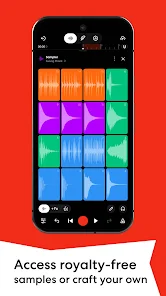
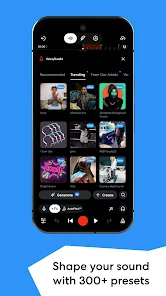
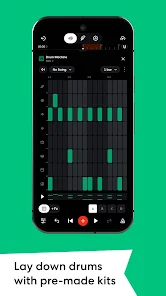
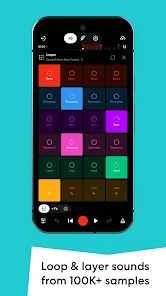
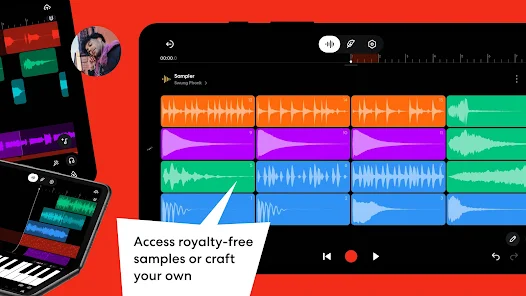
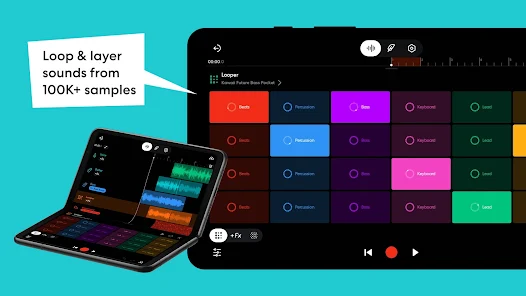
The app comes with an extensive library of loops and samples, making it easy to find the perfect sound to complement your compositions. Whether you're looking for beats, melodies, or sound effects, BandLab has you covered, allowing for endless creative possibilities.

Cloud-Based Storage

With BandLab's cloud-based storage, your projects are accessible anytime and anywhere. This means you can collaborate with fellow musicians in real-time, ensuring that your creative process is always in sync, regardless of where you are or what device you're using.

Multi-Track Recording

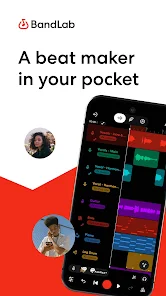
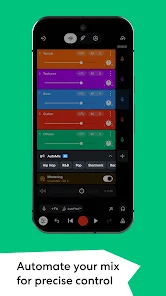
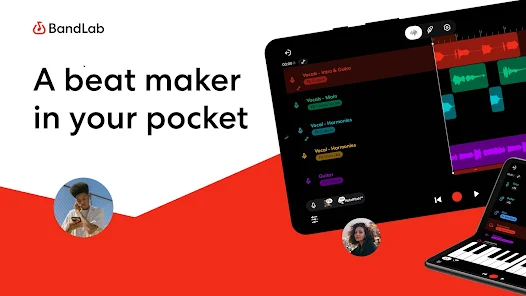
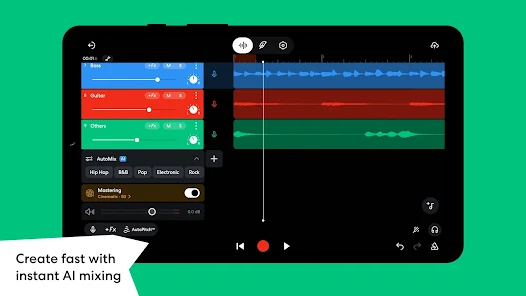
BandLab allows users to create complex soundscapes with its multi-track recording feature. You can layer different instruments, vocals, and sounds seamlessly, giving you the flexibility to experiment with your music and produce professional-quality tracks right from your device.

User-Friendly Interface

BandLab features an intuitive user interface designed for both beginners and experienced musicians. Navigating through various tools and options is a breeze, enabling you to focus more on your music creation rather than getting bogged down by complex settings.

Advertisement

Pros & Cons

Pros
  • User-friendly interface for easy music creation
  • Collaborative features for real-time teamwork
  • Extensive library of loops and samples available
  • Cloud storage for access anytime, anywhere
  • Cross-platform compatibility for seamless use
Cons
  • Limited advanced editing features for professionals
  • Audio quality may not match paid software
  • Requires stable internet for optimal use
  • Collaboration can be challenging with large teams

Real Experience Using BandLab – Music Making Studio

Application Scenarios

BandLab is a versatile platform that caters to musicians, podcasters, and audio enthusiasts alike. Whether you’re a solo artist looking to create your next hit or a band collaborating remotely, BandLab provides a seamless environment for music production. The application is particularly beneficial for those who wish to record and edit tracks on-the-go, as it is available on both mobile and desktop devices. Users can take advantage of its multi-track editor to layer sounds and mix music effectively. Additionally, podcasters can utilize BandLab's user-friendly interface to record high-quality audio, incorporate sound effects, and publish their episodes directly to various platforms. This flexibility allows for a wide range of creative expressions, making it an invaluable tool for anyone involved in audio production.

User Experience

One of the standout features of BandLab is its intuitive user interface, which makes it accessible for both beginners and experienced musicians. The drag-and-drop functionality simplifies the process of importing samples, while the built-in metronome and tuner help ensure that tracks stay in time and in tune. Users appreciate the extensive library of loops and samples, which can be easily integrated into projects. Collaboration is another strong point, as BandLab allows users to invite others to join in real-time on their projects, fostering a community-driven approach to music creation. The social features—such as sharing tracks and connecting with other artists—add an element of engagement, allowing users to showcase their work and receive feedback from peers.

Pricing

BandLab operates on a freemium model, offering users a comprehensive suite of tools at no cost. This is particularly appealing for aspiring musicians and podcasters who may not have the budget for expensive software. While the free version includes a robust set of features, there are optional upgrades available that provide additional storage and premium features. Overall, the pricing structure is designed to accommodate a wide range of users, making high-quality music production accessible to everyone.

Updates & Support

BandLab is committed to evolving its platform through regular updates, often incorporating user feedback to enhance the overall experience. The app frequently introduces new features, sound packs, and improvements that keep the software fresh and engaging. Customer support is readily available through various channels, including a comprehensive help center, community forums, and direct support options. This level of support ensures that users can find solutions to any issues they encounter, making the overall experience more enjoyable and productive.

verified Security & Privacy Review

BandLab takes user security and privacy seriously, implementing a range of measures to protect user data. The app employs encryption to safeguard data during transmission, ensuring that audio files and personal information remain secure from unauthorized access. Users can manage their privacy settings, granting or revoking permissions for microphone and camera access, which helps maintain control over what information is shared. Moreover, BandLab has a clear privacy policy that outlines how user data is collected, used, and shared. The app collects minimal personal information, primarily to enhance the user experience and provide tailored recommendations. Users are informed about data usage, and there are options to delete accounts and associated data if desired. Overall, BandLab demonstrates a commitment to user privacy with transparent practices and secure handling of data. While the app does request certain permissions, it is essential that users review these settings to ensure their comfort with the information being shared.
Advertisement

User Reviews

  • Calvin
    2026/02/12

    Updating this review to three stars instead of four. The ads and premium pushing have gotten so bad. Its good for beginners, has a lot of great mixing tools. But its actually insane how intrusive their ads have gotten. Closing studio, going to a new page, accidentally clicking someones profile? Always met with ads. I cant blink without an ad anymore. I refuse to pay for a service that i used to get with no interruptions.. Not to mention ai usage.

  • Jemma Palmer
    2025/08/11

    It's good for beginners, I guess... it just makes you, idk, DO A MONTHLY SUBSCRIPTION TO USE ANY SAMPLE AT ALL...it used to be free until they decided to take away my happiness...they have AI features as well. And I don't even think they're free...wth dude. It barely lets you edit the instruments like other apps I've seen people use. All you can do for free is split parts of audio, make a certain instrument louder or quieter than the rest, and 1 or 2 others. BUT it's very good for beginners

  • Jack St John
    2025/11/25

    I had fun making this song and out of nowhere it just stopped letting me do anything. I thought it might have been my phone, but it wasn't. It just didn't let me do anything. It wouldn't even let me save the progress I had on it. I decided I would just uninstall the app and reinstall it, and when I did that all of my progress was erased. No trace of it anywhere. This app is good for making music but you really need to save your stuff often or else you can lose it pretty easily.

  • NeaRea Payne
    2026/06/27

    I love Bandlab! it's pretty easy to use (with a few exceptions of certain tools). But as of lately, there's been a delay when I use the voice recording tool. For example, as i sing, if I'm not closer to my internal phone speaker, it would make my audio sound delayed and rushed. Versus when I sing closer, it won't sound rushed but it would still be a bit delayed. I've never had this problem until after the new update (even with my headphones)🤷‍♀️ But other than that, it's a great app.

  • G
    2026/06/24

    There are So many useful things in here that I've been discovering like grouping more than one split track and merging them. I also like the fact that no matter your recording setup, you're still able to get the job done. Though the ads are kinda annoying and the long login. This is wonderful. (I don't pay for anything just yet but I'm still thinking about it.)

Review Source: Google Play store public user reviews.

FAQ

1

Does BandLab collect my personal data?

Yes, BandLab collects certain personal data to enhance user experience and provide services, but it adheres to privacy policies designed to protect user information.

2

Does BandLab offer a free trial or free version?

BandLab offers a completely free version that provides access to many of its features without any time limits, allowing users to create and share music without a subscription.

3

Does BandLab require an internet connection?

While BandLab offers some offline capabilities, an internet connection is generally required for full access to its features, including collaboration and saving projects to the cloud.

4

How can I contact support or send feedback for BandLab?

You can contact BandLab support or send feedback through the help section of the app or website, where you can find support articles and a contact form for inquiries.

5

How do I manage or cancel my BandLab subscription?

You can manage or cancel your BandLab subscription through your account settings within the app or website, where you can find options for subscription management.

How to use BandLab – Music Making Studio

1

How can I contact BandLab customer service?

You can reach BandLab customer service through their support page on the app or website, where you can submit a request or find FAQs.

2

How do I activate my BandLab account?

If you registered with an email, check your inbox for a verification email from BandLab and follow the link to activate your account.

3

How do I find the customer number for BandLab?

BandLab does not provide a direct customer number; support is primarily through their online help center.

4

How do I log in to my BandLab account?

Open the BandLab app, tap 'Log In', and enter your email and password associated with your account.

What's New

We've squashed some pesky bugs and made overall app improvements just for you. Update your app to keep it running smoothly!

Editor's Choice