This site uses cookies to enhance your user experience. By clicking any link on this site you are giving your consent to our cookie policy. Read more
Reject
Accept All

Advertiser and Editorial Disclosures

Solid Explorer File Manager

Solid Explorer File Manager

verified

NeatBytes

4.3
Rating
10,000,000+ Downloads
3.2.16 Version
  • category

    Category: Productivity

  • price

    Price: free

  • age rating

    Age Rating: Everyone

  • rating

    Rating: 4.3

  • available on

    Available on: /

  • updated on

    Updated on: Jun 25, 2026

Screenshot 1
Screenshot 2
Screenshot 3
Screenshot 4
Screenshot 5
Screenshot 6
Screenshot 7
Screenshot 8
Screenshot 9
Screenshot 10
Screenshot 11
Screenshot 12
Screenshot 13
Screenshot 14
Screenshot 15
Screenshot 16
Advertisement

Features & Highlights

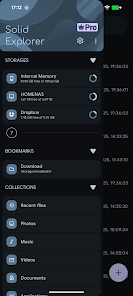
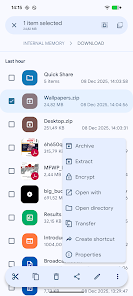
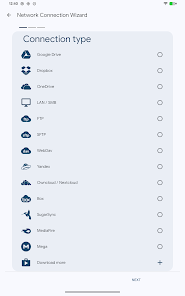
Built-In FTP/SFTP Support

The app supports FTP and SFTP protocols, making it a versatile tool for file management. This feature allows you to connect to remote servers, upload and download files effortlessly, and manage server content directly from your mobile device, enhancing your productivity on the go.

Cloud Storage Integration

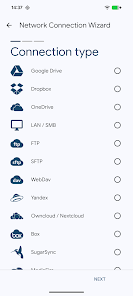
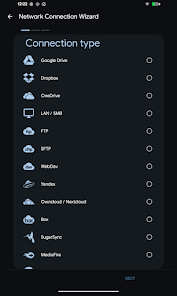
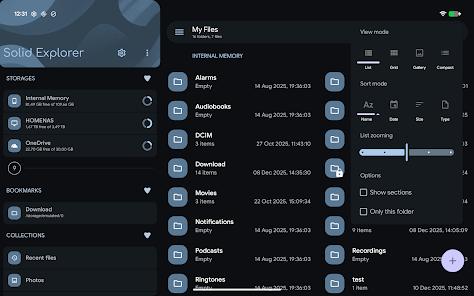
With seamless cloud storage integration, Solid Explorer lets you connect to popular services like Google Drive, Dropbox, and OneDrive. This feature simplifies accessing and managing files stored in the cloud, making it easy to sync and backup important documents right from the app.

Dual Pane Navigation

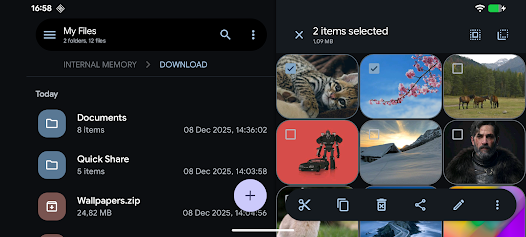
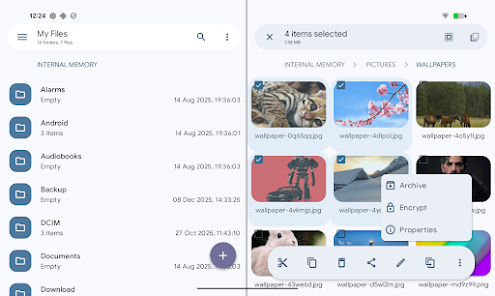
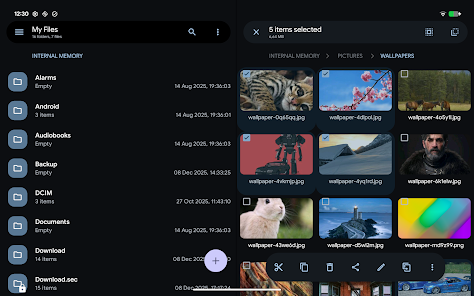
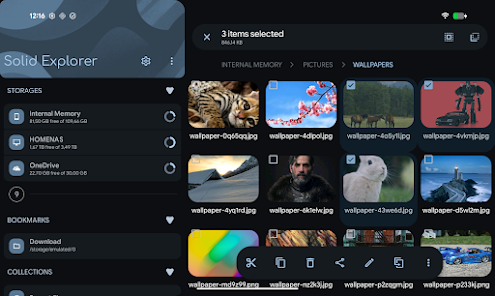
Solid Explorer File Manager offers a unique dual-pane navigation system that allows you to manage files more efficiently. This feature enables users to easily drag and drop files between two separate views, streamlining the process of organizing and transferring data across folders and storage locations.

File Encryption

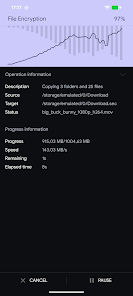
Solid Explorer prioritizes your privacy with robust file encryption features. Users can securely encrypt files and folders, ensuring that sensitive data remains protected from unauthorized access, which is particularly useful for those handling confidential information or personal documents.

Advertisement

Pros & Cons

Pros
  • User-friendly interface makes navigation effortless for everyone.
  • Supports cloud storage integration for seamless file access.
  • Built-in file encryption ensures your data remains secure.
  • Dual-pane mode enhances multitasking and file management efficiency.
  • Customizable themes allow personalization for a unique user experience.
Cons
  • Limited cloud storage integration options can restrict user flexibility.
  • Occasional performance lags may hinder user experience during heavy file management.
  • Some advanced features require a paid upgrade, limiting access for free users.

Real Experience Using Solid Explorer File Manager

Real Experience Application Scenarios

Solid Explorer File Manager is a versatile tool designed for individuals who seek a powerful yet user-friendly file management solution. Whether you are managing files on your Android device, cloud storage, or even external storage, Solid Explorer excels in various scenarios. For instance, if you frequently switch between local files and cloud services like Google Drive or Dropbox, this app provides a seamless experience by allowing you to access and manage files from multiple sources in one unified interface. Furthermore, its dual-pane feature is especially useful for users who need to move or copy files between different directories quickly. This capability makes it ideal for professionals working on large projects, as well as casual users looking to organize their digital life efficiently.

User Experience

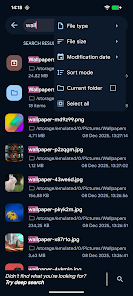
The user experience offered by Solid Explorer is nothing short of exceptional. The app boasts a sleek and modern design, with an intuitive layout that makes navigation a breeze. Users will appreciate the customizable themes and the option to change icons, which allows for a personalized touch. The app supports various file formats and offers powerful search capabilities, ensuring that users can easily locate their files. Features like file compression, encryption, and even FTP/SMB support further enhance the overall experience. Additionally, the app has a built-in media player and image viewer, which means you can access and preview content without needing to switch to other applications. The performance is smooth, with minimal lag, ensuring a fluid experience even when handling large files.

Pricing

Solid Explorer File Manager operates on a freemium model. Users can download the app for free and enjoy a 14-day trial of the premium features, which include additional cloud support and advanced file management options. After the trial period, users have the option to purchase the full version for a one-time fee. This pricing strategy is reasonable, especially when considering the comprehensive functionalities that the app offers. Compared to other file managers that may require ongoing subscription fees, Solid Explorer’s one-time payment model provides excellent value for users looking for a long-term solution.

Updates & Support

Solid Explorer File Manager is actively maintained with regular updates that introduce new features, improve performance, and ensure compatibility with the latest Android versions. The development team is responsive to user feedback, often incorporating suggestions into future updates, which demonstrates their commitment to user satisfaction. Support is readily available through their official website and a dedicated forum where users can seek assistance and share tips. The extensive documentation and FAQs also help users navigate any challenges they may encounter. Overall, Solid Explorer’s emphasis on updates and support solidifies its reputation as a reliable file management tool.

verified Security & Privacy Review

Security & Privacy Review Solid Explorer File Manager prioritizes user data security and privacy, employing robust encryption protocols to protect sensitive files. The app supports AES encryption, allowing users to securely encrypt individual files or entire directories, which adds an essential layer of protection against unauthorized access. In terms of permissions, Solid Explorer requires minimal access to function effectively. It requests only the necessary permissions to manage files, such as storage access, ensuring that users maintain control over their data. Users can also customize these permissions according to their preferences, enhancing privacy. Solid Explorer’s data handling practices are commendable, as the app does not collect personal data or track user activity, ensuring a privacy-centric experience. Additionally, it provides a secure password manager for storing sensitive information, further reinforcing its commitment to user privacy. Overall, Solid Explorer File Manager offers a reliable, secure environment for file management, making it an excellent choice for users concerned about data safety and privacy.
Advertisement

User Reviews

  • Matthew Eskuchen
    2026/05/20

    I've been using SolidExplorer for years, and LOVE it! It took some getting used to the left and right panels, but once I figured that out, no going back to ordinary file explorers. Easy connection to local network shares and cloud services, all in one app. I occasionally encounter issues or crashes navigating network shares, but overall, I love it.

  • Mathew J
    2026/06/02

    The "become a pro" message is getting really annoying. I bought pro, and did the whole clear data/uninstall cycle, it still comes back after a while. Edit: Now I get ads too. The developer changed something in how license verification is handled, and it's ruining the app. You don't even have to add more features, just leave the app alone. One star until these awful changes are reverted. Newest Update: I had to clear my play store data and set everything up from the beginning again. 1 ⭐ to 3 ⭐.

  • Ryan Gibson
    2026/06/26

    Please, please, please include a settings backup option for lifetime 2.0 license users! I am tired of having to uninstall and reinstall the app, create all my shortcuts, bookmarks, set up my networked devices in storage manager, and fix all my settings over and over and over again. If you could please, please, please include this option for your lifetime purchase 2.0 license users, I, as well as I'm sure many others that have been a long time user of your app, would greatly appreciate it!

  • AcriminousJ
    2026/04/19

    Sadly have to move on from this app. If I scroll for even a few seconds, thumbnails stop loading. Takes forever to access anything with a lot of files, other file explorers don't have this issue. It'll randomly reset all of my preferences (only twice in the time I've used it, but still annoying). Only real reason I chose this over others was the ability to select a lot of files at once instead of all or one at a time. Fossify's does this, plus it's free, open source, and works much better.

  • Davey
    2026/06/18

    it's OK. kind of hard for it to perform well when it has way too many animations going on. still though it's probably the second or third best Android file manager in 2026 and I've tried out at least 50. with the option to disable Solid Explorers in app animations this app is probably a 4.25/5.... File Manager Plus is a steady 4/5. and mixplorer is an easy 5.

Review Source: Google Play store public user reviews.

FAQ

1

Can I submit suggestions or feedback to Solid Explorer File Manager?

Yes, users can submit suggestions or feedback through the app's settings or contact the support team via email.

2

Does Solid Explorer File Manager collect my personal data?

Solid Explorer File Manager does not collect personal data unless users provide it voluntarily; the app prioritizes user privacy and security.

3

Does Solid Explorer File Manager support offline use?

Yes, Solid Explorer File Manager can be used offline, allowing users to manage their local files without an internet connection.

4

How do I cancel my Solid Explorer File Manager subscription?

Users can cancel their Solid Explorer File Manager subscription through the Google Play Store or the app's settings menu, depending on how they subscribed.
5

How much does a subscription to Solid Explorer File Manager cost?

A subscription to Solid Explorer File Manager typically costs around $2.99 per month or $14.99 for a yearly plan, though prices may vary by region.

How to use Solid Explorer File Manager

1

Can I recover my account if I can’t activate it?

Yes, if you can't activate your account, contact customer service for assistance with account recovery.

2

How can I activate my Solid Explorer account?

To activate your account, check your email for the activation link and follow the instructions provided.

3

How can I contact customer service for Solid Explorer?

You can reach our customer service via the support section in the app or by visiting our website for further assistance.

4

How can I update my account information in Solid Explorer?

To update your account information, log in to your account and navigate to the settings section to make changes.

5

How do I change my customer number in Solid Explorer?

Customer numbers cannot be changed directly; please contact customer service for assistance with any changes.

What's New

v3.4.10- fixed Android/data access with Shizuku- minor fixesv3.4.8/9- fixed storage usage mismatch- fixed RAR extract- minor fixesv3.4.7- improved license check- crash fixesv3.4.6- crash fixesv3.4.5- fixed inability to change home directory of FTP server- fixed broken thumbnails on network locations- archive extraction improvements- crash fixesv3.4.3/4- crash fixesv3.4.2- fixed slow 7zip extraction- fixed inability to open archives from other apps- crash fixes

Editor's Choice