This site uses cookies to enhance your user experience. By clicking any link on this site you are giving your consent to our cookie policy. Read more
Reject
Accept All

Advertiser and Editorial Disclosures

Microsoft Excel: Spreadsheets

Microsoft Excel: Spreadsheets

verified

Microsoft Corporation

4.8
Rating
1,000,000,000+ Downloads
16.0.19822.20104 Version
  • category

    Category: Productivity

  • price

    Price: free

  • age rating

    Age Rating: Everyone

  • rating

    Rating: 4.8

  • available on

    Available on: /

  • updated on

    Updated on: Jun 25, 2026

Screenshot 1
Screenshot 2
Screenshot 3
Screenshot 4
Screenshot 5
Screenshot 6
Screenshot 7
Advertisement

Features & Highlights

Advanced Formulas

Microsoft Excel offers a robust collection of formulas and functions that allow users to perform complex calculations effortlessly. From basic arithmetic to advanced statistical analysis, these tools help streamline data manipulation and provide insightful results, making Excel essential for both personal and professional use.

Collaboration Features

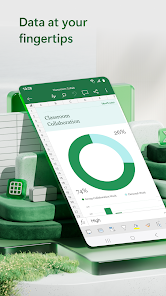
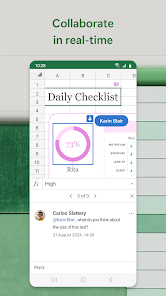
Excel supports real-time collaboration, enabling multiple users to work on the same spreadsheet simultaneously. With features like comments and version history, teams can communicate seamlessly and keep track of changes, enhancing productivity and ensuring everyone stays on the same page.

Data Analysis Tools

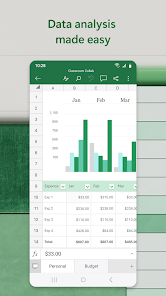
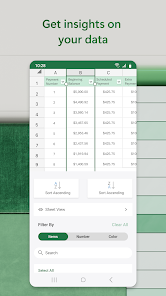
Excel is equipped with powerful data analysis tools like PivotTables and Power Query that allow users to summarize and explore their data in depth. These features simplify the process of extracting insights, making it easier to make data-driven decisions and uncover hidden patterns in large datasets.

Data Visualization Tools

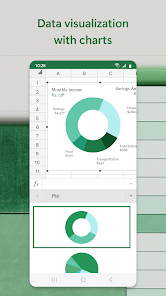
With a variety of charts, graphs, and conditional formatting options, Excel makes it easy to visualize data in a compelling way. Users can create dynamic dashboards and reports that highlight key trends and insights, helping to convey information clearly and effectively to stakeholders.

Advertisement

Pros & Cons

Pros
  • User-friendly interface simplifies data management tasks
  • Powerful formulas enable complex calculations effortlessly
  • Customizable charts visualize data for better insights
  • Collaboration features enhance teamwork on projects
  • Data analysis tools streamline decision-making processes
Cons
  • Prone to human error in data entry mistakes
  • Difficult to manage large datasets effectively
  • Limited collaboration features for teams
  • Poor version control and tracking changes

Real Experience Using Microsoft Excel: Spreadsheets

Application Scenarios

Microsoft Excel serves multiple purposes across various domains, making it an incredibly versatile tool. In the business sector, professionals rely on Excel for data analysis, financial modeling, and creating comprehensive reports. Its powerful data visualization features, such as charts and graphs, allow users to present information in a clear and compelling manner. For students, Excel is invaluable for organizing research data, performing statistical analyses, and managing budgets for projects. In the personal finance realm, individuals use Excel to track expenses, create savings plans, and manage household budgets. Additionally, Excel's collaborative features enable teams to work together on shared spreadsheets, streamlining workflows and enhancing productivity.

User Experience

The user experience in Microsoft Excel is largely positive, characterized by its intuitive interface and a wealth of features. New users may find the learning curve steep due to the extensive functionality, but the application offers numerous templates and tutorials to help ease the transition. The ribbon interface is well-organized, making it simple to access tools and features. Advanced users appreciate the array of formulas, pivot tables, and conditional formatting options, which allow for intricate data manipulation. The mobile version of Excel is equally functional, enabling users to work on the go. However, some users have reported occasional lag when handling large datasets, which can hinder performance. Overall, Excel provides a powerful and flexible platform that caters to both novice and experienced users.

Pricing

Microsoft Excel is part of the Microsoft 365 subscription service, which offers various pricing tiers to accommodate different user needs. The individual plan generally starts at a modest monthly fee, providing access to Excel along with other essential Office applications like Word and PowerPoint. For families and students, Microsoft often offers discounted or free access through educational institutions. Businesses can opt for enterprise plans that include advanced collaboration tools and additional cloud storage. While some users may initially balk at the subscription model, the continuous updates and cloud capabilities can justify the cost over time, especially for teams that rely on real-time collaboration.

Updates & Support

Microsoft is committed to ensuring Excel remains a leading tool for spreadsheets, frequently rolling out updates that enhance functionality and security. Users can expect regular feature enhancements, bug fixes, and performance improvements. The robust support system includes extensive online resources, such as help articles, video tutorials, and community forums where users can ask questions and share tips. For companies subscribing to Microsoft 365, dedicated customer support is available, providing timely assistance for any issues that may arise. Overall, Microsoft’s commitment to ongoing support and constant improvements ensures that users can rely on Excel for their evolving spreadsheet needs.

verified Security & Privacy Review

The Microsoft Excel app prioritizes user security and privacy, implementing robust measures to protect sensitive information. It employs advanced encryption protocols to safeguard data both in transit and at rest, ensuring that users' spreadsheets remain confidential and secure from unauthorized access. In terms of permissions, the app requires access to necessary features such as storage for saving files and network connectivity for cloud functionalities. Users are informed about these permissions during installation, promoting transparency. Excel also allows users to control sharing settings, enabling them to dictate who can view or edit their documents. Microsoft is committed to complying with global privacy regulations, including GDPR, and has established clear data handling practices. User data is not used for advertising purposes, and personal information is only collected to enhance the user experience or for account management. The app provides options for users to manage their privacy settings, including the ability to delete data and control what is shared with Microsoft. Overall, Microsoft Excel demonstrates a strong commitment to data security and privacy, ensuring users can confidently manage their spreadsheets.
Advertisement

User Reviews

  • Sherri J
    2025/06/25

    App has lots of bugs. Data randomly disappears, & I cant find a reason behind it. at least once a month, the app says I don't have permission to make edits. The only fix is to uninstall & reinstall the app, which is not efficient. Every few days, all of my spreadsheets are locked out on my phone, & I have to log in again, although it shows I am logged in. Everything else Office365 and One drive still work, but excel locks up. This happens also happens when its in use. File just vanishes.

  • Kate Erbacher
    2026/06/03

    The app would be 3 stars if I didn't have to two factor login literally aever6 single time I open it. Opened it 20 minutes and need to update something? Put in your backup email and wait for the code. EVERY TIME. There's also syncing issues even when I have logged in. Data will just disappear. A much smaller but annoying things is if you use colors not in their suggestions it doesn't save what's in the chart like the computer does. So its really hard to match what you've used before.

  • E
    2026/04/19

    I've uninstalled and reinstalled it twice now. It will let me use it once, then the next time I open the app, it gets permanently stuck on a "configuring Excel" screen. It seemed all right during the brief window where I could actually use it, but I don't really see what "configuration" it thinks it's doing. Just open the file.

  • Will Collins
    2026/03/30

    Worked fine for a month, now whenever I open the app, it gets stuck "Configuring Excel" trying to fetch my files. If I delete the app and reinstall, it works for a bit, but then the same thing happens. Please fix your app. I left Google sheets because it keep losing my edits. How hard is it to make a spreadsheet app for a phone?

  • Dan Villeneuve
    2026/04/18

    Indefinitely Fetching your files... UNUSABLE! I installed for the first time. Upon opening, it went to the "Fetching your files..." screen which is odd as it never once asked for my Microsoft account. it just hangs on this screen. Clearing cache and data have zero effect. Monitoring network usage and it's not pulling any data. Absolutely useless.

Review Source: Google Play store public user reviews.

FAQ

1

Does Microsoft Excel: Spreadsheets collect my personal data?

Microsoft Excel: Spreadsheets may collect personal data as outlined in Microsoft's privacy policy, primarily for account management, service improvement, and security purposes.

2

Does Microsoft Excel: Spreadsheets offer a free trial or free version?

Yes, Microsoft Excel: Spreadsheets offers a free trial for new users, and there is also a free version available through Microsoft 365 online, which provides basic features.

3

Does Microsoft Excel: Spreadsheets require an internet connection?

While Microsoft Excel: Spreadsheets can be used offline, some features, such as real-time collaboration and cloud storage access, do require an internet connection.

4

How can I contact support or send feedback for Microsoft Excel: Spreadsheets?

You can contact support for Microsoft Excel: Spreadsheets through the Microsoft Support website, where you can access help articles, chat with a support agent, or submit feedback directly.

5

How do I manage or cancel my Microsoft Excel: Spreadsheets subscription?

You can manage or cancel your Microsoft Excel: Spreadsheets subscription through your Microsoft account settings, where you can view your subscription details and follow the prompts to make changes.

How to use Microsoft Excel: Spreadsheets

1

How can I contact customer service for Microsoft Excel?

You can reach Microsoft customer service through the support page on their website or by calling their dedicated support number.

2

How do I activate Microsoft Excel?

To activate, open Excel, go to File > Account > Activate Product, and follow the prompts using your product key or Microsoft account.

3

How do I log in to Microsoft Excel?

Open Excel and click on "Sign in" at the top right corner, then enter your Microsoft account credentials.

4

Is activation necessary for Microsoft Excel?

Yes, activation is required to use certain features, especially for the paid versions.

5

What is the customer number for Microsoft Excel support?

You can find the customer support number specific to your region on the Microsoft support website.

What's New

Thank you for using Excel.

We regularly release updates to the app, which include great new features, as well as improvements for speed and reliability.

Did you know that with a Microsoft 365 subscription, you can unlock the full power of Office across all of your devices? Find special offers in the app.

Editor's Choice