



Samsung Electronics Co., Ltd.
 3.9
3.9 
Category: Productivity

Price: free

Age Rating: Everyone

Rating: 3.9

Available on: /

Updated on: Jun 1, 2026
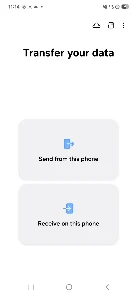
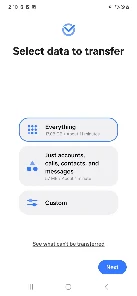
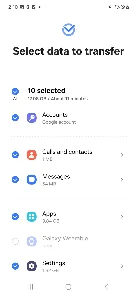
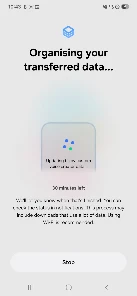
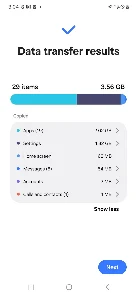
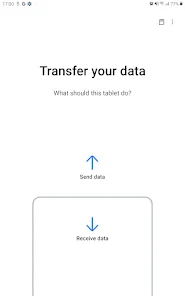
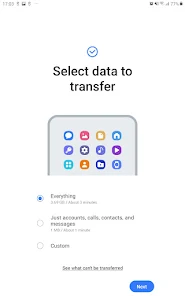
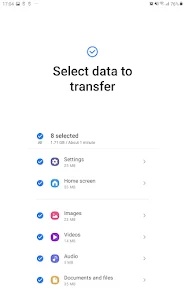
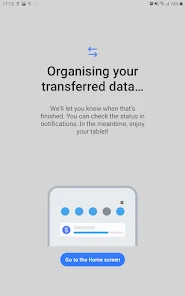
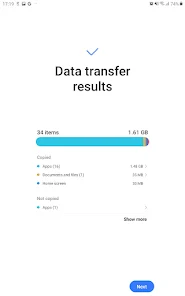

 Easily transfer data between devices effortlessly Supports multiple file types for seamless migration User-friendly interface ensures quick setup Maintains original quality of photos and videos Secure transfers protect your personal information
 Limited support for non-Samsung devices Transfer speed can be slow with large data Occasional compatibility issues with older devices User interface may be confusing for beginners
  Google Play
  App Store


I really wish there was a pause function. I spent my morning trying to do a corded transfer and it was in the last few minutes when the battery in one phone ran out. (I don't have a cordless charger.) I wish it just saved as it went, and then since you don't transfer duplicates, if someone has to stop for any reason, they can just end it, retaining what's been transferred so far, and start a new sync to transfer any remaining stuff they couldn't before.
DOUBLE CHECK YOUR FILES. This doesn't transfer 100%, and as soon as that sales associate has your old phone, you've unknowingly said goodbye to files/app data. Last moments with family member? Poof. Secure ids/info to financial or other apps? Poof, enjoy being locked out and fighting to get access back. Works about 65% for many things, otherwise poof.
Used to work. Doesn't now. Tried a variety of USB-C cables, connected it to the same machine I've always connected it to, the only option is transfer from phone to phone. I want to back my phone up onto my PC. No longer possible. I don't want to use Wi-Fi direct. It doesn't work with my laptop anyway. What's wrong with you people? Why are you breaking things, disabling features that used to work?
wish it was possible to leave a lower rating. app automatically has permission to change device settings ( which even after shutting off it turned back on), use background data (which i was able to supposedly shut off but the storage keeps accumulating usage), has unrestricted battery usage that you can't shut off), and lastly even after uninstalling it.... guess what???? it's still there!!! Google play store should warn about this.
Only after factory resetting my only device and sending it off for trade-in did I discover that the new phone didn't have all my pictures. Every bit of media was selected for the transfer, so I don't know why it wouldn't do it unless it decided on its own to not transfer what it assumed (inaccurately) as duplicate photos (a common, and retarded issue with Samsung gallery).. Very disappointing!!
Review Source: Google Play store public user reviews.
Samsung Smart Switch Mobile does not collect personal data during the transfer process. However, it may collect some usage data to improve the app's functionality, which is generally outlined in its privacy policy.
Yes, Samsung Smart Switch Mobile is available as a free app for all users, allowing them to utilize its data transfer features without any cost.
No, Samsung Smart Switch Mobile does not require an internet connection to transfer data. It can transfer data via Wi-Fi direct or using a USB cable. However, an internet connection may be needed for downloading the app or accessing online features.
Users can contact support or send feedback for Samsung Smart Switch Mobile through the Samsung Members app or by visiting the Samsung support website, where they can find additional resources and contact options.
Since Samsung Smart Switch Mobile does not have any subscription plans, there is no need to manage or cancel a subscription. Users can simply uninstall the app if they no longer wish to use it.
Yes, you can retrieve your customer number by reinstalling the app and logging in with your existing credentials. If issues persist, contact customer service.
You can reach customer service by calling the support number found on the Samsung website or through the app's help section.
After downloading, open the app and follow the on-screen instructions to activate your account. You may need to verify your email.
To log in, open the app, tap on the login option, and enter your credentials. If you don’t have an account, you can create one easily.
To update your customer number, log in to your account, navigate to your profile settings, and make the necessary changes.
- Fixed bugs and improved stability

 Home
Home  Apps
Apps  Games
Games  Topics
  About Us
  Cookies & Privacy Policy
  Terms of Service















