This site uses cookies to enhance your user experience. By clicking any link on this site you are giving your consent to our cookie policy. Read more
Reject
Accept All

Advertiser and Editorial Disclosures

Microsoft Teams App

Microsoft Teams App

verified

Microsoft Corporation

4.6
Rating
500,000,000+ Downloads
1416/1.0.0.2026122504 Version
  • category

    Category: Productivity

  • price

    Price: free

  • age rating

    Age Rating: Everyone

  • rating

    Rating: 4.6

  • available on

    Available on: /

  • updated on

    Updated on: Jun 29, 2026

Screenshot 1
Screenshot 2
Screenshot 3
Screenshot 4
Screenshot 5
Screenshot 6
Screenshot 7
Screenshot 8
Screenshot 9
Screenshot 10
Screenshot 11
Screenshot 12
Screenshot 13
Screenshot 14
Screenshot 15
Screenshot 16
Screenshot 17
Screenshot 18
Advertisement

Features & Highlights

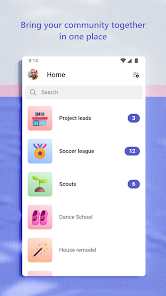
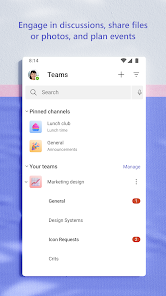
Customizable Channels

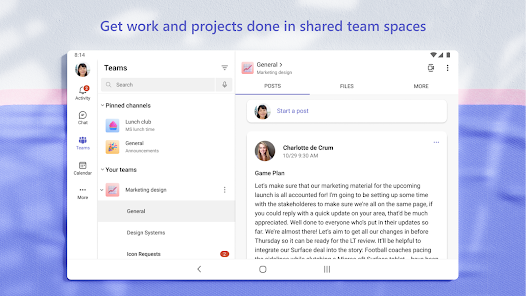
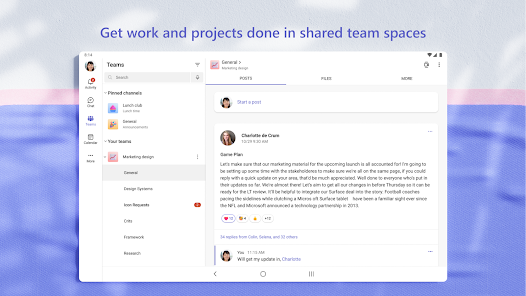
Teams allows you to create customizable channels for specific projects or topics, helping to organize conversations and resources effectively. This feature encourages focused discussions and ensures that team members can quickly find relevant information, fostering better communication and collaboration.

Integrated Collaboration

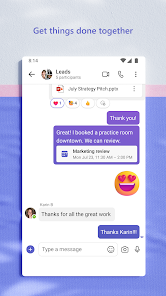
Microsoft Teams offers a seamless collaboration experience where team members can communicate, share files, and work on projects together in real-time. With integrated apps and tools, users can streamline their workflow without needing to switch between different platforms, enhancing productivity and teamwork.

Task Management Integration

With built-in task management tools, Microsoft Teams enables users to create, assign, and track tasks directly within the app. This integration helps teams prioritize workloads and stay aligned on project goals, ensuring that everyone knows their responsibilities and deadlines.

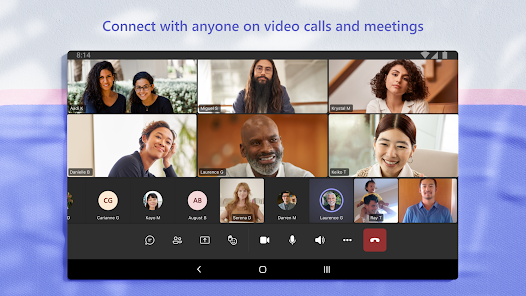
Video Conferencing

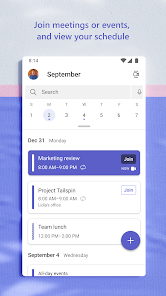
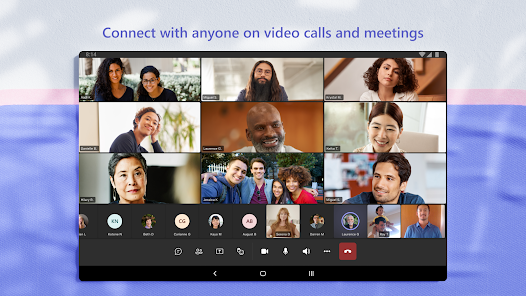
The platform boasts high-quality video conferencing capabilities, allowing users to host and join virtual meetings with ease. Features like screen sharing, background blur, and meeting recordings make it ideal for remote work and ensuring that everyone stays connected, no matter where they are.

Advertisement

Pros & Cons

Pros
  • Boosts collaboration with integrated chat and video calls
  • Supports seamless file sharing for team projects
  • Enhances productivity with customizable apps and tools
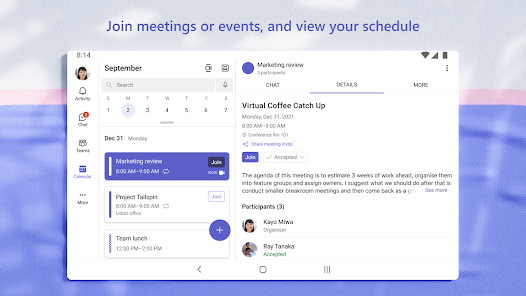
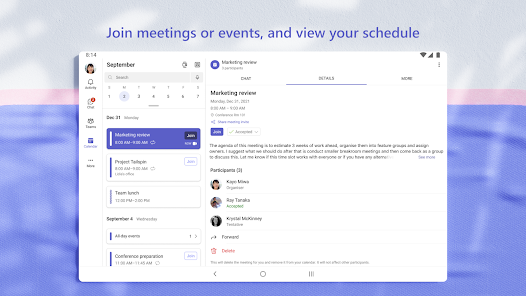
  • Facilitates easy scheduling with calendar integration
  • Ensures security with advanced data protection features
Cons
  • Limited integration with non-Microsoft apps
  • Complex user interface for newcomers
  • Performance issues with large teams
  • Notification overload can cause stress

Real Experience Using Microsoft Teams App

Application Scenarios

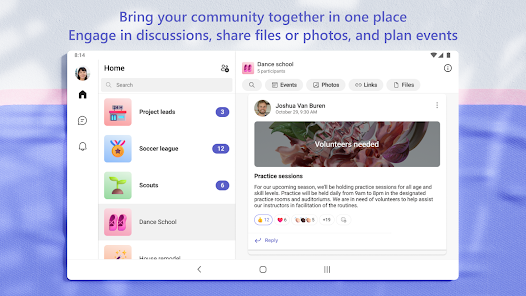
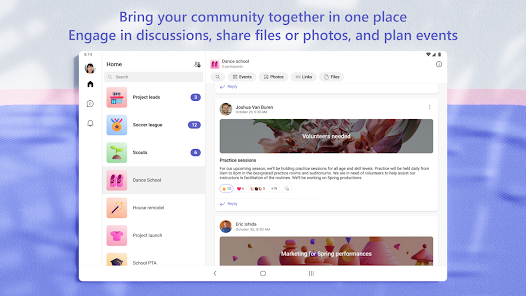
Microsoft Teams is a versatile collaboration platform that caters to various application scenarios across different sectors. It is widely utilized in corporate environments for facilitating seamless communication and project management. Teams can hold virtual meetings, share files, and collaborate on documents in real-time, making it ideal for remote work environments. Educational institutions also leverage Microsoft Teams to conduct virtual classes, enabling teachers and students to interact effectively. Additionally, it serves as a valuable tool for non-profit organizations and community groups, allowing for coordination and outreach efforts through dedicated channels and group discussions.

User Experience

The user experience of Microsoft Teams is largely positive, characterized by its intuitive interface and robust functionality. The platform integrates well with other Microsoft 365 applications, allowing users to access Word, Excel, and PowerPoint directly within Teams. This integration significantly enhances productivity as users can easily collaborate on documents without switching between apps. The chat feature is user-friendly, enabling quick communication, while the threaded conversations help in keeping discussions organized. However, some users report a steep learning curve when first navigating the app due to its extensive features. Overall, the ability to customize notifications and the mobile app's efficiency contribute to a favorable user experience.

Pricing

Microsoft Teams offers a variety of pricing plans to suit different user needs. The basic version of Teams is free, providing essential features such as chat and video calling. For businesses and organizations, the paid plans start at a competitive rate, offering enhanced features like advanced security, compliance, and larger meeting capacities. The Microsoft 365 subscription bundles Teams with other productivity tools, making it a cost-effective choice for companies already invested in the Microsoft ecosystem. Users can choose plans based on their specific needs, ensuring flexibility and scalability as organizations grow.

Updates & Support

Microsoft Teams is frequently updated, with new features and enhancements rolled out regularly to improve user experience and functionality. The development team actively listens to user feedback, incorporating suggestions into updates that address common pain points. Support is readily available through various channels, including a comprehensive online help center, community forums, and direct customer support options. Users can access tutorials and documentation that guide them through troubleshooting and maximizing the app's potential. Overall, the commitment to ongoing improvements and robust support makes Microsoft Teams a reliable choice for users seeking a collaborative platform.

verified Security & Privacy Review

Microsoft Teams places a strong emphasis on security and privacy, making it a reliable choice for organizations and individuals alike. The app utilizes end-to-end encryption for data in transit and at rest, ensuring that sensitive information remains secure during communication. Furthermore, Teams complies with major industry standards, such as GDPR and HIPAA, which reinforces its commitment to protecting user data. User permissions are customizable, allowing administrators to control access levels and manage what information can be shared within teams. This feature is particularly beneficial for businesses that need to safeguard proprietary information. Additionally, Teams offers multi-factor authentication (MFA), adding an extra layer of security to user accounts. In terms of data handling, Microsoft clearly outlines its privacy practices in its privacy policy. Users can manage their data preferences, including the ability to delete accounts and data when no longer needed. Overall, Microsoft Teams demonstrates a robust approach to security and privacy, making it a trustworthy platform for collaboration and communication.
Advertisement

Compare APP

User Reviews

  • Ashton Jackson
    2026/04/21

    Great tool in theory, but it is not consistent. Currently cannot log in at all after clearing cache, force stopping, and finally uninstalling and reinstalling. So many people depend on teams to support remote work, so the mobile app is pretty important. Whatever update just rolled out completely broke it, at least for Samsung devices. Looks like I'm not the only one.

  • Timmy Calhoun
    2026/06/29

    Takes 3 tries to login using Microsoft's own 2 step verification with Outlook. When it does finally login, all my chats are missing. If I leave the app, or keep it open to switch to another app, it logs me out. I have to login EVERY TIME I open the app. This is insane. I've reinstalled 4 times, same result. I'm logged in on Windows and it's fine, that's how I at least know my chats are still there. This app has become completely unusable.

  • Kayla Huynh
    2026/06/26

    The app WAS working fine. It wasn't Skype, but it was usable. Now with the new update, I open the app and saw all my chats disappeared completely!!! I tried to click "retry," on the screen saying "start a chat" where my chats would usually be, and it buffered endlessly. So I logged out. Then I encountered the NEXT major bug. Every time I try to sign in, I get as far as the "Orgs" page where I click my name, before I get the error "unable to switch orgs. let's try again." I can't use this app!!

  • Chris Dayton
    2026/06/17

    It keeps saying I need to allow music and audio permissions to attach a picture to a message!? IT'S A PICTURE!!!! I'm STILL randomly not getting notifications, no pop up, no dot on the icon, nothing. I have all notifications turned on, but it's not working. It's not possible to answer incoming Teams calls, it rings but I can't find any way to answer calls since update to new teams. There is no way to attach a file to a chat message. STILL NOT FIXED, IT'S BEEN OVER 2 YEARS!!!!!!

  • Sophia Pons
    2026/04/21

    Quality has been decreasing for the past few months. I started missing messages, but now teams is essentially defunct on my phone. Messages won't load or send, I recieve a constant "we're checking for new messages. This might take a few seconds," notification. Clearing the cache, clearing all data, reinstalling, and restarting my phone, does not work. This app actively makes my work more difficult and I would not recommend it to anyone, ever.

Review Source: Google Play store public user reviews.

FAQ

1

Does Microsoft Teams collect my personal data?

Microsoft Teams may collect personal data to provide its services, including user information and activity data, but it complies with privacy regulations and offers settings to manage your data privacy.

2

Does Microsoft Teams offer a free trial or free version?

Yes, Microsoft Teams offers a free version with limited features, as well as a trial for its premium plans, allowing users to explore the platform's capabilities before committing to a subscription.


3

Does Microsoft Teams require an internet connection?

Yes, Microsoft Teams requires an internet connection to function effectively, as it relies on cloud services for communication, file sharing, and collaboration features.

4

How can I contact support or send feedback for Microsoft Teams?

You can contact Microsoft Teams support through the help section in the app, or visit the Microsoft support website for additional resources, and you can send feedback directly from the app using the feedback feature.

5

How do I manage or cancel my Microsoft Teams subscription?

You can manage or cancel your Microsoft Teams subscription through the Microsoft 365 admin center or the billing section of your account settings, depending on the type of subscription you have.

How to use Microsoft Teams App

1

How can I contact customer service for Microsoft Teams?

You can contact Microsoft Teams customer service through the official Microsoft support website or by calling their support number available in your region.

2

How do I activate Microsoft Teams if necessary?

If you need to activate Microsoft Teams, sign in with your Microsoft account, and follow the prompts to complete the activation process.

3

How do I find my customer number for Microsoft Teams?

Your customer number is typically found in your Microsoft account settings or on your billing statement.

4

How do I log in to Microsoft Teams?

To log in, visit the Microsoft Teams website or app, enter your email and password, and click "Sign In."

What's New

Use Copilot to summarize channel meetings

Editor's Choice