This site uses cookies to enhance your user experience. By clicking any link on this site you are giving your consent to our cookie policy. Read more
Reject
Accept All

Advertiser and Editorial Disclosures

Open Camera

Open Camera

verified

Mark Harman

4.0
Rating
100,000,000+ Downloads
1.56.2 Version
  • category

    Category: Photography

  • price

    Price: free

  • age rating

    Age Rating: Everyone

  • rating

    Rating: 4.0

  • available on

    Available on: /

  • updated on

    Updated on: May 27, 2026

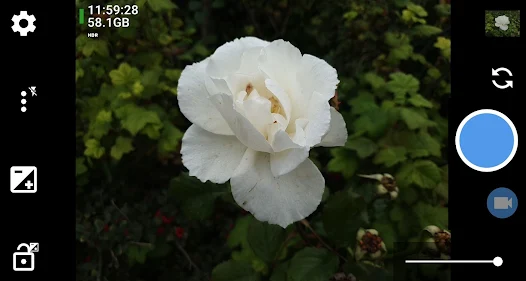
Screenshot 1
Screenshot 2
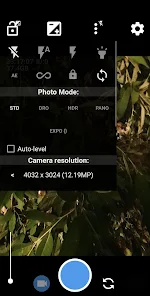
Screenshot 3
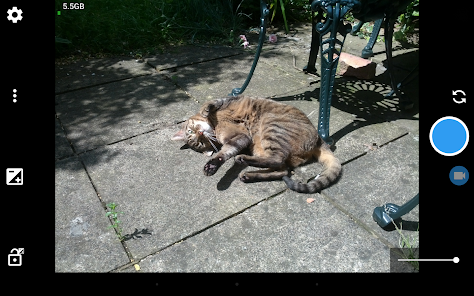
Screenshot 4
Screenshot 5
Screenshot 6
Advertisement

Features & Highlights

Customizable Interface

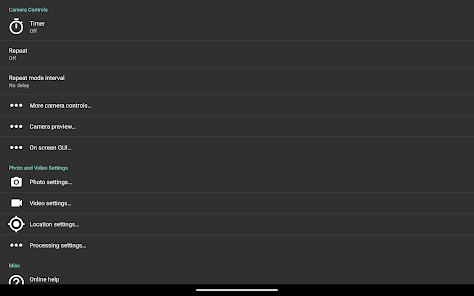
With Open Camera, you can tailor the user interface to your liking, rearranging buttons and toggles to suit your shooting style. This customization not only enhances usability but also makes it easier to access the features you use most, streamlining your photography experience.

Manual Controls

Open Camera puts you in the driver's seat with extensive manual controls, allowing for precise adjustments to exposure, focus, and white balance. This level of control empowers both amateur and professional photographers to capture images just the way they envision them, enhancing creative expression and technical quality.

Photo Modes

Explore a variety of photo modes including HDR, Night Mode, and Panorama to adapt to different shooting conditions. Each mode is designed to optimize your shots, ensuring stunning results whether you're shooting in low light or capturing expansive landscapes.

Video Recording Options

Open Camera offers robust video recording features, including support for various resolutions and frame rates. Whether you're filming a quick clip or capturing a full event, these options provide flexibility and quality, making it a great choice for videographers looking for an app that delivers.

Advertisement

Pros & Cons

Pros
  • User-friendly interface for easy navigation and control.
  • Supports manual controls for advanced photography techniques.
  • Offers a wide range of customizable settings and features.
  • Includes HDR mode for enhanced image quality.
  • Free and open-source, promoting community-driven improvements.
Cons
  • User interface can be overwhelming for beginners.
  • Limited advanced features compared to professional apps.
  • Performance can lag on older devices.
  • Occasional stability issues during long sessions.

Real Experience Using Open Camera

Application Scenarios

Open Camera is a versatile photography app that caters to a wide range of use cases, making it a valuable tool for both amateur and professional photographers. Whether you are capturing stunning landscapes, candid moments of friends and family, or detailed close-ups of nature, this app provides the necessary features to enhance your photography experience. Its usability extends to different scenarios, including outdoor adventures where you may need to adjust settings on the fly, or indoor settings where lighting can be a challenge. The app supports various shooting modes such as HDR, panorama, and time-lapse, allowing users to experiment and express their creativity. Additionally, the remote control feature enables users to take photos from a distance, making it ideal for group shots or wildlife photography without disturbing the subject.

User Experience

The user interface of Open Camera is intuitive and straightforward, ensuring that even those who are not tech-savvy can navigate through its myriad features with ease. The app is designed with accessibility in mind, featuring customizable settings that allow users to tailor their experience based on personal preferences. The layout is clean, with essential controls easily accessible, reducing the learning curve for new users. The app’s performance is impressive, boasting quick load times and minimal lag, which is crucial when you need to capture fleeting moments. Users have reported that the image quality produced is exceptional, with sharp details and vibrant colors, thanks to the app's advanced processing capabilities. Moreover, the ability to manually adjust settings such as ISO, focus, and exposure further enhances the user experience, allowing photographers to take full control of their shots.

Pricing

Open Camera stands out in the realm of photography apps with its completely free offering. There are no hidden costs or in-app purchases, making it an attractive choice for those who want quality photography tools without the financial commitment. This free model does not compromise on features; users have access to a rich set of functionalities that are often found in premium apps. The absence of ads enhances the user experience, ensuring that your photography sessions are uninterrupted and focused solely on capturing the perfect shot.

Updates & Support

The developers of Open Camera are committed to providing ongoing support and regular updates, which is essential for maintaining app performance and adding new features. Users benefit from a responsive support system that addresses queries and concerns effectively. The app's community is active, with forums and social media channels where users can share tips, tricks, and experiences. Regular updates ensure that the app stays compatible with the latest devices and operating systems, which is crucial in an ever-evolving digital landscape. Overall, the combination of excellent user support and frequent enhancements positions Open Camera as a reliable choice for photography enthusiasts.

verified Security & Privacy Review

Open Camera prioritizes user privacy and data security by adhering to strict permission guidelines. The app requires only essential permissions to function effectively, such as access to the camera and storage. Users are not asked for unnecessary permissions that could compromise their personal information. Data handling practices within Open Camera are transparent; the app does not collect or transmit user data to external servers. This means that photos and videos taken with Open Camera remain solely on the user's device, ensuring that private content is not shared without consent. Additionally, there are no advertisements that could potentially track user behavior or data. Users have control over their data, with options to manage settings related to location tagging and other features that may involve personal information. Overall, Open Camera demonstrates a commitment to maintaining user privacy and security, making it a reliable choice for those concerned about data protection.
Advertisement

Compare APP

User Reviews

  • Justin Infanger
    2026/06/11

    Works great, better than alternatives except for one issue. Google's Voice Access stops working after a few seconds of video recording (I can lock/unlock exposure, pause, resume, etc until a few seconds of inactivity while recording). Assistant/Gemini also become inaccessible. Issue not reproduced on other apps which are inferior in other aspects. Feel free to contact, happy to assist with testing. Could be my phone, so leaving 5 stars anyway.

  • J Ch
    2026/06/30

    Ignorantly, when I tap the gallery button, a pop-up warning flashes up on the screen saying "no such app is found" which doesn't make sense when the gallery app is already downloaded onto the same device that I downloaded this app on! I paid for this apps capabilities when I bought the device I downloaded this app onto! There's literally ZERO excuse that makes this acceptable! I didn't pay money to get dysfunctional garbage that can't be reliable due to ignorant unnecessary technical issues!

  • Roger Alexander
    2026/04/28

    I'm really grateful for this app, which has turned my Samsung A14 with worthless audio recording quality into a halfway decent phone (using the "unprocessed" setting on the mic), and given me more general control over my camera. My main gripe, shared with many others, is no option to adjust audio gain. It's captured very quietly by default, and editing tons of videos in post is just too time-consuming.

  • Lee Traynor
    2024/05/02

    Most of the functionality of this app relies on what the camera can do and that can be disappointing in its own right. However, there are two issues where the app falls short: One is the shutter time limitation of 0.6 s - far too short for high quality night time photography. The other is that when the camera is held upside down (which I have to do to attach it to a gimbal) the "right handed" menu is on the left (as is the left-handed menu). Not good. Also interval shooting is quite inaccurate.

  • A Google user
    2019/11/25

    Deleted. It may be a nice app for others, but the one reason I got it, it has failed completely at for the last time. It just can't seem to remember the setting for my flash storage and I've taken too many pictures now where it just sends the image into nowhere land instead of saving it to my card. Too many memories lost now. That has to be the one thing that a camera app cannot fail at. The second thing is to ensure as good a picture as possible with as little input from the user as possible. All I want is a simple click and shoot and save and don't use all the fancy bells and whistles of the app.

Review Source: Google Play store public user reviews.

FAQ

1

Does Open Camera collect my personal data?

Open Camera is designed to respect user privacy and does not collect personal data. It operates without requiring unnecessary permissions beyond what is needed for camera functionality.

2

Does Open Camera offer a free trial or free version?

Open Camera is completely free to use with no trial period; it is an open-source app that provides all its features without any cost.

3

Does Open Camera require an internet connection?

No, Open Camera does not require an internet connection to function. It can be used offline, allowing you to take photos and videos without any internet access.

4

How can I contact support or send feedback for Open Camera?

You can contact Open Camera support or send feedback through the app's official GitHub page, where you can report issues or suggest improvements, as well as find relevant documentation.

5

How do I manage or cancel my Open Camera subscription?

Since Open Camera does not have a subscription model, there is no need to manage or cancel a subscription. Users can simply uninstall the app if they wish to stop using it.

How to use Open Camera

1

Do I need to log in to use the Open Camera app?

No, you do not need to log in to use the Open Camera app. It is designed to be user-friendly and does not require an account for basic functionality.

2

How can I contact customer service for the Open Camera app?

You can reach customer service by visiting the app's official website or through the support section within the app. Look for contact options like email or a support form.

3

How do I activate specific features in the Open Camera app?

Many features in the Open Camera app are activated by simply accessing them in the settings menu. Explore the settings to customize your experience without needing a separate activation process.

4

Is there a customer number I can call for immediate assistance with Open Camera?

The Open Camera app does not provide a dedicated customer service phone number. Instead, support is typically available via email or through the app's help section.

What's New

New optional on-screen icons for locking orientation to portrait/landscape, and preview shots. Grids now rotate when auto-level is enabled. Exif tags now supported for WebP and PNG image formats. Panorama photos now store XMP metadata to mark these as panorama images (JPEG formats only).Photos no longer save on UI thread when using "Pause after taking photo" option.Various other improvements and bug fixes.

Editor's Choice