This site uses cookies to enhance your user experience. By clicking any link on this site you are giving your consent to our cookie policy. Read more
Reject
Accept All

Advertiser and Editorial Disclosures

AI Mirror-AI Art Photo Editor

AI Mirror-AI Art Photo Editor

verified

POLYVERSE INC.

4.3
Rating
10,000,000+ Downloads
7.0.8 Version
  • category

    Category: Photography

  • price

    Price: free

  • age rating

    Age Rating: 17+

  • rating

    Rating: 4.3

  • available on

    Available on: /

  • updated on

    Updated on: Jun 23, 2026

Screenshot 1
Screenshot 2
Screenshot 3
Screenshot 4
Screenshot 5
Screenshot 6
Screenshot 7
Screenshot 8
Screenshot 9
Screenshot 10
Screenshot 11
Screenshot 12
Screenshot 13
Screenshot 14
Screenshot 15
Screenshot 16
Screenshot 17
Screenshot 18
Screenshot 19
Screenshot 20
Screenshot 21
Screenshot 22
Screenshot 23
Advertisement

Features & Highlights

AI Background Removal

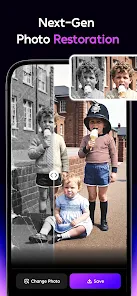
Say goodbye to distracting backgrounds with the powerful AI background removal feature. This tool intelligently isolates your subject, allowing you to place it against stunning new backdrops or create clean, professional-looking edits. It's perfect for enhancing portraits or adding a creative touch to your projects.

Auto-Enhance Functionality

Experience the magic of automatic enhancement with AI Mirror's smart algorithms. With just one tap, your photos and videos are optimized for color, brightness, and sharpness, ensuring they look their absolute best. This feature saves you time while delivering stunning results that impress every time.

Smart Filters

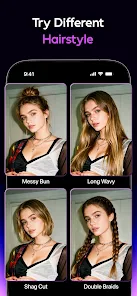
Transform your photos and videos with a variety of smart filters that adapt to your unique style. From vintage looks to modern aesthetics, these filters enhance your content instantly, making it stand out in any setting. Enjoy effortless editing that brings out the best in your visuals without any hassle.

Video Effects Library

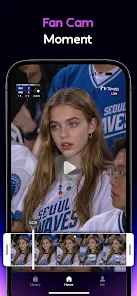
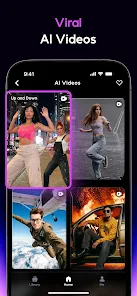
Add flair to your videos with an extensive library of dynamic effects and transitions. Whether you're making a fun montage or a professional presentation, these creative options let you customize your content easily. Explore endless possibilities to keep your audience engaged and entertained.

Advertisement

Pros & Cons

Pros
  • Enhances your video and photo quality with advanced AI technology
  • Offers personalized editing options for unique, standout content
  • Provides intuitive features for effortless sharing across platforms
  • Enables real-time feedback for spontaneous creativity and adjustments
  • Supports a variety of formats for versatile usage in different projects
Cons
  • Limited customization options may not suit individual user preferences
  • Privacy concerns arise with sensitive personal data
  • Dependence on technology can hinder authentic human interactions

Real Experience Using AI Mirror-AI Art Photo Editor

Application Scenarios

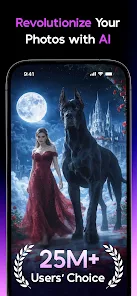
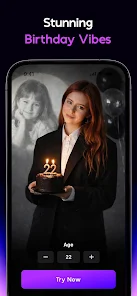
AI Mirror: AI Photo & Video is a versatile app designed to enhance your photography and videography experience through the power of artificial intelligence. Whether you’re a casual user looking to spruce up your social media profile or a professional photographer seeking advanced editing tools, this app caters to a wide array of needs. You can use it to create stunning selfies, enhance group photos, or even produce high-quality videos for your vlogs. The AI features enable users to apply filters, adjust lighting, and even modify backgrounds seamlessly, making it an excellent choice for anyone looking to elevate their visual content. Additionally, the app is perfect for special occasions such as weddings, birthdays, or vacations, where capturing unforgettable moments is paramount.

User Experience

The overall user experience with AI Mirror is intuitive and engaging. Upon downloading the app, users are greeted with a clean interface that allows for easy navigation through various features. The AI-driven editing tools are straightforward to use, making it accessible even for those without any photography skills. Users can quickly access the photo and video editing options, experiment with different styles, and share their creations directly on social media platforms. The app also offers a variety of tutorials and tips to help users maximize their editing potential. However, some users have reported occasional lags during high-resolution video editing, indicating that device performance can impact the experience. Overall, the balance between functionality and user-friendliness ensures that both novice and experienced users can find value in the app.

Pricing

AI Mirror adopts a freemium model, offering a basic version at no cost, which provides access to essential features. However, to unlock the full potential of the app, including advanced editing tools, exclusive filters, and ad-free usage, users can opt for a premium subscription. The pricing is competitive with similar apps in the market, offering monthly, quarterly, or yearly subscription plans. This flexibility allows users to choose a plan that best fits their usage patterns. Many users find the premium features worth the investment, especially if they frequently engage in photo and video editing.

Updates & Support

The developers of AI Mirror are committed to continually improving the app, with regular updates that introduce new features, enhance existing functionalities, and fix any bugs. Users can expect periodic enhancements based on feedback, ensuring the app remains relevant and user-friendly. Customer support is readily available through various channels, including in-app messaging and email, which users have found responsive and helpful. Comprehensive FAQs and user guides are also accessible, making it easier for users to troubleshoot common issues independently. Overall, the combination of timely updates and robust support contributes to a positive user experience.

verified Security & Privacy Review

Security & Privacy Review AI Mirror: AI Photo & Video prioritizes user security and privacy through robust data protection measures. The app employs encryption protocols to safeguard images and videos, ensuring that user-generated content remains confidential and secure during transmission. Regarding permissions, AI Mirror requests access to the device's camera, storage, and microphone. Users are informed about these permissions upfront, allowing for informed consent. The app only collects necessary data to enhance functionality and improve user experience. Furthermore, AI Mirror adheres to strict data handling practices, minimizing the retention of user data. Personal information is not shared with third parties without explicit user consent, aligning with industry standards for privacy compliance. Regular updates are implemented to address any security vulnerabilities, reinforcing its commitment to protecting user data. Overall, AI Mirror demonstrates a strong focus on maintaining user privacy and data security, making it a trustworthy choice for photo and video editing.
Advertisement

User Reviews

  • Robert Griffin
    2025/09/09

    The new AI muscle is not as good as the old. Makes you look to big and fake. Sometimes alters the faces of people in photos, making them unusable (unless you actually want a picture of a stranger). It consistently changes logos, text, designs on clothing, tattoos, and jewelry. So if you're trying to showcase your favorite team's jersey or show off your tattoos, it's not ideal. I've been using a different app to touch up and air brush the changes it makes.

  • Casey Marie
    2024/11/16

    I signed up for the three day free trial but got charged for a year subscription instantly. I paid 1.99 for the mirror affect one use. I tried, but the process failed. When I went to retry, it tried to charge me again. I was charged with a subscription when I was supposed to have three days free and I got charged for an affect that failed on their end and then ripped me off my money for no result while trying to make me pay for more. To anyone considering it, just dont.

  • Dale Vokurka
    2026/05/25

    Don't let it fool you this app Absolutely sucks... terrible system that they have filled with microtransactions and it claims to give you one video when most of the credits are two credits and they only give you one... it took me almost thirty minutes before I found a theme that I could use to take the one credit that I paid for... and even then it wasn't very good. no sound whatsoever, no speech from the characters, just a four second clip... i'm reporting this app for false advertising.

  • Terry Mosley
    2026/04/30

    wanted to see if it plays a nice ai video so I spent 1.99 to make one video to see quality. the thing is its 1 credit and the minimum for most is 5. So basically it tricks you into buying a subscription of 9.99 a week or buy more credit which to make a video is 5.99. that 1.99 is just a way to make money for them and to give you nothing. I wished I read the reviews earlier and never download this app.

  • Victor Tetuan
    2026/04/29

    The has been great up until recently. I had been using it to redesign some hand drawn characters to help get a new ideas and see them in a different light. I've paid for yearly membership for 2-3 years. Now I can't use the AI to redesign my hand drawn characters. I'm 36 yr adult, there should be a setting in to enable and disable sensitive images based on age. For an app rated M17+ I expect better.

Review Source: Google Play store public user reviews.

FAQ

1

Can I submit suggestions or feedback to AI Mirror: Hugs Video & Photo?

Yes, users can submit suggestions or feedback through the app’s support feature or by contacting the app’s customer service directly.
2

Does AI Mirror: Hugs Video & Photo collect my personal data?

The app may collect personal data in accordance with its privacy policy, which typically includes information necessary for app functionality and user support.

3

Does AI Mirror: Hugs Video & Photo support offline use?

Yes, AI Mirror: Hugs Video & Photo allows certain functionalities to be used offline, but some features may require an internet connection for full access.

4

How do I cancel my AI Mirror: Hugs Video & Photo subscription?

To cancel your subscription, you can go to your device's settings, navigate to subscriptions, and follow the prompts to cancel your AI Mirror subscription.

5

How much does a subscription to AI Mirror: Hugs Video & Photo cost?

A subscription to AI Mirror: Hugs Video & Photo typically costs a monthly or annual fee, with pricing details available within the app.

How to use AI Mirror-AI Art Photo Editor

1

Can I activate my account using my customer number?

Yes, you can activate your account by entering your customer number during the registration process.

2

How can I log in if I’m using a different device?

Simply download the app on the new device and log in with your registered email and password.

3

How do I activate my AI Mirror account?

To activate your account, follow the link sent to your email after registration. Click the link to complete the activation.

4

How do I contact customer service for AI Mirror?

You can reach our customer service team by emailing support

5

How do I log in to my AI Mirror account?

To log in, open the app and enter your registered email and password. Tap 'Log In' to access your account.

What's New

Introducing AI Better — your personal AI photographer. Enhance any photo with better lighting, composition, and portrait details in one tap.Fixed a security vulnerability in our AI model integration that was introduced in v7.0.7. we recommend you update immediately.— AIMirror Team

Editor's Choice