This site uses cookies to enhance your user experience. By clicking any link on this site you are giving your consent to our cookie policy. Read more
Reject
Accept All

Advertiser and Editorial Disclosures

Obsidian

Obsidian

verified

Dynalist Inc.

4.1
Rating
5,000,000+ Downloads
1.12.7 Version
  • category

    Category: Productivity

  • price

    Price: free

  • age rating

    Age Rating: Everyone

  • rating

    Rating: 4.1

  • available on

    Available on: /

  • updated on

    Updated on: Mar 19, 2026

Screenshot 1
Screenshot 2
Screenshot 3
Screenshot 4
Screenshot 5
Screenshot 6
Screenshot 7
Screenshot 8
Screenshot 9
Screenshot 10
Screenshot 11
Screenshot 12
Screenshot 13
Screenshot 14
Screenshot 15
Screenshot 16
Screenshot 17
Screenshot 18
Screenshot 19
Screenshot 20
Screenshot 21
Advertisement

Features & Highlights

Bidirectional Linking

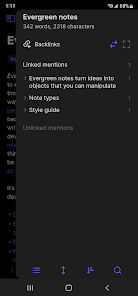
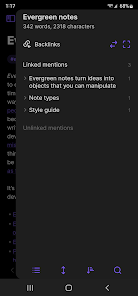
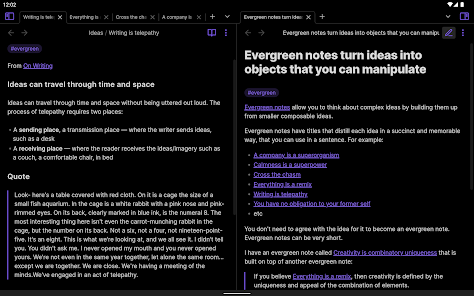
With Obsidian's bidirectional linking, you can easily create connections between related notes, fostering a network of knowledge. This feature encourages deeper exploration and understanding of your topics, as you can effortlessly jump between linked ideas, leading to a more cohesive and comprehensive knowledge base.

Graph View

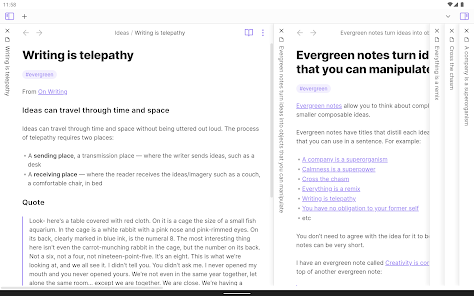
Obsidian's Graph View provides a stunning visual representation of your notes and their connections, allowing you to see relationships and patterns in your thoughts. This feature transforms your notes into an interconnected web, making it easy to navigate complex ideas and discover new insights at a glance.

Markdown Support

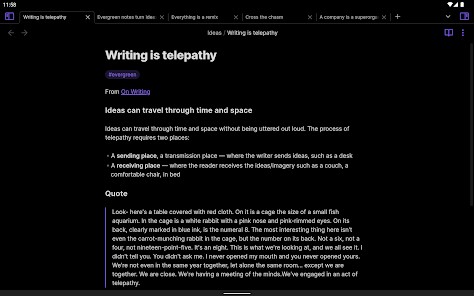
Built around Markdown, Obsidian allows users to write notes in a plain text format while providing rich formatting options. This means your notes are not only portable and easy to manage, but they also retain their structure when shared or exported, giving you flexibility and control over your content.

Plugins and Customization

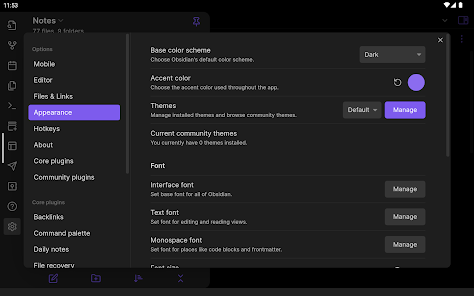
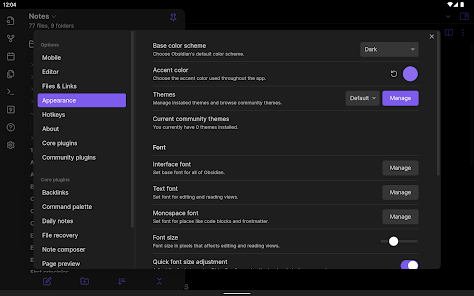
Obsidian shines with its extensive plugin ecosystem, enabling users to customize their experience based on individual workflows. Whether you need advanced task management, enhanced visualization tools, or unique editing features, you can tailor the app to fit your precise needs, making it truly your own.

Advertisement

Pros & Cons

Pros
  • Powerful linking of notes enhances knowledge retention
  • Customizable interface for personalized user experience
  • Supports markdown for easy formatting and editing
  • Offline access ensures uninterrupted productivity anytime
  • Robust community offers extensive plugins and support
Cons
  • Steep learning curve for new users
  • Limited mobile functionality compared to desktop
  • Syncing requires third-party services or manual effort
  • No built-in collaboration features for teams

Real Experience Using Obsidian

Application Scenarios

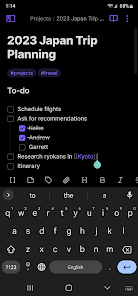
Obsidian is highly versatile, catering to a wide array of users ranging from students to professionals. It shines in scenarios where knowledge management is crucial, such as academic research, personal productivity, and project planning. Users can create interconnected notes, allowing for a web of information that mimics the way our brains naturally work. Students can utilize Obsidian to compile lecture notes, while researchers can organize complex ideas and references. The app is also beneficial for writers who want to brainstorm ideas or outline their work, as the linking feature helps in weaving narratives and concepts together seamlessly.

User Experience

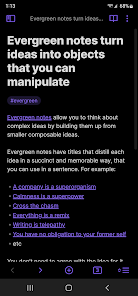
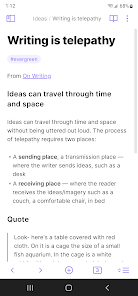
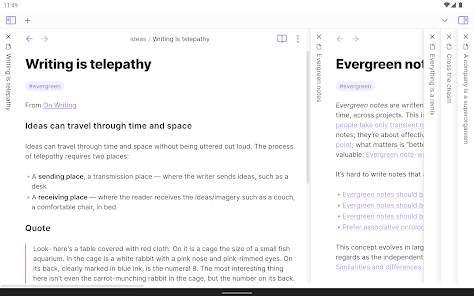
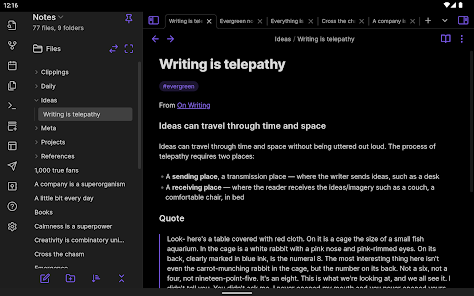
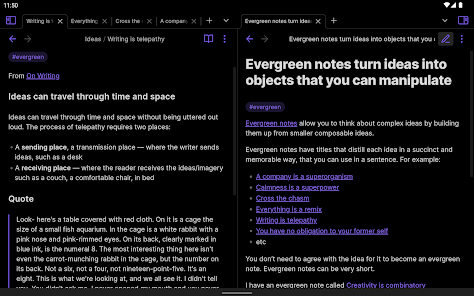
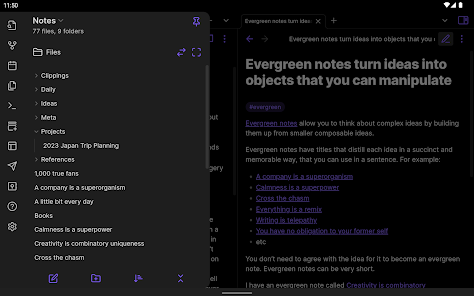
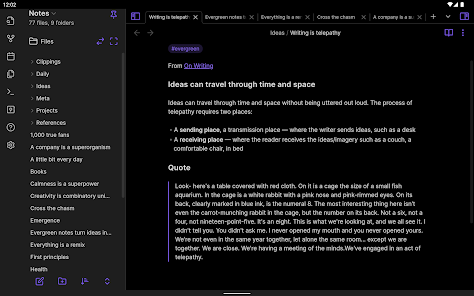
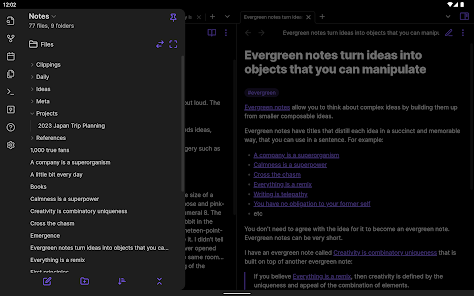
The user experience in Obsidian is both intuitive and powerful. Upon opening the app, users are greeted with a clean and minimalist interface, making it easy to focus on content creation. The markdown support allows for rich text formatting, while the graph view feature provides a visual representation of notes and their connections, turning abstract ideas into concrete structures. Navigating through notes is smooth, with a search function that quickly locates information. Furthermore, the extensive customization options enable users to tailor the app to their preferences, from themes to plugins that enhance functionality. However, the learning curve can be steep for beginners due to the app's robust features, but the potential for deep knowledge management is well worth the investment in time.

Pricing

Obsidian operates on a freemium model. The core features are available for free, which is a significant advantage for users who are just starting or are budget-conscious. However, for those seeking enhanced capabilities, such as publishing notes online or utilizing advanced collaboration features, a paid subscription is available. The subscription model is reasonably priced, making it accessible for both individuals and teams. This pricing strategy allows users to explore the vast capabilities of the app without any initial financial commitment, encouraging more people to adopt it for their personal or professional needs.

Updates & Support

Obsidian is consistently updated, with the development team actively listening to user feedback and providing improvements and new features regularly. The app’s community is robust, with forums and a Discord channel that offers support and tips. Users can find a wealth of tutorials and documentation, ensuring that help is always available for troubleshooting or learning more about the app's functionalities. The commitment to continuous improvement and community engagement highlights Obsidian's dedication to user satisfaction, making it a reliable choice for anyone looking to enhance their note-taking and knowledge management processes.

verified Security & Privacy Review

Obsidian prioritizes user security and privacy, making it a compelling choice for those seeking a safe note-taking solution. The app operates on a local-first model, meaning your data is stored on your device rather than in the cloud by default. This minimizes exposure to potential data breaches and unauthorized access. Users have complete control over their files, which are saved in markdown format, allowing for easy backups and transfers. Obsidian does not collect personal information or track user behavior, reinforcing its commitment to privacy. The app also offers options for end-to-end encryption when syncing files through third-party services, ensuring that your notes remain confidential. Permissions are minimal, with no intrusive access to your contacts or location. Users can customize their experience by integrating various plugins, though it’s essential to review these tools for any additional data handling practices. Overall, Obsidian's robust security measures and transparent privacy policies make it a reliable option for users concerned about data safety.
Advertisement

User Reviews

  • Jeff Cours
    2025/05/21

    I've used Obsidian for a couple years. It's a very good note-taking app. Vault (a paid add-on) makes syncing across devices effortless, but other cloud solutions also work. Composing in markdown's fast: your hands never leave the keyboard. It stores notes in markdown, so there's no lock-in: you can open them in a text editor. Once a note is synced to your device, you can reliably get to it even when you're offline. Quirks are in tables (a bit clunky) and the outline (hard to find on phones).

  • Lillian Reid
    2026/02/06

    As a new user, I could have used a tutorial of how to use all the main features. I realize there aren't that many, but there are enough to get frustrated having to discover for myself. Just a text box with arrows, or a short series of images running through the buttons would be sufficient. After stumbling my way through, I figured it out, and this is the perfect app to organize my ideas. I'll give it a 5-star for being awesome and free, but work on a short tutorial on the main stuff, Please.

  • Chad
    2026/02/06

    Update: I appreciate the dev getting back to me that the mixed up tabs preview issue has been fixed. _ Overall it's a fairly solid note taking app, I have yet to find something I like to replace it. Not perfect for my use, but will do. My only gripes are, I don't love the pricing for obsidian sync, I can't completely fault them, I'm merely looking at it from a storage pricing perspective. And for the cloud storage that I happen to have and trust, it seems difficult to set up any automatic sync.

  • Tristan Anderson
    2026/01/23

    Absolutely excellent. The range of customization is insane. Obsidian is usable in it's core/basic form. I haven't always but, I do pay for the sync feature. You don't have to worry about paywalls getting in the way of how you use the app. The best part is their dedication to privacy, future proofing, and customizability. I really appreciate that the app is accessible. You can practically do anything with this app!

  • Maulik Mistry
    2026/06/21

    Although there are some freezes, the more I learn about the power of the app around markdown files, plugins, and connectivity that isn't in a proprietary lock-down I am finding so many benefits. AI connectivity tools can further add this as a data source so you can ask questions based around your data such as recording events in your life and requesting something like, "What miracles occurred last year?"

Review Source: Google Play store public user reviews.

FAQ

1

Does Obsidian collect my personal data?

Obsidian prioritizes user privacy and does not collect personal data unless you opt into specific features that require such information. Most of your data remains stored locally on your device.

2

Does Obsidian offer a free trial or free version?

Yes, Obsidian offers a free version with core features, allowing users to explore the app without any financial commitment. There are also premium features available through a paid subscription.

3

Does Obsidian require an internet connection?

No, Obsidian does not require an internet connection for its core functionalities, as it operates on local files. However, features like syncing across devices may require internet access depending on the chosen sync method.

4

How can I contact support or send feedback for Obsidian?

You can contact Obsidian support or send feedback through their official website or community forums. They also have a Discord server where users can ask questions and share suggestions.

5

How do I manage or cancel my Obsidian subscription?

You can manage or cancel your Obsidian subscription through the account settings on their website. Simply log in, navigate to the subscription section, and follow the prompts to update or cancel your plan.

How to use Obsidian

1

How can I contact customer service for the Obsidian app?

You can reach Obsidian's customer service through their official website or support page, where you can submit a request or find contact information.

2

How do I find my customer number for Obsidian?

Your customer number is typically sent in the confirmation email after your purchase. Check your inbox for any emails from Obsidian.

3

How do I log in to my Obsidian account?

Open the Obsidian app and click on "Log In". Enter your registered email and password to access your account.

4

Is there an activation process for Obsidian?

Yes, after purchasing a subscription, you will receive an activation link via email to activate your account. Follow the instructions in that email.

What's New

Includes all new features and bug fixes up to Obsidian Desktop v1.12.7

Editor's Choice