This site uses cookies to enhance your user experience. By clicking any link on this site you are giving your consent to our cookie policy. Read more
Reject
Accept All

Advertiser and Editorial Disclosures

McAfee Security: Antivirus VPN

McAfee Security: Antivirus VPN

verified

McAfee LLC

4.7
Rating
50,000,000+ Downloads
10.6.1.8 Version
  • category

    Category: Tools

  • price

    Price: free

  • age rating

    Age Rating: Everyone

  • rating

    Rating: 4.7

  • available on

    Available on: /

  • updated on

    Updated on: Jun 15, 2026

Screenshot 1
Screenshot 2
Screenshot 3
Screenshot 4
Screenshot 5
Screenshot 6
Screenshot 7
Screenshot 8
Screenshot 9
Screenshot 10
Screenshot 11
Screenshot 12
Screenshot 13
Screenshot 14
Screenshot 15
Screenshot 16
Screenshot 17
Screenshot 18
Screenshot 19
Screenshot 20
Screenshot 21
Screenshot 22
Screenshot 23
Screenshot 24
Advertisement

Features & Highlights

Easy-to-Use Interface

The user-friendly interface of McAfee Security makes it simple for anyone to navigate through its features and settings. Even if you're not tech-savvy, you'll find it easy to manage your device's security, customize settings, and access essential tools for a safer online experience.

Integrated VPN

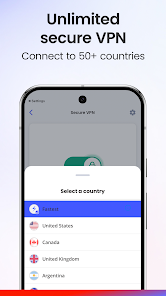
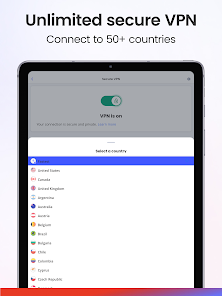
With the integrated VPN feature, McAfee Security encrypts your internet connection, allowing you to browse safely and anonymously. Whether you're using public Wi-Fi or just want extra privacy, this feature helps protect your sensitive information from prying eyes and potential hackers.

Multi-Device Protection

McAfee Security provides comprehensive protection across multiple devices, including smartphones, tablets, and PCs. This feature allows you to manage security for all your devices from a single account, ensuring your entire digital ecosystem is secured against threats, no matter where you are.

Real-Time Threat Protection

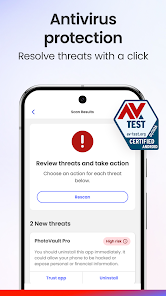
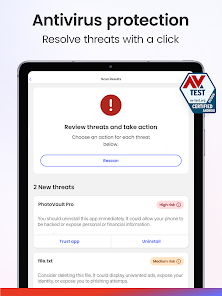
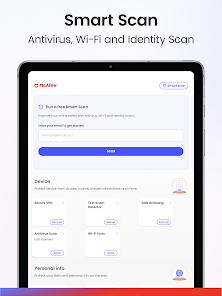
McAfee Security offers robust real-time threat protection, scanning your device continuously to identify and neutralize potential threats before they can cause harm. This proactive approach ensures that your data remains safe from evolving malware and cyber attacks, keeping your online activities secure at all times.

Advertisement

Pros & Cons

Pros
  • Comprehensive malware protection keeps your devices safe from threats.
  • Built-in VPN ensures secure browsing and protects your online privacy.
  • User-friendly interface makes managing security effortless for all users.
  • Real-time scanning detects and neutralizes threats before they cause harm.
  • Multi-device support secures all your devices under one subscription.
Cons
  • McAfee Security can slow down device performance during scans.
  • The VPN may have limited server locations for optimal speed.
  • Customer support can be slow to respond to urgent issues.

verified Security & Privacy Review

The McAfee Security: Antivirus VPN app boasts robust security features designed to protect user data and privacy. It employs advanced encryption protocols to secure internet connections, ensuring that sensitive information remains confidential even on public Wi-Fi networks. The app's antivirus functionality actively scans for malware and threats, providing real-time protection against potential security breaches. In terms of privacy practices, McAfee is transparent about its data handling policies. Users are informed about the types of data collected, which primarily include usage statistics and device information to enhance app performance. Importantly, McAfee does not sell personal data to third parties, reinforcing its commitment to user privacy. The app requires certain permissions to function effectively, including access to network connections and device storage. While these permissions are standard for security apps, users are encouraged to review and manage them according to their comfort level. Overall, McAfee Security: Antivirus VPN prioritizes data security and user privacy, making it a reliable choice for those seeking comprehensive protection in a digital landscape fraught with risks.
Advertisement

Compare APP

User Reviews

  • OLIVERIO LLAMAS
    2026/05/01

    This app is garbage. All the sudden it stopped letting you log in. I have a premium paid account and still it won't let me log in even after updating. The wheel keeps spinning for hours when trying to log into account and it never let's you log in. This is totally unacceptable, shame on you MCAFEE!!!!!!!!!!. You have lost all credibility and my business.

  • Johnny Westbrook
    2026/03/02

    I got the McAfee+Premium play and I must say that it's a piece of 💩! You should get everything with premium, but you don't. You get bare minimum and they ask you to buy other parts of their services. I decided to try them instead of renewing the sub to the one I like to use. This is a waste of money and even though I have almost a year left, I'm going to the one that gives you everything for a fair price (about $10 more) and not try to nickle and dime you for each piece of their service.

  • Evelyn Weldon
    2026/02/22

    I, actually, have no rating for this app! I have this app installed and was expecting it to do what I've read in the reviews. unfortunately, pop-up ads after pop-up ad continously pop up on my screen, I can barely read an article,play a game or send a text for the adds popping up 1 after the other. It is totally exasperating!!! someone help, please!!!

  • Shawna Butler
    2026/04/12

    sigh, in general when it works, it is great. I don't know what recent change happened, but now my VPN won't reconnect. I have tried uninstalling and reinstalling, log out and back in. All that happens is the spinning circle after trying to turn it on. it switched off on its own last week on Wed or Thurs and won't turn back on. frustrating for what you spend for this software. I even have issues with updates on my MacBook.

  • Charles Provinsal
    2026/02/06

    I signed up for the free trial, when I went to cancel my subscription there was no option to be able to do so. I emailed their support which was evidently useless as they didnt bother to reach back out to me. so this is the next step. beware if you download this. they will make it to where you cant cancel it. edit: have tried that already to no avail.

Review Source: Google Play store public user reviews.

FAQ

1

Can I submit suggestions or feedback to McAfee Security: Antivirus VPN?

Yes, McAfee encourages users to submit suggestions or feedback through their official website or support channels to help improve the app and user experience.

2

Does McAfee Security: Antivirus VPN collect my personal data?

McAfee Security: Antivirus VPN has a strict privacy policy and does not collect personal data for marketing purposes, although it may collect some usage data to improve the service.

3

Does McAfee Security: Antivirus VPN support offline use?

McAfee Security: Antivirus VPN primarily functions online, particularly its VPN features; however, some antivirus functions may still provide protection when offline.

4

How do I cancel my McAfee Security: Antivirus VPN subscription?

To cancel your McAfee Security: Antivirus VPN subscription, you can log into your account on the McAfee website and follow the cancellation instructions in the subscription management section.

5

How much does a subscription to McAfee Security: Antivirus VPN cost?

The cost of a subscription to McAfee Security: Antivirus VPN may vary based on promotions and the selected plan, typically starting from a monthly fee with options for annual subscriptions that reduce the monthly cost.

How to use McAfee Security: Antivirus VPN

1

Can I change my customer number?

No, customer numbers are unique identifiers and cannot be changed. If you have issues, please contact customer service for help.

2

Can I use my customer number to get support?

Yes, providing your customer number when contacting support can help expedite your service request.

3

How can I contact customer service for McAfee Security?

You can reach McAfee customer service by visiting their official website and using the support options available there.

4

How do I log in to my McAfee account?

To log in, visit the McAfee website and click on the "Log In" button at the top right, then enter your email and password.

5

How do I log in to the VPN feature of McAfee?

To access the VPN, log in to your McAfee account and navigate to the VPN section in the dashboard.

What's New

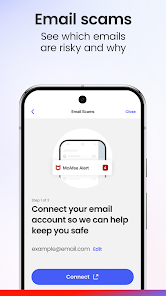
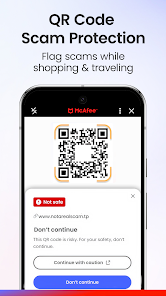
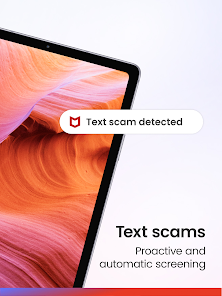
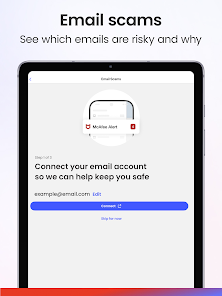
Introducing McAfee's Scam Detector! Online, it can be hard to tell what's real, so we make it easy: McAfee gives you protection against scam texts, emails, and videos. Available with McAfee+, McAfee LiveSafe, and McAfee Total Protection.

Editor's Choice