This site uses cookies to enhance your user experience. By clicking any link on this site you are giving your consent to our cookie policy. Read more
Reject
Accept All
QR Code Scanner & Scanner App

QR Code Scanner & Scanner App

4.4
Advertisement

Information

  • Category: Tools
  • Price: 0
  • Age Rating: Everyone
  • Rating:
    4.4
  • Developer: QR Code Scanner.
  • Version: 1.4.9
Advertisement
Screenshot 1
Screenshot 2
Screenshot 3
Screenshot 4
Screenshot 5
Screenshot 6
Screenshot 7
Screenshot 8
Screenshot 9
QR Code Scanner & Scanner App is a versatile and user-friendly application designed to effortlessly decode QR codes and scan documents. With just a simple point and click, users can instantly access URLs, contacts, and product information embedded in QR codes, making it perfect for both personal and professional use. The app also features a powerful document scanner that digitizes paper documents with high quality, allowing for easy sharing and storage. Its intuitive interface, fast scanning capabilities, and support for various file formats ensure a seamless experience. Whether you're shopping, networking, or organizing your paperwork, the QR Code Scanner & Scanner App is your all-in-one solution for capturing and managing information on the go. Download now and streamline your scanning needs!

Features of QR Code Scanner & Scanner App

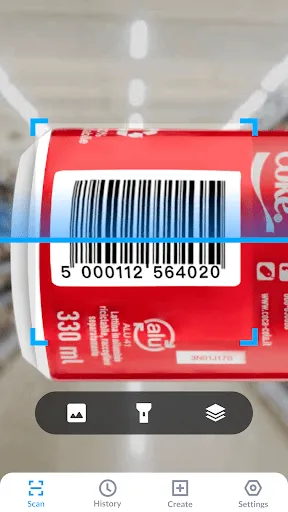
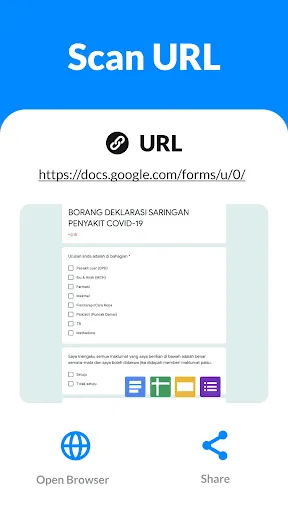
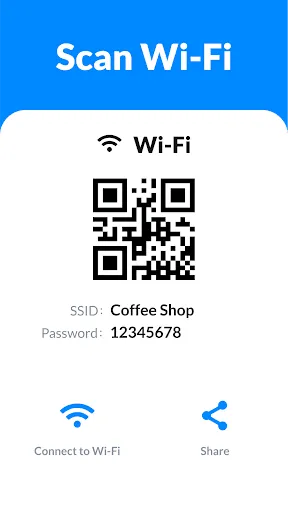
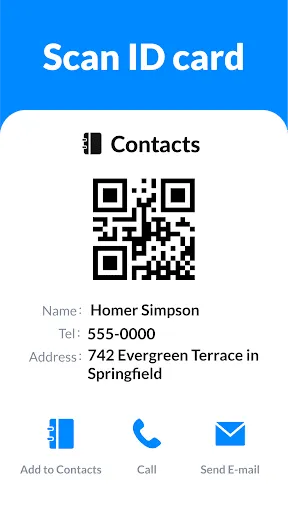
QR Code Scanner & Scanner Apps are designed to provide users with a seamless experience when it comes to scanning and interpreting QR codes. One of the primary features is the ability to quickly and accurately scan various types of QR codes, including URLs, contact information, and product details. These apps typically utilize the device's camera, allowing for instant scanning without the need for additional hardware.


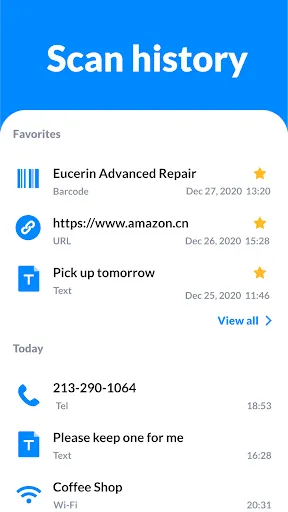
Another notable feature is the integration of history logs that keep track of previously scanned codes. This allows users to revisit past scans without having to search for the original code again. Many QR code scanner apps also come with built-in sharing options, enabling users to easily share scanned information via social media, email, or messaging platforms.


Some advanced QR Code Scanner Apps include additional functionalities, such as the ability to create custom QR codes, which can be useful for businesses wanting to promote their services. Enhanced security features, like scanning safety checks, help ensure that the scanned content is safe from malicious links. Overall, these features make QR Code Scanner & Scanner Apps versatile tools for both personal and professional use.

How to Use QR Code Scanner & Scanner App?

Using a QR Code Scanner & Scanner App is a straightforward process that requires just a few simple steps. First, download and install a reliable QR code scanner app from your device’s app store. Once installed, open the app to access its scanning interface. Most apps will request permission to access your camera; grant this permission to proceed.


Next, position your device’s camera over the QR code you wish to scan. Ensure that the entire code fits within the scanning frame displayed on your screen. The app will automatically detect and scan the code, typically within a few seconds. Upon successful scanning, the app will present you with the information contained in the QR code, such as a URL or contact details.


Finally, you can utilize the options provided by the app to save, share, or interact with the scanned information. Some apps allow you to add the scanned information to your contacts or directly open a website, making it easy to engage with the content. By following these steps, users can effectively utilize QR Code Scanner & Scanner Apps for various purposes.

Pros & Cons of QR Code Scanner & Scanner App

QR Code Scanner & Scanner Apps come with a range of advantages that enhance user experience and convenience. One of the main benefits is their ease of use; scanning a QR code is quick and typically requires minimal input from the user. They also offer versatility, as they can decode a variety of QR code formats, making them suitable for different applications, from marketing to personal use.


Another advantage is the ability to store scanning history, which allows users to easily revisit previously scanned codes without hassle. Many apps also include additional features like creating custom QR codes, enhancing functionality for businesses and marketers. Moreover, these apps are usually free or low-cost, making them accessible to a wide audience.


Pros
  • Quickly access information by scanning codes with your device's camera.
  • Enhance convenience with instant link access without typing URLs.
  • Save time with rapid scanning for both QR codes and barcodes.
  • Easily share contact details or promotional materials with a simple scan.
  • Support multiple formats, ensuring compatibility with various code types.
Cons
  • Limited scanning capabilities can lead to missed information or errors.
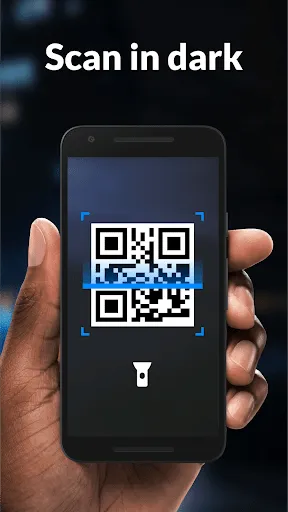
  • Dependency on camera quality may hinder performance in low-light conditions.
  • Security risks arise from scanning unknown codes, potentially exposing personal data.
Advertisement

FAQ

Can I submit suggestions or feedback to QR Code Scanner & Scanner App?

Yes, users can submit suggestions or feedback through the app's customer support feature or contact the developers via their official website.

Does QR Code Scanner & Scanner App collect my personal data?

QR Code Scanner & Scanner App prioritizes user privacy and does not collect personal data unless explicitly permitted by the user for specific features.

Does QR Code Scanner & Scanner App support offline use?

Yes, QR Code Scanner & Scanner App can function offline, allowing users to scan QR codes without an active internet connection.

How do I cancel my QR Code Scanner & Scanner App subscription?

Users can cancel their subscription through their device's app store settings or the app's subscription management section, following the provided instructions.


How much does a subscription to QR Code Scanner & Scanner App cost?

The subscription costs vary depending on the selected plan, offering options for monthly or yearly subscriptions, which provide access to premium features.

How to use QR Code Scanner & Scanner App

Can I change my customer number if needed?

Unfortunately, customer numbers cannot be changed. Please contact customer service for any specific concerns.

How can I contact customer service for issues with the QR Code Scanner?

You can reach customer service by emailing support

How can I log out of my account in the Scanner App?

To log out, go to the settings menu and choose the 'Log out' option.

How do I log in to my account on the Scanner App?

To log in, open the app, enter your email and password, then tap the 'Log in' button.

How long does it take to activate my account after signing up?

Account activation usually takes a few minutes. If you don't see the activation email, check your spam folder or contact customer service.

Advertisement