This site uses cookies to enhance your user experience. By clicking any link on this site you are giving your consent to our cookie policy. Read more
Reject
Accept All
Qr Code Scanner

Qr Code Scanner

3.8
Advertisement

Information

  • Category: Tools
  • Price: 0
  • Age Rating: Everyone
  • Rating:
    3.8
  • Developer: Smatlead
  • Version: 1.0.4
Advertisement
Screenshot 1
Screenshot 2
Screenshot 3
Screenshot 4
Screenshot 5
Screenshot 6
Screenshot 7
Screenshot 8
Screenshot 9
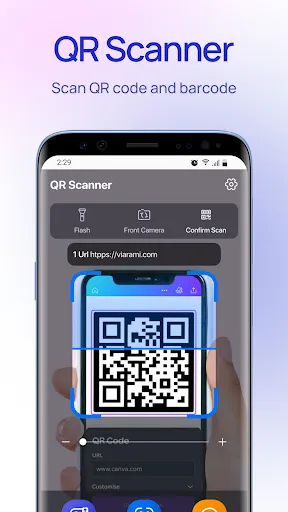
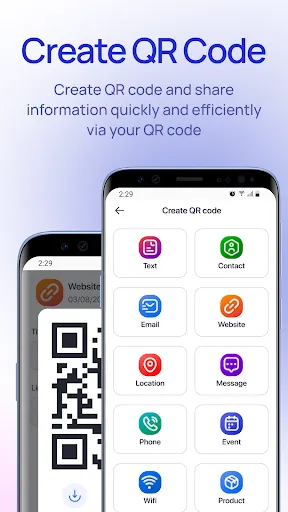
QR Code Scanner is a user-friendly mobile application designed to effortlessly scan and decode QR codes and barcodes. With its intuitive interface, users can quickly access links, contact information, and promotional offers by simply pointing their device's camera at a code. The app supports various code formats and ensures fast and accurate scanning, even in low-light conditions. Additional features include the ability to save scan history, share scanned content, and generate custom QR codes for personal or business use. Whether you're shopping, networking, or exploring new places, QR Code Scanner simplifies your experience and keeps you connected. Download now to unlock the power of QR codes at your fingertips!

Features of QR Code Scanner

A QR Code scanner is a versatile tool that comes with several features designed to enhance user experience and functionality. One of the key features is the ability to quickly and accurately read QR codes, which can store a variety of data such as URLs, contact information, and product details. Most modern scanners utilize the device's camera for scanning, offering real-time decoding that allows users to access information almost instantaneously.


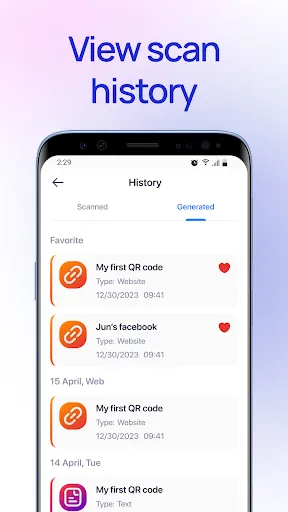
Additionally, many QR code scanners come with built-in history logs, enabling users to revisit previously scanned codes. This feature is particularly useful for maintaining records of important information or links. Another noteworthy feature is the integration with other applications; users can often share scanned content directly via social media or save it to their notes. Some advanced scanners even include customization options, allowing users to change the appearance or functionality of the app to better suit their needs.


Security features are also a crucial aspect of QR code scanners. Many applications now include safety checks to ensure that the scanned QR codes do not lead to malicious websites or harmful content. Overall, the combination of speed, user-friendliness, and security makes QR code scanners a valuable tool for both personal and professional use.

How to Use QR Code Scanner

Using a QR code scanner is a straightforward process that can be accomplished in just a few simple steps. First, ensure that you have a QR code scanning application installed on your smartphone or tablet. Most modern devices come with built-in scanning capabilities within their camera apps, but there are numerous dedicated apps available for download as well. Once you have the appropriate app, open it and position your device's camera so that the QR code is centered in the frame.


The scanner will automatically detect the QR code and decode the information stored within it. After a successful scan, the app will typically display the decoded information, which may include a URL, text, or other data types. If the QR code contains a link, you will often be prompted to open it in a web browser. For contact information, you may have the option to save the details directly to your device’s contacts.


It’s important to ensure that you are scanning QR codes from reliable sources to avoid potential security risks. Always verify the legitimacy of the information before proceeding with any actions prompted by the scan. With these simple steps, you can efficiently utilize a QR code scanner to access a wealth of information.

Pros & Cons of QR Code Scanner

QR code scanners offer a variety of advantages that make them a popular choice for both personal and business use. One of the most significant benefits is convenience; QR codes can store a considerable amount of information in a compact format, allowing users to access it quickly and easily. This is particularly beneficial in marketing, where businesses can direct customers to websites, promotions, or product information with a simple scan.



Another advantage is versatility; QR codes can be used in multiple contexts, from product packaging to event tickets, making them a valuable tool for various industries. Furthermore, many QR code scanners are free or low-cost, making them accessible to a wide audience. However, there are also some disadvantages to consider. One major concern is security; malicious QR codes can lead users to harmful websites or phishing scams.


Additionally, not everyone is familiar with QR code technology, which may limit its effectiveness in certain demographics. Finally, reliance on a smartphone or tablet means that users without these devices cannot benefit from QR codes. Overall, while QR code scanners have significant advantages, it is essential to remain aware of the potential risks and limitations associated with their use.

Pros
  • Quickly access information with a simple scan, saving time and effort.
  • Enhance customer engagement by easily sharing promotions and details.
  • Streamline transactions by enabling fast payments through mobile devices.
  • Improve inventory management with instant product information retrieval.
  • Support contactless interactions, promoting safety and convenience in various settings.
Cons
  • Limited scanning capability in low light conditions can hinder usage.
  • Vulnerable to privacy risks if sensitive data is encoded.
  • Requires a smartphone, excluding those without access to technology.
Advertisement

FAQ

Can I submit suggestions or feedback to Qr Code Scanner?

Yes, users are encouraged to submit suggestions or feedback through the app’s support section or by contacting the development team via email or social media channels.

Does Qr Code Scanner collect my personal data?

Qr Code Scanner is designed to prioritize user privacy and does not collect personal data unless explicitly provided by the user for specific features or functionalities.

Does Qr Code Scanner support offline use?

Yes, Qr Code Scanner can function offline, allowing users to scan QR codes without needing an internet connection, although some features may require online access for full functionality.

How do I cancel my Qr Code Scanner subscription?

Users can cancel their Qr Code Scanner subscription through their device's app store settings or by following the instructions provided within the app's subscription management section.

How much does a subscription to Qr Code Scanner cost?

Subscription costs for Qr Code Scanner vary based on the selected plan, but typically range from a few dollars per month to a discounted annual rate.

How to use Qr Code Scanner

Can I log in using my social media account?

Yes, you can log in using your social media account if you linked it during registration.

Can I update my customer number with customer service?

Yes, our customer service can assist you in updating your customer number. Please provide your details when you call.

How can I activate my QR code scanner account?

To activate your account, follow the link in the activation email sent to your registered email address.

How do I contact customer service for my QR code scanner?

You can reach our customer service by calling the support number listed in the app or visiting our website for live chat options.

How do I log in if I forgot my password?

Use the "Forgot Password" feature on the login page to reset your password and regain access.

Advertisement