This site uses cookies to enhance your user experience. By clicking any link on this site you are giving your consent to our cookie policy. Read more
Reject
Accept All

Advertiser and Editorial Disclosures

Link to Windows

Link to Windows

verified

Microsoft Corporation

3.8
Rating
1,000,000,000+ Downloads
1.26061.113.0 Version
  • category

    Category: Productivity

  • price

    Price: free

  • age rating

    Age Rating: Everyone

  • rating

    Rating: 3.8

  • available on

    Available on: /

  • updated on

    Updated on: Jun 22, 2026

Screenshot 1
Screenshot 2
Screenshot 3
Screenshot 4
Screenshot 5
Screenshot 6
Screenshot 7
Screenshot 8
Advertisement
Advertisement

Pros & Cons

Pros
  • Seamless integration between phone and PC for productivity
  • Access notifications directly on your Windows desktop
  • Easily transfer files without the need for cables
  • Respond to messages instantly from your computer
  • Sync apps and photos for a unified experience
Cons
  • Limited compatibility with older devices and systems
  • Connectivity issues can disrupt functionality
  • Performance may lag on slower networks
  • Requires both devices to be on the same network

Real Experience Using Link to Windows

Application Scenarios

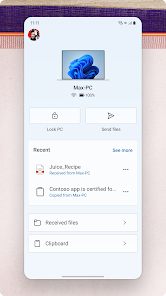
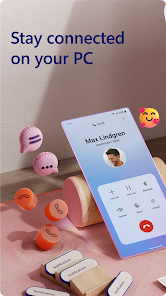
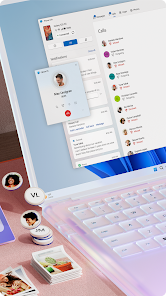
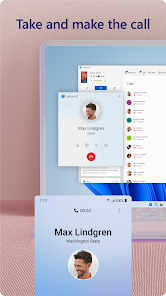
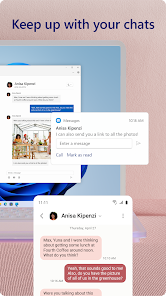
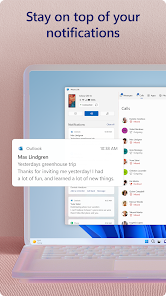
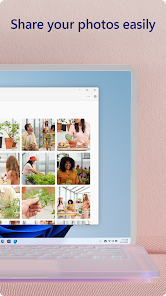
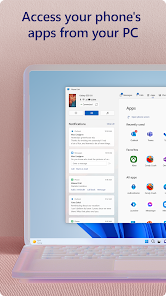
Link to Windows is designed to bridge the gap between your Android smartphone and Windows PC, enabling seamless connectivity and interaction. It is particularly beneficial for professionals who often switch between devices for work purposes. Imagine receiving a text message on your phone while you’re focused on a document on your PC; with Link to Windows, you can respond directly from your computer without having to pick up your phone. This app also allows for easy file transfers, making it convenient to drag and drop pictures or documents from your phone to your PC. Additionally, it provides notifications from your mobile device on your desktop, ensuring you never miss important updates. For those who enjoy gaming, Link to Windows enables users to access mobile games on their PC, offering a larger screen and improved controls. Overall, this app is ideal for enhancing productivity and simplifying everyday tasks across devices.

User Experience

The user experience with Link to Windows is generally positive, thanks to its intuitive interface and streamlined functionality. Setting up the app is straightforward; users can easily link their devices by scanning a QR code or entering a code. Once connected, the app operates smoothly, allowing users to manage notifications, messages, and photos without any noticeable lag. The integration feels natural, and the ability to customize what notifications and messages to receive on the PC adds a personal touch. However, some users have reported occasional connectivity issues, particularly when switching between Wi-Fi networks. Despite this, the overall feedback highlights the convenience and efficiency that Link to Windows brings to multitasking and device management.

Pricing

Link to Windows is offered as a free application, making it accessible to a wide range of users without any financial commitment. This is a significant advantage compared to other similar applications that may require a subscription or one-time purchase. The app's free availability allows users to explore its features without any risk, providing a cost-effective solution for those looking to enhance their productivity across devices. With regular updates and improvements, users can expect continued value from this free service, making it an attractive option for anyone who frequently juggles tasks between their smartphone and PC.

Updates & Support

Link to Windows is consistently updated to enhance functionality and address user feedback. Regular updates ensure that the app remains compatible with the latest versions of Windows and Android, which is crucial for maintaining a smooth user experience. Microsoft provides comprehensive support through its website, including troubleshooting guides and FAQs to assist users with common issues. Additionally, users can access community forums where they can share experiences and solutions. While some users may desire more direct customer support options, the existing resources are generally sufficient for resolving most queries. Overall, the commitment to regular updates and the availability of support make Link to Windows a reliable tool for users looking to optimize their device interaction.

verified Security & Privacy Review

Link to Windows prioritizes user security and privacy by employing robust encryption protocols to safeguard data during transmission between devices. The app requires users to grant specific permissions, including access to notifications, SMS, and contacts, which are essential for its functionality. However, users should be cautious and review these permissions to ensure they align with their privacy preferences. The app adheres to strict privacy practices, ensuring that user data is not shared with third parties without explicit consent. Microsoft, the developer, is committed to transparency and provides clear information regarding data collection and usage in its privacy policy. Users can manage their privacy settings within the app, allowing them to control what data is shared and with whom. Overall, while Link to Windows offers a convenient way to connect mobile devices to Windows PCs, users are encouraged to stay informed about the permissions they grant and regularly review their privacy settings to enhance their security and data protection.
Advertisement

Compare APP

User Reviews

  • Nita
    2026/04/21

    Not sure what's going on with Microsoft and their apps but all of sudden they do not work. I have uninstalled, reinstalled and still NOTHING! Can't link to windows, can't check my email because it just goes into constant spinning same as this one. It sends the Notifications but nothing is happening, just as constant spinning or "connecting..." but nothing happens. PLEASE FIX as some of us rely on these apps while on the go.

  • Seth Penninger
    2026/02/25

    Slows down your phone, pc, and internet when connected, even if not sharing or moving things between them. Manually disconnecting phone link will have the app start itself back up and force a connection, and its still attempting to reach out and connect to my PC, even though ive disabled it in my phone settings and phone link app settings. Microslop strikes again, just going to keep this garbage disabled all the time instead of using it occasionally. congrats on collecting personal info dev team

  • Jared Nunemacher
    2024/11/25

    This app does well in representing everything that is wrong with modern software development practices and their consequences. When it works, works well. Problem is it will work fine then sporadically have sync or connection issues for no reason. File share worked about 3 times then stopped. App updates frequently, but no idea what for. Developer changing code to show they worked on something for the week? I'm sure it connects to 18 cloud services for no reason. Please just work correctly.

  • Lance Frazier
    2024/11/30

    Overall, this is a nice way to access your mobile on your computer. I keep a phone window 'maximized' on the left side of my desktop for ease of messaging and to play games while still using my computer. Some apps need to be minimized then reopened to work properly. Occasionally the phone window will not load and the app will need to be closed completely then reopen, allowed to load, then retry the phone window for your desktop. Might just be a glitch, but it's annoying. Overall, a nice app.

  • Nicholas
    2025/06/26

    App is intermittent/glitchy. Right now, nothing has changed, and yet my phone link app on my laptop will not connect to my phone via Bluetooth/Mobile. And you cant just remove your phone and re-add it. It's a whole process that makes no sense which requires replacing your old connection instead of deleting and adding. But why does it disconnect in the first place? Why can't I screen share an app without granting permission every single time? Why can't I save multiple pictures at the same time

Review Source: Google Play store public user reviews.

FAQ

1

Does Link to Windows collect my personal data?

Link to Windows may collect certain data to provide its services, but Microsoft is committed to user privacy and data security, and users can review the privacy policy for more information on data handling.

2

Does Link to Windows offer a free trial or free version?

Link to Windows is available as a free version, and there is no separate trial period; users can access all core features at no cost.

3

Does Link to Windows require an internet connection?

Yes, Link to Windows requires an internet connection on both the Android device and Windows PC to sync data and facilitate communication between the two devices.

4

How can I contact support or send feedback for Link to Windows?

Users can contact support or send feedback through the Microsoft Support website or the feedback option available within the Link to Windows app on their device.

5

How do I manage or cancel my Link to Windows subscription?

Since Link to Windows does not have a subscription model, there is no need for management or cancellation; users can simply uninstall the app if they wish to discontinue its use.

How to use Link to Windows

1

How can I contact customer service for the Link to Windows app?

You can contact customer service through the Microsoft support website or the app's help section for assistance.

2

How do I activate the Link to Windows app on my PC?

Ensure both devices are connected to the same Wi-Fi network, then follow prompts in the app to link your phone to your PC.

3

How do I find my customer number for the Link to Windows app?

Your customer number can typically be found in your Microsoft account settings or the purchase confirmation email.

4

How do I log in to the Link to Windows app?

Launch the app and sign in using your Microsoft account credentials to connect your devices.

5

Is there an activation process for the Link to Windows app?

No separate activation is needed; just log in with your Microsoft account to start using the app.

Editor's Choice