




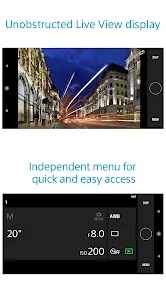
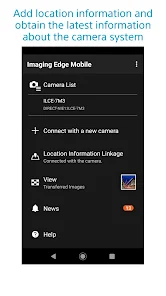
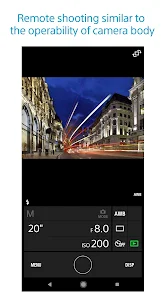
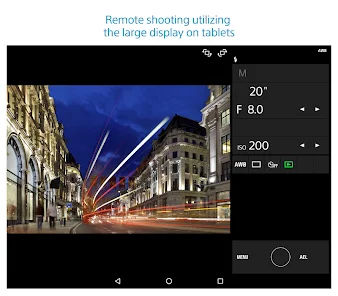
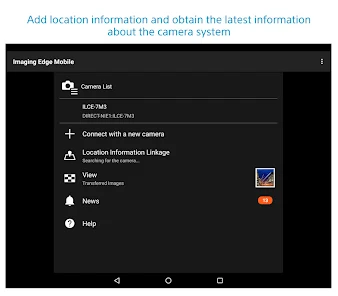
Imaging Edge Mobile is a free app that allows you to remotely control Sony cameras from your smartphone or tablet. It's available for iOS and Android devices, and you can find it in the App Store or Google Play.With Imaging Edge Mobile, you can adjust camera settings, view images, and transfer files between your camera and mobile device. The app also lets you trigger the shutter, start/stop video recording, and view a live image feed from your camera.
Imaging Edge Mobile is a great new app that allows you to remotely control your Sony camera using your smartphone. It also allows you to transfer images and videos from your camera to your phone, edit them on your phone, and then share them online. Here are some of the best features of Imaging Edge Mobile: If you've ever used Sony's PlayMemories Mobile app, Imaging Edge Mobile will feel very familiar. The main difference is that Imaging Edge Mobile is designed specifically for Sony cameras, while PlayMemories Mobile works with a number of different types of devices. When it comes to mobile apps, there are always pros and cons to consider before making a decision on which one to download. For Imaging Edge Mobile, some of the pros include its ability to connect wirelessly to Sony cameras, edit images on the go, and share photos easily. However, some of the cons include its lack of support for RAW files and certain camera models, as well as its limited editing options compared to other apps.Features
-Remote Control: With Imaging Edge Mobile, you can remotely control your Sony camera from your smartphone. This means you can take pictures and videos without having to be in the same room as your camera.
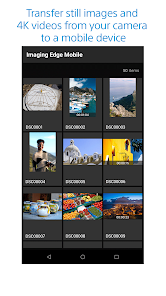
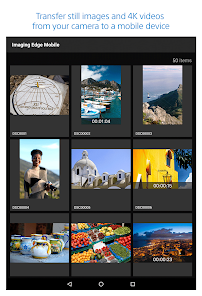
-Transfer Images and Videos: You can quickly and easily transfer images and videos from your Sony camera to your smartphone using Imaging Edge Mobile. This makes it easy to edit and share your photos and videos online.
-Edit Photos and Videos: Imaging Edge Mobile includes powerful editing tools that allow you to make changes to your photos and videos right on your phone. This is a great way to improve the quality of your photos and videos before sharing them online.How to use Imaging Edge Mobile app?
Once you have the app installed on your phone or tablet, simply connect it to your camera using Wi-Fi. Then you can browse and transfer images and videos from your camera to your mobile device. You can also use the app to remotely control your camera, which is great for taking group photos or self-portraits.
If you're a Sony camera user, Imaging Edge Mobile is definitely worth checking out. It's a well-designed app that makes it easy to transfer and view images and videos from your camera.Pros & Cons

 Seamlessly transfer photos from your camera to your smartphone for easy sharing. Effortlessly control your camera remotely for stunning selfies and group shots. Access advanced editing tools to enhance your images on the go. Enjoy intuitive user interface designed for quick navigation and accessibility. Receive instant notifications for camera updates and new features for optimal performance.
 Limited editing features restrict creative control over images taken. Connectivity issues can disrupt seamless photo transfer and remote shooting. User interface may feel unintuitive for new users, complicating navigation.
 Yes, users can submit suggestions or feedback through the app's support section or directly via the Sony website.
Imaging Edge Mobile may collect certain usage data, but it is designed to prioritize user privacy and data protection.
Imaging Edge Mobile primarily requires an internet connection for certain features, but basic functionalities like viewing saved images can be accessed offline.
Since Imaging Edge Mobile does not have a subscription model, there is no cancellation process required.
Imaging Edge Mobile does not require a subscription, as it is free to use.
Unfortunately, customer numbers cannot be changed once your account is activated. Contact customer service for more details.
Yes, you can log in using your linked social media account if you registered that way during account creation.
To activate your account, follow the link in the activation email sent to you after registration.
You can contact customer service via the support section on the Sony website or through the app's help feature.
Your customer number can usually be found in your account settings under "Profile" in the app.








 Google Play
  App Store









