This site uses cookies to enhance your user experience. By clicking any link on this site you are giving your consent to our cookie policy. Read more
Reject
Accept All

Advertiser and Editorial Disclosures

iCSee

iCSee

verified

Zhejiang JAIFY Co., Ltd.

4.0
Rating
10,000,000+ Downloads
7.8.7_G Version
  • category

    Category: Tools

  • price

    Price: free

  • age rating

    Age Rating: Everyone

  • rating

    Rating: 4.0

  • available on

    Available on: /

  • updated on

    Updated on: Jul 5, 2026

Screenshot 1
Screenshot 2
Screenshot 3
Screenshot 4
Screenshot 5
Screenshot 6
Advertisement

Features & Highlights

Cloud Storage Options

With iCSee, you can choose from various cloud storage options for your recorded footage, ensuring your important moments are safe and secure. This flexibility allows you to access your videos anytime, anywhere, while also providing peace of mind that your data is protected against loss.

Real-Time Monitoring

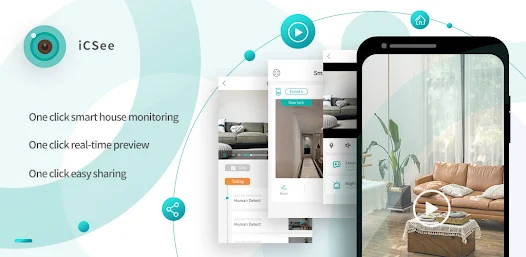
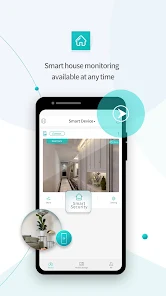
iCSee offers seamless real-time monitoring, allowing users to keep an eye on their surroundings from anywhere. With a user-friendly interface, you can easily access live feeds and receive instant notifications about any unusual activities, making it perfect for home security or business surveillance.

Two-Way Audio

Stay connected with the two-way audio feature that enables clear communication through your camera. Whether you're checking in on pets or communicating with family members, this feature ensures you can speak and listen without any hassle, enhancing your overall monitoring experience.

User-Friendly Interface

Navigating through iCSee is a breeze thanks to its intuitive design and user-friendly interface. Whether you're a tech expert or a novice, you'll find it easy to set up and manage your surveillance devices, making it accessible for everyone looking to enhance their security.

Advertisement

Pros & Cons

Pros
  • User-friendly interface for easy navigation
  • Real-time notifications for instant updates
  • High-definition video for clear surveillance
  • Remote access from anywhere at any time
  • Multiple camera support for comprehensive coverage
Cons
  • Limited compatibility with non-brand devices
  • User interface can be confusing
  • Frequent connectivity issues reported
  • Privacy concerns over data security

Real Experience Using iCSee

Application Scenarios

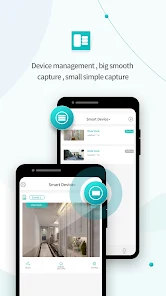
The iCSee app is primarily designed for monitoring security cameras, making it a vital tool for both personal and professional surveillance needs. Users can utilize this app in various scenarios, such as monitoring their homes while on vacation, keeping an eye on their pets during work hours, or overseeing a retail space to ensure safety and prevent theft. The app supports multiple camera views, allowing users to switch easily between different camera feeds. This flexibility is particularly useful for businesses that need to monitor various locations simultaneously. Additionally, the app’s ability to send real-time alerts for motion detection makes it a reliable choice for anyone looking to enhance their security measures.

User Experience

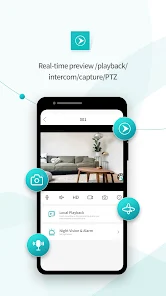
iCSee delivers a user-friendly interface that is accessible to both tech-savvy individuals and those less familiar with technology. The setup process is straightforward, with clear instructions guiding users through the configuration of their cameras. Once set up, navigating through the app is intuitive, with features like live view, playback, and settings adjustments easily accessible. Users have reported that the app’s video quality is impressive, with clear resolution and minimal lag during live feeds, which is crucial for effective monitoring. Notifications are timely and can be customized, allowing users to focus on alerts that matter most to them. However, some users have mentioned occasional connectivity issues, particularly when switching between Wi-Fi and mobile data, indicating a need for improved stability in varying network conditions.

Pricing

The iCSee app is free to download and offers a range of features without any initial cost. However, users interested in unlocking advanced functionalities, such as cloud storage options or additional camera support, may need to consider premium subscription plans. The pricing is competitive compared to similar apps on the market, making it an attractive option for users on a budget. Additionally, the app often runs promotions, providing users with limited-time offers that enhance its value proposition. Overall, the pricing structure is transparent, and users can easily assess the benefits of upgrading based on their individual monitoring needs.

Updates & Support

The developers of iCSee are committed to providing regular updates, which include enhancements to features, security patches, and user-requested improvements. Users can expect frequent iterations that not only refine existing functionalities but also introduce new capabilities, ensuring the app remains relevant in the evolving digital landscape. Support is readily available through the app's official website, where users can access FAQs, troubleshooting guides, and direct customer service options. User feedback is actively sought, and the development team appears responsive to community suggestions, contributing to a sense of trust and satisfaction among the user base. Overall, the combination of consistent updates and reliable support enhances the overall experience of using the iCSee app.

verified Security & Privacy Review

The iCSee app places a strong emphasis on security and privacy, ensuring that user data is handled with care. The app employs end-to-end encryption for video feeds, which protects your surveillance footage from unauthorized access. This robust encryption mechanism is crucial for users who prioritize the safety of their personal information. iCSee requires a range of permissions, including access to the camera, microphone, and storage. While these permissions are necessary for the app’s functionality, users should be cautious and review each permission request carefully. The app's privacy policy outlines how data is collected, used, and shared, providing transparency about its practices. The company claims to store user data securely and does not sell personal information to third parties. However, users are encouraged to enable two-factor authentication for an additional layer of security. Overall, iCSee demonstrates a commitment to safeguarding user privacy, but users should remain vigilant and proactive in managing their security settings.

Advertisement

User Reviews

  • Tone Blev
    2026/06/28

    I thought I've had some pretty garbage camera apps, but this one takes the cake! WHEN the app works, which seems to be fewer and fewer times, it freezes up almost immediately. The motion sensor only works if you've recently accessed the camera.. I've gone through every troubleshooting step Grok lists, but sadly the problems just resurface. do yourself a favor and avoid this brand of camera and/or the app. I would have gave it a 1 star, but it worked ok for the first couple of months.

  • Charles “Chet” Jordan
    2026/04/14

    The app has always worked fine for me. The issue is business practices. if I get an alert and need to check my camera in a hurry to see what's going on, I should not be met with an ad. I turn off the third party ads, and every time the app updates it turns them back on automatically meaning at any point I could try to open my app and not be able to see my camera as quickly. I understand that ad revenue is important, but there has to be a better way

  • Rick Lambert
    2026/06/04

    I like the two camera layout and it works very well. Unfortunately, they keep hounding you on the app to buy add-ons. You can "turn off" third party ads, but the ads just keep coming. You need to X out of the ads to see your camera. Too bad they ruin it. They mention they can be turned off in Me- Tools AdHub Ads/Google Ads, but that's nowhere to be found in the app.

  • Mike Schwartz
    2026/06/04

    The app works reasonably well. The reason I'm giving it only 2 stars is because of how spammy the ads have become. They now include "Your system has been infected by a virus" ads that fill the screen trying to look like you've been hacked, and there's a new ad area near where you need to tap to open the video from your camera - obviously trying to trick you into accidentally clicking on their ads. I get that the entire Internet is run by ad money, but this is too sleazy now.

  • Lori
    2026/04/27

    **Editted** 3 emails sent! Still no reply UNSUBSCRIBE ME!!! Love the bird feeder. I did have to turn off the notifications and eventually delete the app because I had so much activity that it was draining my battery lol I just realized that even though I deleted the app, I am still getting charged 3.99 a month for the past 10 months. Your app is not letting me log in to unsubscribe, it will not recognize my email.

Review Source: Google Play store public user reviews.

FAQ

1

Does iCSee collect my personal data?

iCSee may collect certain personal data such as user account information and device details to provide its services, but it typically adheres to privacy policies to protect user information.

2

Does iCSee offer a free trial or free version?

iCSee may offer a free version with limited features, but specific details about free trials can vary based on the app version and updates. Check the app store or official website for the latest information.

3

Does iCSee require an internet connection?

Yes, iCSee requires an internet connection to access live video feeds and recordings from your IP cameras, although some features may be available offline depending on the camera setup.

4

How can I contact support or send feedback for iCSee?

You can contact iCSee support or send feedback through the app's support section, which often includes options for email, FAQs, or community forums, or visit their official website for additional contact information.

5

How do I manage or cancel my iCSee subscription?

You can manage or cancel your iCSee subscription through the app's settings or your account management section, depending on the platform you used to subscribe. Detailed instructions are typically provided within the app.

How to use iCSee

1

Can I use the iCSee app on multiple devices?

Yes, you can log in to your iCSee account on multiple devices using the same credentials.

2

How can I contact customer service for the iCSee app?

You can contact customer service through the app’s settings or visit their official website for support options.

3

How can I update my account information in the iCSee app?

Go to 'Settings', select 'Account', and edit your information as necessary before saving the changes.

4

How do I activate my iCSee account?

To activate your account, follow the verification link sent to your registered email after sign-up.

5

How do I log in to the iCSee app?

Open the app, enter your registered email and password, then tap 'Login' to access your account.

Editor's Choice