This site uses cookies to enhance your user experience. By clicking any link on this site you are giving your consent to our cookie policy. Read more
Reject
Accept All

Advertiser and Editorial Disclosures

Hypic - Photo Editor & AI Art

Hypic - Photo Editor & AI Art

verified

Bytedance Pte. Ltd.

4.6
Rating
/ Downloads
5.1.0 Version
  • category

    Category: Photography

  • price

    Price: 0

  • age rating

    Age Rating: Everyone

  • rating

    Rating: 4.6

  • available on

    Available on: /

  • updated on

    Updated on: Jul 2, 2026

Screenshot 1
Screenshot 2
Screenshot 3
Screenshot 4
Screenshot 5
Screenshot 6
Screenshot 7
Screenshot 8
Advertisement

Features & Highlights

AI Art Generation

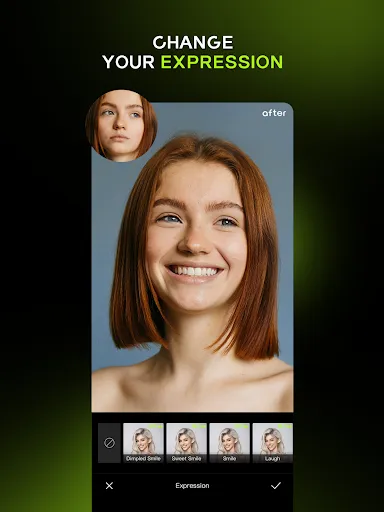
Transform your photos into stunning artwork with Hypic's advanced AI art generation feature. Choose from a variety of artistic styles to apply to your images, making it easy to create unique pieces that stand out and reflect your personal taste.

Collage Maker

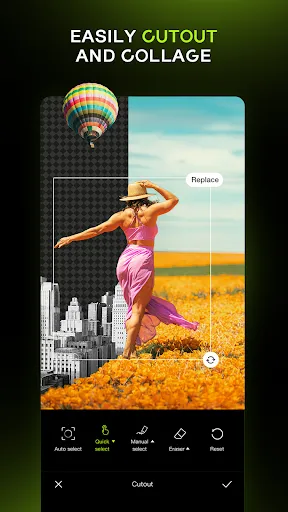
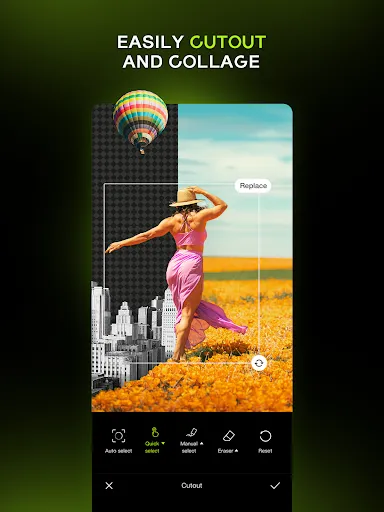
Unleash your creativity with the built-in collage maker that lets you combine multiple images into one stunning layout. Customize your collages with various templates, backgrounds, and stickers, making it a breeze to share your memories in a visually appealing way.

Creative Filters

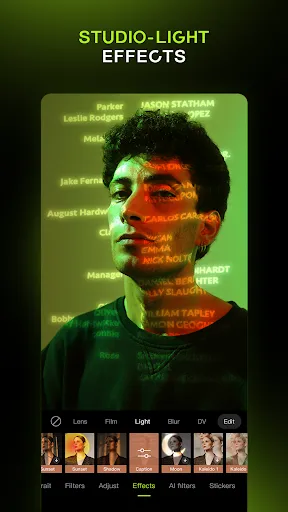
Explore a vast library of creative filters designed to elevate your images instantly. Whether you're aiming for a vintage look or a modern aesthetic, Hypic’s filters allow you to achieve the perfect mood for your photos with just a tap.

Intuitive Editing Tools

Hypic offers a user-friendly interface packed with powerful editing tools that cater to both beginners and pros alike. With options like cropping, filters, and adjustments, you can enhance your photos effortlessly without the need for complex software.

Advertisement

Pros & Cons

Pros
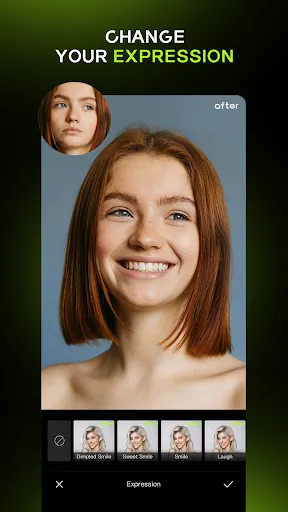
  • Hypic enhances photos with stunning filters and effects for creative expression.
  • AI-driven art generation transforms ideas into unique visuals effortlessly.
  • User-friendly interface makes editing accessible for everyone, regardless of skill level.
  • Quick sharing options facilitate seamless social media integration for instant connectivity.
  • Regular updates ensure fresh features and improvements for an evolving editing experience.
Cons
  • Limited features compared to more established photo editing apps
  • User interface may feel cluttered and confusing
  • Occasional AI-generated images lack quality and detail

Real Experience Using Hypic - Photo Editor & AI Art

Application Scenarios

Hypic - Photo Editor & AI Art shines in a variety of scenarios, making it a versatile tool for both casual users and professional creatives. Whether you want to enhance your vacation photos, create stunning social media posts, or generate unique art pieces, Hypic caters to all these needs. Users can easily edit images on-the-go, transforming ordinary snapshots into extraordinary visuals that capture attention. Additionally, the app is perfect for content creators who require quick and efficient editing tools to keep their audience engaged. With features like filters, effects, and AI-generated art, Hypic is an ideal companion for photographers, influencers, and artists alike.

User Experience

The user experience of Hypic is designed with simplicity and efficiency in mind. Upon launching the app, users are greeted with an intuitive interface that makes navigation a breeze. The layout is clean and well-organized, allowing users to easily access various editing tools and features. The AI capabilities of Hypic stand out, enabling users to generate artwork or enhance photos with just a few taps. This saves time and effort, especially for those who may not have extensive photo editing skills. Furthermore, the app provides a range of tutorials and guides to help users maximize its features. Overall, Hypic delivers a seamless and enjoyable editing experience, tailored to both beginners and seasoned professionals.

Pricing

Hypic offers a competitive pricing model that accommodates different user needs. The app is free to download, providing access to a selection of basic editing tools and features. For users seeking a more comprehensive experience, Hypic offers a subscription plan that unlocks premium features, including advanced AI tools, exclusive filters, and additional storage for saved projects. The subscription is reasonably priced compared to other photo editing apps, making it an attractive option for users who require more functionality. Additionally, the app may include occasional promotions or discounts, allowing users to experience its premium capabilities at a reduced cost.

Updates & Support

The developers of Hypic are committed to providing regular updates and enhancements to ensure the app remains current with user demands and technological advancements. Users can expect frequent updates that introduce new features, improve existing tools, and enhance overall performance. The support system is user-friendly, with a dedicated help center accessible within the app. Users can find answers to common questions, submit feedback, or reach out for personalized assistance. This proactive approach to updates and support demonstrates Hypic's commitment to user satisfaction and continuous improvement, making it a reliable choice for photo editing enthusiasts.

verified Security & Privacy Review

Security & Privacy Review The Hypic app takes user security and privacy seriously, implementing robust measures to protect personal information. The app employs encryption protocols to safeguard data both in transit and at rest, ensuring that your images and personal details remain confidential. In terms of permissions, Hypic requests access to your device's camera and photo library, which is standard for photo editing applications. However, users are encouraged to review these permissions carefully and grant only what is necessary for optimal functionality. The app does not require access to sensitive information such as location or contacts, minimizing potential privacy risks. Hypic has a clear privacy policy outlining how user data is collected, used, and shared. It commits to not selling personal data to third parties and offers options for users to manage their data preferences. Overall, Hypic demonstrates a commitment to maintaining user trust through transparent practices and strong security measures.
Advertisement

User Reviews

  • Gameboy Lyrik
    2026/05/23

    I have gotten tired of this app. I had it for a while and it was great but I have noticed more and more issues. So many things are paid now, like if you want to do anything there's a 50/50 chance that there is a paywall involved somehow. Also things aren't loading, the app crashes and sometimes doesn't save. I have finally gotten rid of the app today.

  • SAMI Blevins
    2026/03/24

    some filters are not working at all. well not happy with this app anymore. the only reason I decided to keep it was the crystalized filter and a few other filters and went through every category and still couldn't find it. such a great app til I looked at my bank info and noticed that I was being charged almost $11 twice. what's the point of having the favorite filters when you can't add or search. we deserve a refund. not surprised that we never get a reply.

  • Tanya Carrillo
    2023/06/10

    Has great features like various text fonts and styles although I wish you could customize the styles. Can add more photos to the image you're working on and cut out backgrounds. There's even a zoomed in version of what you're cutting out to be more precise. There's also many cute stickers but are also able to add some of your own. There's a collage feature as well. Overall great editing app, I've been using it for about 2 weeks now and have loved all the things I can do with it.

  • Jena
    2025/01/12

    Okay guys, they didn't take away the features, you just have to get to them in a weird way: Open the app, on the bottom row you will see where it says edit, templates, business, me. Click templates. Pick any template and select used template at the bottom. Give it permission to access your media if you haven't already, then pick any pic. Boom. If you look at the bottom row you'll notice all the features are there. Close the app, reopen it, everything's back to normal.

  • Jessie netha
    2025/03/30

    honestly its a good app for pic editor and i get it if the free is no longer available but could you make the price more reasonable? its way too expensive in MYR currency. i'm willing to pay for monthly subscription, but for the price, its too expensive. i hope the developer would consider again with the monthly/yearly subscription. please consider this. thanks.

Review Source: Google Play store public user reviews.

FAQ

1

Can I submit suggestions or feedback to Hypic - Photo Editor & AI Art?

Yes, Hypic encourages users to submit their suggestions and feedback, which can typically be done through the app's support section or official website. Users’ input is valuable for future updates and improvements.

2

Does Hypic - Photo Editor & AI Art collect my personal data?

Hypic does collect some user data to enhance the app experience, but it is committed to user privacy and follows strict data protection regulations. Users are encouraged to review the privacy policy for detailed information.

3

Does Hypic - Photo Editor & AI Art support offline use?

Yes, Hypic allows users to access certain features offline, although some advanced functionalities, particularly those reliant on AI processing, may require an internet connection.

4

How do I cancel my Hypic - Photo Editor & AI Art subscription?

Users can cancel their subscription through their app store account settings or directly within the app, following the provided instructions for managing subscriptions.

5

How much does a subscription to Hypic - Photo Editor & AI Art cost?

Subscription costs for Hypic vary based on the plan selected, typically offering monthly and yearly options that provide access to premium features and tools.

How to use Hypic - Photo Editor & AI Art

1

Can I change my customer number later?

Unfortunately, customer numbers are unique and cannot be changed once assigned. For any specific concerns, please contact customer service.


2

Can I log in using my social media account?

Yes, you can log in using your Facebook or Google account. Just select the respective option on the login page.

3

How can I contact customer service for Hypic?

You can reach our customer service via the "Support" section in the app or email us at support

4

How can I log in if I've forgotten my password?

You can reset your password by clicking "Forgot Password?" on the login page and following the instructions sent to your email.

5

How do I activate my Hypic account?

To activate your account, follow the activation link sent to your email after registration. If you didn't receive it, check your spam folder or contact us.

Editor's Choice