This site uses cookies to enhance your user experience. By clicking any link on this site you are giving your consent to our cookie policy. Read more
Reject
Accept All

Advertiser and Editorial Disclosures

Gmail App

Gmail App

verified

Google LLC

4.1
Rating
10,000,000,000+ Downloads
2026.06.01.929418315.Release Version
  • category

    Category: Productivity

  • price

    Price: free

  • age rating

    Age Rating: Everyone

  • rating

    Rating: 4.1

  • available on

    Available on: /

  • updated on

    Updated on: Jul 7, 2026

Screenshot 1
Screenshot 2
Screenshot 3
Screenshot 4
Screenshot 5
Screenshot 6
Screenshot 7
Screenshot 8
Screenshot 9
Screenshot 10
Screenshot 11
Screenshot 12
Screenshot 13
Screenshot 14
Screenshot 15
Screenshot 16
Screenshot 17
Screenshot 18
Screenshot 19
Screenshot 20
Screenshot 21
Screenshot 22
Screenshot 23
Screenshot 24
Screenshot 25
Screenshot 26
Screenshot 27
Screenshot 28
Advertisement

Features & Highlights

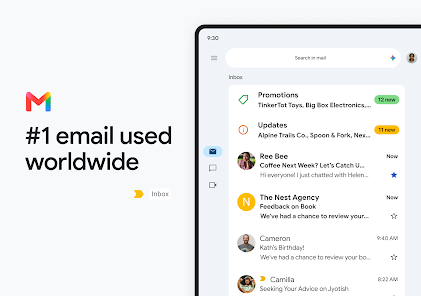
Customizable Labels

Organize your inbox with customizable labels that allow you to categorize emails in a way that makes sense for you. This feature helps in decluttering your inbox, making it easy to find important conversations and keeping everything sorted according to your personal preferences.

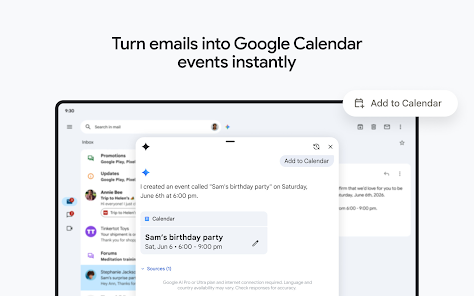
Integrated Calendar

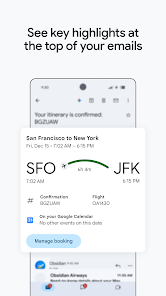
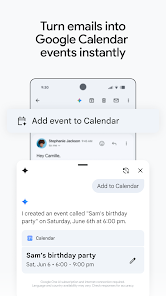
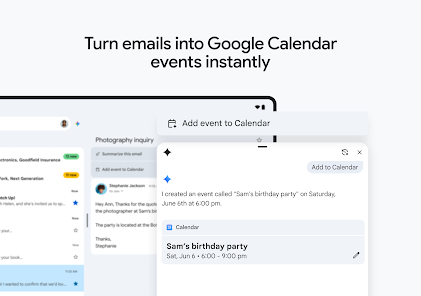
Gmail seamlessly integrates with Google Calendar, allowing you to schedule events directly from your inbox. You can easily add appointments, set reminders, and manage your schedule without having to switch between applications, ensuring you stay organized and on top of your commitments.

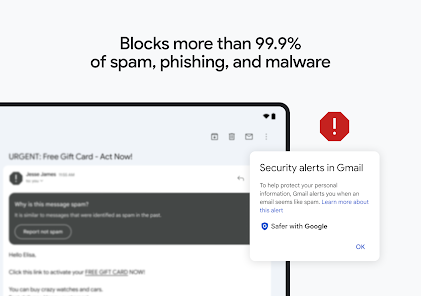
Robust Spam Filtering

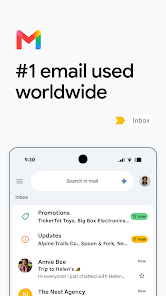
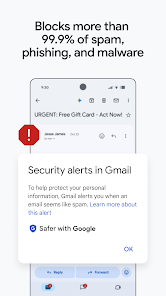
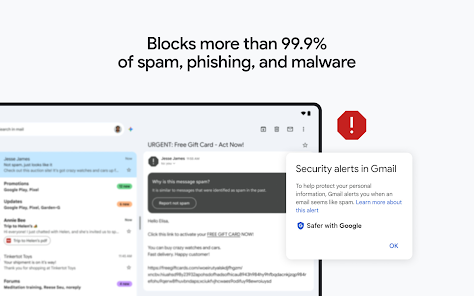
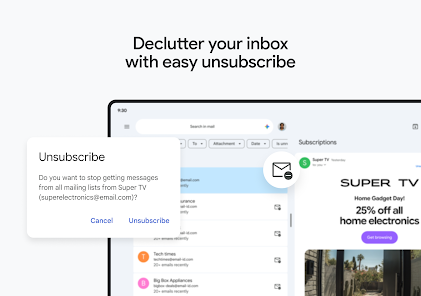
Gmail's advanced spam filtering technology effectively keeps unwanted emails at bay, ensuring your inbox remains clean and focused on important messages. Its intelligent algorithms learn from your behavior, adapting over time to better identify and filter out spam, providing you with a smoother email experience.

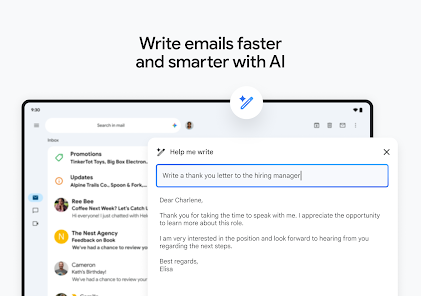
Smart Compose

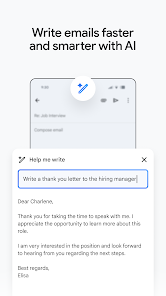
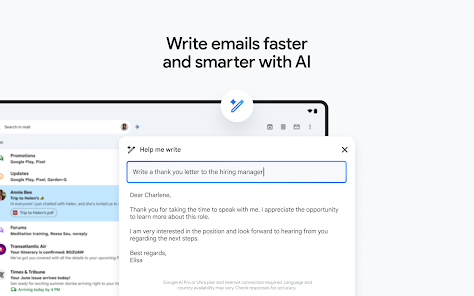
Gmail's Smart Compose feature uses advanced AI to suggest complete sentences as you type, making email writing faster and more efficient. It learns from your writing style, ensuring personalized suggestions that help maintain your unique voice while reducing the time spent on composing messages.

Advertisement

Pros & Cons

Pros
  • User-friendly interface enhances productivity and simplifies email management.
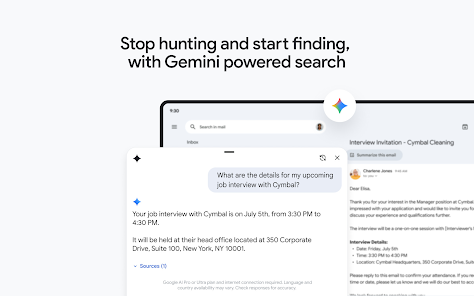
  • Powerful search features quickly locate emails and attachments.
  • Integration with Google services streamlines workflows and collaboration.
  • Robust spam filtering keeps your inbox organized and clutter-free.
  • Customizable notifications ensure you never miss important messages.
Cons
  • Limited offline access hampers productivity when internet is unavailable.
  • Cluttered interface may overwhelm users with too many features.
  • Inconsistent notification settings can lead to missed important emails.

Real Experience Using Gmail App

Application Scenarios

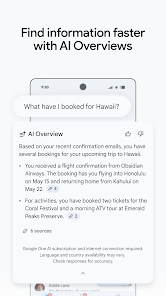
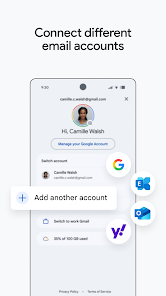
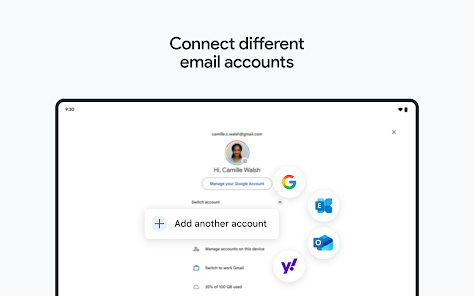
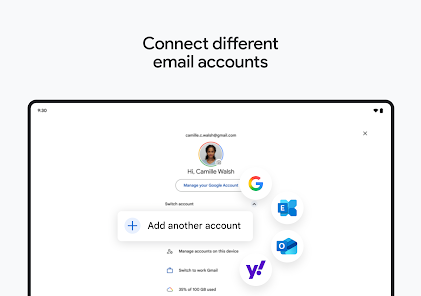
Gmail is a versatile email application that caters to various needs, making it an essential tool for both personal and professional use. For individuals, it serves as an efficient platform for managing personal communications, whether it's keeping in touch with family and friends or organizing important documents and receipts. The robust search functionality allows users to locate emails effortlessly, even amidst a crowded inbox. For professionals, Gmail offers a seamless integration with Google Workspace, enabling smooth collaboration through shared documents, calendars, and video conferencing. This makes it ideal for team projects, remote work, and client communications. Additionally, the application supports various email protocols, allowing users to manage multiple email accounts in one place, which is particularly useful for freelancers or those managing different personal and professional accounts.

User Experience

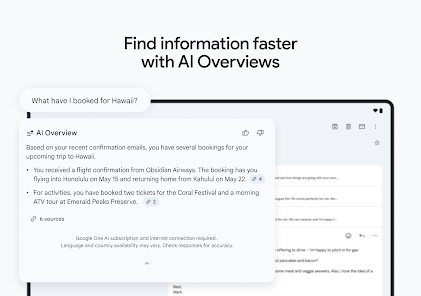
The user experience of Gmail is largely positive, characterized by its clean interface and intuitive navigation. The app's design is user-friendly, with features like conversation threading that simplifies email management by grouping related messages. Users appreciate the customizable inbox settings, which allow them to prioritize important emails and filter out spam. The application also includes powerful organizational tools such as labels, categories, and stars, enabling users to keep their inbox tidy and easily accessible. Furthermore, the mobile app provides a consistent experience across devices, ensuring users can stay connected on the go. The integration of smart compose and smart reply features enhances productivity by suggesting responses and helping users draft emails quickly. Overall, Gmail delivers a satisfying and efficient experience for its users.

Pricing

Gmail is available for free, which includes a generous amount of storage and essential features suitable for most users. However, for those who require additional storage or advanced features, Google offers various paid plans through Google Workspace. Prices start at a competitive rate, providing options for small businesses to large enterprises. These plans offer enhanced security features, increased storage capacity, and administrative controls, making them attractive for professional use. The free version remains highly functional, but the premium plans add value for those who rely on email as a core component of their business operations.

Updates & Support

Gmail is frequently updated, with Google continually rolling out new features and improvements based on user feedback. Recent updates have focused on enhancing security, such as increased phishing protection and improved spam filters. Users can also expect regular updates to the interface and functionality, keeping the application modern and efficient. Support options are robust, including a comprehensive help center, community forums, and direct customer support for Google Workspace users. This ensures that users can find solutions to their issues quickly and efficiently. Overall, the commitment to regular updates and responsive support makes Gmail a reliable choice for users looking for a dependable email service.

verified Security & Privacy Review

The Gmail app places a significant emphasis on security and privacy, incorporating robust measures to protect user data. Google employs end-to-end encryption for emails sent between Gmail users, ensuring that messages remain private during transmission. Additionally, Gmail's advanced spam filtering and phishing detection algorithms help safeguard users from malicious threats, adding an extra layer of security. In terms of permissions, the app requires access to contacts, storage, and network connectivity, which are essential for its functionality. However, users can manage these permissions through their device settings, allowing for customized control over what data is shared. Google's commitment to user privacy is reflected in its transparency regarding data handling practices. The company provides clear information on how user data is collected, used, and stored, adhering to strict privacy regulations. Users can review and manage their privacy settings within the app, giving them control over their data. Overall, Gmail demonstrates a strong commitment to maintaining user security and privacy, making it a reliable choice for email communication.
Advertisement

Compare APP

User Reviews

  • Ani Aggarwal
    2026/04/27

    When it works, it's great. However, the widgets regularly are stuck on loading, and clicking them or opening the all has it freeze and not load anything. After force stop + open, it works, but sometimes pressing the send email button doesn't do anything. Marking as read or deleting from the Gmail notification also doesn't actually do anything, so these emails stay in my inbox.

  • Maria Arnold
    2024/10/01

    Not sure if this can even be changed, but on my old phone the stars showed up as yellow. On my new phone (Pixel 8a), they are just showing up as gray. I do not notice the messages at all with gray stars, so it's almost pointless to use them. It would be lovely if the multiple color options available to use if logged in on a computer were also in the app, but I at least want some color back for my stars.

  • Wallace Walker
    2025/08/04

    The app works great for most tasks, yet every update seems to change other minor things. Most of my emails do not fit the page now when I open them. I have to scroll from left to right to see the whole email. That is very annoying, especially in portrait mode. Even in landscape mode, which I don't prefer at all when viewing an email, I still have to scroll to see the whole email. Absurd!! Why can I not create/edit folders in the app? Not nice GOOGLE! More users have smartphones versus computer!

  • Tom Gill
    2026/02/25

    crashes immediately on Google Pixel 7 today. cleared cache and storage. Updated from 2 to 4 stars after developer quickly responded with a link. And though I tried things and it didn't seem to work. when I uninstalled and reinstalled it seemed that maybe I didn't have the upgrade even though app info said that I had. started working again, really not sure why, and it looks a little different so something changed. still frustrated that I have no idea what really fixed it so I can't help others.

  • Marvin Stoker
    2026/06/18

    Works less than half the time. I need to upload pictures for work all the time. It will only let you attach five from the app, regardless of size. Sending from my gallery I can upload more. I've had to resize most images so the total is less than 1mb and the app still freezes and won't send. The menu goes blank when it freezes. It won't send to the outbox or drafts during that time. If I restart the phone, clear the cache etc., I can send one email with pictures before freezing again.

Review Source: Google Play store public user reviews.

FAQ

1

Can I submit suggestions or feedback to Gmail App?

Yes, users can submit suggestions or feedback through the app's settings or the Google support page.

2

Does Gmail App collect my personal data?

Gmail App collects certain user data to improve its services, but users can manage privacy settings and control what information is shared.

3

Does Gmail App support offline use?

Yes, Gmail App allows users to access and manage their emails offline, provided they have enabled offline access in the settings.

4

How do I cancel my Gmail App subscription?

To cancel a Gmail App subscription, users can go to their Google Account settings and manage their subscriptions from there.

5

How much does a subscription to Gmail App cost?

For users requiring additional features, Google Workspace subscriptions start at various price points, depending on the plan selected.

How to use Gmail App

1

How can I contact Gmail customer service?

You can contact Gmail customer service through the Google Help Center or by using the support option within the Gmail app.
2

How do I activate my Gmail account?

To activate your Gmail account, simply log in with your credentials; if it's a new account, follow the setup prompts after registration.

3

How do I find my Gmail customer service number?
Gmail does not have a direct customer service number; assistance is primarily provided online through the Help Center.
4

How do I log in to my Gmail account?

Open the Gmail app, enter your email address and password, then tap "Next" to log in.

What's New

Stay on top of the work that matters with Gmail, part of Google Workspace. With secure email as the foundation, you can also chat, collaborate with a group in spaces or make voice or video calls - all in one place.
Editor's Choice