
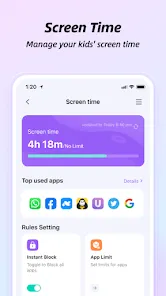


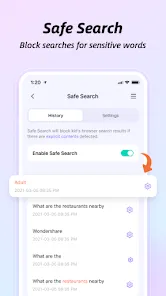

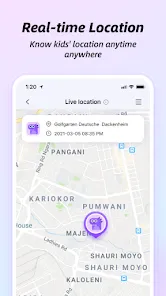
FamiSafe is a parental control app designed to help parents monitor and manage their children's online activities. It provides parents with a range of features to help them keep their children safe online, including real-time location tracking, app blocking, web filtering, screen time limits, and more. It also allows parents to set up alerts for when their children enter or leave certain locations, and to receive notifications when their children access inappropriate content. FamiSafe is available for both Android and iOS devices, and is designed to be easy to use and understand.
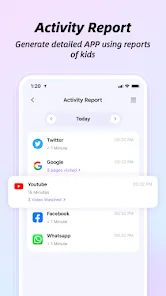
FamiSafe is one of the most comprehensive and user-friendly parental control apps on the market. It allows parents to track their child's location in real-time, set up geofences, view app usage history, block apps and websites, and set time limits for app usage. There is also a panic button feature that can be used in case of an emergency. FamiSafe is a parental control app that helps parents track their child's online activity and monitor their child's device usage. The app also allows parents to set limits on their child's device usage and block certain websites and apps. When it comes to choosing a parental control app for your family, it's important to weigh the pros and cons of each option. In this blog post, we'll take a closer look at the Famisafe app to help you decide if it's the right choice for your family.Features and Functions
How to Use FamiSafe-Parental Control App
To use FamiSafe, parents need to create a account and then download the FamiSafe app onto their child's device. Once the app is installed, parents can then login to their account and start monitoring their child's activity.Pros & Cons
PROS:
-Famisafe is one of the most comprehensive parental control apps on the market, offering a wide range of features to keep your kids safe online.
-It's very easy to use, even for non-tech-savvy parents. The app's intuitive interface makes it a breeze to set up and manage.
-Famisafe is very affordable, especially considering its robust feature set. It also offers a free trial, so you can try it out before you commit to purchasing it.
CONS:
-Some parents have reported that Famisafe doesn't always work as advertised. Some features may not work as intended, or may not work at all.
-The app can be a bit resource-heavy, which may slow down your phone or tablet if you have an older device.
-Famisafe requires you to create an account before you can use the app, which some parents may find inconvenient.
The app allows you to modify settings and preferences at any time, ensuring that the monitoring features align with your family's evolving needs.
You can block or restrict access to certain apps that you deem inappropriate or distracting, ensuring your child uses their device responsibly.
After downloading, open the app and sign up by entering your email address and creating a secure password. This account will allow you to access all features and settings.
To get started, simply search for "FamiSafe" in your device's app store, whether it's iOS or Android, and download the app. It's user-friendly and easy to install.
With FamiSafe, you can rest easy knowing you have robust parental controls in place, helping to protect your child in the digital world.













 Google Play
  App Store