Home
Home  Apps
Apps  Games
Games  Topics
  About Us
  Cookies & Privacy Policy
  Terms of Service
 Battery Life Monitoring
Findmykids also allows parents to monitor their child's device battery life. This feature helps ensure that the GPS tracker remains functional when needed most, reducing the worry of losing connection during critical moments.

LETEM LTD
 4.6
4.6 
Category: Parenting

Price: free

Age Rating: Everyone

Rating: 4.6

Available on: /

Updated on: Jul 3, 2026
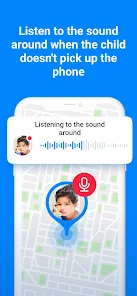
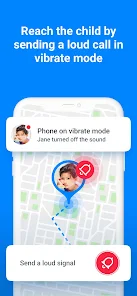
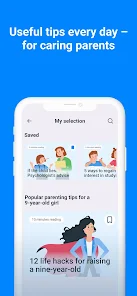
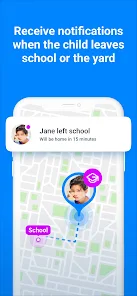
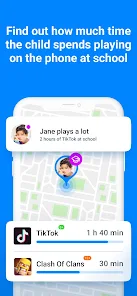
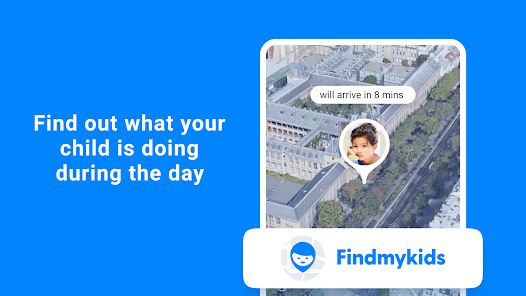
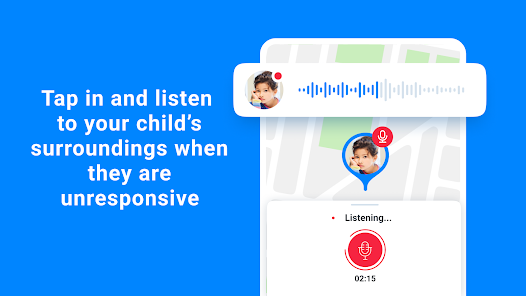
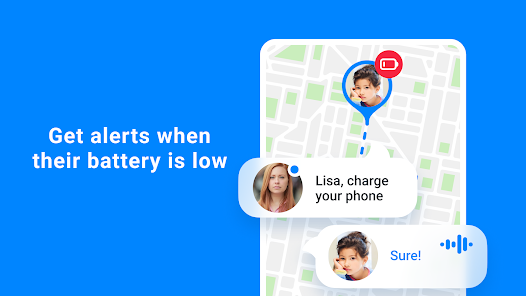
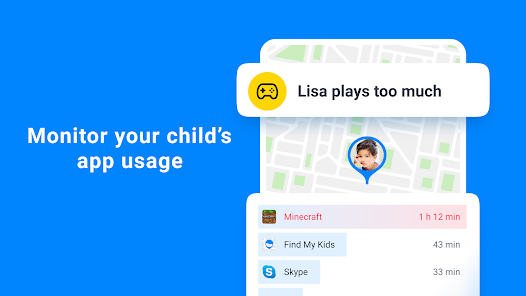
Findmykids also allows parents to monitor their child's device battery life. This feature helps ensure that the GPS tracker remains functional when needed most, reducing the worry of losing connection during critical moments.
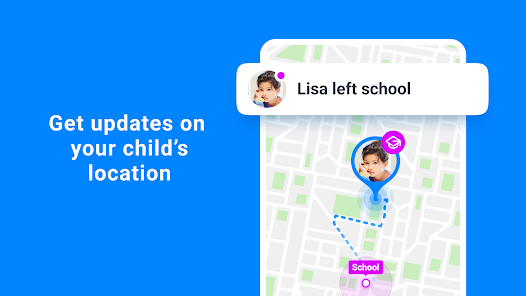
Set safe zones for your kids, and receive instant notifications when they enter or leave these designated areas. This feature helps ensure your child's safety by keeping you informed and allowing you to react quickly if they wander outside of their safe boundaries.
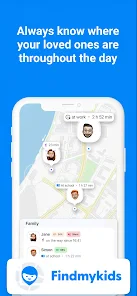
With Findmykids, parents can easily track their child's real-time location on a map. This feature provides peace of mind, allowing you to know exactly where your kids are during their daily activities, whether at school or out playing with friends.
In case of an emergency, the SOS button enables kids to send an immediate alert to their parents. This feature ensures that help is just a tap away, giving both kids and parents an added layer of security and reassurance in unpredictable situations.

 Real-time location tracking ensures your child's safety at all times. Easy-to-use interface makes navigation simple for all users. Receive instant alerts when your child arrives or leaves important locations. Historical location data helps you understand your child's movements over time. Geofencing feature allows you to set safe zones for added peace of mind.
 Limited battery life can hinder tracking accuracy over time Subscription fees may be a financial burden Privacy concerns arise with continuous location sharing
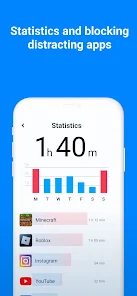
 Findmykids: Kids GPS Tracker is designed for parents looking to keep track of their children's whereabouts in real-time. This application is particularly beneficial for busy families where children may walk to school, attend extracurricular activities, or play outside with friends. The app allows parents to set geofences, receiving alerts when their child enters or exits designated areas. This feature is incredibly useful for ensuring children stay within safe boundaries. Additionally, the app includes a location history feature, enabling parents to review where their child has been throughout the day, adding an extra layer of peace of mind. The app is also helpful for parents of teenagers who may be out with friends or driving, as it allows them to monitor their teen's location discreetly.
Users generally find the interface of Findmykids to be intuitive and user-friendly. The app’s layout is clean and navigable, making it easy for parents to access key features without unnecessary complications. Notifications about the child's location are timely and reliable, giving parents confidence in the app's functionality. Many users appreciate the added feature of a built-in chat function, which allows parents and children to communicate directly within the app. However, some users have reported occasional inaccuracies in location tracking, particularly in areas with poor GPS signals, such as dense urban environments. Overall, most parents express satisfaction with the app's performance, citing that it effectively meets their needs for child safety and communication.
Findmykids offers a flexible pricing model that caters to various family needs. The app is free to download and provides basic features at no cost, making it accessible for most users. However, for enhanced features such as advanced location tracking, geofencing, and the ability to track multiple children, a subscription plan is required. The pricing is competitive, with several tiers available, allowing families to choose a plan that fits their budget. Many users find the subscription worthwhile, given the peace of mind it provides, although some have expressed a desire for more features to be included in the free version.
The developers of Findmykids are committed to improving the app continually, with regular updates that enhance functionality and user experience. Users have noted that updates often include bug fixes and performance improvements, which address any issues promptly. Customer support is generally responsive, with a dedicated team available to assist users with any questions or problems they encounter. The app also features a comprehensive FAQ section and community forums, allowing users to find solutions quickly. Overall, the ongoing support and updates contribute to a positive user experience, ensuring that the app remains reliable and effective for families.
Security & Privacy Review
 Google Play
  App Store


I was able to track someone on vacation, so I could suggest destinations to visit or nearby restaurants. There are features that I liked, such as hearing the surroundings. I didn't realize that you only had limited time and had to pay to top off. Some features were presented as "Would you like to..." only to find out it was an ad for yet another feature that cost more. You could improve your 'parent score' by purchasing more features. It was annoying to dismiss those ads just to use the program.
pricing tiers are confusing and not clearly advertised at all until attempting to purchase. And then extremely expensive and limited on users. I run the free version for just location but will probably delete all together unless they clear up their marketing and get some sense on the cost. probably get many more purchasers that way than deceptive marketing
I paid for the better version for a month with the intention of keeping the app permanently if it's as good as it looked. However, it says I can add 3 locations but will only let me add one. Every time I try to add a second, the app closes down and restarts the process. I've tried several times over 2 days. If it's not fixed when my first month is over, I will go back to the Life360 app. Shame, as it seemed good.
This app is extremely controlling. If you don't allow every permission no matter how trivial it is it will make the app malfunction to the point of being downright unreasonable. They are overly aggressive with both trying to get you to to buy the upgraded version and allow every permission they ask for. Every other app I've ever used I didn't have to give them permission to everything and it would still work this is the only one I've ever seen this with.
The app works great without the additives but it sometimes says that a person is offline or the location is off when it was not manually or physically turned off by the person. Not sure if it's the phone or the app itself. Other than that, the basics work well with the location being slightly okff at times but within the same close proximity.
Review Source: Google Play store public user reviews.
Yes, Findmykids encourages users to submit suggestions or feedback through the app or their official website to help improve the service.
Yes, Findmykids: Kids GPS Tracker collects personal data to provide its services, but it is committed to ensuring user privacy and data security.
Findmykids: Kids GPS Tracker primarily relies on GPS and mobile data for tracking, so it may have limited functionality in offline mode.
You can cancel your subscription through your account settings within the app or by contacting customer support for assistance.
The subscription cost for Findmykids: Kids GPS Tracker varies based on the plan chosen, with options for monthly, quarterly, or annual billing.
Unfortunately, your customer number cannot be changed. Please contact customer service for any account-related inquiries.
Yes, you can log in to your Findmykids account on multiple devices using the same credentials.
You can reach customer service by emailing support
Location tracking can be activated in the app settings after logging in. Ensure that the GPS feature is enabled on your child's device.
To activate your account, click the activation link sent to your email after registration.
This update improves app reliability, refines overall quality, and adds everyday convenience. Don't forget to update!

Cocomelon
Kids360: Parental Control App

Pregnancy + | Tracker App
Embarazo + App Semana a Semana
Pregnancy App & Baby Tracker

Huckleberry Sleep Baby Tracker
Huckleberry: Baby & Child

AppClose: Co-Parent Essentials
Find my kids: live GPS tracker
Findmykids: Kids GPS Tracker

Qustodio Parental Control App

Pregnancy Tracker & Baby App