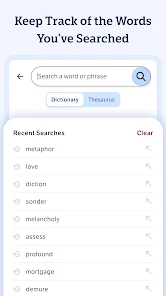
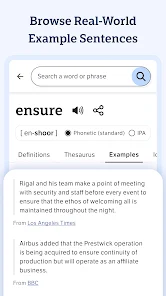
This site uses cookies to enhance your user experience. By clicking any link on this site you are giving your consent to our cookie policy. Read more
Reject
Accept All

Advertiser and Editorial Disclosures

Dictionary.com: English Words

Dictionary.com: English Words

verified

Dictionary LLC

4.1
Rating
10,000,000+ Downloads
12.0.8 Version
  • category

    Category: Reference

  • price

    Price: free

  • age rating

    Age Rating: Everyone

  • rating

    Rating: 4.1

  • available on

    Available on: /

  • updated on

    Updated on: Mar 12, 2026

Screenshot 1
Screenshot 2
Screenshot 3
Screenshot 4
Screenshot 5
Screenshot 6
Screenshot 7
Screenshot 8
Screenshot 9
Screenshot 10
Screenshot 11
Screenshot 12
Screenshot 13
Screenshot 14
Screenshot 15
Screenshot 16
Screenshot 17
Screenshot 18
Advertisement

Features & Highlights

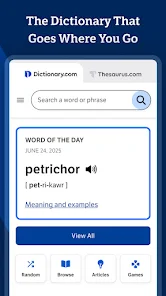
Audio Pronunciation

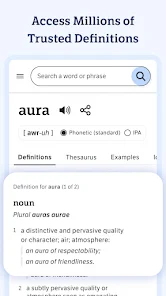
Master the pronunciation of words with audio clips from native speakers. Whether you're learning a new language or just want to improve your English, listening to the correct pronunciation helps you speak more confidently and accurately in any situation.

Offline Access

Enjoy the convenience of accessing the dictionary even without an internet connection. Downloaded content allows you to look up definitions, synonyms, and more anytime and anywhere, making it a reliable companion for your language needs on the go.

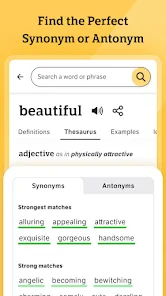
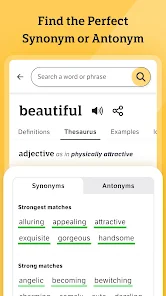
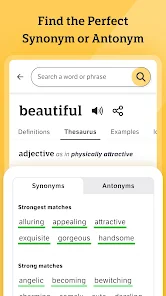
Thesaurus Access

Enhance your writing and speaking with instant access to a comprehensive thesaurus. With synonyms and antonyms readily available, you can easily find the perfect word to express your thoughts and avoid repetition, ensuring your language remains rich and varied.

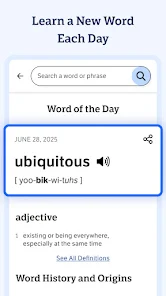
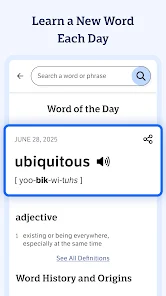
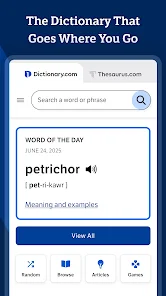
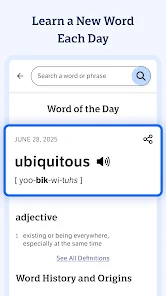
Word Of The Day

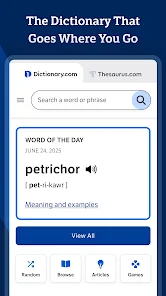
Expand your vocabulary with the daily Word of the Day feature, which introduces you to a new word each day along with its definition, pronunciation, and usage examples. This fun and engaging way to learn helps you integrate new words into your everyday conversations.

Advertisement

Pros & Cons

Pros
  • Comprehensive definitions for thousands of words
  • User-friendly interface for easy navigation
  • Audio pronunciations enhance language learning
  • Synonyms and antonyms expand vocabulary options
  • Regular updates ensure current language trends
Cons
  • Limited examples of word usage in context
  • Requires internet access for full functionality
  • Inconsistent updates may lead to outdated definitions
  • Ads can disrupt user experience and navigation

Real Experience Using Dictionary.com: English Words

Application Scenarios

Dictionary.com: English Words serves as an essential tool for a wide array of users, making it perfect for students, professionals, and language enthusiasts alike. Whether you're a high school student looking to expand your vocabulary for an essay or a professional aiming to polish your communication skills, this app is versatile enough to meet diverse needs. It can be used during casual reading sessions to clarify unknown words, while studying for exams, or even in workplaces where precise language is crucial. Furthermore, travelers can benefit from its translation features and pronunciation guides, ensuring they communicate effectively in various contexts. The app’s capability to provide synonyms and antonyms also aids in enhancing writing skills, making it an all-in-one solution for anyone looking to improve their command of the English language.

User Experience

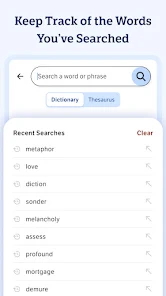
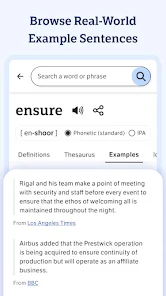
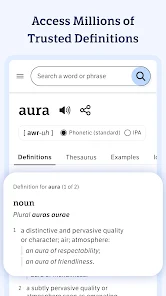
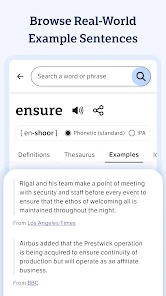
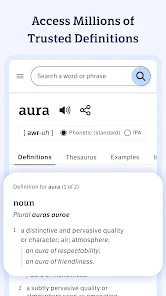
The user experience of Dictionary.com is straightforward and intuitive, making it accessible for users of all ages. The clean design and easy navigation allow users to search for words quickly without feeling overwhelmed. The app provides detailed definitions, phonetic pronunciations, and example sentences, which enhance understanding and context. Additionally, the voice search feature is a valuable tool for those who might struggle with spelling. Users have praised the app for its speed and reliability, especially when searching for less common words. The daily word feature is a fun way to learn something new every day, and users find it engaging to challenge themselves with quizzes and flashcards. Overall, the user experience is highly rated for its functionality and user-friendly design.

Pricing

Dictionary.com offers a free version that includes a robust range of features. However, for users seeking an ad-free experience and additional premium features, a subscription is available at a reasonable monthly or annual rate. The premium version unlocks advanced functionalities such as offline access, comprehensive word lists, and enhanced learning tools, which are especially beneficial for dedicated learners. The pricing structure is competitive, considering the wealth of information and features packed into the app. Many users report that the investment in the premium version is worth it for the added convenience and enhanced learning opportunities.

Updates & Support

The development team behind Dictionary.com is committed to regular updates, which often include new features, bug fixes, and improvements based on user feedback. This dedication to refinement ensures that the app remains relevant and useful in an ever-evolving linguistic landscape. Customer support is readily accessible, with a responsive team that addresses user inquiries and concerns efficiently. Users can expect timely assistance through various channels, including in-app support and email. The commitment to user satisfaction is evident, as many users have reported positive experiences when resolving issues or seeking clarification about features.

verified Security & Privacy Review

The Dictionary.com app places a strong emphasis on user security and privacy. It adheres to industry-standard encryption practices, ensuring that any data transmitted between the app and its servers is protected from unauthorized access. The app's privacy policy is transparent, clearly outlining how user data is collected, used, and shared. Users should be aware that while the app may collect data such as search history and usage patterns to enhance user experience, personally identifiable information is handled with care and is not sold to third parties. Permissions requested by the app are relevant to its functionality, including access to the internet for real-time word lookups and updates. Users can manage their permissions through device settings, allowing for greater control over what data is shared. Additionally, the app provides options for users to opt out of certain data collection practices, promoting a more tailored experience without compromising privacy. Overall, Dictionary.com demonstrates a commitment to safeguarding user information while providing a valuable resource for English language learners and enthusiasts.
Advertisement

User Reviews

  • Blake Snodgrass
    2025/07/05

    I purchased the premium version of this app years ago, and have used it ever since. Imagine my surprise when the premium version just stops working one day and I can't even find it in the Play Store, just this ad-supported app. I finally remember I can open the Play Store from any app via 'app info,' only to discover it hasn't been updated in years. Evidently the app I paid for has been abandoned. The entire thing has left a bad taste in my mouth, so I'm just going to find a new dictionary app.

  • Spencer Schillinger
    2025/08/06

    I previously purchased a premium version of this app that I successfully used for years. I recently started having issues with it, so I uninstalled it with the intent to reinstall. To my dismay I found that it is no longer available, and I am now forced to use the new version which has ads on every page. Taking a paid, premium product away from your customers without notice or restitution is abhorrent and I could not disapprove more. So disappointing

  • Matthew Vanberg
    2026/04/20

    Update: on a new phone and it's happening again. This shouldn't happen. period. Just found out the version I paid for isn't supported anymore. Unbelievable. Update: I paid for the premium version of the app, it's in my Google store purchase history, yet my app is not the premium version and when I go to the upgrade section its as if I don't have it.

  • Susan “SuzyQsLion” Woolery
    2026/05/01

    1 May 26: As an avid reader, this app is a must have! I installed the app several years ago, and purchased the premium paid version immediately. Now, the paid version is no longer available, so I have to completely re-download the original version? Ridiculous! Previously, I loved the app, and used it regularly, worthy of my PREVIOUS 5☆ rating. But, I loathe ads! That's why I purchased the premium version before. My time is too precious to waste watching advertisements!

  • Karyn
    2026/04/16

    if I could give this zero stars I would. Not happy about supporting this app for years with the premium version and then the developers completely abandoned the PAID version without so much a word. It no longer works at all! And, the only version available now is an ad supported version. No thanks! Like everything else, greed takes over.

Review Source: Google Play store public user reviews.

FAQ

1

Does Dictionary.com: English Words collect my personal data?

Yes, Dictionary.com: English Words may collect personal data as outlined in its privacy policy, which includes information such as usage statistics and device information to improve user experience.

2

Does Dictionary.com: English Words offer a free trial or free version?

Dictionary.com: English Words offers a free version with basic features, while also providing a premium subscription that unlocks additional functionalities.

3

Does Dictionary.com: English Words require an internet connection?

While Dictionary.com: English Words offers offline access to previously downloaded content, a stable internet connection is required for accessing the latest definitions, updates, and additional features.

4

How can I contact support or send feedback for Dictionary.com: English Words?

You can contact support or send feedback via the app's help section, or by visiting the official Dictionary.com website where you can find additional support resources and contact forms.

5

How do I manage or cancel my Dictionary.com: English Words subscription?

You can manage or cancel your Dictionary.com: English Words subscription through your device's app store settings or within the app's account settings, depending on your subscription method.

How to use Dictionary.com: English Words

1

How can I contact customer service for the Dictionary.com app?

You can reach customer service by visiting the Dictionary.com help page and submitting a request or through the app's support section.

2

How do I log in to my Dictionary.com account?

Open the app, tap on the profile icon, and enter your email and password to log in.

3

Is activation needed for the Dictionary.com app?

The app does not require activation; simply download it from your app store and start using it.

4

What is the customer number for Dictionary.com support?

Dictionary.com does not provide a direct customer number; instead, use their online support portal for assistance.

What's New

This release includes bug fixes and performance improvements.

Editor's Choice