This site uses cookies to enhance your user experience. By clicking any link on this site you are giving your consent to our cookie policy. Read more
Reject
Accept All

Advertiser and Editorial Disclosures

Blue Letter Bible

Blue Letter Bible

verified

Blue Letter Bible

4.6
Rating
1,000,000+ Downloads
1.86.38 build 2090 Version
  • category

    Category: Reference

  • price

    Price: free

  • age rating

    Age Rating: Everyone

  • rating

    Rating: 4.6

  • available on

    Available on: /

  • updated on

    Updated on: Jul 4, 2026

Screenshot 1
Screenshot 2
Screenshot 3
Screenshot 4
Screenshot 5
Screenshot 6
Screenshot 7
Screenshot 8
Screenshot 9
Screenshot 10
Screenshot 11
Screenshot 12
Screenshot 13
Screenshot 14
Screenshot 15
Screenshot 16
Screenshot 17
Screenshot 18
Screenshot 19
Screenshot 20
Advertisement

Features & Highlights

Audio Bible Feature

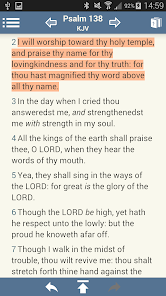
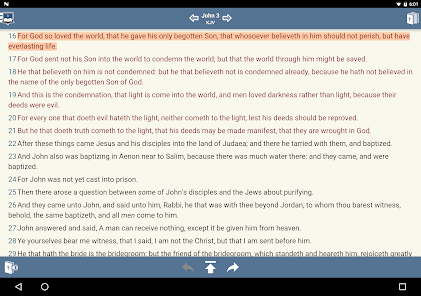
Blue Letter Bible includes an audio Bible feature, allowing users to listen to scripture being read aloud. This is especially beneficial for those who prefer auditory learning or want to engage with the Word while on the go, making biblical study more accessible.

Customization Options

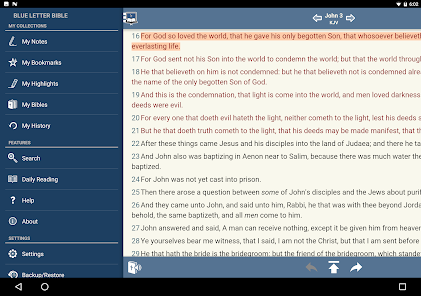
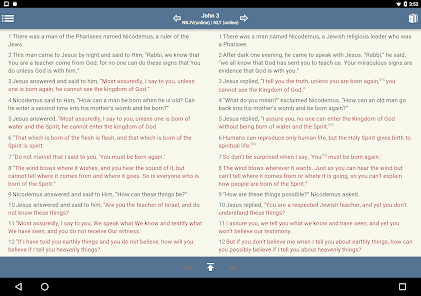
Users can personalize their experience by adjusting settings such as font size, background color, and display preferences. This level of customization ensures that everyone can enjoy reading the Bible in a way that suits their individual needs and preferences.

Powerful Search Tools

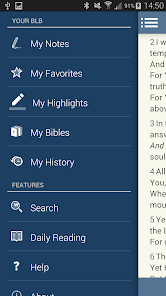
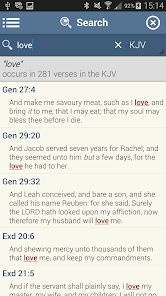
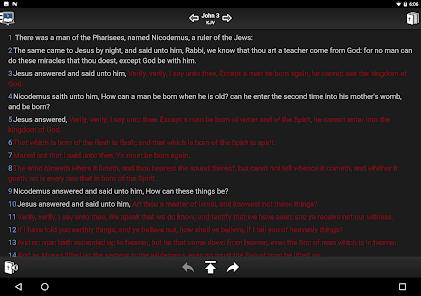
Blue Letter Bible offers robust search capabilities, allowing users to quickly find specific verses, keywords, or phrases across various translations. This feature is perfect for in-depth study or casual reading, making it easy to explore scripture with just a few taps.

Rich Study Resources

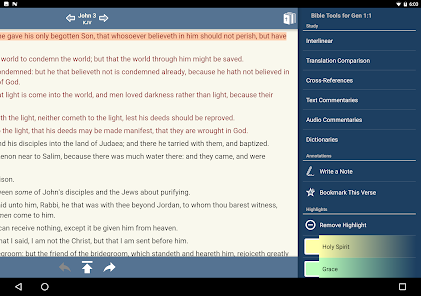
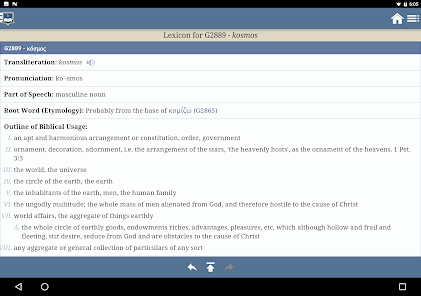
The app is packed with a wealth of study resources including commentaries, dictionaries, and encyclopedias. These tools enhance understanding and provide context, helping users dive deeper into biblical texts and themes without overwhelming complexity.

Advertisement

Pros & Cons

Pros
  • Extensive Bible translations available for study
  • User-friendly interface for easy navigation
  • In-depth commentaries enhance understanding of scripture
  • Powerful search tools for quick verse access
  • Community features foster discussion and learning
Cons
  • Limited search functionality for specific topics
  • User interface can be overwhelming for beginners
  • Lacks some advanced study tools and features
  • Ads can distract from the reading experience

Real Experience Using Blue Letter Bible

Application Scenarios

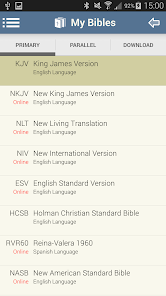
The Blue Letter Bible app is a versatile tool tailored for those seeking a deeper understanding of the Scriptures. It is particularly beneficial for students, educators, and anyone engaged in personal Bible study or group discussions. Users can easily navigate through various translations of the Bible, making it perfect for comparative study. The app also caters to sermon preparation, allowing pastors and teachers to access a wealth of resources, including commentaries, dictionaries, and original language tools. Whether you are attending a church service, participating in a Bible study group, or simply reflecting on your faith at home, Blue Letter Bible provides a comprehensive platform for exploring biblical texts in depth.

User Experience

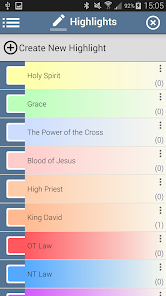
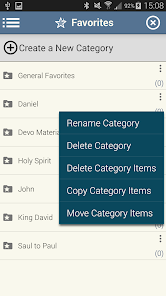
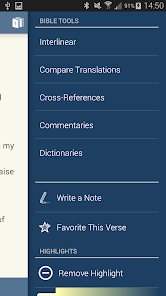
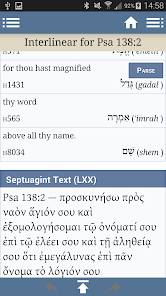
The user experience of the Blue Letter Bible app is designed with simplicity and accessibility in mind. Upon opening the app, users are greeted with a clean interface that allows for easy navigation through the Bible's books and chapters. The search functionality is robust, enabling users to quickly find specific verses or keywords. Many appreciate the inclusion of various study tools, such as interlinear texts, which facilitate understanding of the original languages of the Bible. Users can also highlight passages, take notes, and bookmark favorite sections, enhancing their study experience. The app's audio feature further enriches the experience, allowing users to listen to the Bible being read aloud, which can be particularly helpful for auditory learners or those on the go.

Pricing

The Blue Letter Bible app is offered free of charge, making it accessible to a wide audience. The developers have opted for a freemium model, allowing users to access a substantial amount of content without any payment. This includes various translations, study tools, and resources. For those seeking more advanced features or additional resources, there may be optional in-app purchases available. However, the free version is robust enough for most users, ensuring that anyone can explore the Scriptures without financial barriers.

Updates & Support

Blue Letter Bible is committed to providing regular updates to enhance user experience and expand its features. Users can expect periodic enhancements that fix bugs, improve functionality, and introduce new resources. The support team is responsive and dedicated to assisting users with any issues they may encounter. The app includes a comprehensive FAQ section and user guides, helping users navigate any challenges. Additionally, the active community surrounding Blue Letter Bible often provides peer support, sharing insights and tips on maximizing the app's potential for study and engagement.

verified Security & Privacy Review

The Blue Letter Bible app prioritizes user security and privacy, adhering to industry standards to protect personal information. The app does not require extensive permissions, focusing primarily on functionality related to Bible study and reading. Users are not obligated to create an account, allowing for anonymous usage, which enhances privacy. Data encryption is implemented to safeguard any personal information that may be collected, ensuring that sensitive details remain secure during transmission and storage. The app's privacy policy clearly outlines its data handling practices, indicating that any user data collected is utilized solely for improving user experience and app performance. Additionally, the app does not share user data with third parties for advertising purposes, reflecting a commitment to maintaining user trust. Regular updates and security patches are provided to address potential vulnerabilities, further reinforcing the app’s dedication to safeguarding user information. Overall, Blue Letter Bible demonstrates a solid approach to security and privacy, making it a reliable choice for users seeking a safe digital environment for their Bible study needs.
Advertisement

User Reviews

  • Stanley C. “Stan” Gourd
    2025/10/01

    A NO-BRAINER 5-STAR APP. If you want a pretty app with pretty quotations and pretty backgrounds, there are hundreds to choose from. If you also want subscriptions, rating nags, scrolling ads, pimps for products, and other commercial behavior, best look elsewhere. HOWEVER, If you want an app that will deepen your love for the Word, provide you with study aids, commentaries, extensive cross-translations and an excellant interlinear, THIS IS THE ONE YOU WANT. Consider supporting them monthly, I do.

  • Joe Patton
    2026/06/08

    I honestly love the app, but there doesn't seem to be a way to link mobile and PC. I'm logged into the PC, but often do highlights and such on my phone or tablet. I have to manually transfer my highlights between my phone and tablet, and there's no way to highlight on the PC. very frustrating that the 3 cannot be linked.

  • Chad Niemeyer
    2026/05/26

    This bible app has everything I need in a digital version, including different translations, Greek and Hebrew concordance, commentaries, daily reading plans, and more. It's not the most intuitive app to use, but I don't mind at all after I've figured out how to get everywhere. My previous app was good, but I received far too many requests for payment and donations. This Blue Letter app is so good in that way that I donated :). Very thankful!

  • Manasseh Remembers
    2026/04/13

    This is such a great app to use secondary to a printed Bible. it's lightning fast to look up words, follow linked verses from the printed Bible, and study deeper word meanings. I don't have any complaints with this app, but I do suggest incorporating the earlier Bibles such as the Geneve or the Coverdale translation so that students can easily switch between versions to see the differences in context and usage.

  • Rhea Kelly
    2026/05/21

    I like your app very much and use it often to search for where words are in the Bible. You make it easy; however, there are too many times where I search for phrases that I know are in the Bible but I can't find them. I end up having to do a search in EVERY version but none of them have the exact words so I NEVER get any search results. Even if a comma is missing, there are no search results. Please update the app so that we can look for phrases across all versions at once. REPHRASE FROM 7/2024

Review Source: Google Play store public user reviews.

FAQ

1

Does Blue Letter Bible collect my personal data?

Blue Letter Bible may collect certain user information for account management and service improvement; however, they prioritize user privacy and comply with relevant data protection regulations.

2

Does Blue Letter Bible offer a free trial or free version?

Yes, Blue Letter Bible offers a free version that provides access to many of its resources and features, allowing users to explore the app before deciding on any paid options.

3

Does Blue Letter Bible require an internet connection?

While Blue Letter Bible primarily functions with an internet connection to access its full range of features and resources, some content may be available offline depending on the device and settings used.

4

How can I contact support or send feedback for Blue Letter Bible?

To contact support or provide feedback for Blue Letter Bible, users can visit the official website and access the support section, where they can submit inquiries or comments through the provided contact form.

5

How do I manage or cancel my Blue Letter Bible subscription?

Users can manage or cancel their Blue Letter Bible subscription through their account settings within the app or website, following the provided instructions for subscription management.

How to use Blue Letter Bible

1

How can I contact customer service for the Blue Letter Bible app?

You can reach customer service through the app's "Help" section or visit their official website for support.

2

How can I find the customer number for the Blue Letter Bible app?

The customer number is usually available in the app's settings or support section. Check there for assistance.

3

How do I log in to the Blue Letter Bible app?

Open the app and tap the "Log In" option. Enter your credentials to access your account.

4

Is there a way to activate additional features in the Blue Letter Bible app?

If needed, follow the instructions in the app for activating premium features, usually found in the settings or upgrade section.

What's New

Minor bug fixes

Editor's Choice