This site uses cookies to enhance your user experience. By clicking any link on this site you are giving your consent to our cookie policy. Read more
Reject
Accept All

Advertiser and Editorial Disclosures

Constant Contact

Constant Contact

verified

Constant Contact Inc.

4.7
Rating
100,000+ Downloads
23.2.0 Version
  • category

    Category: Business

  • price

    Price: free

  • age rating

    Age Rating: Everyone

  • rating

    Rating: 4.7

  • available on

    Available on: /

  • updated on

    Updated on: Jun 17, 2026

Screenshot 1
Screenshot 2
Screenshot 3
Screenshot 4
Screenshot 5
Screenshot 6
Screenshot 7
Screenshot 8
Screenshot 9
Screenshot 10
Screenshot 11
Screenshot 12
Screenshot 13
Screenshot 14
Screenshot 15
Advertisement

Features & Highlights

Email Campaign Builder

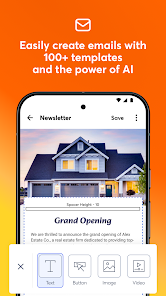
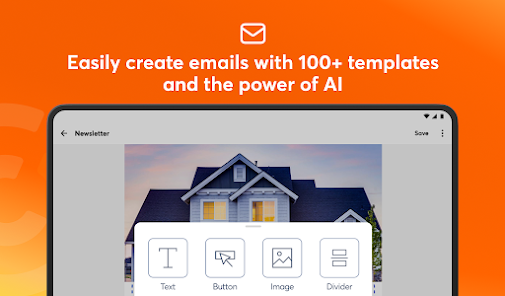
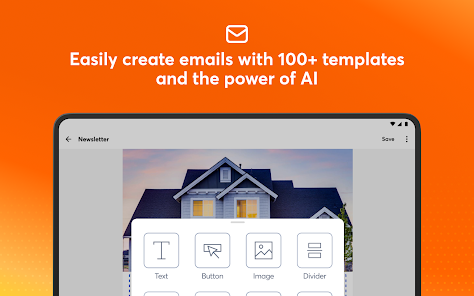
Create stunning email campaigns with ease using the intuitive drag-and-drop builder. Customize templates or start from scratch to match your brand's style, ensuring your messages are visually appealing and effective in engaging your audience.

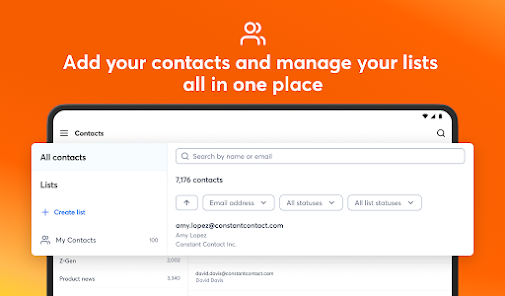
List Segmentation Tools

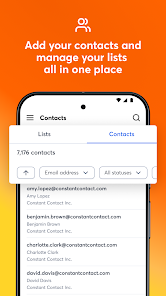
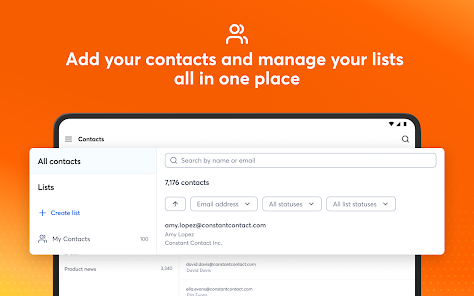
Target your audience more effectively with advanced list segmentation tools. Easily segment your contacts based on demographics or behaviors to send personalized messages that resonate, improving open rates and driving conversions.

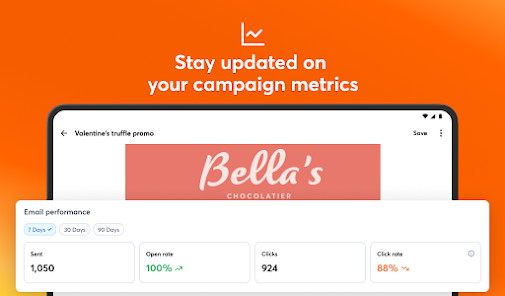
Real-Time Analytics

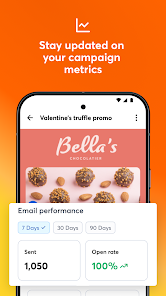
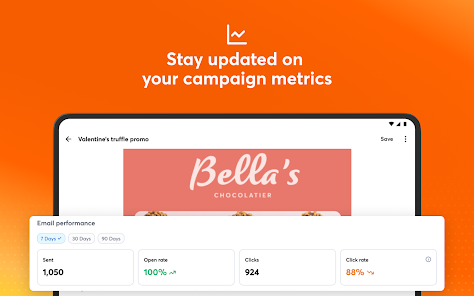
Monitor the performance of your campaigns with real-time analytics that provide insights into open rates, click-through rates, and engagement. Use this data to refine your strategies and make informed decisions, ensuring your marketing efforts are always optimized.

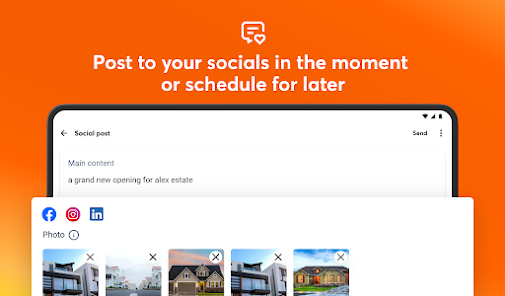
Social Media Integration

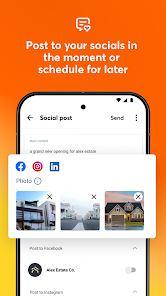
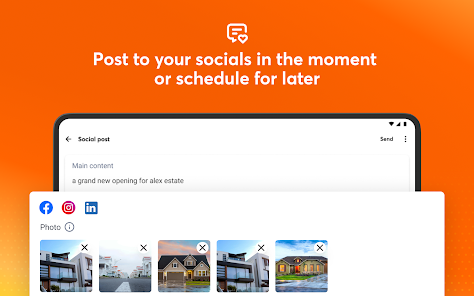
Effortlessly integrate your email marketing with social media platforms for a cohesive marketing strategy. Share your campaigns directly on social media, allowing you to reach a wider audience and enhance your brand's visibility online.

Advertisement

Pros & Cons

Pros
  • User-friendly interface simplifies email marketing for everyone.
  • Extensive template library helps create professional emails quickly.
  • Robust analytics track campaign performance and improve strategies.
  • Excellent customer support ensures assistance whenever needed.
  • Integrates seamlessly with various tools and platforms for enhanced functionality.
Cons
  • Limited automation features hinder advanced marketing strategies.
  • Higher pricing tiers may not justify features for small businesses.
  • Customer support response times can be slow during peak hours.

Real Experience Using Constant Contact

Real Experience Application Scenarios

The Constant Contact Marketing App is an ideal solution for small to medium-sized businesses looking to enhance their marketing efforts. Whether you're a local retailer aiming to promote a new product, a service provider wanting to engage with clients, or a non-profit organization seeking to rally support for a cause, this app offers versatile tools to meet your needs. Users can easily create and manage email campaigns, build landing pages, and even track social media performance, making it a comprehensive marketing tool. Additionally, the app is perfect for event management, allowing users to invite attendees, manage registrations, and send reminders—all from a single platform. Its intuitive design ensures that even those with minimal marketing experience can navigate and utilize its features effectively.

User Experience

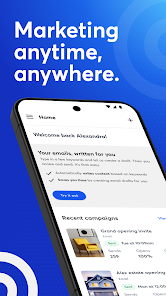
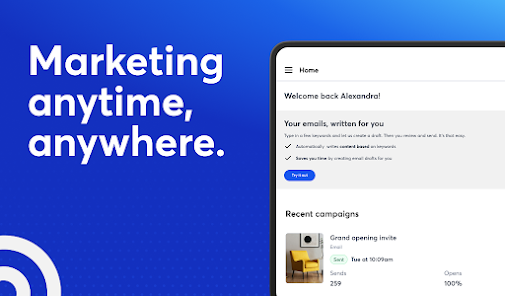
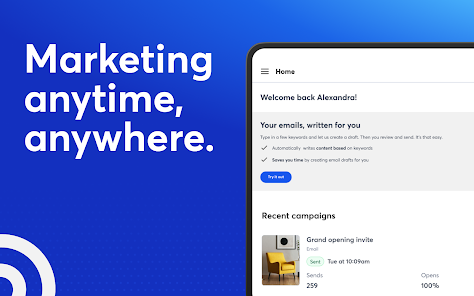
The user experience of the Constant Contact Marketing App is generally positive, characterized by a clean interface and user-friendly navigation. Upon logging in, users are greeted with a dashboard that provides an overview of their campaigns, analytics, and essential tools. The drag-and-drop email editor is particularly noteworthy, allowing users to create visually appealing emails without needing any technical skills. Users report that the app operates smoothly, with minimal loading times and a responsive design that works well on mobile devices. Moreover, the integration options with popular platforms such as Shopify and WordPress significantly enhance its functionality, allowing for seamless data synchronization. However, some users have expressed a desire for more advanced customization options, particularly in the email design templates.

Pricing

Constant Contact offers a tiered pricing structure that caters to various business sizes and needs. Plans start at a competitive rate, which includes essential features like email marketing, list segmentation, and basic reporting tools. For businesses that require more advanced features, such as automated campaigns and enhanced reporting, higher-tier plans are available at an increased cost. While some users appreciate the value for money, others feel that the pricing could be more transparent, especially regarding additional costs for certain features. The app also offers a free trial, allowing potential users to explore its capabilities before committing to a paid plan.

Updates & Support

Constant Contact is committed to providing ongoing updates and support, ensuring that users have access to the latest features and improvements. Regular updates are rolled out to enhance functionality and address any bugs or issues that arise. Users can access a comprehensive knowledge base filled with tutorials, webinars, and articles, making it easier to learn how to maximize the app's potential. Furthermore, customer support is readily available through email, chat, and phone, providing timely assistance for any inquiries. Overall, the combination of consistent updates and robust customer support contributes to a reliable user experience, making the Constant Contact Marketing App a dependable choice for businesses looking to elevate their marketing strategy.

verified Security & Privacy Review

Security & Privacy Review The Constant Contact Marketing App prioritizes user data security and privacy through robust measures. The app employs encryption protocols for data transmission, ensuring that sensitive information remains protected from unauthorized access. User data handling practices are transparent, with clear privacy policies outlining how personal information is collected, used, and shared. The app only requests permissions necessary for its core functionalities, minimizing potential privacy risks. Users can easily manage their preferences and opt-out of data sharing when appropriate. Constant Contact adheres to industry standards for compliance, including GDPR and CCPA, reinforcing its commitment to safeguarding user privacy. Regular security audits and updates are conducted to identify and mitigate vulnerabilities, ensuring that user data is continuously protected against emerging threats. Overall, the Constant Contact Marketing App demonstrates a strong commitment to security and privacy, providing users with the confidence that their information is handled responsibly and securely.
Advertisement

User Reviews

  • Divine A Khan
    2026/01/30

    🗣 I pay my subscription but they don't do anything for me. There is absolutely no way to cancel a subscription with them, not even with a call to the customer service, unless with the use of a laptop or desktop, but very possible to upgrade and pay them more money for nothing done, even from a phone... This requires serious attention, everyone!!! 📢⚠️🔥

  • Logan Stafford
    2023/01/15

    Very useful. I use it every week. However, the only reason I'm giving it 3 stars is because the mobile version used to have an "engagement" tab. This would show when people would open the emails, and how many times. That has been gone for a couple months now. Hopefully they decide to add that feature back, because it was extremely helpful

  • Callie Hitchcock
    2025/06/01

    If I could rate lower I would. It won't send out any emails and I can not get a hold of a real person for customer support. When I went to cancel the virtual assistant said to call a number and when I called it said that they are out of the office, please leave a message. They might call back but even so I feel there is a lack of service. Will be uninstalling the app as soon as I'am able to properly cancel my account. I can not afford any extra financial expenses at this time.

  • A Google user
    2019/07/05

    I prefer to use on my phone or iPad. The functionality is different on each device. When I copy a campaign on my phone it easier to edit the text versus the computer. On the computer it doesn't except the edits for me. I begin on my computer and switch to the app to make the edits. It could be user error (lol) but I adjust and switch between the two devices.

  • G L
    2020/10/08

    The reports are useless. They don't accurately list the opens and clicks etc. They will omit people who have opened up the email. For example, I open my email yet my name sometimes is listed and other times it isn't and the times it is listed, it might be listed several times. Very frustrated with this app. The desktop version reports are better but they have issues too. Thinking of going back to Mailchimp.

Review Source: Google Play store public user reviews.

FAQ

1

Can I submit suggestions or feedback to Constant Contact?

Yes, Constant Contact encourages users to submit suggestions or feedback through their support channels or community forums.

2

Does Constant Contact collect my personal data?

Yes, Constant Contact collects personal data in accordance with its privacy policy, which includes information necessary for account creation and usage analytics.

3

Does Constant Contact support offline use?

Constant Contact primarily operates online and does not support offline use for its core functionalities.

4

How do I cancel my Constant Contact subscription?

You can cancel your subscription by accessing your account settings and following the cancellation instructions, or by contacting customer support for assistance.

5

How much does a subscription to Constant Contact cost?

Subscription costs vary depending on the plan chosen, with pricing typically starting at a monthly fee that scales based on the number of contacts.

How to use Constant Contact

1

Can I change my login email address?

Yes, you can change your login email in the account settings under "Profile."

2

How can I contact customer service for help with my account?

You can reach our customer service via the support section in the app or by calling the number listed on our website.

3

How can I find my customer number?

Your customer number is located in your account settings under the "Profile" section.

4

How can I reach customer service for billing questions?

You can contact our customer service through the billing section in your account or via phone for immediate assistance.

5

How can I update my customer number if it’s incorrect?

Please contact customer service for assistance in updating your customer number.

What's New

- Bug fixes and performance improvements.

Editor's Choice