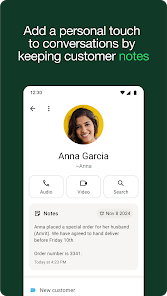
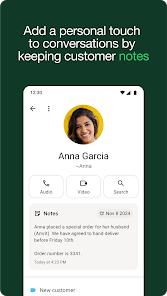
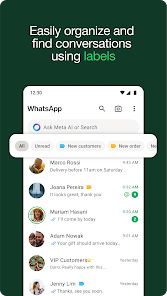

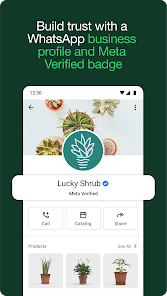
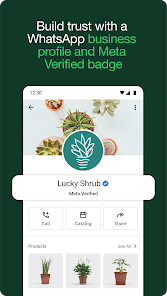
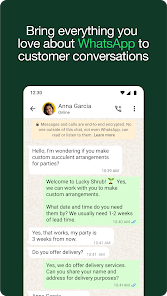
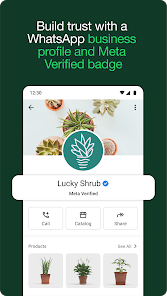
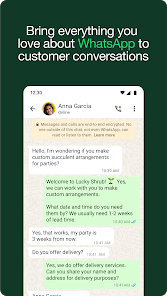
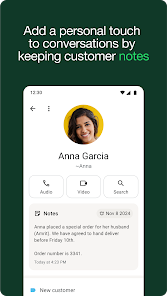

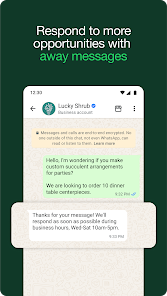
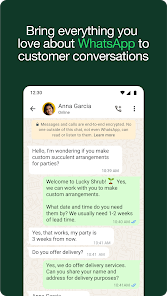

WhatsApp Business is a messaging app designed specifically for small businesses to connect with their customers. It is a free app that is available for download on the App Store and Google Play Store. WhatsApp Business builds on the features of the regular WhatsApp app and adds a number of features that are useful for businesses, such as the ability to create a business profile with contact information and business hours, and the ability to send and receive messages with customers, as well as make and receive calls. WhatsApp Business also integrates with other business tools, such as Facebook and Google, and allows businesses to manage multiple conversations and accounts from a single app. This can help businesses save time and improve their communication with customers.
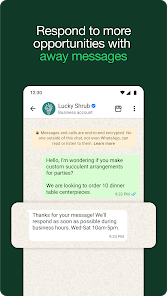
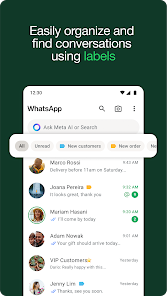
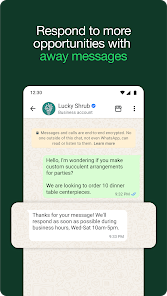
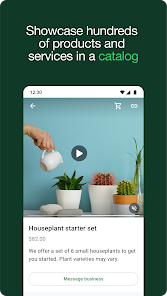
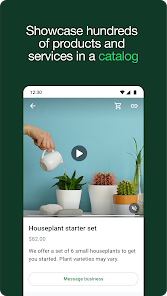
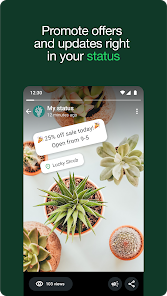
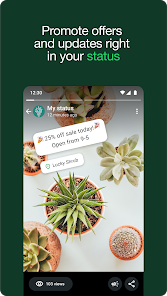
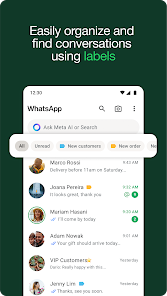
Features WhatsApp Business is a mobile app that allows small businesses to communicate with their customers and manage their business messages. The app is available for Android and iOS devices and is free to download and use. Some of the key features of the WhatsApp Business app include: The ability to create a business profile with information about your business, such as your business name, description, website, and contact information. The ability to create and manage labels and catalogs to organize your products and services. The ability to create quick replies and automated messages to help you respond to common questions and requests from customers. The ability to create and use templates to quickly send messages with common information, such as shipping updates or product recommendations. The ability to see statistics and analytics on your messages, such as the number of messages sent, delivered, and read. How to use Google Find My Device Mobile app Download the app from the App Store (for iOS devices) or the Google Play Store (for Android devices). Open the app and tap on "Agree and Continue" to accept the terms and conditions. On the next screen, enter your phone number and tap "Next" to verify your account. You will receive a verification code via SMS. Enter the code in the app to verify your phone number. Once your phone number is verified, you can set up your profile by adding your business name, address, and other relevant information. To start using the app, tap on the "Chats" tab at the bottom of the screen and select a contact to start a conversation with. You can also create a new chat by tapping on the "+" icon in the bottom-right corner. To send a message, simply type your message in the input field at the bottom of the screen and tap on the "Send" button. You can also use the app to send and receive media files such as photos, videos, and documents. To do this, tap on the "+" icon in the bottom-left corner and select the type of media you want to send. The app also has a number of useful features, such as the ability to create quick replies, set up automated greetings, and manage multiple chats at once. To access these features, tap on the "Settings" icon in the top-right corner and select the feature you want to use. Overall, the WhatsApp Business app is a powerful tool for businesses to communicate with customers and manage their messaging in a convenient and efficient way. Pros & Cons Pros: It is a free and easy-to-use platform, which means that small businesses can use it without incurring any additional costs. It allows businesses to communicate with their customers in real-time, which can help improve customer satisfaction and loyalty. WhatsApp Business integrates with other business tools, such as CRM systems and e-commerce platforms, which can help streamline business processes and improve efficiency. It enables businesses to send automated messages, such as appointment reminders and shipping updates, which can save time and improve the customer experience. Cons: WhatsApp Business is only available on mobile devices, which means that businesses may not be able to access it from their desktop computers. It does not offer the same level of security and privacy as some other messaging platforms, which may be a concern for businesses handling sensitive information. The platform may not be suitable for businesses with a large number of customers, as managing and responding to a large volume of messages can be time-consuming and overwhelming. There is no official support from WhatsApp for businesses using the platform, which means that businesses may not have access to the same level of support and resources as they would with other messaging platforms.

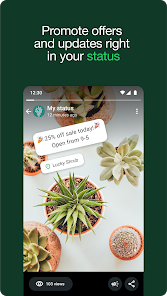
 Streamlined communication with customers and clients Automated responses save time and effort Business profile enhances brand visibility Quick sharing of updates and promotions Integration with other tools boosts efficiency
 Limited automation features for responses Restricted to a single device No built-in analytics for performance tracking Business profile verification can be challenging
 WhatsApp Business collects certain information such as phone numbers and message data to facilitate communication and improve service, but it prioritizes user privacy and data security.
Yes, WhatsApp Business offers a free version that includes basic features suitable for small businesses, with no free trial needed as the app is completely free to use.
Yes, WhatsApp Business requires an internet connection to send and receive messages, as it operates over the internet rather than through traditional SMS.
You can contact WhatsApp Business support through the app’s Help section or visit the WhatsApp Business website for additional resources and support options.
You can manage or cancel your WhatsApp Business subscription directly through the app settings or by contacting your service provider if you are using the WhatsApp Business API.
You can reach WhatsApp Business customer service through the app's help section or via their official website. Look for the "Contact Us" option for assistance.
To activate, download the app, enter your business phone number, verify it, and set up your profile with business details. Follow the on-screen instructions.
Download the WhatsApp Business app, enter your phone number, and verify it with the code sent via SMS. Follow the setup prompts to complete the process.
WhatsApp does not provide a specific customer number. Instead, use the in-app support feature or visit their help center for inquiries.











 Google Play
  App Store