This site uses cookies to enhance your user experience. By clicking any link on this site you are giving your consent to our cookie policy. Read more
Reject
Accept All

Advertiser and Editorial Disclosures

CCleaner

CCleaner

verified

Piriform

4.5
Rating
100,000,000+ Downloads
26.08.0 Version
  • category

    Category: Tools

  • price

    Price: free

  • age rating

    Age Rating: Everyone

  • rating

    Rating: 4.5

  • available on

    Available on: /

  • updated on

    Updated on: Jul 1, 2026

Screenshot 1
Screenshot 2
Screenshot 3
Screenshot 4
Screenshot 5
Screenshot 6
Screenshot 7
Advertisement

Features & Highlights

Privacy Protection

CCleaner's Privacy Protection features safeguard your personal information by securely deleting browsing history, cookies, and other sensitive data. This ensures that your online activities remain private, protecting you from potential tracking and enhancing your overall online security.

Registry Cleaner

The Registry Cleaner feature scans and repairs issues in your Windows registry, which can accumulate over time and lead to system slowdowns or errors. By fixing these problems, CCleaner helps improve system stability and reliability, making it an essential tool for maintaining optimal performance.

Startup Manager

With the Startup Manager, you can easily control which programs launch at startup, reducing boot time and improving overall system responsiveness. This feature allows you to streamline your computer’s performance by disabling unnecessary applications from running in the background, giving you a quicker, more efficient start.

System Cleaning

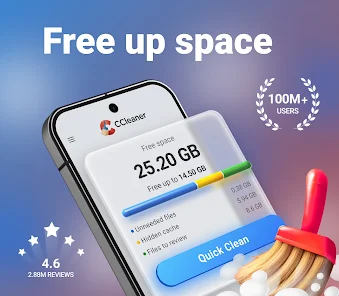
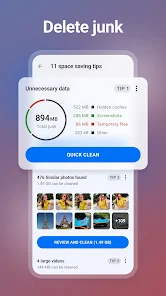
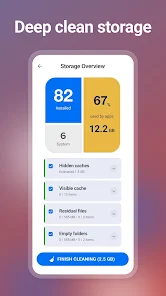
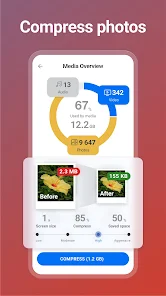
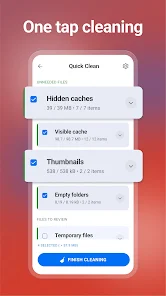
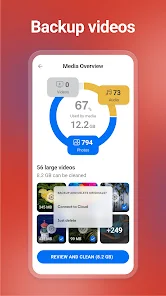
CCleaner offers a powerful system cleaning tool that helps remove unnecessary files, temporary data, and browser cache. This not only frees up valuable disk space but also enhances system performance, allowing your computer to run smoother and faster, ensuring a more enjoyable user experience.

Advertisement

Pros & Cons

Pros
  • CCleaner enhances system performance by freeing up valuable disk space.
  • It removes unnecessary files, improving loading times and overall speed.
  • The user-friendly interface makes optimization easy for everyone.
  • Regular cleaning helps maintain privacy by erasing browsing history.
  • Automatic updates ensure you always have the latest features and improvements.
Cons
  • CCleaner may remove essential files by accident, risking data loss.
  • Its aggressive cleaning can slow down system performance temporarily.
  • The free version lacks advanced features, limiting its effectiveness for users.

Real Experience Using CCleaner

Application Scenarios

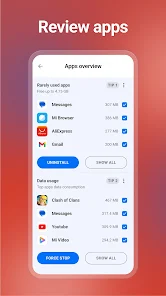
CCleaner serves a variety of users, from everyday individuals looking to optimize their personal devices to IT professionals managing multiple systems. Whether you’re a student who needs to free up space on your laptop for new projects or a business owner striving to maintain efficient operations on company computers, CCleaner is designed to meet your needs. Users can benefit from its ability to remove unnecessary files, clean browser caches, and manage startup programs to enhance performance. In addition, CCleaner’s scheduled cleaning option allows users to automate maintenance tasks, ensuring that devices run smoothly without manual intervention.

User Experience

The user experience with CCleaner is generally positive, characterized by its intuitive interface that caters to both novice and advanced users. The dashboard is straightforward, making navigation simple with clear options for various cleaning tasks. Users appreciate the detailed analysis provided before cleaning, which helps them understand what files will be removed and why. This transparency builds trust, allowing users to make informed decisions about their device maintenance. Furthermore, CCleaner’s ability to customize cleaning preferences means users can tailor the app to meet their specific needs, enhancing overall satisfaction. However, some users have reported occasional issues with the application not detecting certain files that they expected it to clean, which can lead to frustration.

Pricing

CCleaner offers both a free version and a paid premium version, catering to different levels of user needs. The free version provides essential cleaning tools, making it an attractive option for casual users who want basic optimization without spending money. On the other hand, the premium version comes with advanced features such as real-time monitoring, automatic updates, and priority customer support. The pricing for the premium version is competitive within the market, making it accessible for users who wish to enhance their experience. Overall, the dual pricing strategy ensures that CCleaner can accommodate a wide audience, from casual users to those requiring comprehensive system management.

Updates & Support

CCleaner is known for its regular updates, which not only fix bugs but also introduce new features and improvements based on user feedback. This commitment to continuous enhancement is crucial in maintaining its relevance in a rapidly evolving tech landscape. The support system is comprehensive, featuring an online knowledge base, user forums, and direct customer support for premium users. Many users have reported positive experiences when reaching out for assistance, noting that the support team is responsive and helpful. Overall, the combination of regular updates and solid support contributes to a reliable user experience, making CCleaner a valuable tool for system optimization.

verified Security & Privacy Review

CCleaner takes user privacy and data security seriously, implementing a range of measures to protect personal information. The app operates with minimal permissions, primarily requiring access to storage for cleaning purposes. This ensures that users maintain control over their data while benefiting from the app's functionalities. The app does not collect personal data unless explicitly provided by the user, such as during account creation for premium features. CCleaner adheres to strict privacy policies, ensuring that any data collected is used solely for enhancing user experience and app performance. Moreover, the app does not share user data with third parties without consent. CCleaner also offers features like the ability to clear browsing history and app caches, allowing users to manage their online footprint effectively. Regular updates and transparency about data handling practices further bolster user trust. Overall, CCleaner demonstrates a commitment to safeguarding user privacy while delivering effective cleaning solutions.
Advertisement

User Reviews

  • Bridget Pruett
    2026/05/21

    I have waaaayy too many APPS on 2 phones so I've tried A LOT of Apps and this one's a good one especially if you pay for the PRO version that cleans caches, temp files, empty folders/files, duplicates and more. AND there's a PRO PLUS if u want to spend a bit more I just got it for a deal paid less than $7 for a year I don't know if you can get it for this deal but it actually does what it says... Totally Recommend 👍🏻👍🏻 WORTH IT!!!

  • 152
    2026/06/13

    I know it's easy to focus on the bad and never give credit where credit is due so I'll at least start there - I used to really love this app. It worked flawlessly for years, always cleaned my excess junk, and I really appreciated the app. This was until Jun 2nd, when I was cleaning my phone with this app, and suddenly, my phone shut off out of nowhere. I kept trying to turn it on, with no success, I became concerned. i tried everything I could but it never came back on. My phone became bricked.

  • Kathy Stensvold
    2026/06/22

    I have been a user of Ceaner for a few weeks. it is unbelievable how well it cleans. I have a 32gig phone and I run about 28-29% used all the time. after it's first cleaning I was at 37% that was AWESOME 👍🏿 Not giving more stars is because I was upgrading the subscription to more lines of the Pro. It was not until after I spent an annual price that the app offered a 70% discount. That should have happened before I had paid.

  • KC Scott
    2026/02/21

    This app was great. It cleared my cache so quickly and easily. Then suddenly with the most recent update, it literally stopped working. I tap on the app and it starts to open. Then it closes about 2 seconds later. I'm paying for this app and will give only a few days for it to be fixed before I ask for a refund. If you can't fix it fast, at least have it revert to the previous version that did work.

  • B G V SR
    2026/04/11

    WARNING: Updated CCleaner Pro Plus for Android & Windows is TERRIBLE! Don't waste your money. I renewed my subscription because I was told that the 7th edition for Windows would be fixed soon. Nothing has changed, it's useless and I had to roll back to an unsupported CCleaner 6. The Android app cannot clear cache on multiple apps only one at a time which my 3-year-grandson can do. It doesn't clear the hidden cache at all. This phone is new and 1 month old. It has 2.5GB of Hidden Cache.

Review Source: Google Play store public user reviews.

FAQ

1

Can I submit suggestions or feedback to CCleaner?

Yes, CCleaner encourages users to submit suggestions or feedback through their official website or support channels.

2

Does CCleaner collect my personal data?

CCleaner does not collect personal data without user consent, though it may collect usage statistics to improve the app and its services.

3

Does CCleaner support offline use?

Yes, CCleaner can be used offline for cleaning and optimizing your system, although some features may require an internet connection for updates or additional functionality.

4

How do I cancel my CCleaner subscription?

You can cancel your CCleaner subscription through your account settings on the CCleaner website or by contacting their customer support for assistance.

5

How much does a subscription to CCleaner cost?

The subscription cost for CCleaner varies depending on the plan chosen, with options typically ranging from a few dollars a month to a discounted annual fee.

How to use CCleaner

1

Can I activate my CCleaner account on multiple devices?

Yes, you can activate your CCleaner account on multiple devices as long as you use the same login credentials.

2

Can I recover my CCleaner account if I lost my customer number?

Yes, you can recover your account by contacting customer service and providing any details related to your purchase for verification.

3

How can I contact customer service for CCleaner?

You can reach CCleaner's customer service through the support section on their website, where you can submit a ticket or find live chat options.

4

How do I update my customer information for CCleaner?

To update your customer information, log in to your account and navigate to the profile or account settings section.

5

How often should I log in to my CCleaner account?

It's a good practice to log in periodically to check for updates and manage your subscription settings.

Editor's Choice