This site uses cookies to enhance your user experience. By clicking any link on this site you are giving your consent to our cookie policy. Read more
Reject
Accept All

Advertiser and Editorial Disclosures

ASTRO File Manager & Cleaner

ASTRO File Manager & Cleaner

verified

ST Pulse

4.1
Rating
50,000,000+ Downloads
8.15.3 Version
  • category

    Category: Tools

  • price

    Price: free

  • age rating

    Age Rating: Everyone

  • rating

    Rating: 4.1

  • available on

    Available on: /

  • updated on

    Updated on: Feb 19, 2025

Screenshot 1
Screenshot 2
Screenshot 3
Screenshot 4
Screenshot 5
Screenshot 6
Advertisement

Features & Highlights

Cloud Integration

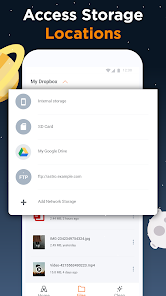
ASTRO seamlessly integrates with various cloud storage services, enabling you to access and manage your files from anywhere. Whether it's Google Drive, Dropbox, or OneDrive, you can easily upload, download, and share your documents without any hassle, enhancing your productivity on the go.

File Management

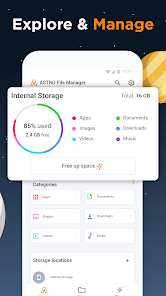
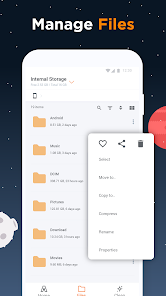
ASTRO File Manager & Cleaner simplifies your digital life by providing an intuitive interface for organizing files and folders. You can easily move, copy, and delete items with just a few taps, making it a breeze to keep your device clutter-free and your files easily accessible.

File Sharing

Sharing files has never been easier with ASTRO's built-in sharing features. You can quickly send files via email, messaging apps, or even Bluetooth, making it simple to share important documents or media with friends and colleagues directly from the app.

Storage Cleaner

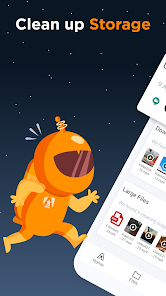
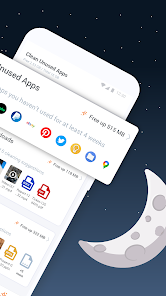
With its powerful storage cleaning capabilities, ASTRO helps you reclaim valuable space on your device. The app identifies junk files, cache, and unnecessary downloads, allowing you to delete them swiftly and efficiently, ensuring your device runs smoothly without any lag.

Advertisement

Pros & Cons

Pros
  • Effortlessly organize and manage files across your device.
  • Boost device performance with efficient storage cleaning tools.
  • User-friendly interface makes navigation simple and intuitive.
  • Securely delete unwanted files to protect your privacy.
  • Easily transfer files between devices with built-in sharing options.
Cons
  • Limited backup options may lead to data loss risks.
  • Frequent ads can disrupt user experience and productivity.
  • Some features require a premium subscription for full access.

Real Experience Using ASTRO File Manager & Cleaner

Application Scenarios

ASTRO File Manager & Cleaner is an essential tool for anyone looking to optimize their mobile device's performance and manage files effectively. It's particularly useful in scenarios where users need to organize files scattered across different folders, such as photos, documents, and downloads. The app shines in environments where storage space is a concern, allowing users to easily identify and delete unnecessary files, cache, and duplicate media. For students and professionals alike, the ability to compress files and share them directly from the app enhances productivity. Additionally, travelers can benefit from the app’s functionality to manage offline files, ensuring that important documents remain accessible without the need for internet connectivity.

User Experience

The user experience with ASTRO File Manager & Cleaner is generally positive, characterized by an intuitive interface that caters to both tech-savvy users and novices. The app features a clean layout with easily navigable menus, making it simple to find and manage files. Users appreciate the quick search functionality, which allows for immediate access to specific files without sifting through folders. The built-in cleaning feature is particularly praised; it efficiently identifies junk files and provides users with the option to remove them with a single tap. This not only frees up valuable storage space but also enhances the device's speed and performance. Furthermore, the app’s integration with cloud storage services allows seamless file management across platforms, which is a significant advantage for users who rely on multiple devices.

Pricing

ASTRO File Manager & Cleaner is available for free, making it accessible to a broad audience. While the app does include ads, users can opt for a premium version that offers an ad-free experience and additional features such as enhanced file recovery options and advanced cleaning tools. The pricing for the premium subscription is competitive within the market, providing good value considering the features offered. Users often find that the free version meets most of their needs, but the option to upgrade is appreciated for those who desire a more streamlined experience.

Updates & Support

The development team behind ASTRO File Manager & Cleaner is dedicated to providing regular updates, ensuring that the app remains compatible with the latest Android versions and continuously improves its feature set. Users can expect periodic enhancements that address bugs, introduce new functionalities, and refine existing ones. Customer support is generally responsive, with a dedicated help section within the app that offers FAQs and troubleshooting tips. For more complex issues, users can reach out via email, and feedback is often welcomed. This commitment to updates and support contributes significantly to user satisfaction, reinforcing trust in the app's reliability and effectiveness.

verified Security & Privacy Review

Security & Privacy Review ASTRO File Manager & Cleaner takes user data security and privacy seriously. The app implements robust encryption methods to protect files during transfer and storage, ensuring that sensitive information remains secure. Users have complete control over their data, as the app does not automatically upload files to the cloud without explicit consent. When it comes to permissions, ASTRO File Manager & Cleaner requests access only to essential features necessary for its functionality, such as storage access. This limited permission model minimizes potential vulnerabilities and enhances user trust. The app does not collect any personally identifiable information, and any data handling practices adhere to strict privacy standards. Furthermore, ASTRO File Manager & Cleaner provides clear privacy policies, informing users about data usage and their rights regarding personal information. Regular updates ensure that security features are up to date, addressing any potential threats promptly. Overall, users can rely on ASTRO File Manager & Cleaner for a secure and privacy-focused file management experience.
Advertisement

User Reviews

  • S
    2024/10/31

    Started off great, but crapped out in less than an hour. I found it very useful to move fingers from my Google Drive to my phone. However, when I tried moving groups of 25 or 50 files, it was hit or miss. Sometimes it worked flawlessly, sometimes it froze after moving 3-6 files,b and sometimes the transfers never started. While I appreciate the efforts of the developers, I find this app to be of little use if it can't be consistent.

  • A Google user
    2019/11/03

    I would not upgrade to version 7.5.0, which is this update. The app wants to many permissions. It wants to run at start up, and run a foreground service. I'm not accusing them of data mining, however, it is quite possible. Every app wants to run at start up. If every app runs at start up, your device is going to be slow. There's nothing wrong with the current installed version and no benefit for upgrading. You most likely will see a lot more ads. I'll decide which apps I want running.

  • A Google user
    2025/06/19

    Unfortunately in the last few weeks the app is no longer useful because it consyantly crashes fron the time you first open the app. Rebooting the phone does not help. OLD REVIEW BELOW: Good for copying, renaming, deleting and organizing files into folders. Works well. If you are use to Microsoft Windows file manager for PC this app is not very intuitive but once you figure out how the controls work to find the files it does everything you expect from a file manager.

  • A Google user
    2019/09/17

    Not worth it. Ugh. I used this app on my old phone and it was so useful for helping me organize all my files on my phone and extra memory card. But when I went to download the recent version on my new phone it wanted to track data?! So I immediately uninstalled it. Astro, I would have paid at least $5 for this app, you don't need to make money by selling data or whatever it is you're doing with the data you track.

  • Brandon Handy
    2021/08/21

    Been using ASTRO for a long time, it does it's job. It also has connectivity to cloud services, which is convenient. 2021 update: As far as I can tell, cloud integration is gone, so there's absolutely no reason to use this app over something like Samsung's base file browser. Otherwise, seems fine and does the same things aside from the lack of cloud integration.

Review Source: Google Play store public user reviews.

FAQ

1

Can I submit suggestions or feedback to ASTRO File Manager & Cleaner?

Yes, users can submit suggestions or feedback through the app’s support or feedback section, or by contacting customer support directly.

2

Does ASTRO File Manager & Cleaner collect my personal data?

ASTRO File Manager & Cleaner has a privacy policy that outlines its data collection practices, but it generally focuses on optimizing user experience rather than collecting personal data.

3

Does ASTRO File Manager & Cleaner support offline use?

Yes, ASTRO File Manager & Cleaner can be used offline for file management tasks, although some features may require an internet connection.

4

How do I cancel my ASTRO File Manager & Cleaner subscription?

You can cancel your subscription through the app store where you purchased it, following the platform's cancellation process.

5

How much does a subscription to ASTRO File Manager & Cleaner cost?

The subscription cost for ASTRO File Manager & Cleaner can vary based on the chosen plan and region, and it's best to check the app for the most current pricing.

How to use ASTRO File Manager & Cleaner

1

Can I activate my account using my phone number?

Yes, you can activate your account using your phone number if it was provided during registration. Just follow the SMS instructions.

2

How can I activate my account after signing up?

To activate your account, check your email for an activation link and follow the instructions provided.

3

How do I contact customer service for issues related to my account?

You can reach customer service through the app's support section or by visiting our website for direct assistance.

4

How do I log in if I have multiple accounts?

To log in with multiple accounts, simply log out of the current account and enter the credentials for the other account.

5

How do I update my customer number if it's changed?

You can update your customer number in your account settings under the profile section.

Editor's Choice