This site uses cookies to enhance your user experience. By clicking any link on this site you are giving your consent to our cookie policy. Read more
Reject
Accept All

Advertiser and Editorial Disclosures

Wells Fargo Mobile

Wells Fargo Mobile

verified

Wells Fargo Mobile

4.8
Rating
10,000,000+ Downloads
26.06.01.711 Version
  • category

    Category: Finance

  • price

    Price: free

  • age rating

    Age Rating: Everyone

  • rating

    Rating: 4.8

  • available on

    Available on: /

  • updated on

    Updated on: Jul 7, 2026

Screenshot 1
Screenshot 2
Screenshot 3
Screenshot 4
Screenshot 5
Screenshot 6
Screenshot 7
Screenshot 8
Screenshot 9
Screenshot 10
Screenshot 11
Screenshot 12
Screenshot 13
Screenshot 14
Screenshot 15
Screenshot 16
Screenshot 17
Screenshot 18
Screenshot 19
Screenshot 20
Screenshot 21
Screenshot 22
Screenshot 23
Screenshot 24
Advertisement

Features & Highlights

Account Management

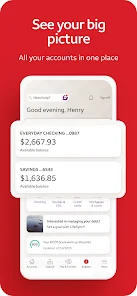
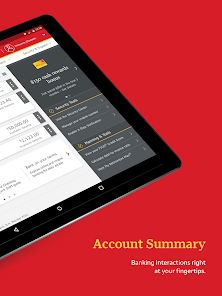
Easily manage your accounts on the go with Wells Fargo Mobile®. Check balances, view transaction history, and transfer funds between accounts seamlessly, all from the convenience of your smartphone. This feature ensures that you stay in control of your finances anytime, anywhere.

Alerts and Notifications

Stay informed about your account activity with customizable alerts and notifications. Get updates on transactions, payment due dates, and balance changes sent directly to your phone. This feature helps you keep a close eye on your finances and avoid any surprises.

Bill Pay Made Easy

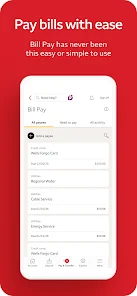
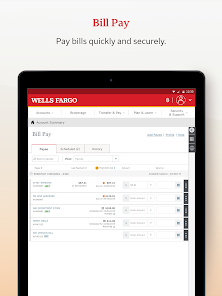
Take the stress out of managing your bills with the app's Bill Pay feature. Set up one-time or recurring payments to ensure your bills are paid on time, and receive reminders to help you stay organized. It's a simple solution for keeping your finances in check.

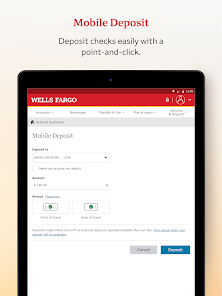
Mobile Deposits

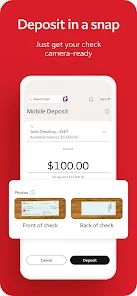
Skip the trip to the bank with the mobile deposit feature. Simply take a picture of your check and submit it through the app to have funds deposited directly into your account. It's a quick and secure way to manage your deposits without the hassle of waiting in line.

Advertisement

Pros & Cons

Pros
  • Enjoy convenient banking anytime, anywhere with the Wells Fargo Mobile app.
  • Access real-time account balances and transaction history for better financial insights.
  • Easily transfer funds between accounts or pay bills on the go.
  • Securely deposit checks using your smartphone's camera for quick access.
  • Receive timely alerts to stay informed about account activity and updates.
Cons
  • Limited functionality compared to full website features can hinder user experience.
  • Frequent app crashes or slow performance may frustrate users during transactions.
  • Customer support options within the app are often inadequate for resolving issues promptly.

Real Experience Using Wells Fargo Mobile

Application Scenarios

The Wells Fargo Mobile® app is designed to cater to a variety of banking needs, making it a versatile tool for users. Whether you are a busy professional needing to manage finances on the go, a student tracking spending, or a family budgeting for monthly expenses, this app has a solution for you. Common scenarios include checking account balances, transferring funds between accounts, depositing checks remotely, and paying bills. The app also provides easy access to financial tools and budgeting features, allowing users to track their expenses and set savings goals. For those who travel frequently, the app's ability to manage international transactions and alert users of potential fraud is invaluable. Overall, the Wells Fargo Mobile app suits a wide range of banking scenarios, making it a go-to option for various user needs.

User Experience

Users generally report a positive experience with the Wells Fargo Mobile app, appreciating its intuitive design and user-friendly interface. The app is well-organized, allowing for quick navigation between different functions. Features such as Touch ID and Face ID offer enhanced security while simplifying the login process. Users can personalize their dashboard to prioritize the information they access most frequently, which adds to the convenience of the application. Additionally, the app provides timely notifications for important account activities, helping users stay informed without needing to log in constantly. However, some users have noted occasional bugs or slow loading times, particularly during peak hours, which can detract from the overall experience. Despite these minor setbacks, the app's functionality and ease of use make it a reliable choice for many users.

Pricing

The Wells Fargo Mobile app itself is free to download and use, which is a significant advantage for customers. There are no monthly fees associated with the app, but users should be aware that certain transactions or account types may incur fees through Wells Fargo's banking services. For example, overdraft fees or charges related to wire transfers may apply, depending on the user's account type. Overall, the app serves as an effective tool for managing finances without additional costs, making it accessible for individuals and families alike.

Updates & Support

Wells Fargo regularly updates its mobile app to enhance performance, improve security, and introduce new features. Users can expect periodic updates that address any bugs or issues reported by the community, ensuring a smoother experience over time. The support provided by Wells Fargo is also commendable, with a dedicated help section within the app that offers FAQs, troubleshooting tips, and contact information for customer service. Users can reach out for assistance via phone or online chat, providing a safety net for any banking concerns. Overall, the commitment to continuous improvement and responsive support enhances the overall user experience, reinforcing trust in the app and the bank.

verified Security & Privacy Review

Security & Privacy Review The Wells Fargo Mobile® app prioritizes user security through advanced encryption technologies and multi-factor authentication. This ensures that sensitive financial information remains protected from unauthorized access. The app automatically logs users out after a period of inactivity, adding an extra layer of security. In terms of privacy practices, Wells Fargo is committed to safeguarding customer data. The app complies with regulatory standards and employs rigorous measures to prevent data breaches. Users can also customize their privacy settings, allowing them to control how their information is used and shared. The app requests essential permissions, such as access to location services for branch and ATM locator features, while ensuring that users are informed about the necessity of these permissions. Overall, Wells Fargo Mobile® demonstrates a solid commitment to data security and privacy, making it a reliable choice for managing finances on the go.
Advertisement

User Reviews

  • Josh Potts
    2025/01/15

    Kind of getting tired of how long it takes the App to process payments. It's in the account, money is accounted for, both deposits AND transactions but the App is constantly like "I'll get around to those pendings one of these days." If that could be tightened up a bit, it'd be a 5 star app. Good way to get people to miscalculate how much money they have so you can get them to overdraw.

  • J Brand
    2025/09/21

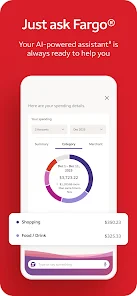
    Just use the website. the only reason I switched to the App was to stop getting the "why not use the App" pop up every time I used the website, but the App has SO MANY MORE POP-UPS. Not ads, just "Tips" and extra pages. It has useless notifications and, of course, an AI that doesn't ever provide actual help or answer questions. It's not a bad App, but you'll at least double the amount of clicking you need to do to get anything done.

  • Chris Dijak
    2026/07/01

    Went downhill...fast. Phone updated...then all of sudden biometrics stopped working...then I can't log in. Well I can but it takes three times of doing so. Same with the biometrics, it says something to the affect of " we can't do this now" . 2 months of this...it's frustrating to say the least and Im considering switching banks because of it.

  • Максим Голендухин
    2026/05/31

    Payments don't even show up in the app for several days. It is absolutely useless for budgeting. And I won't even get started on why they can't simply add a "transaction date" column to the database—recording exactly when the customer made a purchase—so that payments could actually be tracked. It also lacks a running balance after each transaction.

  • Comrade Rotifer
    2026/05/28

    Good standard bank. My family uses them for mortgage. If you get your income direct deposited every month, they won't charge a maintenance fee on your account. The app is good and you can do almost anything with it, though it is a little confusing. The bankers are very helpful especially with the phone help line which is available almost 24 hours. They did deny me a claim which I believe they were wrong about but I really didn't have the energy to keep the 2 month process going any longer.

Review Source: Google Play store public user reviews.

FAQ

1

Can I submit suggestions or feedback to Wells Fargo Mobile?

Yes, users can submit suggestions or feedback through the app or contact Wells Fargo customer service for assistance.

2

Does Wells Fargo Mobile collect my personal data?

Yes, the app collects personal data to provide services, improve user experience, and enhance security, in accordance with Wells Fargo's privacy policy.

3

Does Wells Fargo Mobile support offline use?

The app requires an internet connection for most functionalities, but some features may be accessible offline, such as viewing previously loaded account information.

4

How do I cancel my Wells Fargo Mobile subscription?

Since there is no subscription required for the app, users do not need to cancel anything; however, they can choose to delete the app from their device at any time.

5

How much does a subscription to Wells Fargo Mobile cost?

There is no subscription fee for using the Wells Fargo Mobile app; it is available for free to all customers with eligible accounts.

How to use Wells Fargo Mobile

1

Can I activate my account through the Wells Fargo Mobile® app?

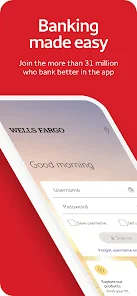
Yes, you can activate your account by selecting the "Activate" option on the login screen and following the prompts.

2

Can I log in to Wells Fargo Mobile® using my fingerprint?

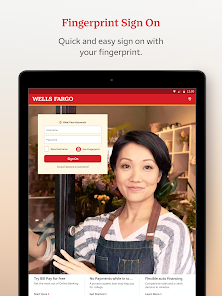
Yes, if your device supports it, you can enable fingerprint login for easier access to your Wells Fargo Mobile® account.

3

How can I contact Wells Fargo Mobile® customer service?

You can reach Wells Fargo Mobile® customer service by calling the number on the back of your debit or credit card or through the app's help section.

4

How can I update my customer number if it has changed?

To update your customer number, please contact Wells Fargo customer service for guidance on how to proceed.

5

How do I log in to my Wells Fargo Mobile® account?

To log in, open the app and enter your username and password. If you’re new, you’ll need to activate your account first.

What's New

We are continuing to roll out Wells Fargo Mobile® app updates each month.

New this month:

•ExpressSend® is now available in the Wells Fargo Mobile® app - it’s the easiest and fastest way to send money to your loved ones.

and more coming throughout 2026!

Editor's Choice