Home
Home  Apps
Apps  Games
Games  Topics
  About Us
  Cookies & Privacy Policy
  Terms of Service
 Account Management
View and manage all your Chase accounts in one place, including checking, savings, and credit cards. You can track your spending, check balances, and even set up alerts to stay on top of your finances effortlessly.


JPMorgan Chase
 4.7
4.7 
Category: Finance

Price: free

Age Rating: Everyone

Rating: 4.7

Available on: /

Updated on: Jun 25, 2026
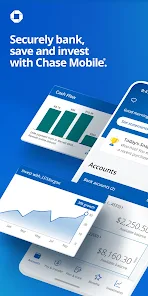
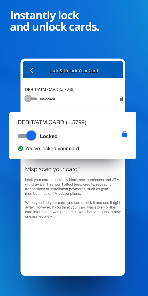
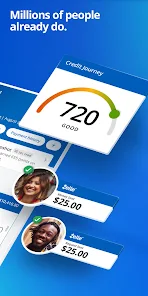
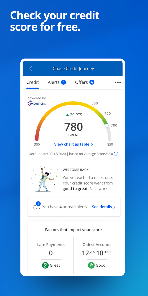
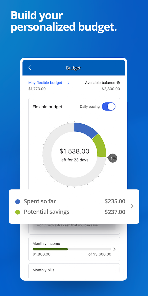
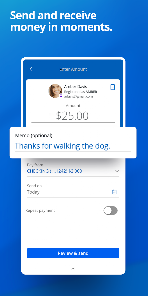
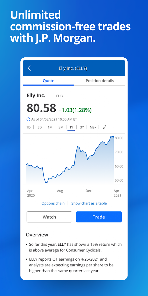
View and manage all your Chase accounts in one place, including checking, savings, and credit cards. You can track your spending, check balances, and even set up alerts to stay on top of your finances effortlessly.
Say goodbye to late fees with Chase Mobile's bill pay feature, allowing you to schedule and manage your bills directly from the app. You can set up recurring payments and receive notifications, ensuring you never miss a due date again.
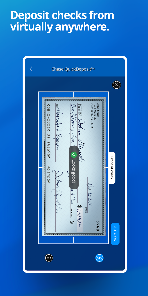
Easily deposit checks from the comfort of your home using your smartphone's camera. Just snap a photo of the front and back of the check, and the funds will be processed quickly, making banking more convenient than ever.
Feel confident with Chase Mobile's robust security measures, including biometric login options and real-time transaction alerts. Your financial information is protected, giving you peace of mind as you manage your banking on the go.

 Convenient banking on-the-go anytime, anywhere. Easy access to account balances and transactions. Quick mobile deposits with just a few taps. Secure payments and transfers with advanced encryption. Personalized alerts keeping you informed instantly.
 Limited functionality compared to desktop version Occasional app crashes and slow performance Customer support can be hard to reach Frequent updates may disrupt user experience
 The Chase Mobile app is designed to cater to a wide range of banking needs, making it an essential tool for both personal and business account holders. Users can manage their finances on-the-go, whether they’re checking their account balances, transferring funds, or paying bills. The app is particularly useful for travelers who need to monitor their spending and transactions in real-time while away from home. Additionally, the app supports mobile check deposits, allowing users to deposit checks without needing to visit a physical branch. For business owners, the app facilitates streamlined expense tracking and provides easy access to business accounts, making financial management more efficient.
The user experience of the Chase Mobile app is generally positive, characterized by an intuitive interface and easy navigation. Users appreciate the app's clean design, which makes finding features straightforward. The login process is secure yet user-friendly, with options for biometric login such as fingerprint recognition. Users can easily view transaction history, categorize expenses, and set budgets. The app also offers personalized alerts for account activity, which helps users stay informed about their finances. However, some users have reported occasional glitches, such as slow loading times or issues with mobile check deposits, which can detract from an otherwise seamless experience. Overall, the app provides a comprehensive suite of features that enhance the banking experience, but it could benefit from further optimization.
One of the standout features of the Chase Mobile app is that it is free to download and use for all Chase bank account holders. There are no hidden fees associated with accessing the app’s features, making it a cost-effective solution for managing finances. While some users might incur fees related to certain banking services (such as overdrafts or non-Chase ATM transactions), the app itself does not charge for its functionality. This accessibility makes it an attractive option for users looking to streamline their banking experience without additional costs.
The Chase Mobile app receives regular updates, which often include new features, security enhancements, and bug fixes. Users can expect improvements that align with the latest technology trends, ensuring that their banking experience remains safe and efficient. Customer support is available through the app, providing users with quick access to assistance when needed. The app features a comprehensive FAQ section, and users can also reach out to customer service via chat or phone. Overall, Chase is committed to providing ongoing support and updates, ensuring that the app remains a reliable tool for managing finances.
Security & Privacy Review


Used to be ok. Now chase travel just straight up doesn't work on the app. Every time you try to click on book a hotel or flight nothing happens or loads. Have tried clearing the cache. Tried uninstalling and reinstalling. Weird for such a major operation to have an app that just doesn't work at all. Hopefully they figure it out eventually
After banking with Chase / JP Morgan for several years, I truly have come to detest Chase for way too many and way too lengthy reasons to go into here. Still, their app is one of their stronger points (unless of course you deduct points for locking your cards and charges still coming through on them). Oh, wait; that's one of the way many banking issues that make them detestable. Thankfully, I'm about to switch, and so this is my Dear John letter of sorts. 😄
I have been banking with chase for a little over 3 years now and it has been a good experience. The app itself is pretty easy to use, ad free, protects and secures your private information, allows you to both send and receive transactions from others from apps like zelle, and so much more. Plus if you ever have any questions you can always call chase bank and they do a good job at helping to answer any questions you have.
The all works fine. I've used it for 5 years. The fact that we still do not have a keyword search for our transaction history kind of says a lot about Chase Bank though. I should not have to log on to my PC to do that. The most basic of apps have keyword search options. It will let me search transaction type but that does not help me when I think one specific place has double charged me for years. So my verdict is, this app kind of stinks. Not the first time I've had this problem.
I used to think Chase was great. Easy to access on my phone via the app. Now they have decided that I have to buy a new phone in order to use the app because of an update to their platform. I think this is outrageous. Chase is punishing a long term, frugal customer f or not throwing away money on a new phone, because my old one works just fine. I don't need to use Chase as my main credit card. I used them because they provided an easy to use platform and good service. Might have to rethink this
Review Source: Google Play store public user reviews.
Yes, Chase Mobile collects personal data to provide banking services, enhance user experience, and improve security. The app follows strict privacy policies to protect your information.
Chase Mobile is free to download and use, with no subscription fees; however, standard banking fees may apply based on the services you use.
Yes, Chase Mobile requires an internet connection to access your account information and perform transactions. You can use either Wi-Fi or mobile data.
You can contact Chase Mobile support through the app itself by navigating to the help section, or you can visit the Chase website for additional contact options and customer service resources.
Since there are no subscription plans for Chase Mobile, you do not need to manage or cancel a subscription. You can simply uninstall the app if you no longer wish to use it.
Yes, you can deposit checks by selecting "Deposit" in the app, taking a photo of the front and back of the check, and following the instructions.
Log in, go to "Profile & Settings," and select the information you want to update. Follow the prompts to make changes.
You can reach Chase customer service at 1-800-935-9935 for assistance with the mobile app.
You can activate the app by downloading it from your app store, then logging in with your Chase online banking credentials.
Open the app, tap on "Locate Us," and select "ATMs" to view nearby Chase ATM locations.
We're frequently updating the app in order to give you the best experience. Turn on auto updates to ensure you always have the latest version.This update includes:Minor bug fixes and improvements.
 Google Play
  App Store